
Every successful film, animation, commercial, or video starts with careful planning. While a script tells the story and a storyboard visualizes each shot, many creators still need one more step before production begins. That step is the animatic. Consequently, the fundamental question, “What is an animatic?” is frequently asked by new filmmakers looking to streamline their workflow.
An animatic transforms static storyboard frames into a timed video. It helps directors, producers, editors, and clients understand how a scene will look and feel before cameras roll or animation begins. Instead of relying on imagination alone, the entire team watches the story unfold with timing, movement, sound, and transitions.
Whether you create feature films, animated shorts, advertisements, YouTube videos, or vertical dramas, understanding animatics can save time, reduce production costs, and improve storytelling. This guide explains what is an animatic, why it matters, how to create one, and the best practices for making it effective.
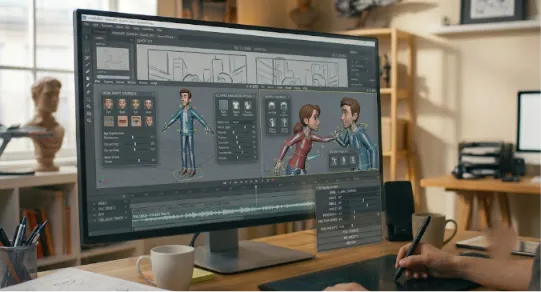
What Is an Animatic?
To define it simply, what is an animatic comes down to a sequence of storyboard images arranged on a timeline with estimated timing, camera movements, dialogue, sound effects, and music. Unlike a storyboard, which presents individual frames, an animatic plays like a rough version of the final film.
The goal is not to create polished animation. Instead, it helps filmmakers evaluate pacing, scene transitions, camera angles, and storytelling before production begins. Therefore, understanding what is an animatic helps teams see it as a blueprint in motion. It allows everyone involved in the project to see how the story flows from one shot to the next.
Most animatics include:
Storyboard panels
Shot timing
Temporary dialogue
Sound effects
Music tracks
Camera movements such as pans or zooms
Basic transitions
Some productions also include rough character movement to communicate important actions more clearly.
Why Are Animatics Important?
Producing a film or animation involves significant time, money, and coordination. Discovering problems during filming often leads to delays and additional expenses. An animatic helps identify those issues much earlier.
First, it improves pacing. A scene that feels exciting on paper may seem too slow once it plays on screen. Adjusting timing during pre-production takes minutes instead of days.
Second, animatics improve communication. Directors, producers, cinematographers, editors, clients, and investors all view the same visual plan. Everyone understands the creative vision before production starts.
Third, they reduce production risks. Teams can identify unnecessary shots, confusing transitions, or weak visual storytelling before committing resources.
Finally, animatics help editors plan the final rhythm of the film. Early editing decisions often improve the shooting schedule and reduce unnecessary footage.
Storyboard vs. Animatic
Many beginners confuse storyboards with animatics. Although they work together, they serve different purposes.
A storyboard consists of illustrated frames that represent important moments in a scene. Each panel shows composition, camera angle, and character placement.
An animatic takes those storyboard panels and places them on a timeline. It adds duration, temporary audio, camera motion, and transitions to simulate the finished sequence.
In simple terms:
Storyboard: A collection of visual frames.
Animatic: A timed video created from those storyboard frames.
The storyboard explains what happens. The animatic demonstrates how it happens over time.
How an Animatic Fits Into Pre-Production
Animatics sit between storyboarding and production. A typical workflow looks like this:
Write the screenplay.
Break down the script.
Create storyboards.
Build the animatic.
Revise scenes if needed.
Finalize shot lists.
Begin production.
This workflow allows directors to test creative ideas before expensive production begins. Instead of discovering pacing issues during editing, the team solves them during planning.
For animation studios, animatics become even more valuable because they guide every department, including layout, modeling, rigging, lighting, and animation.
How to Create an Animatic
Creating an animatic does not require advanced animation skills. The focus remains on storytelling rather than polished visuals.
Start by completing your storyboard. Every important shot should already exist as an illustration or sketch.
Next, import the storyboard images into editing software. Arrange them according to the screenplay and adjust the duration of each frame.
Then add temporary dialogue. Voice recordings do not need professional actors. Simple guide tracks help establish pacing.
After that, include sound effects and background music. Even placeholder audio creates a better sense of rhythm.
Finally, add simple camera movement. Slow zooms, pans, or slight movements make the sequence easier to understand.
Watch the complete animatic several times. Ask whether scenes feel too long, transitions appear confusing, or emotional moments arrive too quickly. Make revisions before moving into production.
Benefits of Using Animatics
Animatics offer advantages for productions of every size.
They improve creative decision-making because directors can experiment without expensive reshoots.
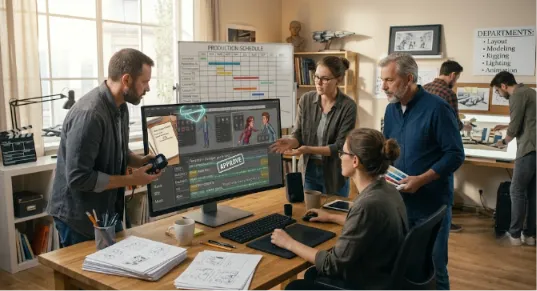
They support collaboration across departments. Cinematographers understand framing, editors anticipate cuts, and production designers prepare locations more effectively.
Animatics also simplify client approvals. Advertising agencies, production companies, and corporate clients often approve an animatic before filming begins. Early approval reduces revisions later.
Budget planning also becomes more accurate. Producers estimate shooting days, equipment needs, and crew requirements based on the planned sequence.
Most importantly, animatics improve storytelling. They reveal awkward pacing, missing transitions, and emotional gaps before production starts.
Who Uses Animatics?
Animatics have become standard across many creative industries.
Animation studios rely on them to test every sequence before full animation begins.
Film directors use animatics for action scenes, visual effects, and complex camera movements.
Commercial production companies present animatics to clients for approval before filming.
Game studios visualize cinematic cutscenes using animatics during development.
Marketing teams create animatics for promotional videos and product launches.
Even independent creators benefit from animatics because they reduce guesswork and help produce higher-quality videos with limited budgets.
Best Practices for Creating Better Animatics
Although every project differs, several practices consistently improve animatics. When discussing what is an animatic, industry experts always emphasize that clarity is key.
Keep the visuals simple. Clear storytelling matters more than polished artwork.
Match the timing to the intended emotional pace. Fast scenes require shorter shots, while dramatic moments often need more breathing room.
Use temporary sound effects because audio strongly influences pacing.
Review the animatic with key collaborators. Fresh perspectives often reveal issues that creators overlook.
Update the animatic whenever the script changes. An outdated animatic creates confusion during production.
Most importantly, remember that the animatic serves as a planning tool. Focus on clarity rather than perfection.
Animatics and Modern Filmmaking
Today’s productions move faster than ever. Directors must communicate ideas quickly while managing tight schedules and limited budgets. Therefore, understanding what is an animatic in the digital age involves looking at new tools.
Modern production software makes animatic creation easier by combining screenplay writing, storyboarding, shot lists, production planning, and collaboration in one workflow. Instead of switching between multiple applications, creative teams can manage the entire pre-production process from a single platform.
This integrated approach speeds up revisions, improves communication, and helps productions stay organized from concept to final shoot.
Final Thoughts
An animatic does much more than turn storyboard images into a video. For any filmmaker, a deep grasp of what is an animatic helps teams test pacing, refine storytelling, improve collaboration, and reduce production risks long before filming begins.
Whether you produce feature films, commercials, animations, documentaries, or social media content, creating an animatic gives your team a clearer vision of the final project. Small adjustments during pre-production often prevent major problems later.
As production schedules become tighter and audiences expect higher-quality content, animatics have become an essential part of modern filmmaking. Investing time in this stage leads to better creative decisions, smoother production, and stronger final results.