Greenlight is exciting and a little dangerous. The start date is usually fixed before anyone knows whether locations can be permitted, key cast can close deals, or the script will lock in time. In those first weeks, the UPM’s job is to turn a start date into a realistic sequence of decisions, with every dependency visible to the whole team.
Related video: Studiovity Film Pre-Production Software: AI breakdown, scheduling, and production calendar
Work backward from Day 1
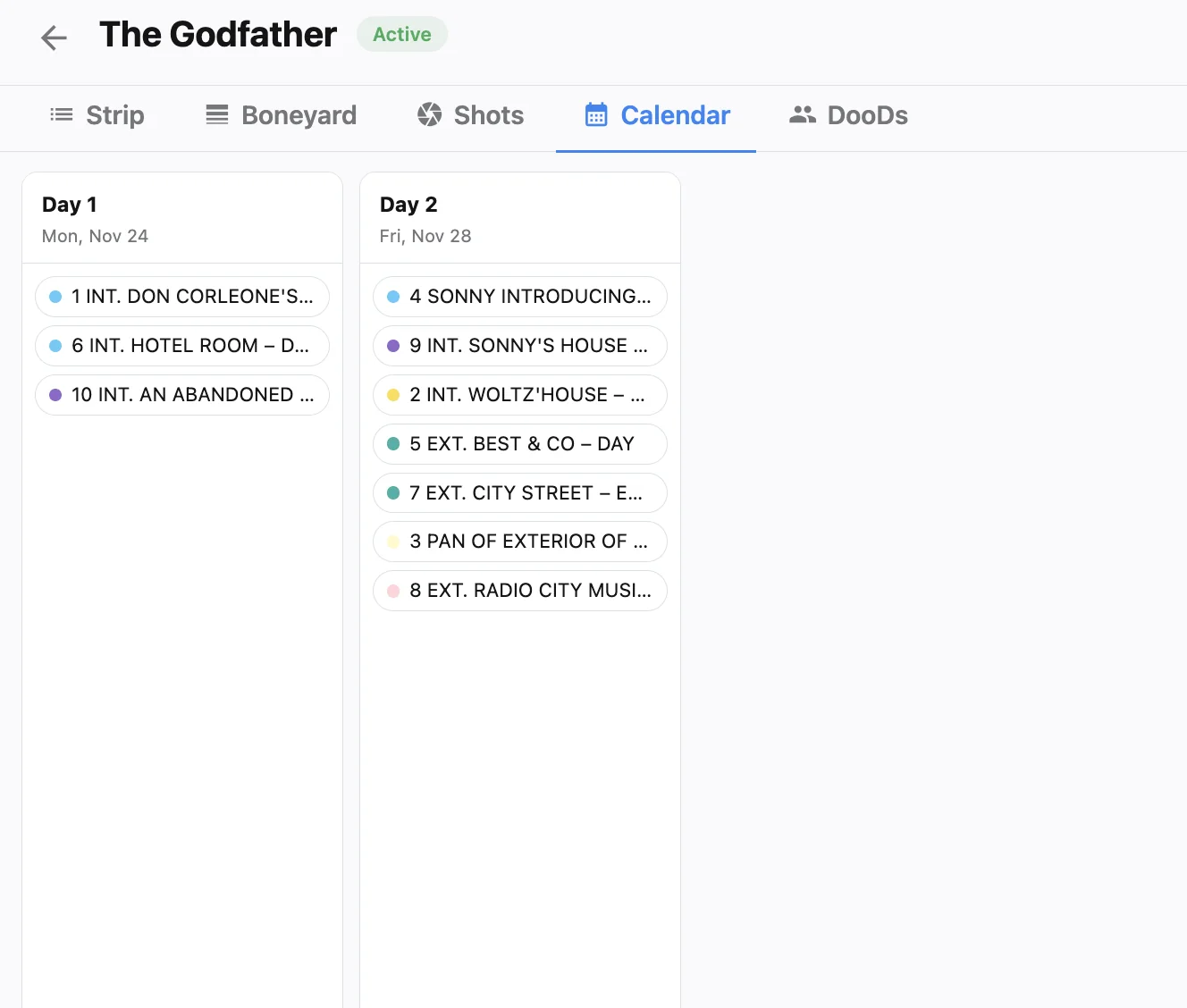
Put principal photography on the calendar first, then place the milestones that must land before it: script lock, casting decisions, location lock, tech scouts, and final schedule and budget sign-off. Studiovity’s production calendar software lets you set these as milestones on a Gantt-style timeline and manage the detail in an Excel-like grid, while shoot days from the schedule appear on the same calendar. Treat script lock and location lock as hard gates. For the overall order of prep, our step-by-step pre-production workflow is a useful companion.
Let the breakdown drive the first schedule
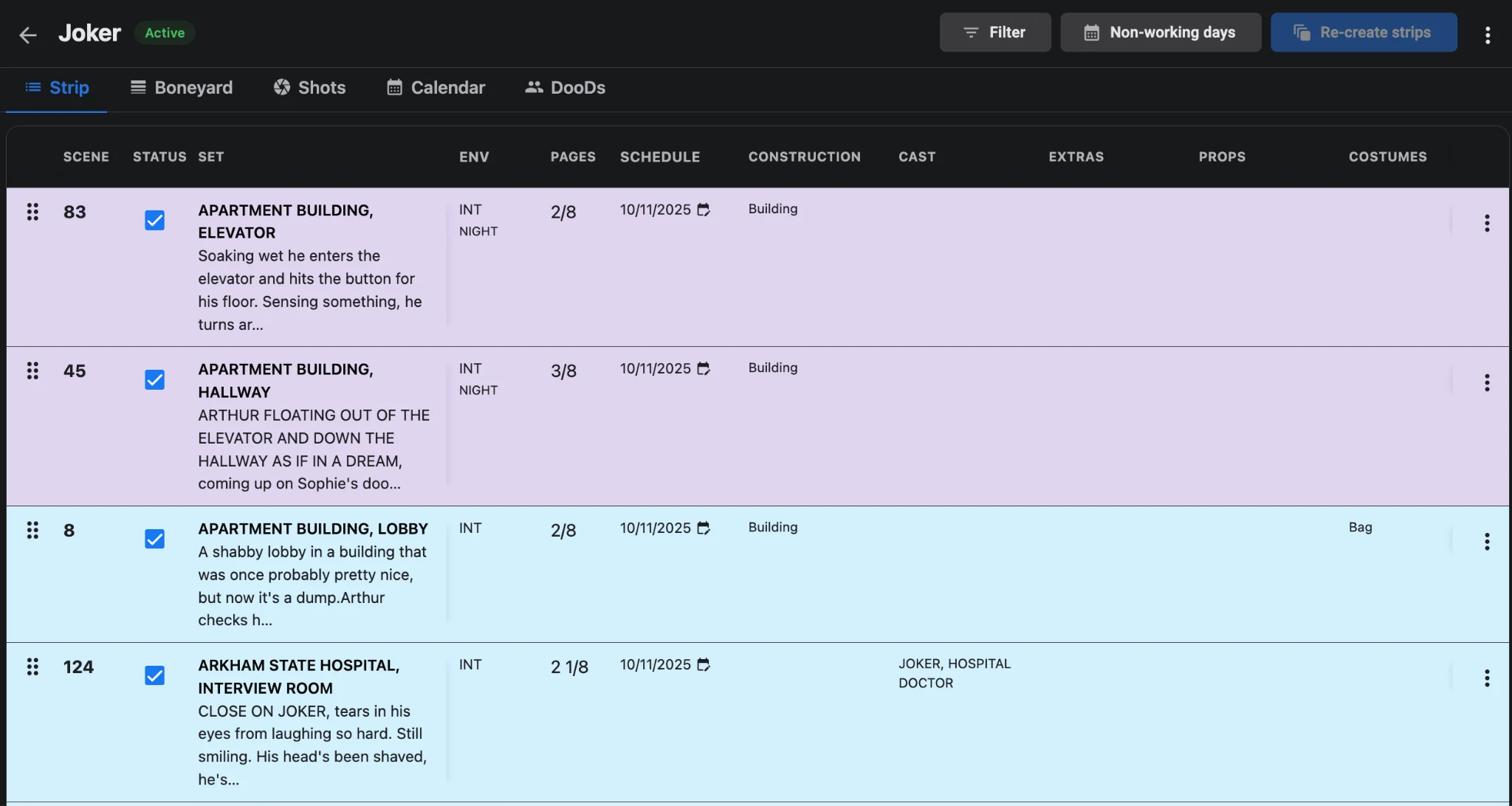
Once the script is close to locked, break it down and generate a draft stripboard in the film scheduling software. That first draft does more than set shoot order. It tells you how many days you need, which locations must be secured first, and when each actor works. Those answers feed casting deals and location contracts, so produce them early even though they will change. From script breakdown to stripboard covers the mechanics, and how to create a film shooting schedule helps if this is your first board.
A sample timeline for an 18-day indie feature
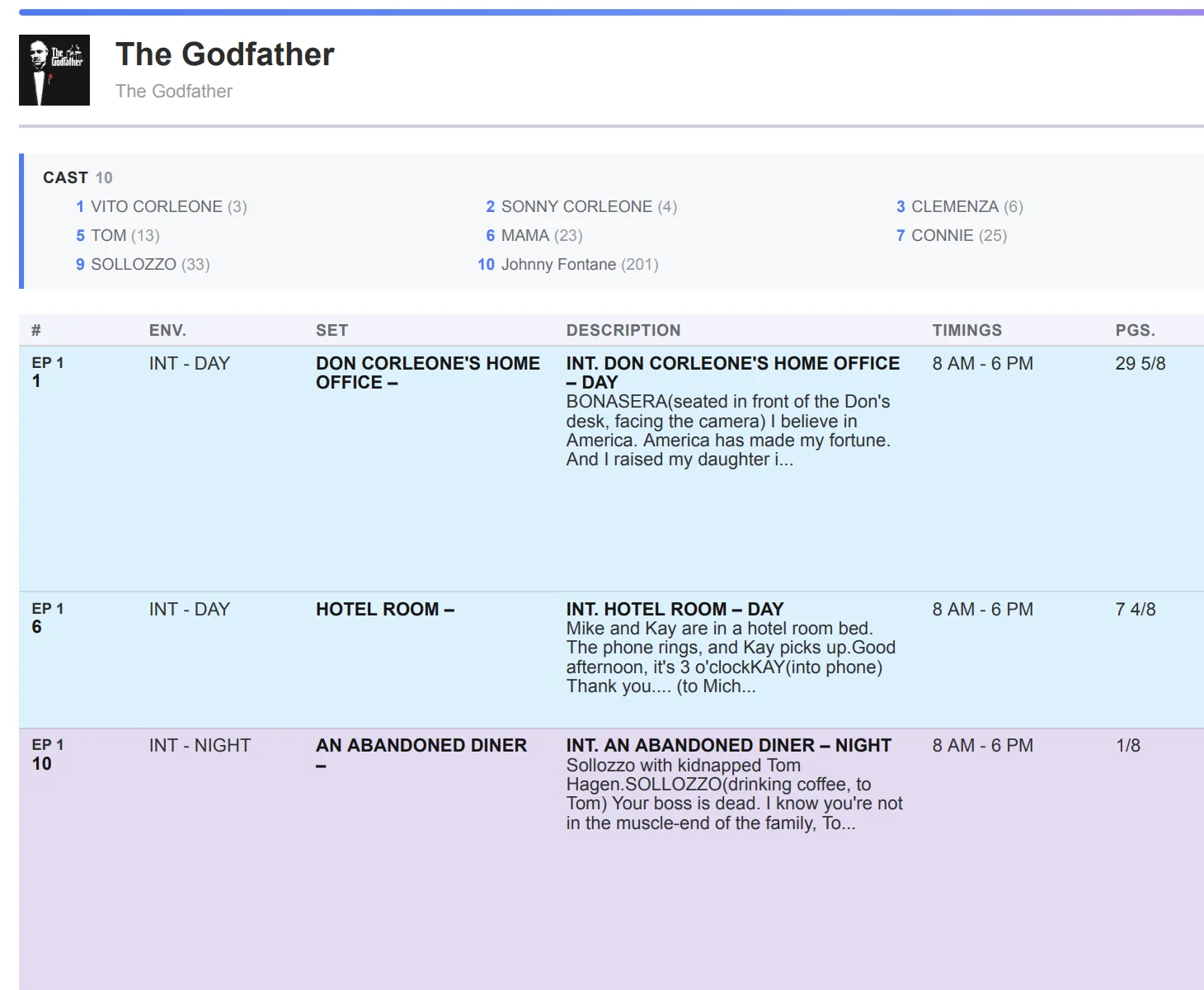
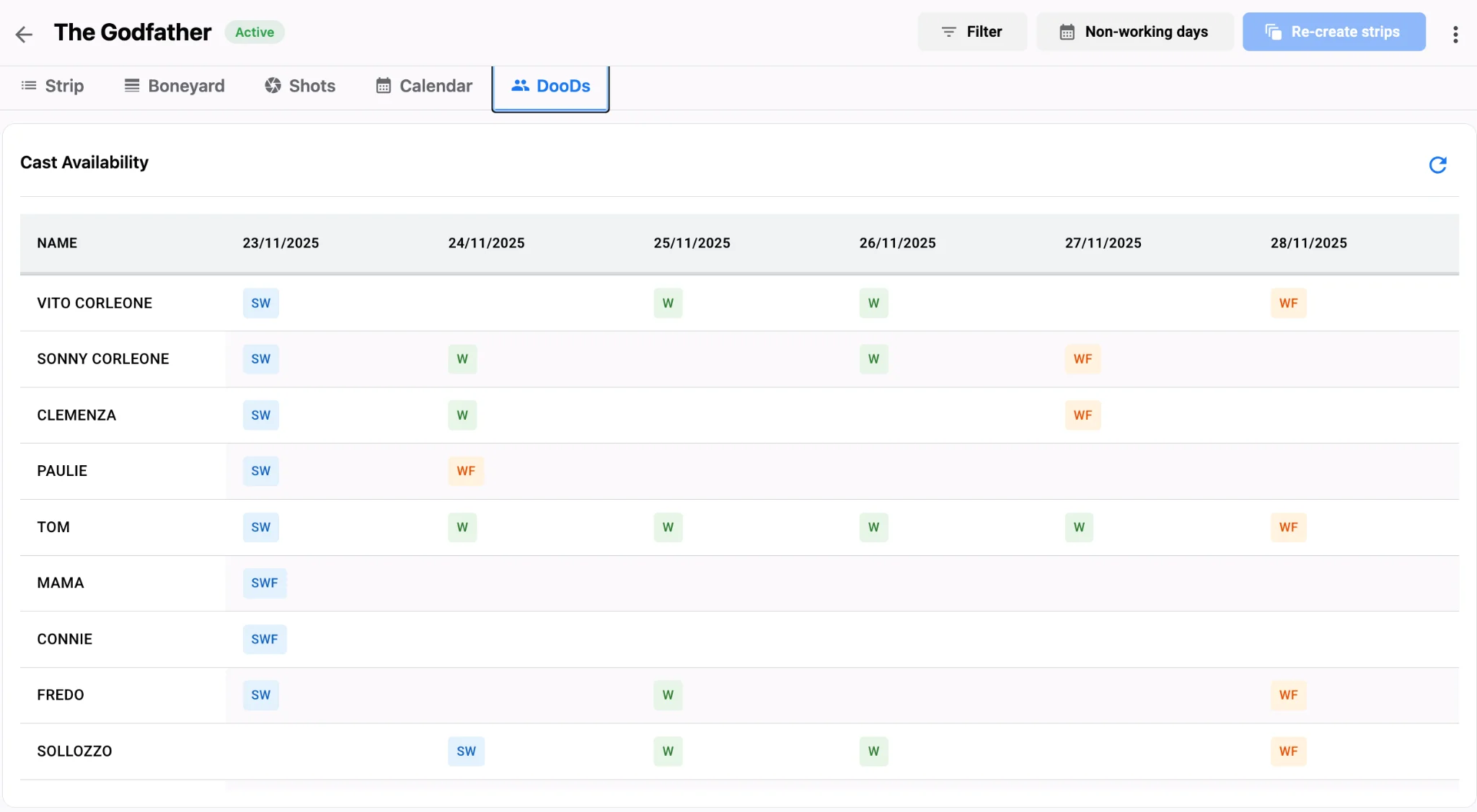
Timelines fail when deadlines live only in the UPM’s head, so assign every task—equipment pickups, permit expirations—to a person; Studiovity’s task manager gives each department its own Kanban board with calendar and list views. A workable sequence: weeks 8 to 6 for script lock, a budget draft, a first-pass shooting schedule, and lead casting; weeks 6 to 4 for scouting and holding locations, reviewing the DOOD against cast deals, and hiring department heads; weeks 4 to 2 for tech scouts, permits, and a revised schedule after location lock; and a final week to lock the schedule and build the Day 1 call sheet from the first daybreak with the call sheet software.
Keep one master view
If your company runs several projects, the production calendar’s multi-project view shows milestones side by side, so you can spot two shows competing for the same crew or gear in the same week. Hold a weekly calendar scrub with department leads—permits, gear returns, and cast options move on different clocks—and when a gate slips, slide dependent scouts and permit filings the same afternoon instead of pretending Day 1 is still safe. Export the calendar as PDF, Excel, or CSV for financiers, and review it beside the live stripboard in Studiovity and the production calendar view for each shoot week. A timeline that holds isn’t one that never changes; it’s one where every change becomes visible in time to act on it.