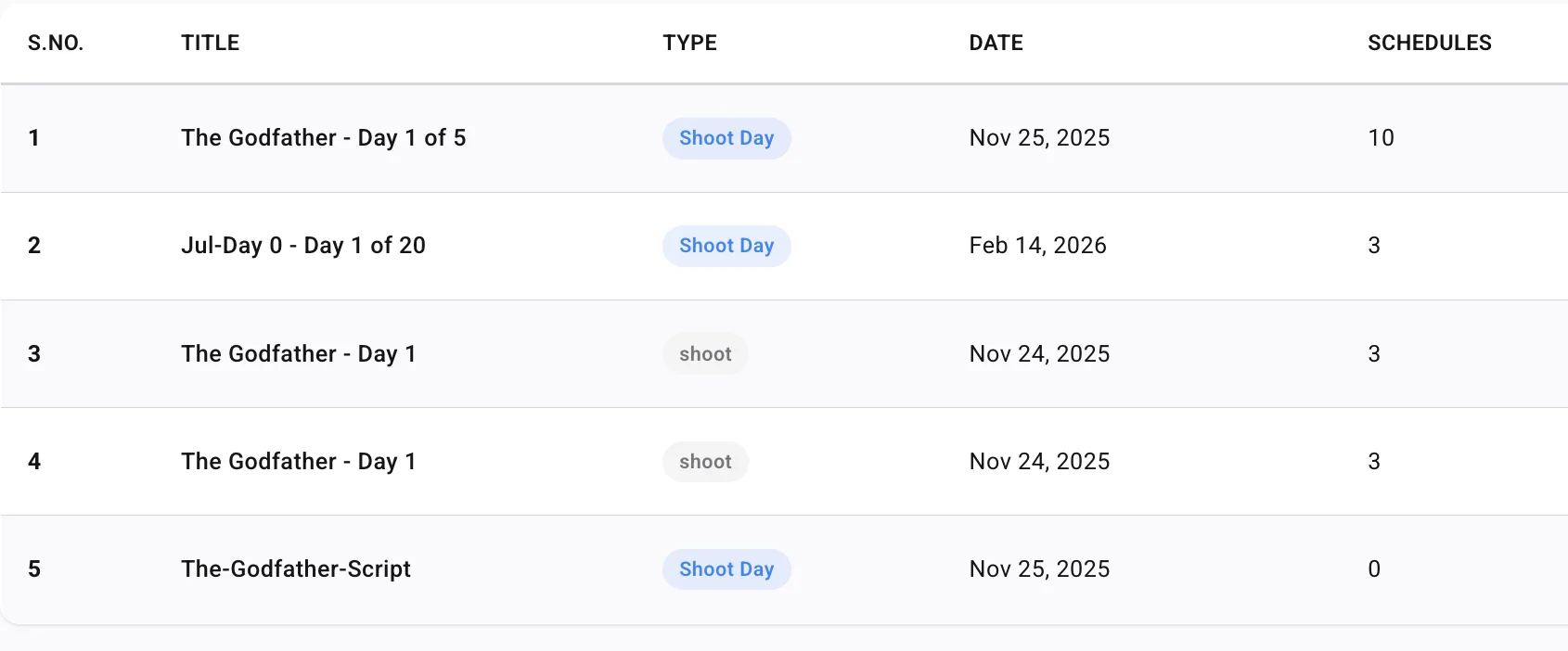
Every AD knows the moment. The call sheet went out at 7 PM, and at 9:15 PM the location owner pushes access back an hour, or a day player’s flight lands late. The first sheet is rarely the problem. The second and third versions are—and whether everyone works from the same one by morning.
Related video: How to generate an industry-standard call sheet in Studiovity
Start from the schedule, not a spreadsheet
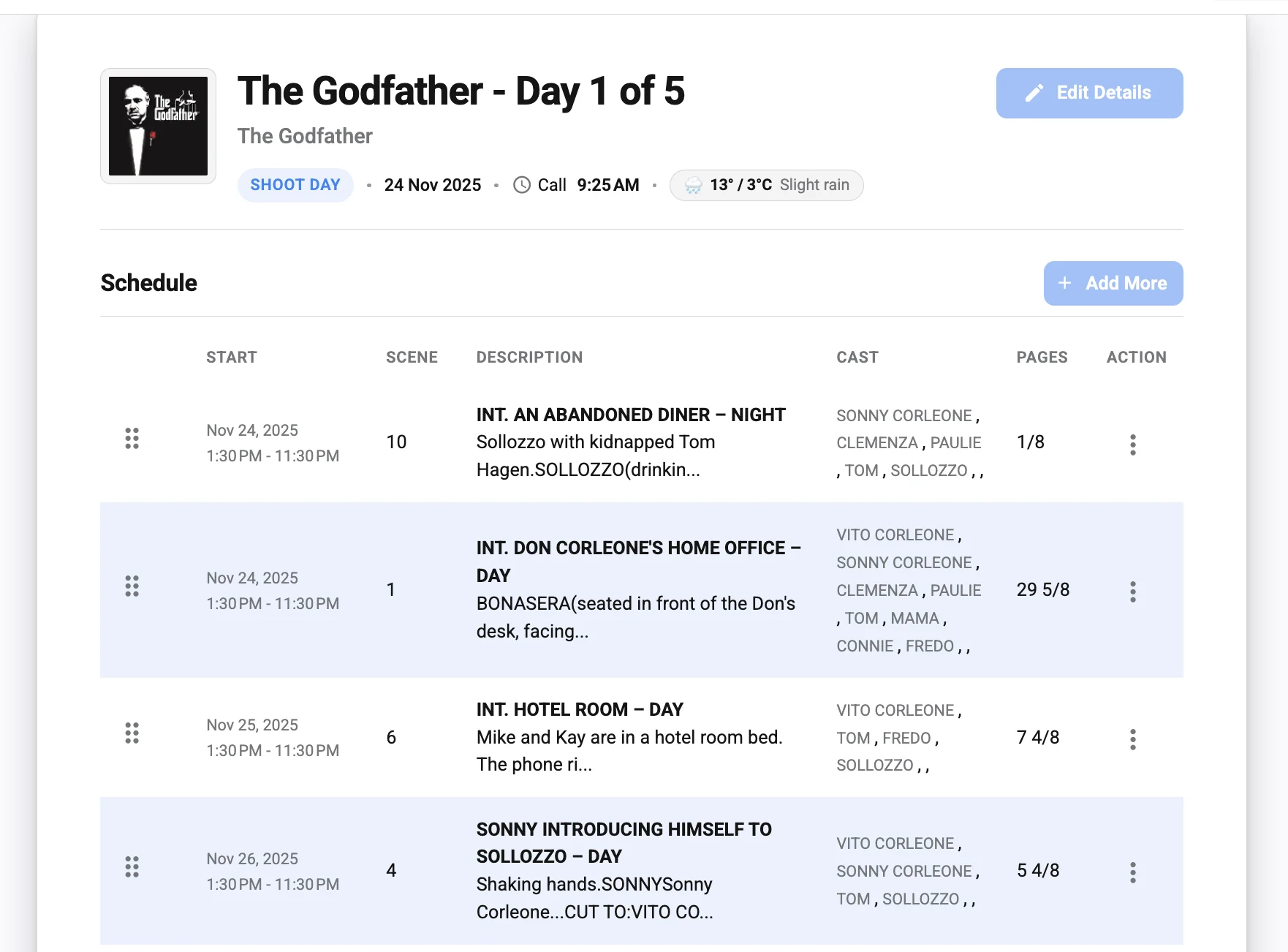
Revisions go wrong when the call sheet is a separate document from the schedule. Retype a moved scene into Excel and you now have two sources of truth. In Studiovity, call sheets are generated from daybreaks in the film scheduling software, so scenes, cast, locations, and tagged props come across together. Each daybreak carries a Create Call Sheet action, so the sheet reflects the current strip order. Our guide from daybreak to call sheet walks through that flow. When the day changes, regenerate from the updated daybreak instead of patching the PDF by hand.
Change times per person, not per department
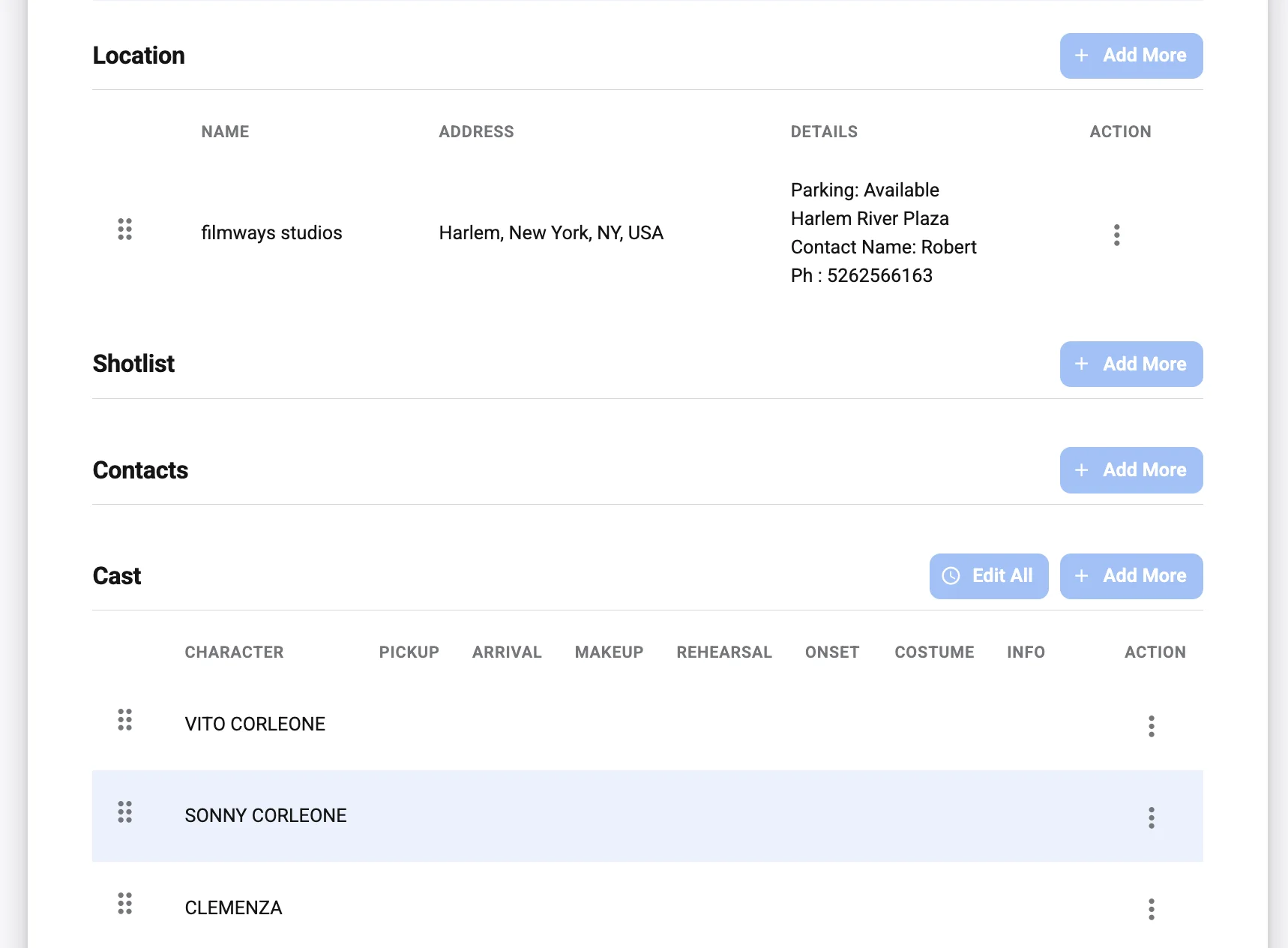
Most late changes affect a handful of people. Studiovity lets you set pickup, arrival, makeup, rehearsal, and on-set times for each cast member, so a delayed actor gets a new pickup without shifting the whole makeup line. For anything not in the breakdown—an extra background performer, a replacement location contact, or a pickup shot—the Add More option appends it manually before publishing. If the location moves, integrated maps and weather forecasts save a midnight hunt for new links. When the change also reshuffles the day, a live stripboard shared by the AD and UPM keeps office and set looking at the same plan.
Send the right version to the right people
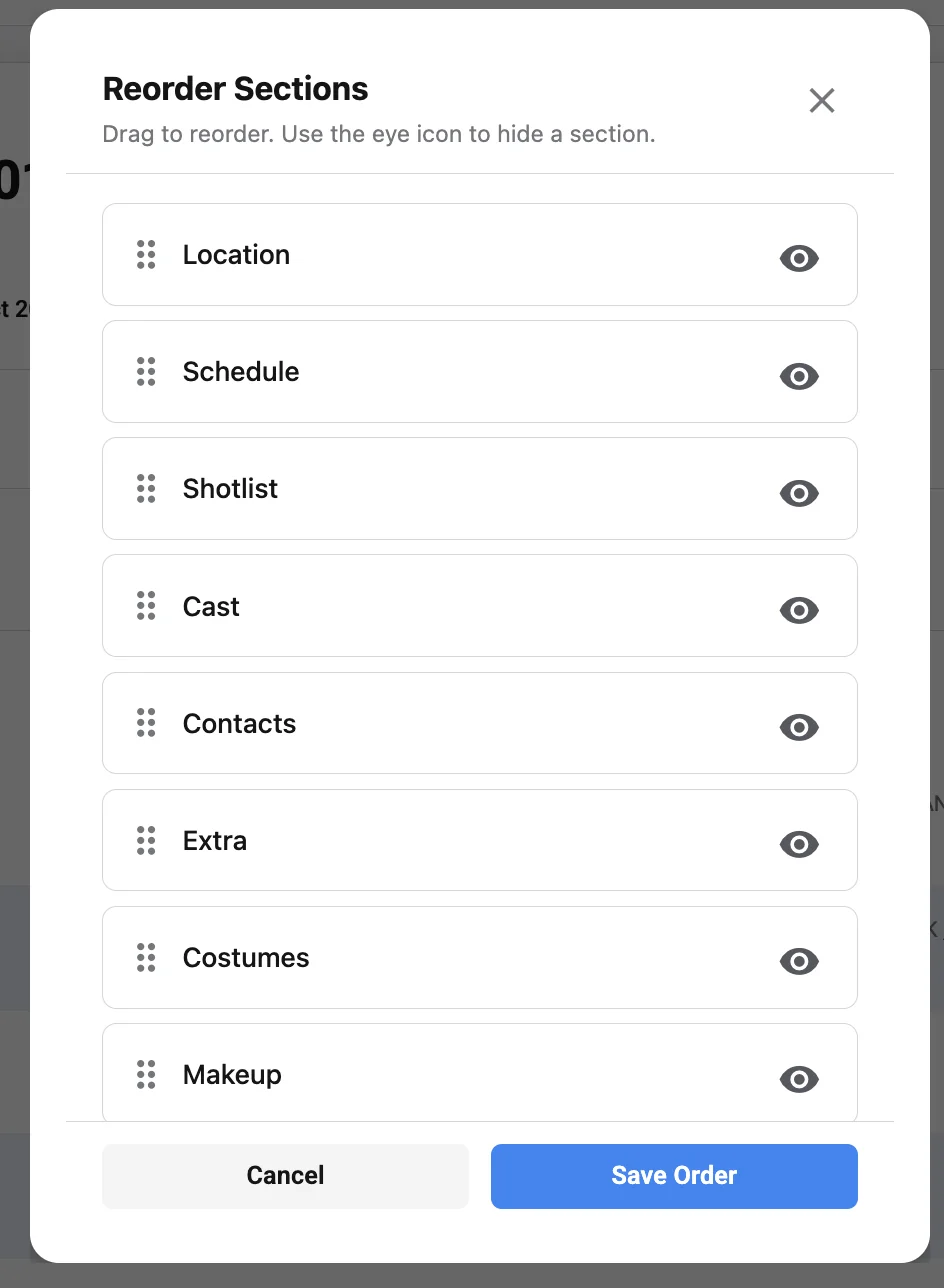
Cast don’t need grip-truck parking notes, and a gaffer doesn’t need every wardrobe change. With Studiovity’s call sheet software you can show, hide, or reorder sections—Location, Schedule, Shotlist, Cast, Contacts, Extra, Costumes, and Makeup—and export a clean PDF, so a simplified cast version and a detailed crew version come from the same data. The same logic applies to schedules; see exporting department-ready schedule PDFs. For what every version must still include, read how call sheets improve on-set safety and efficiency.
A revision protocol that survives the night
Keep a single revision owner for the night: one person updates the stripboard first, then regenerates, so the shooting schedule and the sheet never drift apart. Put a revision label and send time in the notes (“Rev 2, 9:40 PM”) so nobody argues over which PDF is current, and phone anyone whose personal call time moved instead of relying on email alone. Push the final version through the mobile app, which lets you create, update, and share digital call sheets with push notifications—even while the 2nd AD is still at the location. Archive each revised PDF with its revision label in the filename and clear older copies the same night; confusion almost always comes from three files named “final,” not from the change itself. If your call sheets still live apart from your stripboard, move next week’s days into Studiovity’s scheduling workspace and generate them from there.