
Shotlist AI vs Manual Shot Listing Which is Better
You’re standing on location, the sun is rapidly disappearing behind the horizon, and a sinking feeling hits your stomach: you forgot to film the critical close-up that explains the whole video. This chaotic scenario isn’t just bad luck; it is a direct symptom of trying to create without a map. Industry data suggests that up to 40% of production time is often wasted simply figuring out what to do next, turning what should be a creative session into a logistical scramble.
Just as a contractor wouldn’t pour concrete without a blueprint, a video creator shouldn’t hit record without a shot list. This document serves as a rigid to-do list for your camera, detailing every specific angle needed to tell your story before you ever arrive on set. Whether you are filming a quick product unboxing or a narrative short film, having this roadmap transforms abstract ideas into an actionable plan.
For decades, building this visual blueprint meant sitting with a script and a notepad, manually visualizing every moment in a process that balances creative depth with tedious organization. Today, however, the landscape is shifting. The efficiency of AI in film production offers a tempting shortcut, promising to turn written concepts into organized visual plans in seconds rather than hours.
But does an algorithm actually understand the emotional nuance of your story, or is it merely guessing based on data patterns? The debate between Shotlist AI and manual listing isn’t just about reducing pre-production time; it is about deciding how much creative control you are willing to delegate to a machine to get the job done.
Beyond the 'To-Do List': How a Shot List Protects Your Creative Vision
Think of coverage as your editing insurance. In a traditional shot listing workflow, you rarely film a scene just once; you capture it from multiple angles to give yourself options later. This typically begins with a master shot, a wide angle that records the entire scene from start to finish. It establishes the geography of the room and ensures that if your close-ups are out of focus, you still have a usable take of the performance to fall back on.
Deciding where to place the camera depends entirely on blocking—the physical movement of your actors or subjects within the space. Once you know where the action happens, you can define the camera’s perspective. For beginners learning how to create a shot list, every entry should clearly detail four core components:
- Subject: Who or what is the focus?
- Size: How much of the frame do they fill? (e.g., Wide Shot vs. Close-Up).
- Angle: Is the camera eye-level, looking up, or looking down?
- Movement: Is the camera static, tilting, or tracking the subject?
Mapping these shots usually requires “lining the script.” This involves drawing vertical lines down the page to mark exactly which camera angles cover specific sections of dialogue. It visually confirms that you have caught every reaction and line, preventing the nightmare of reaching the editing room only to realize you missed the main character’s punchline.
Beyond the main dialogue, you also need to list b-roll—supplemental footage, like a shot of hands typing or coffee brewing, that helps smooth over transitions. While effective, this process of lining scripts and filling out manual shot list templates is labor-intensive. It forces a difficult trade-off: spending hours on paperwork versus spending that energy on creativity.
Traditional Method: Why the 'Slow' Way Can Save Your Story
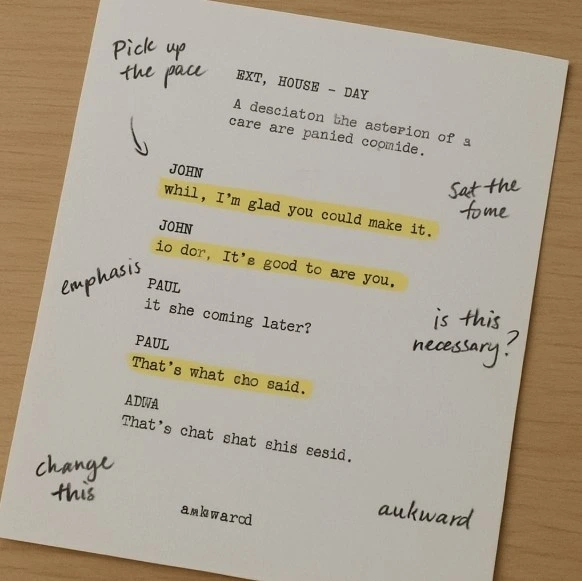
Sitting down to manually map out every angle might feel like tedious homework, but seasoned directors view this phase as their first true rehearsal. When you physically write down a shot description, your brain is forced to simulate the scene in 3D space, uncovering logistical problems long before you arrive on set. This mental walkthrough allows you to catch issues—like a character needing to cross the room at an awkward moment—ensuring that your plan actually works within the laws of physics rather than just looking good on paper.
Emotional nuance often hides between the lines of dialogue, and manual planning is the best way to uncover it. If a character is lying to their boss, a generic algorithm might suggest a standard eye-level medium shot because it sees a conversation. However, as you read the scene yourself, you might realize that a high-angle shot looking down on the character better conveys their feeling of smallness and intimidation. This process of interpreting subtext—the underlying meaning behind the words—turns a functional recording into a compelling story.
Investing time upfront leads to decisive speed when the cameras are actually rolling. The primary goal of the traditional shot listing workflow is to remove hesitation from the set, allowing you to answer crew questions instantly because you have already “directed” the scene in your head. This confidence is contagious; when the director knows exactly what they want, the actors perform better, and the crew moves faster, ultimately saving money by preventing wasted hours of indecision.
Tools vary from scribbled napkins to sophisticated spreadsheets, but utilizing manual shot list templates provides a necessary structure to this creative chaos. Weighing the pros and cons of manual shot lists reveals a clear trade-off: you gain total creative control and deep familiarity with your story, but you pay for it with significant time and mental energy. It is an exhaustive process that demands you build the entire film in your imagination from scratch.
For many modern creators juggling multiple roles, however, finding uninterrupted hours for deep visualization is a luxury they cannot afford. The sheer mental load of translating a ten-page script into fifty individual camera setups can lead to decision fatigue, leaving you looking for a faster way to get to the starting line. This need for speed without sacrificing structure has paved the way for a technological shift in pre-production.
The AI Revolution: How Generators Turn Scripts into Shot Lists
Imagine finishing that hours-long visualization process in the time it takes to brew a pot of coffee. While manual planning relies on your personal mental simulation, an AI shot list generator operates like a lightning-fast librarian with a photographic memory. These tools don’t “watch” your movie in their imagination; instead, they use advanced algorithmic pattern recognition to scan your script and identify the structural building blocks of your story.
This technology excels at suggesting standard “coverage”—capturing a scene from enough different angles (like a wide shot and individual close-ups) so you have options in the editing room. For example, if the software sees two characters talking in a kitchen, it recognizes the pattern of a dialogue scene. It immediately proposes a “Master Shot” to show the whole room and “Over-the-Shoulder” angles for each actor, ensuring you have the essential footage to make the scene work.
Modern AI storyboarding tools for directors generally follow a three-step logic to turn text into a plan:
- Parsing: The AI scans your screenplay to separate character names, dialogue, and action descriptions into distinct data points.
- Matching: It pairs specific action verbs with visual rules; for instance, identifying the word “details” might trigger a suggestion for an “Insert Shot” (a close-up view of a specific object, like a text message or a watch).
- Formatting: The system compiles these suggestions into a clean, numbered list, removing the headache of spreadsheet data entry.
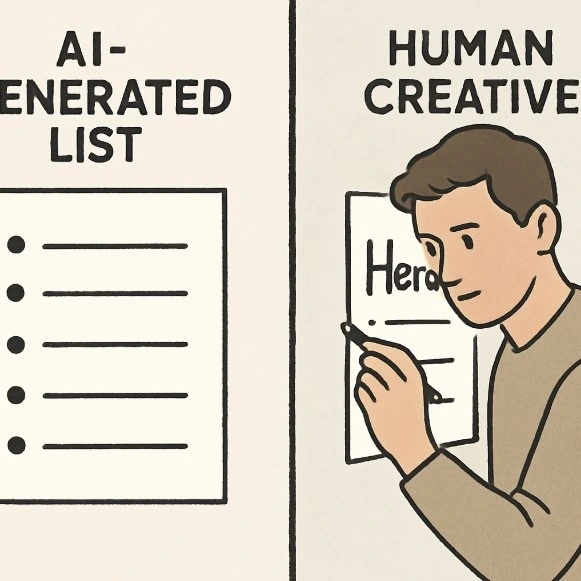
Utilizing script-to-shot list automation can cut your technical prep time by up to 90%, acting as an immediate safety net that ensures you never overlook the basic shots required to tell your story. However, while the choice between AI and manual methods is often framed as a battle for efficiency, the real question isn’t just about how fast you can create a list—it’s about whether that list captures the emotional truth of your film.
Head-to-Head: Accuracy, Creativity, and the 'Soul' of Your Film
Comparing raw speed is often the first metric creators look at when evaluating new tools. If you ask “Which is Better?”, the answer depends entirely on whether you are prioritizing logistics or specific emotional beats. An algorithm can populate a spreadsheet for a ten-minute short film in seconds, a task that might consume an entire Saturday for a human. However, this efficiency comes with a blind spot: the software understands the geometry of a room, but it cannot feel the tension in the air.
Nuance is where the accuracy of AI camera blocking—the precise placement of actors and cameras—often stumbles. Consider a scene where a character receives bad news but tries to hide their reaction. A human director knows to place the camera behind the character (a logical mismatch but an emotional hit) to show their isolation. An AI tool, strictly following the rules of coverage, will almost always suggest a standard front-facing close-up. It reads the action “listening” but misses the subtext “hiding,” leaving you with a technically correct but artistically flat sequence.
Determining if AI shot listing is worth it requires looking at your “cost per hour” rather than just the subscription price. For a solo content creator or a small business owner filming weekly updates, the ability to generate a functional “good enough” list instantly is invaluable. It frees up mental energy for lighting and performance, which often matter more to the final audience than inventive camera angles. In these high-volume scenarios, the robotic consistency is actually a feature, not a bug.
Complex narrative projects, however, demand a different standard of quality. When every frame needs to carry symbolic weight, relying solely on automation becomes risky. You might find that the time you saved generating the list is lost later when you have to manually delete and rewrite half of the suggestions because they feel generic. The tool provides a safety net against forgetting shots, but it cannot replace the intentional artistic choices that define a unique directorial style.
Ultimately, the most effective approach isn’t strictly binary. The industry is moving away from a winner-take-all mentality and toward a collaborative workflow where algorithms handle the tedious data entry while humans handle the art. This shift allows you to stop worrying about formatting spreadsheets and start focusing on the creative decisions that actually end up on screen.
The Hybrid Workflow: How to Lead with AI and Finish with Art
Refusing to choose between robotic efficiency and human intuition is the secret to modern productivity. Instead of viewing automation as a replacement for your creativity, treat integrating AI into film pre-production as hiring a tireless assistant. This “Hybrid Workflow” allows algorithms to handle the repetitive heavy lifting—listing standard camera angles like Wide Shots and Close-Ups—so you can reserve your mental energy for the moments that truly define your story.
Most collaborative film planning platforms now support this “draft-first” approach, where the software builds the skeleton of your scene in seconds. This prevents “blank page syndrome” and ensures you have the necessary coverage—the basic shots required to edit a coherent scene—before you even start creative brainstorming. Once the AI provides this safety net, you act as the editor rather than the writer, verifying the work and spotting opportunities to elevate the material.
The 3-Step Hybrid Checklist:
- Generate the Baseline: Prompt the AI to create a standard shot list based on your script to ensure no dialogue is missed.
- Audit for Logic: Review the list for physical impossibilities, such as a camera angle that would see through a solid wall, and delete generic suggestions that don’t fit the mood.
- Inject ‘Hero’ Shots: Manually insert 2–3 signature artistic shots—like a dramatic dolly zoom or a stylized overhead angle—that the AI wouldn’t think to create.
With the foundation secure, you can focus on these “Hero” moments. For example, while the software handles the standard back-and-forth dialogue shots for an interview, you can spend your time diagramming a complex opening sequence that establishes the location. This method ensures you finish with a professional, comprehensive plan without burning out on data entry.
Adopting this balanced strategy clarifies exactly what you need from your tools. Since not every application handles this hand-off between automation and manual control smoothly, finding the best shot list software requires knowing which features actually support your specific scale of production.
Your Pre-Production Toolkit: Choosing the Best Software for Your Scale
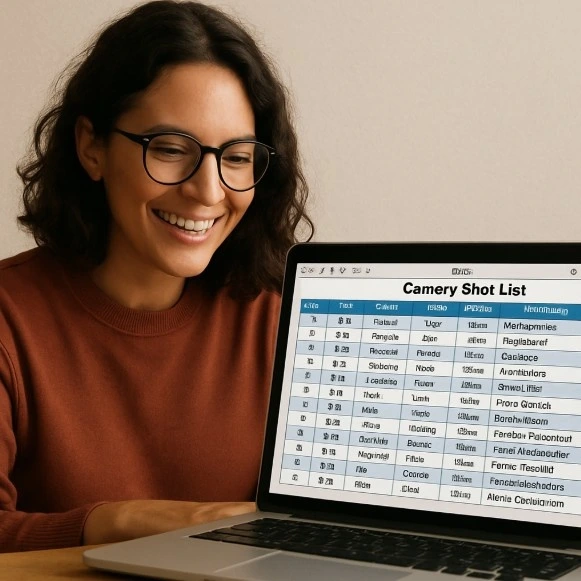
Finding the right tools isn’t about buying the most expensive suite; it’s about matching the tool to your project’s complexity. If you are shooting a solo YouTube tutorial, a complex Hollywood-grade platform might actually slow you down with unnecessary features like union budget tracking or daily call sheets. Conversely, trying to organize a ten-person short film team using only a sticky note app will almost certainly lead to miscommunication and missed shots when the sun starts going down.
To select the right engine for your workflow, consider where your current production falls on this spectrum:
- The Essentials (Free): Google Sheets or manual shot list templates are perfect for solo creators or zero-budget projects where you simply need a reliable checklist to ensure nothing is forgotten.
- The Organizers (Mid-Tier): Platforms like StudioBinder or Celtx offer cloud-based collaboration, allowing a Director and Camera Operator to edit the plan simultaneously—essential once you have a dedicated crew.
- The Accelerators (AI-Native): Specialized AI filmmaking tools like Shotlist.ai focus on speed, automatically suggesting camera angles and coverage based on your script to reduce pre-production time by hours.
Paid tools generally become profitable the moment your planning time starts eating into your creative time. If you find yourself spending three hours formatting a document instead of rehearsing with actors or scouting locations, an automated solution pays for itself immediately. By securing the right technical foundation now, you clear the mental clutter required for our final step: adopting a mindset that prioritizes finishing the project over perfecting the paperwork.
Mastering the 'Accessible Architect' Mindset
Transitioning from chaotic shoots to a structured production marks the definitive step between simply capturing footage and crafting a coherent story. Deciding between AI and manual planning ultimately relies on your specific constraints: do you need raw speed or granular control? You now possess the insight to distinguish between a project that benefits from the rapid efficiency of automated cinematography planning and one that demands the deliberate, slow-motion craftsmanship of a handwritten plan.
For your next video, consider testing a hybrid approach to maximize both productivity and creativity. Allow artificial intelligence to handle the heavy lifting of standard coverage, generating the basic “to-do list” for your camera in seconds rather than hours. Once the software provides this foundation, step in as the creative architect to refine the angles and add specific emotional beats. This method prevents pre-production burnout while ensuring your unique artistic signature remains stamped on every frame.
Remember that a shot list is simply a blueprint for your vision, designed to keep you grounded when the sun is setting and time is running short. Technology can draft the walls and windows, but only you can decide where the light should fall. Walk onto your next set with the confidence of a planner, knowing exactly what you need to capture before you even hit record.

Master Your Vision, Not Your Spreadsheets
At Studiovity, we believe the best shot lists aren’t just generated—they are crafted. Our platform provides the AI-powered foundation to handle your technical coverage in seconds, giving you the mental space to manual-script the ‘Hero’ moments that define your story. Stop managing data and start directing your masterpiece with Studiovity.