
Advanced Shot List Template – FREE download
You’ve spent weeks refining your script and scouting the perfect location, yet the moment the camera rolls, a specific panic often sets in. The sun is setting faster than expected, your lead actor has to leave in twenty minutes, and you aren’t sure if you captured the essential reaction shot. This common scenario highlights why reliance on memory alone is the enemy of a successful shoot and why professionals never rely on improvisation for logistics.
Think of your film like a custom home. Just as a contractor wouldn’t pour a foundation without detailed architectural drawings, a director shouldn’t step onto a set without a solid plan. A shot list serves as this visual blueprint, bridging the gap between the creative vision in your head and the logistical reality of production. It ensures the structure stands up when you eventually move to the editing room.
The most painful issues in post-production actually start during the planning phase. Missing a single Close-Up (CU)—the specific angle needed to show a character’s emotion—can make a scene impossible to cut together smoothly. Without a structured guide ensuring you get this “coverage,” you risk realizing you lack the necessary footage to tell your story only after the actors have gone home.
Moving from a hobbyist to a skilled filmmaker requires shifting your mindset from creative dreamer to project manager. By using our Advanced Shot List Template, you adopt a professional cinematography planning document designed to streamline your workflow. This tool is your best defense against chaos, drastically reducing production delays and giving you the peace of mind to focus on your art.
What is a Shot List? Moving from 'Head-Space' to 'Paper-Space'
Most creators start visualizing their movie with sketches, but you can’t schedule a shoot day around a drawing. While a storyboard outlines the creative soul of your project, the shot list acts as the logistical brain. It transforms abstract ideas into a concrete to-do list, translating “a cool feeling” into actionable technical instructions like lens choice and camera movement. This distinction—shot list vs storyboard for pre-production—is where aspiring directors often get stuck, prioritizing pretty pictures over a functional plan.
Building that plan starts with the “Master Shot,” the safety net of filmmaking. This is a single, continuous recording of the entire scene, usually from a wide angle, ensuring you have the whole performance uninterrupted. Once that foundation is laid, you move to “Coverage”—the close-ups, over-the-shoulder angles, and inserts that give you editing options. Effective master shot list creation for indie filmmakers prioritizes these safety angles first, guaranteeing that even if you run out of time for fancy stylized shots, you still have a coherent movie in the can.
Treat these two documents as partners with distinct jobs:
- Storyboard: Visualizes the Dream (Framing, Composition, Mood).
- Shot List: Organizes the Reality (Setup Order, Equipment, Cast needed).
The Anatomy of an Advanced Template: Decoding the Essential Columns
Staring at a blank spreadsheet can feel overwhelming, but an advanced shot list template is essentially just a series of questions asking you to commit to your vision. By filling out specific columns during pre-production, you force yourself to make critical creative decisions before the chaos of the shoot begins. This preparation prevents the dreaded “what do we do next?” debate when the sun is setting and your cast is waiting.
Populating these five critical columns turns a basic list into a professional blueprint:
- Scene & Shot Number: Your navigational map. Scene numbers match your script, while alphanumeric shot numbers (1A, 1B, 2A) identify specific angles. This essential metadata for camera logs ensures editors can sync video with audio later.
- Subject: Who is on screen? Be specific (e.g., “Sarah – Crying”) so your team knows exactly which actors to prep.
- Lens (Focal Length): This determines the “feeling” of the shot. A wide lens (24mm) exaggerates space, while a long lens (85mm) isolates the character with a blurry background.
- Movement: Static shots are standard, but utilizing customizable columns for camera movements and lens types helps you plan gear. Note if you need a “Pan” (turning left/right), “Tilt” (looking up/down), or “Dolly” (moving the camera through space).
Detail is the difference between a professional shoot and a home video. When you specify “50mm Lens” and “Dolly In,” you aren’t just writing data; you are instructing your crew to build a track and telling the story that the character is having a realization.
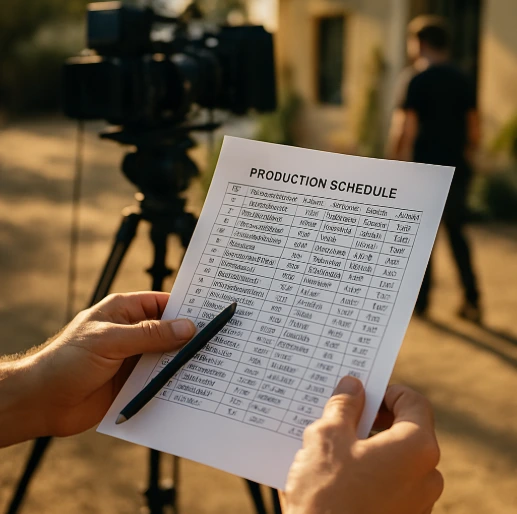
Once you have these details logged, you might be tempted to film everything in script order, but that is rarely efficient. To maximize production value, rearrange these rows based on logistics rather than story flow.
The 'Pizza Shop' Method: How to Organize Your Shoot for Maximum Efficiency
Imagine running a pizza parlor where you bake one pepperoni pie, then switch ingredients to bake a cheese pie, and then switch back to make another pepperoni. You would waste hours prepping toppings that were already on the counter. Filmmaking works the exact same way. Shooting strictly in chronological order forces you to constantly dismantle lights and move cameras, burning precious energy on logistics instead of creativity.
Efficiency on set comes down to managing “setups”—specific camera placements and lighting configurations. Every time you move the camera to a new angle or change locations (a “company move”), you lose momentum. Grouping shots by direction solves this. If you are facing the window for Scene 4 and Scene 12, shoot them back-to-back, even if they happen hours apart in the story.
Once your camera is placed, standard professional practice dictates shooting “Wide to Tight.” Start with your Master Shot—the widest angle showing the whole room—because it requires the most complex lighting and blocking. Once you nail the wide, you can move the camera closer for medium shots and close-ups, which are easier to light and faster to reset. Streamlining on-set communication becomes much easier when the crew knows this rhythm is coming.
To finish optimizing daily production schedules, use your template to sort rows before you print:
- Sort by Location: Group every scene happening in the “Kitchen” together to eliminate travel time.
- Group by Camera Angle: Cluster all shots facing one direction (e.g., “Facing the Door”) to minimize lighting changes.
- Order by Complexity: Within those groups, list your widest shots first and end with your tightest close-ups.
With a tight schedule, descriptions must be equally precise. This requires mastering the industry’s shorthand language.
Translating Your Vision: Master Professional Abbreviations and Terminology
A crowded spreadsheet has no room for long descriptions like “show the actor from the chest up.” Your shot list template relies on a standardized code that keeps instructions concise and universally understood. Mastering these abbreviations is one of the best practices for labeling camera angles, ensuring that you (or your cameraperson) can glance at the page and instantly frame the shot without asking questions.
Think of shot sizes as a sliding scale between “Geography” (where we are) and “Emotion” (how we feel). Memorize these six standard abbreviations for any professional cinematography planning document:
- WS (Wide Shot): Shows the full body and environment; establishes context.
- MWS (Medium Wide Shot): Knees up; often called a “Cowboy” shot.
- MS (Medium Shot): Waist up; the standard baseline for dialogue.
- MCU (Medium Close-Up): Chest up; captures facial expressions while keeping background context.
- CU (Close-Up): Head and shoulders; focuses entirely on emotion.
- ECU (Extreme Close-Up): A specific detail, like an eye or a nervous finger tapping.

Beyond size, the specific angle dictates the psychological impact of the scene. A “Low Angle” makes a character look powerful or threatening, while a “High Angle” can make them appear small or vulnerable. You will also use terms like OTS (Over the Shoulder) to link two characters in conversation, or POV (Point of View) to force the audience to see the world through a character’s eyes. Once these visual identifiers are locked in, you are ready to add the technical specs that bring them to life.
Beyond the Basics: Advanced Metadata and Camera Logs
Capturing visual abbreviations is only half the battle; the technical data recorded alongside those shots is what saves you from disaster during post-production. When you need to reshoot a scene three weeks later because of an audio glitch, relying on memory to match the lighting and lens choice is a recipe for mismatched footage. This is where detailed scene breakdowns become invaluable, acting as a flight recorder for your production that allows you to seamlessly recreate the visual environment of any specific moment.
Specific columns in your spreadsheet should track the camera’s physical settings, specifically aperture (f-stop) and focal length. While you might understand f-stop as a tool for exposure, keeping a record of it is actually critical for consistency in depth of field—how blurry or sharp the background appears behind your subject. Similarly, determining what are the key elements of a camera plot involves noting the exact focal length used (like 50mm vs. 24mm), ensuring that a Close-Up shot filmed on Day 1 doesn’t look distorted compared to a reverse angle filmed on Day 3.
Finally, an advanced shot list template transforms into a communication tool for the editing room through the “Best Take” column. By circling the specific take number where the actor nailed the delivery, you save the editor hours of sifting through unusable footage to find the performance you loved on set. With technical data logged and favorite takes marked, your spreadsheet is no longer just a plan for yourself, but a command center that allows you to effectively lead others.
Collaboration Tools: Using Your Shot List to Lead Your Crew
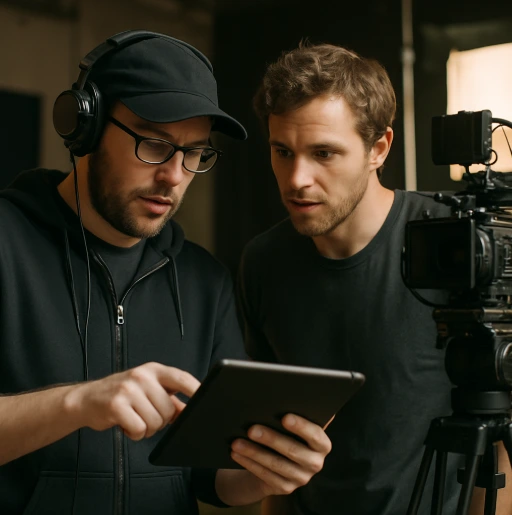
A well-crafted shot list does more than organize your thoughts; it silently commands the set so you don’t have to shout. When everyone from your lead actor to the friend holding the boom pole knows exactly what setup is coming next, you eliminate the exhausting chorus of “what are we doing now?” This clarity creates a professional atmosphere where streamlining on-set communication becomes the standard, allowing you to focus your energy on directing performances rather than repeating logistical instructions.
While a printed checklist is satisfying to mark off with a sharpie, modern productions increasingly rely on cloud-based collaboration to keep everyone synchronized. By hosting your advanced template on a shared platform like Google Sheets, any adjustment you make—such as cutting a scene due to rain or adding an improvised angle—instantly updates on your crew’s devices. This digital workflow ensures that nobody is working off an outdated plan, preventing the frustration of setting up lights for a shot that you decided to cut ten minutes ago.
Your shot list ultimately serves as the primary handshake between your vision and the camera’s reality, functioning as one of the most effective Director of Photography coordination tools. Reviewing this live document together before the shoot creates a “shared brain,” ensuring that your visual language is understood well before the pressure of the shoot day arrives.
Execution: Your Step-by-Step Guide to Filling Out the Template
Transforming a script into a shooting plan begins with a simple mental shift: stop reading the words and start visualizing the geometry. Imagine a standard scene where two characters argue in a kitchen. Your goal is strategic shot planning that captures both the dialogue and the tension without wasting time. You aren’t just recording a play; you are deconstructing reality into manageable puzzle pieces that your editor will later reassemble.
Most directors tackle this breakdown using the “wide-to-tight” logic established earlier. You start by listing a Master Shot to establish the geography of the room. Once the safety of the wide shot is secured, you list the tighter angles: Over-the-Shoulder (OTS) shots for the conversation and Close-Ups (CU) to capture specific emotional reactions. This hierarchy ensures that even if you run out of time for experimental angles, you have the foundational footage needed to tell the story.
To elevate the visual storytelling, you must also identify “Inserts”—specific details that add texture to the scene. These are tight shots of objects or actions that don’t show faces but reveal context, like a nervous hand tapping on the counter or a boiling pot on the stove. Including a specific shot list example for these details provides your editor with crucial “cut-away” options, preventing the scene from becoming a monotonous back-and-forth of talking heads.
Follow this workflow to ensure nothing is missed:
- Read the scene purely for emotional beats to decide whose perspective matters most.
- Highlight every prop or physical action mentioned in the script.
- List the Master Shot first, followed by character coverage.
- Add inserts to bridge gaps in the dialogue or emphasize subtext.
Learning how to organize scenes guarantees that when you arrive on set, you are executing a trusted blueprint rather than guessing your way through the day.
Download Your Advanced Shot List Template
Now that the strategy is clear, you need a reliable framework to execute it. We built this Advanced Shot List Template – FREE download to bridge the gap between amateur sketching and professional production. It serves as a flexible command center, ensuring every decision is recorded, organized, and ready for your crew to reference on set.
Because every project demands unique logistics, we engineered this file for adaptability. You can easily toggle sections to utilize customizable columns based on your specific gear. If you are shooting a drama, expand the “Actor” columns; for visual montages, prioritize “Frame Rate” to track slow-motion requirements.
To make this template truly yours, consider these genre-specific adjustments:
- Action: Add a “Stunt Safety” column to track risk levels for physical feats.
- Documentary: Rename “Take #” to “Time Code Log” to track unscripted moments.
- Music Video: Insert a “Lyrics” column to sync specific visuals with the audio track.
Your 3-Step Action Plan for a Smoother Next Shoot
You no longer have to rely on guesswork or scattered notes. By adopting this advanced shot list template, you have transformed your creative vision into a tangible blueprint. What once felt like a chaotic race against the sun is now a manageable workflow that prioritizes your story over logistical panic.
To ensure you are reducing production delays, use the night before the shoot to solidify your strategy. Success comes from integrating call sheets with cinematography plans using this final checklist:
- Print: Make physical copies for yourself and your camera operator.
- Highlight: Mark complex setups or essential “must-have” shots for quick reference.
- Pack: Clip the final list to your clipboard alongside your script.
The anxiety of “did I get everything?” disappears when the plan is firmly on paper. You now have the professional foundation to lead your set with authority. Trust your prep work and go capture your vision.