
Scripts travel more than ever. A regional feature may need an English draft for a co-producer, a web series may cast actors who read best in their first language, and a festival short may need a clean translation before subtitles are cut. Knowing how to translate a screenplay well can be the difference between a script that opens doors and one that confuses every reader.
This guide covers what to translate and what to leave alone, a practical workflow from locked draft to reviewed translation, how to handle idioms and humor, and how to use AI translation as a fast first pass without losing the writer’s voice.
This short video shows Studiovity’s AI screenwriting tools, including the editor where translation, dialogue refinement and formatting happen:
Why Writers Translate Screenplays
- Co-productions, where financiers or partners read in a different language.
- Casting actors who perform best in their native language.
- Remakes and regional versions of an existing script.
- Festival submissions and labs that require an English or local language draft.
- Preparing dubbing and subtitle work later in post.
Each purpose changes the job. A reading translation for a producer can be close to literal. A shooting translation for actors needs lines that sound natural in the mouth.
What to Translate and What to Keep
A screenplay is not a novel. It is a technical document, and parts of it are read by crew who rely on consistent terms. Decide upfront how each element will be handled:
- Dialogue: always translated, and the part that needs the most care.
- Action lines: usually translated so the reader understands what we see.
- Parentheticals: translated, since they direct performance.
- Scene headings: many productions keep INT., EXT., DAY and NIGHT in the production’s working language so scheduling stays consistent.
- Character names: normally kept as written, so reports and call sheets match.
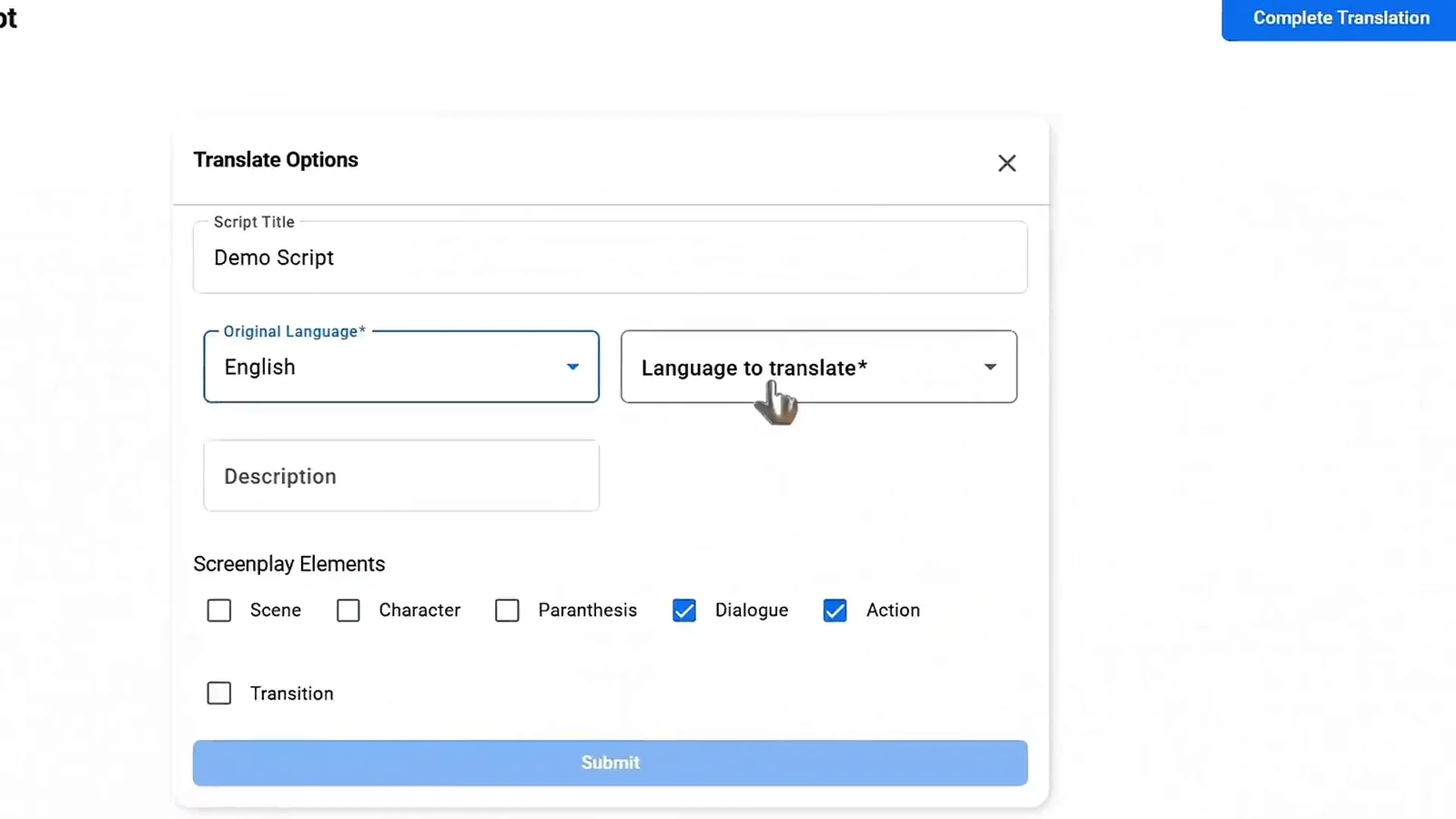
The translate options in Studiovity’s AI screenwriting software let you choose these elements one by one, such as dialogue and action only, so you translate exactly the parts you intend.
A Practical Translation Workflow
1. Lock the draft you are translating
Translate a specific, named draft. If the source keeps changing while translation happens, you will spend days reconciling versions.
2. Run a first-pass translation
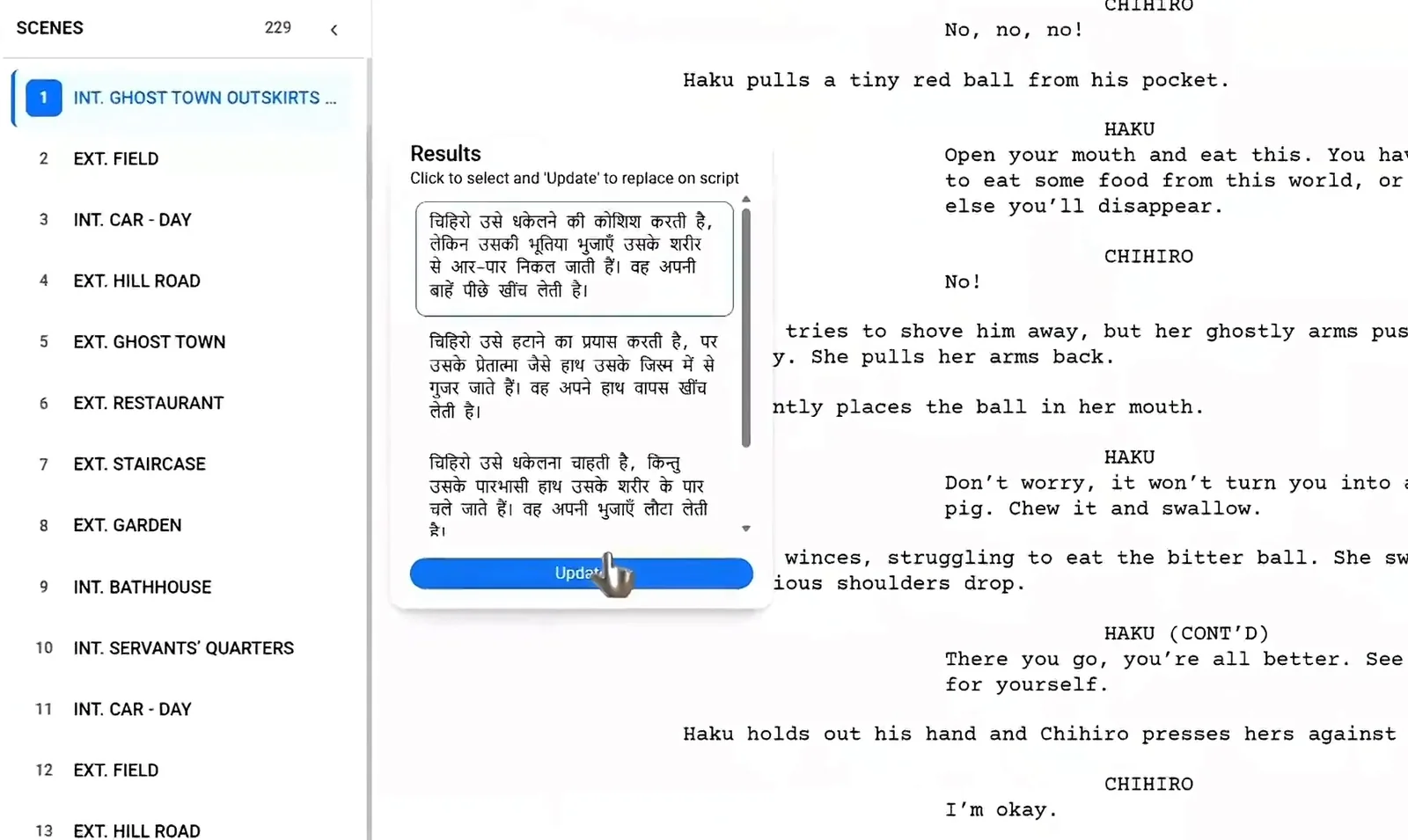
Machine or AI translation is now good enough for a fast, readable first pass, especially for action lines. Treat it as raw material, not a finished script.
3. Do a native-speaker dialogue pass
A fluent writer should rework every line of dialogue for rhythm, slang, register and character. A rough street kid and a retired judge should not sound identical after translation.
4. Read it aloud
A table read in the target language exposes stiff lines quickly. If an actor stumbles, the line is not finished.
5. Save and label versions
Keep the source and translated drafts side by side with clear names, such as “Draft 4 – EN” and “Draft 4 – HI,” so notes always point to the right file.
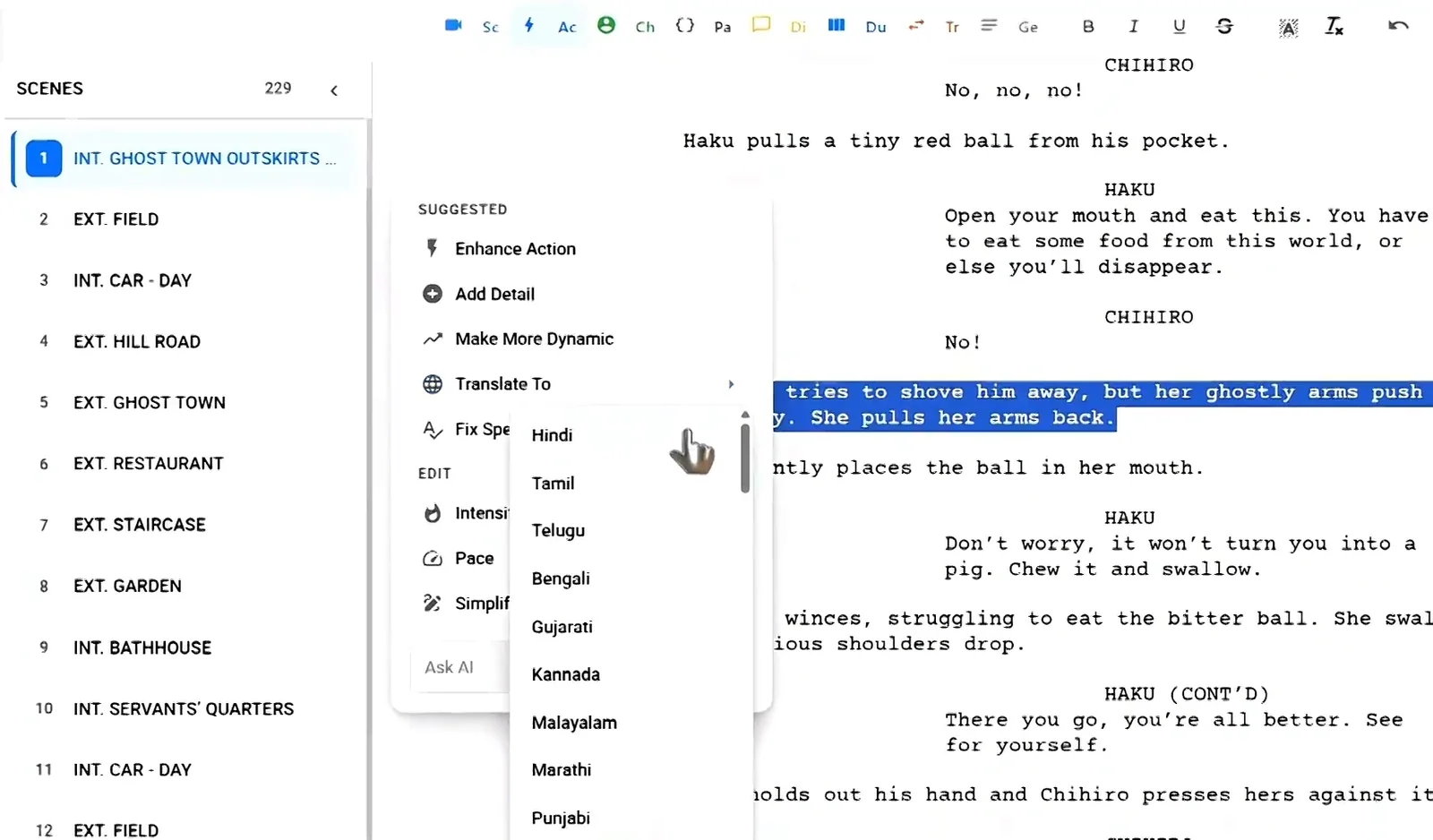
If you want to try this workflow in one place, the AI screenplay editor in Studiovity can translate selected lines or a full script into many languages, including Hindi, Tamil, Telugu, Bengali, Kannada and Malayalam, while keeping screenplay formatting intact.
Idioms, Humor and Culture
The hardest lines to translate are often the shortest. Idioms, jokes, swear words, honorifics and references to local food, songs or politics rarely translate directly.
- Adapt the intent, not the words. A joke should land as a joke.
- Watch formality. Many languages have formal and informal forms of “you” that reveal relationships.
- Keep cultural specifics that matter to the story, and add a brief action line if a reader might miss the meaning.
For more on how everyday speech shapes characters, see our piece on vernacular language in film.
Page Count and Formatting After Translation
Languages expand and contract. A translated script can run noticeably longer or shorter than the source, which affects page-count timing and scheduling estimates. After translating, check that dialogue blocks still break cleanly across pages, character cues are not orphaned, and fonts render correctly for non-Latin scripts. If your team edits the translated draft directly in an Indian language, our guide on using the native language keyboard in Studiovity shows how to type in those scripts.
Reading Translation vs Dubbing Script
Not every translation serves the same reader. A reading translation is for producers, financiers and festival programmers. It should be accurate, clear and easy to follow, and it can stay fairly close to the source.
A dubbing or performance translation is for actors and voice talent. Lines may need to match mouth movements, timing and the length of the original delivery, so the translator often shortens or restructures sentences. Subtitles have their own limits, since viewers can only read a few words per second.
Decide which kind you are making before you start. A single file that tries to serve every purpose usually serves none of them well.
Using AI Translation Responsibly
AI speeds up the boring part, but the writer stays in charge. Review every AI-translated line, never send an unreviewed translation to cast, and keep the original language draft as the source of truth.
FAQ
Should I translate scene headings?
It depends on the production. Many teams keep scene headings in the working language of the crew so schedules and reports stay consistent, and translate only dialogue and action.
Can I write a bilingual screenplay?
Yes. Write the dialogue in the language spoken, and add a short note or parenthetical such as (in Tamil; subtitled) so readers know how it will play.
Is AI translation good enough for actors?
It is a strong first draft. A native-speaker pass and a read-aloud are still needed before lines go to cast.
Translate Your Screenplay in Studiovity
A good translation keeps the story, the format and the voice. Try Studiovity’s AI screenwriting software free to write, translate and refine your screenplay in one editor on web and mobile.