
Color on a stripboard is not decoration. INT/EXT and day/night codes tell the gaffer, grip, and the AD whether the lighting package, blackout, and turnaround math even make sense. A day that ping-pongs from bright exterior to deep night interior without a company logic burns crew energy faster than page count alone can explain. Balancing those strips is how you protect both the look and the people.
Related video: Studiovity mobile scheduling
Cluster like with like before you chase geography
Location clustering still matters, but so does lighting mode. Group EXT DAY strips that share the same package, then move to INT DAY before you open night work. Jumping EXT NIGHT into the middle of an INT DAY block forces a full package change and often a meal-penalty chase. On Studiovity’s film scheduling software, color-coded strips make those mode shifts obvious while you drag the board, so you fix the order before call sheets go out.
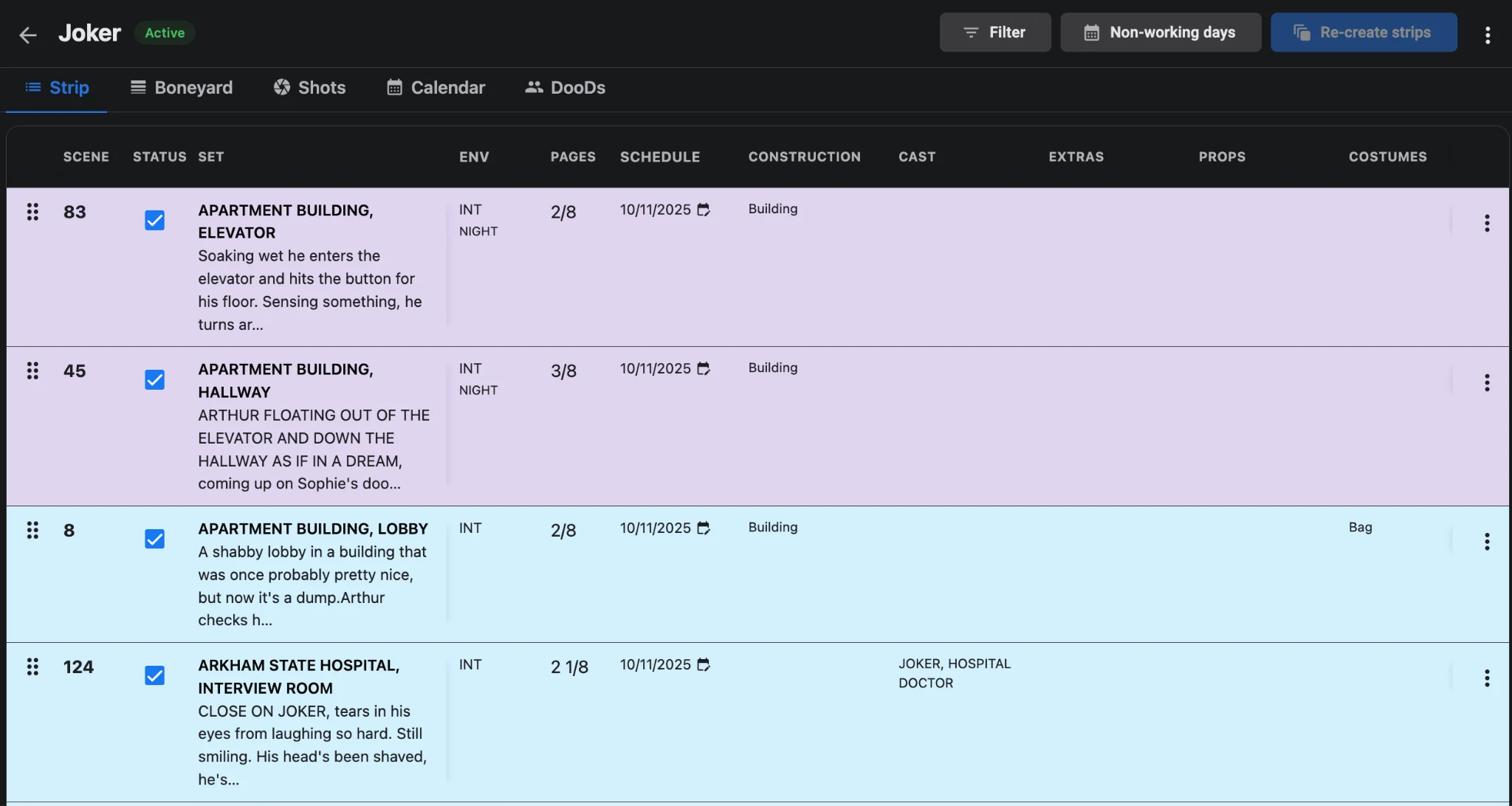
Read day/night as a fatigue map
Night strips are not only about the sun. Stacking three night exteriors after a dawn company move destroys the next day’s call. Keep night blocks contiguous when the story allows, and leave recovery space on the calendar rather than pretending the same crew is fresh at 06:00. Pair the strip order with on-set board checks. Film scheduling offline and on mobile lets ADs catch a bad night sandwich before it hits the unit.
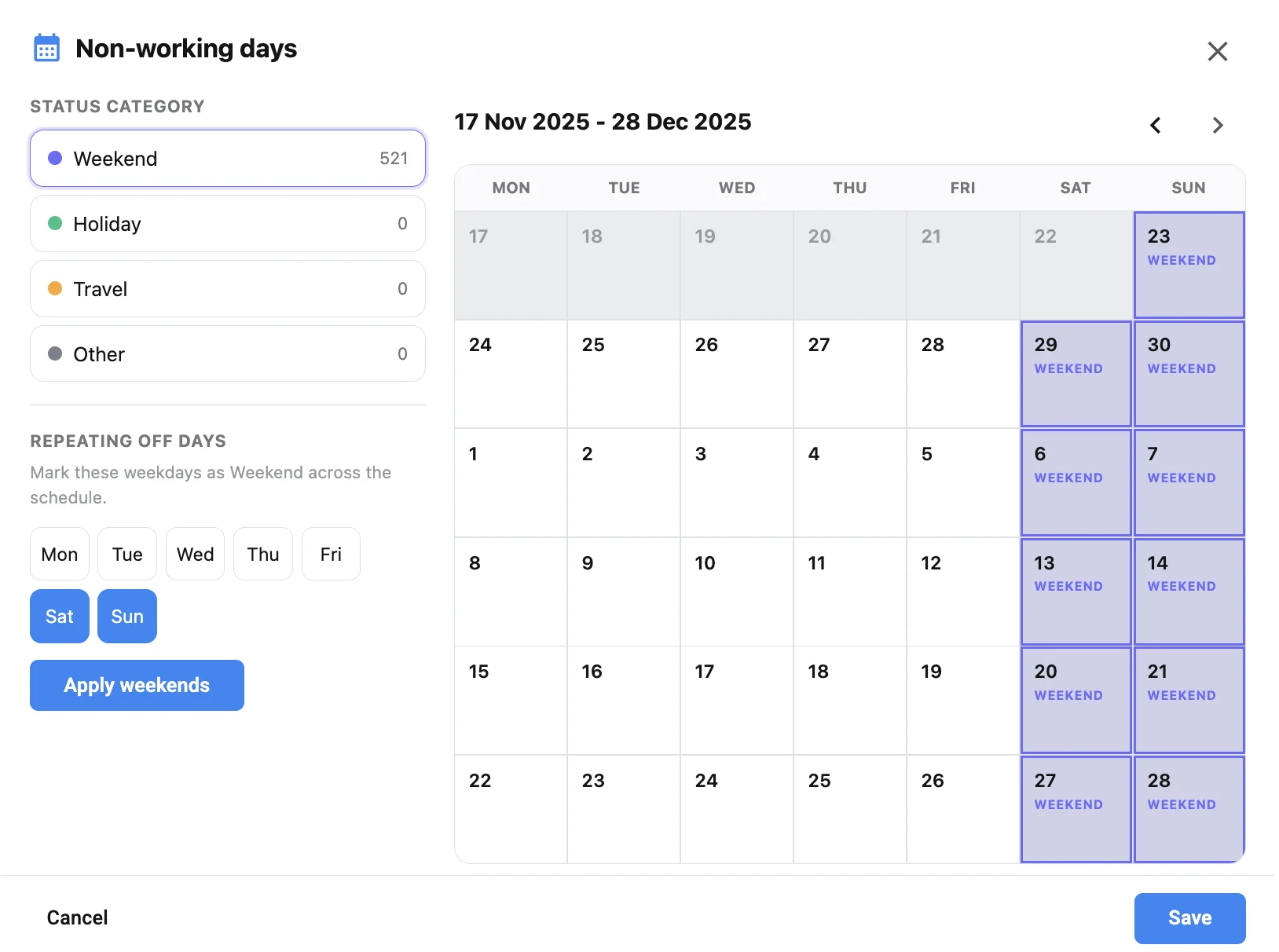
Confirm non-working buffers around heavy night runs
A balanced strip order still fails if the calendar offers no buffer after a night week. Mark weekends, holidays, and travel in the non-working days panel so night blocks do not land against an impossible turnaround into a public holiday. That calendar discipline is what keeps the shooting schedule aligned with real rest, not just pretty color bands.
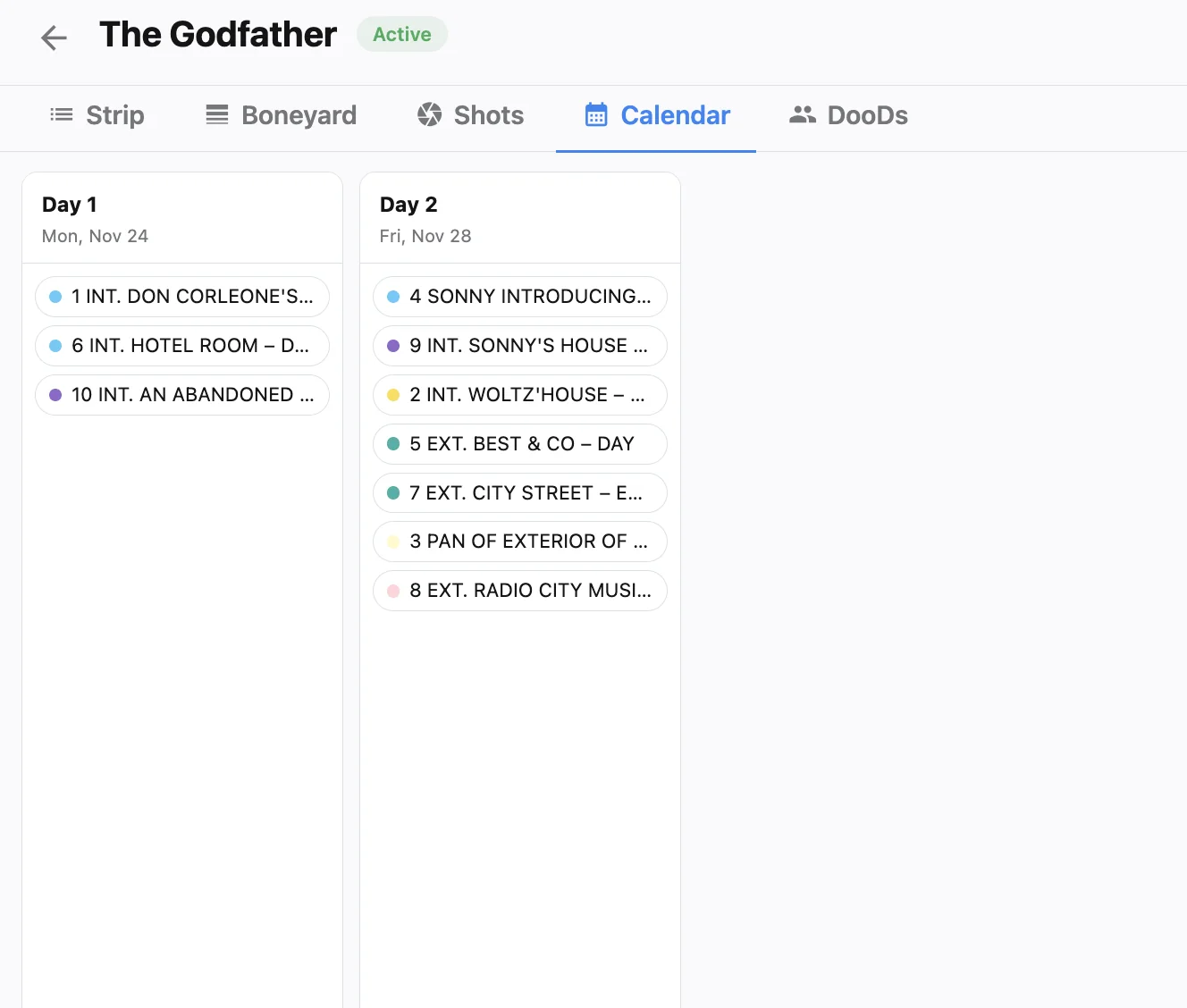
Publish call sheets that match the lighting day you built
Once INT/EXT and day/night order is locked, regenerate the call sheet so wrap estimates, call times, and location notes match the mode you scheduled. Use call sheet software tied to the daybreak. Do not hand-edit yesterday’s sheet and hope the night unit notices. Departments plan cable, generators, and blackout from that document.
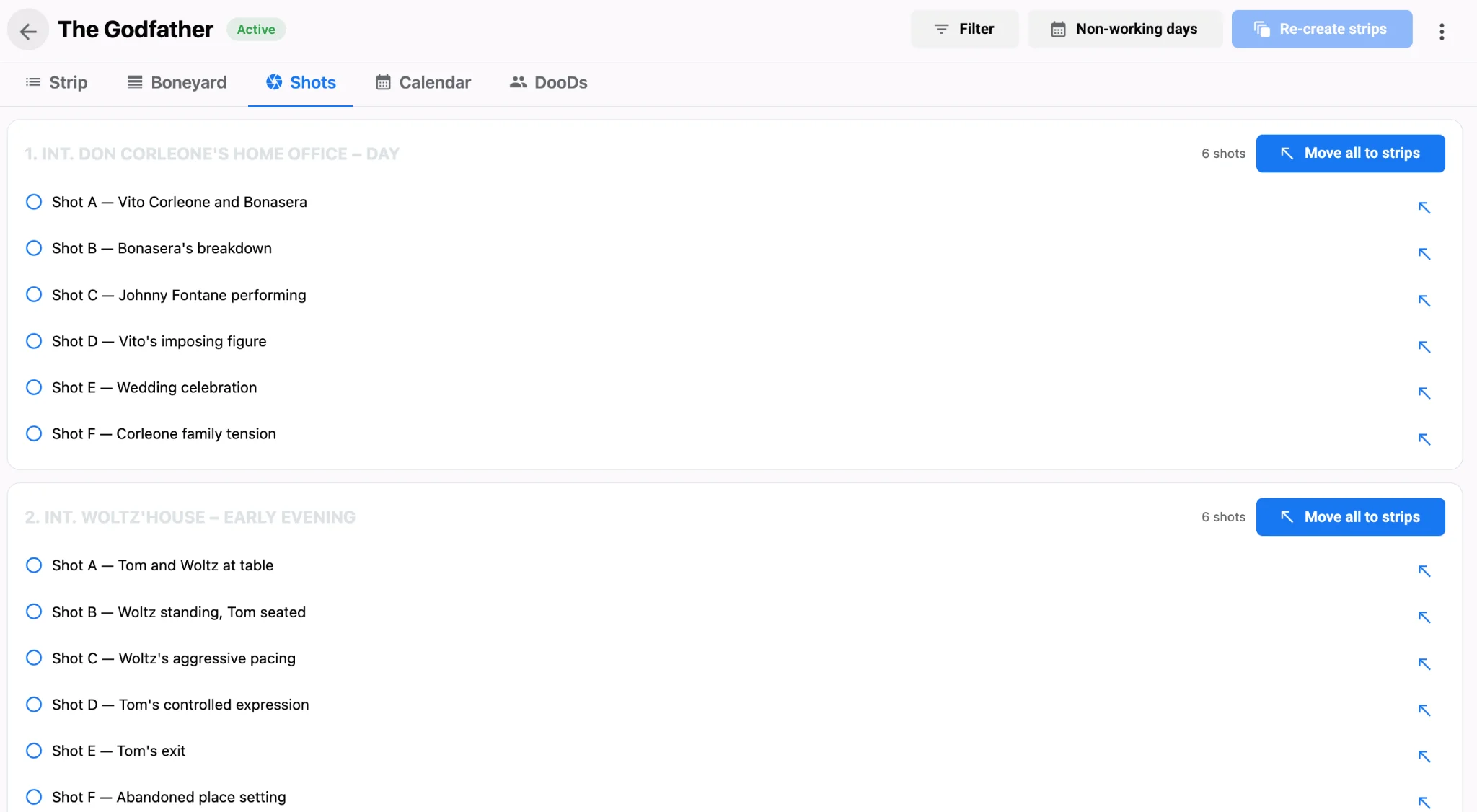
INT/EXT and day/night checklist
- Scan each daybreak for mode flips and collapse unnecessary INT to EXT or day to night jumps.
- Keep night work contiguous and avoid single night strips stranded between day blocks.
- Recheck shot complexity after reordering. Night plus heavy coverage needs fewer pages.
- Re-export the film schedule and push a matching call sheet after every balance pass.
Lighting packages and crew energy both improve when strip color drives the order. Build daybreaks that respect INT/EXT and day/night first, then refine geography. See what productions gain over traditional stripboards, and let AI film scheduling keep those codes attached through every shuffle. For the handoff after a balance pass, use one-click call sheets from your shooting schedule.