
You’ve watched the credits roll on a Netflix blockbuster like Stranger Things and thought, “I have a better idea than that.” However, many beginners find that learning how to write a screenplay in 2026 feels like a frustrating battle against margins, tabs, and confusing industry rules. This technical headache—often called Formatting Friction—killed countless great stories before they even reached page ten. Screenwriting felt less like creating art and more like fighting with a complicated math test.
Today, the landscape looks completely different. Industry data reveals that 2026 is the most accessible year in history for new writers. This shift is happening largely because artificial intelligence has removed the technical barriers to entry. Therefore, you no longer need a pricey film school degree to make your script look like a professional Hollywood document. If you can tell an engaging story to a friend over dinner, you can write a screenplay today.
Think of writing a script like building a house. In this scenario, you are the architect designing the rooms, while modern screenwriting software acts as your construction crew. Tools like Studiovity serve as a digital co-pilot. They automatically handle the heavy lifting of centering character names and spacing dialogue. Instead of acting as a simple typewriter, this intelligent software becomes a creative partner. It manages the tedious administration so you can focus entirely on the emotion and action.
Embracing this modern path of least resistance allows you to turn your rough concept into a finished first draft. As a result, you will avoid getting bogged down in daunting technicalities. Consequently, your only job now is to dream up the story, and let the tools do the rest.
How to Build Your 'North Star' Using Loglines and Treatments
Every blockbuster begins with a single, compelling “What if?” scenario. Before worrying about formatting rules, you need to capture a “High-Concept” pitch—a story with massive appeal that is easily explained in one sentence. Professionals call this quick summary a logline. Think of it as the foundation of your creative house. A winning 2026 logline needs three core elements:
The Protagonist: Who is the flawed hero we will follow?
The Goal: What impossible thing must they achieve?
The Conflict: What massive obstacle blocks their path?
Once that foundation is locked, you must expand it into a treatment (a plain-text summary of your story from beginning to end). Any reliable screenplay writing guide stresses that skipping this phase leads to major structural problems later. Drafting a simple two-page treatment allows you to stress-test your plot twists without getting bogged down in formatting dialogue. Effectively, the logline and treatment writing process acts like mapping out a cross-country road trip before starting the engine.
Staring at an empty document to generate these summaries can still paralyze great creators. To bypass “blank page” syndrome, modern storytellers use curated writing prompts to spark unexpected angles for their heroes and villains. As you push these initial concepts into a fully structured narrative, managing the moving parts gets complicated quickly, making modern outlining tools essential to maintain your momentum.
Why Modern Outlining Requires a 'Digital Co-Pilot'
Transitioning from a broad treatment to specific story beats (the individual moments of action) can feel overwhelming. When your hero hits a creative wall, modern technology steps in as a brainstorming partner. Learning how to use AI for screenplay outlining changes the game, allowing software like Studiovity to suggest logical plot twists when you are stuck. Instead of staring at a blinking cursor, you collaborate with an intelligent assistant that generates fresh beat possibilities to keep your narrative moving forward.
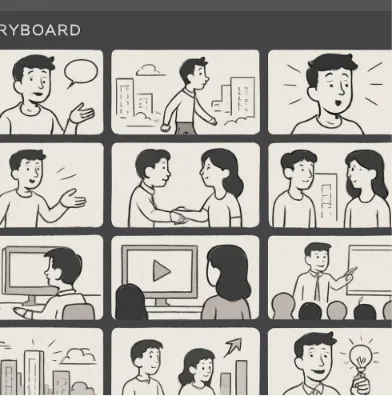
Seeing these newly generated ideas laid out visually is the secret to overcoming writer’s block with digital storyboards. Think of your script as a house: if the beat sheet is the blueprint, this digital board is a 3D model you can walk through. By dragging and dropping scene cards across a virtual corkboard, you instantly spot structural pacing issues, like a slow first act or a rushed, unearned finale.
Layering in secondary character arcs makes this process even more demanding. The traditional challenge of organizing complex plot points in screenplays is easily solved when your digital workspace color-codes a romantic subplot alongside explosive main action sequences, ensuring you never lose the core narrative thread. Once your story beats are perfectly arranged and visually balanced, you are ready to turn that blueprint into actual pages using industry-standard structural pacing.
Mastering the Industry Standard Screenplay Structure in 2026
Transforming a storyboard into a finished draft requires a solid foundation. You must first separate a “beat” (an emotional or narrative shift) from a “scene” (the physical location where that shift happens). Adapting to the industry standard screenplay structure 2026 means accepting that modern streaming audiences demand rapid pacing. However, even if your scenes are shorter to match contemporary attention spans, they must still hang securely on a classic storytelling framework.
Every blockbuster uses the 3-Act Structure, a pacing blueprint dividing your story into a clear setup, confrontation, and resolution. To master these writing techniques across any genre, you need to build your script around the “Big Five” structural beats:
Inciting Incident: The sudden event that disrupts your hero’s normal world.
Plot Point 1: The critical moment your hero decides to tackle the problem.
Midpoint: A massive middle-of-the-story revelation that raises the stakes.
Plot Point 2: The lowest emotional moment where all hope seems lost.
Climax: The final, decisive showdown that resolves the main conflict.
Hitting these marks guarantees your narrative has a professional, engaging rhythm. Staying ahead of future trends in film script formatting involves blending this timeless pacing with intelligent software that formats the margins for you. With your architectural framework mapped out, your next priority is choosing the right digital workspace to type your pages.
Choosing Your Workspace: Studiovity vs. Final Draft for New Writers
For decades, typing “Fade In” meant purchasing an expensive desktop program and guarding your saved files with your life. Today, evaluating cloud-based scriptwriting software alternatives changes how stories are built. Instead of trapping your movie idea on a single, fragile hard drive, cloud-based tools save your work securely online. This means you can brainstorm dialogue on your phone during a commute and seamlessly pick up writing on your laptop at home without missing a beat.
Making a movie is rarely a solo journey, which is why modern screenwriting software for collaborative teams focuses on much more than just typing. Contemporary platforms introduce “Integrated Production Management”—a smart feature where the software reads your script and automatically helps you plan the locations, actors, and schedules needed to actually film it. This automated planning encourages you to think like a producer from page one, ensuring your creative vision is practically achievable outside of your imagination.
When weighing Studiovity vs Final Draft for new writers, the choice comes down to your ultimate workflow. While traditional software acts as a strict digital typewriter, Studiovity serves as a modern production hub that handles the administrative heavy lifting. By letting the software manage your margins and schedules, you are completely free to focus on mastering the visual language of a professional script.
The 'Language of the Camera': Formatting Without Tears
Looking at a professional script can feel like trying to read a foreign language. However, any great screenplay writing guide simplifies this into “The Language of the Camera.” You are simply giving the crew a practical blueprint to build your scene visually.
Every Hollywood script relies on a repeating pattern of four essential formatting elements:
Slugline: The scene heading (e.g., EXT. CABIN – DAY) that tells the crew where to place cameras and lights.
Action Line: What we see and hear right now, written in the active present tense.
Character Name: Who is speaking, automatically centered on the page.
Parenthetical: A brief acting clue (e.g., whispering) tucked just beneath the name.
Because the best screenwriting tools for beginners handle the tedious manual tabbing automatically, your focus stays purely on effective writing techniques. When crafting action lines, keep them lean to imply camera movement without using technical jargon. Instead of writing “the camera pans left to reveal a monster,” simply describe the shadow creeping across the brick wall. Additionally, always follow the “Introduce-and-Define” rule: the very first time we see a person on screen, capitalize their name so casting directors spot them instantly.
Mastering this visual structure ensures your project looks professional before anyone reads the very first word. Since your software seamlessly manages the strict formatting rules, your mental energy is entirely free to focus on building three-dimensional characters who feel completely real.
Building Three-Dimensional Humans: Character Development Tools
Have you ever watched a blockbuster like Spider-Man and felt like you truly knew the hero? That emotional connection does not happen by accident. Modern creators rely on character development tools for scriptwriters to build deep backstories before typing a single line of dialogue. Using a platform like Studiovity, you can easily create an integrated “Character Bible”—a dedicated digital dossier where you store your hero’s fears, secrets, and motivations. Think of it as a psychological blueprint for your cast.
Tracking how these people change is the core lesson of any great screenplay writing guide. Today, software allows you to visually map Protagonist vs. Antagonist Arcs—the emotional growth of your main hero weighed against the villain opposing them—directly alongside your plot timeline. Your workspace provides dashboards to ensure these internal shifts align perfectly with your external action scenes. If you ever hit a roadblock figuring out what your villain should do next, intelligent writing prompts can instantly generate fresh conflict ideas based on their unique traits.
When two people argue on the page, their distinct “voices” must clash naturally. Having this rich background data built seamlessly into your workspace ensures a stubborn billionaire never sounds exactly like a naive teenager. Once your three-dimensional cast is fully established and bickering beautifully, inviting friends into a digital writer’s room offers valuable real-time feedback.
Real-Time Collaboration: Writing with a Remote Partner
Writing a movie used to mean emailing clunky files back and forth, praying your co-writer didn’t accidentally overwrite your best jokes. Today, modern screenwriting software for collaborative teams allows you to set up a shared digital writing room in seconds. With tools like Studiovity, you and your partner can type in the same document simultaneously, watching their cursor move across the screen as they write the villain’s comeback.
Fear of deleting a brilliant scene shouldn’t stop you from experimenting together. This is where “Version Control”—a digital safety net that automatically saves a time-stamped copy of every past draft—ensures you never lose your original work. When reviewing your partner’s new scenes, simply use the “Comments” and “Track Changes” features to leave specific feedback right on the margin instead of typing messy notes directly into the dialogue.
To make real-time script collaboration for remote writers truly seamless, follow three etiquette rules:
Color Code Cursors: Assign specific writer colors to avoid visual confusion.
Never Delete Without Asking: Suggest cuts in the margins instead of erasing text entirely.
Explain The “Why”: Detail your thought process behind major character shifts in the comments.
Once your final draft is perfectly polished, the critical transition from script to set begins.
From Script to Set: Transitioning to Pre-Production
Typing “The End” is a massive victory, but taking that story from the page to the screen requires shifting your mindset from artist to architect. Every slugline (the heading that establishes a location) directly impacts the real-world budget and shooting schedule. Before cameras roll, your script must undergo a “Script Breakdown“—a detailed inventory of every actor, prop, and location needed. In the past, this meant highlighting paper scripts with colored markers to manually track required items.
Today, this grueling task happens instantly. By utilizing the integrated production management features in Studiovity, your software scans your formatted text and auto-generates a production-ready breakdown. If you write “INT. COFFEE SHOP – DAY” and mention a spilled latte, the program automatically flags the location for the crew and tags the coffee as a required prop. This modern workflow helps writers see the logistical weight of their choices, allowing you to easily adjust a costly helicopter chase into a manageable alleyway standoff before the budget spirals.
Mastering this seamless transitioning from script to pre-production proves to producers that you understand how movies are actually made. When your document is fully integrated into the 2026 production cycle, you deliver a ready-to-shoot blueprint that is fully prepared for the film industry.
Breaking Into the Film Industry: The 2026 Beginner’s Roadmap
With a production-ready draft in hand, your next challenge is actually getting people to read it. In 2026, breaking into the film industry as a beginner almost always starts with a “Spec Script.” This is a screenplay written on speculation, meaning you wrote it for free hoping to sell it. Every comprehensive screenplay writing guide emphasizes this document as your ultimate calling card. It is the undeniable proof to agents and producers that you can build a compelling, structured story entirely from scratch.
Mailing physical copies of your work is a relic of the past. Instead, modern executives discover talent through script hosting platforms. These are secure online databases where managers hunt for fresh voices. By exporting your pristine draft directly from a modern workspace to sites like The Black List or Coverfly, you effortlessly build a digital portfolio that screams professionalism. This tech-savvy approach ensures your document is flawlessly presented for streaming producers who read exclusively on tablets.
Before uploading your creative blueprint, ensure it stands out in a highly competitive digital market by following the 2026 Writer’s Checklist for Industry Readiness:
Polish: Run a final automated format check to catch hidden errors.
Pitch: Write a one-sentence summary that instantly hooks a reader.
Platform: Upload your verified file to an industry-trusted hosting database.
Once these final steps are locked in, you are fully equipped to execute your practical action plan for page one and beyond.
Your Action Plan for Page One and Beyond
You started this journey with a great movie idea and a lot of questions. Now, you hold the blueprint for visual storytelling. You know how to structure a narrative, set up a scene, and format a professional document.
A quick warning: every creator eventually hits “The Muddle” around page 30. This is the messy middle of Act 2 where the initial excitement fades and the plot feels stuck. When you hit that wall, rely on your new writing techniques and let the technology handle the formatting. Figuring out how to write a screenplay in 2026 is ultimately about maintaining momentum. Because modern software automates the rigid formatting rules, your only job is to get your characters out of trouble.
The trick to crossing the finish line is committing to a realistic deadline. Use this 30-Day ‘First Draft’ Sprint Schedule to keep your momentum alive:
- Days 1-5: The Blueprint (write your beat sheet and outline).
- Days 6-12: Act 1 (introduce the hero and the core problem).
- Days 13-24: Act 2 (push through The Muddle and escalate the conflict).
- Days 25-30: Act 3 (resolve the story and type “FADE OUT”).
You have the tools, the schedule, and the story. Open your workspace, type your very first slugline, and start drafting your scene today.