
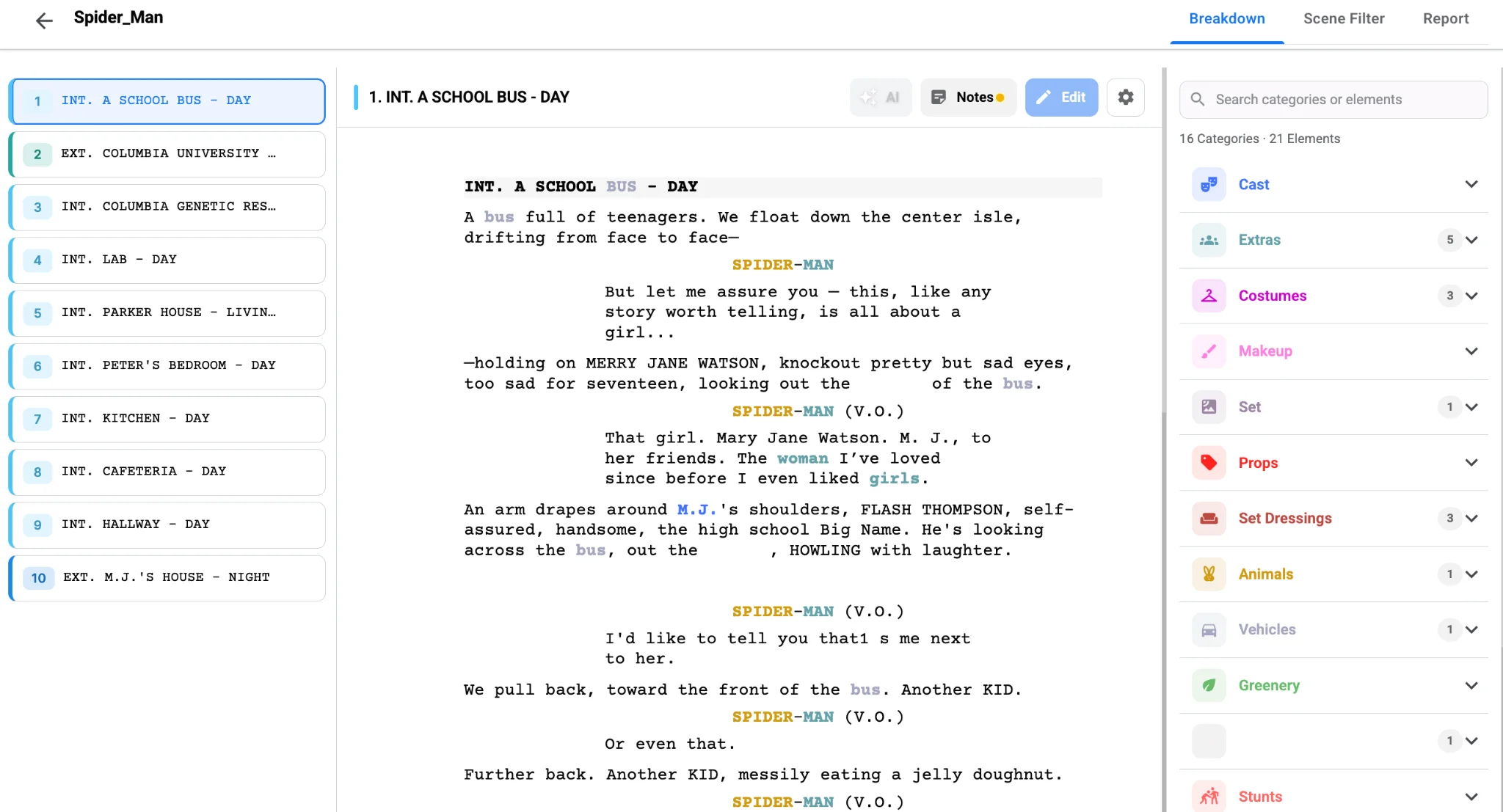
Open any breakdown an experienced AD has touched and you will see the same rainbow: red names, green crowds, violet props. That color system is not decoration. It is a shared language that lets a producer, a prop master and a UPM read the same page and see their own work jump off it. If your team tags in random colors, every handoff costs a translation step, and translation is where items get lost. This guide covers the script breakdown color codes most crews recognize and how to keep them consistent from first tag to final export.
The traditional breakdown color chart
The colors trace back to pencil-and-highlighter breakdowns on paper scripts, and most crews still recognize them on sight:
- Speaking cast: red
- Stunts: orange
- Extras and silent bits: yellow
- Background atmosphere: green
- Special effects: blue
- Props: violet
- Vehicles and animals: pink
- Sound effects and music: brown
- Wardrobe, makeup and special equipment: often marked with circles, asterisks or boxes rather than a fill color
You do not have to follow this chart to the letter, but you should agree on one before tagging starts. A mid-prep color change means re-reading every page you have already marked. If you need a refresher on what each category covers, our guide to script breakdown elements walks through cast, props, wardrobe and the rest.
Set colors once, then let the software hold the rules
In Studiovity’s AI script breakdown software, each element category carries its own highlight color, and you can customize those colors to match industry convention or your own studio’s house style. Run AI Magic on the screenplay and the tags land in the right color automatically, so a second AD opening the project on Day 3 sees exactly what the first AD saw on Day 1. No one is hunting for the yellow highlighter that ran dry. For the full workflow from upload to tagged scenes, see how to use AI for script breakdown.
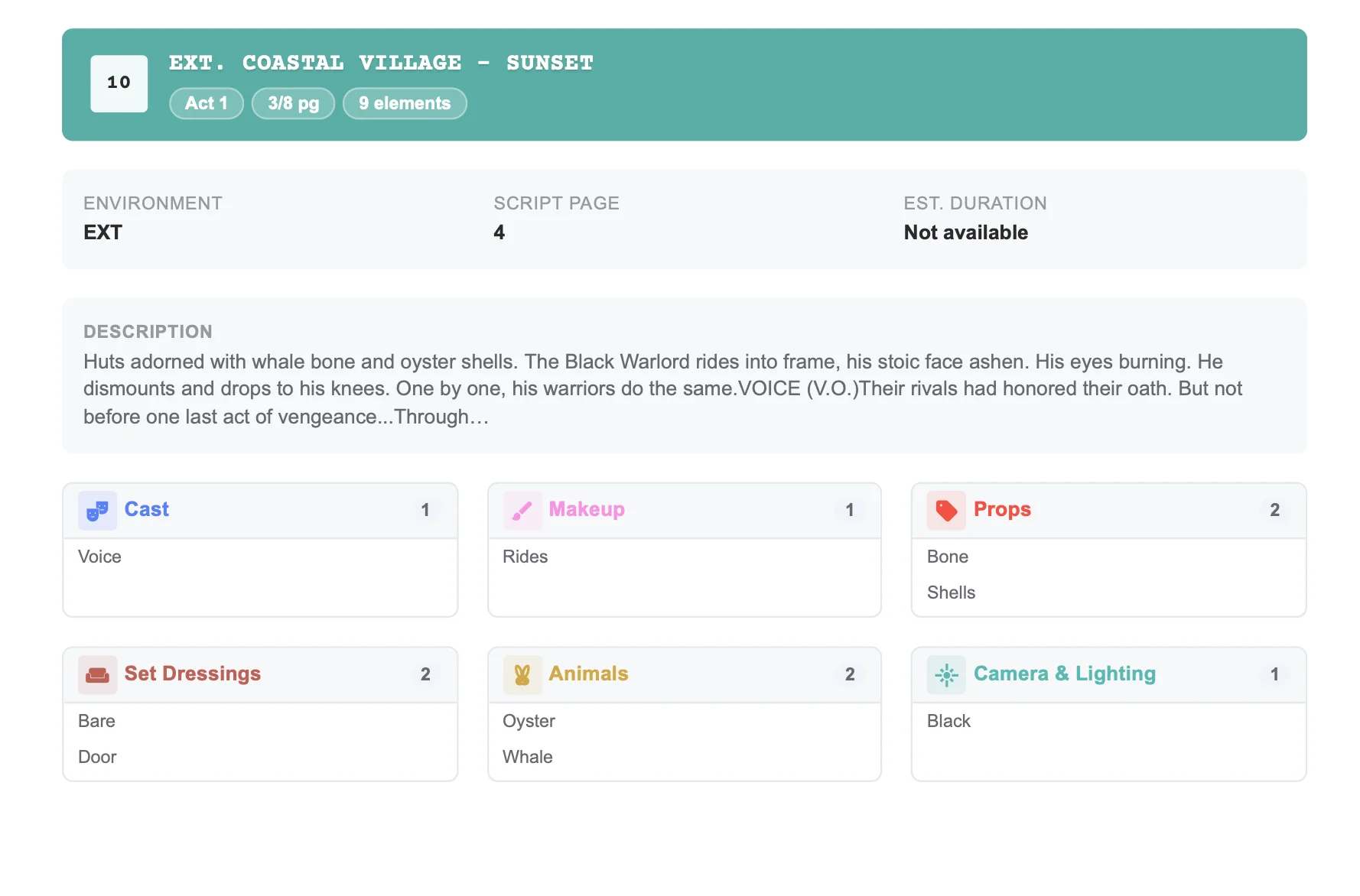
Consistency matters most when categories sit close together. Extras versus silent bits, props versus set dressing, and special effects versus visual effects are the usual collisions. Write a one-line rule for each pair in your project notes and tag accordingly. If an item sits on the border, tag it in both categories and let the department heads settle it in the prep meeting.
Colors are only useful if they survive export
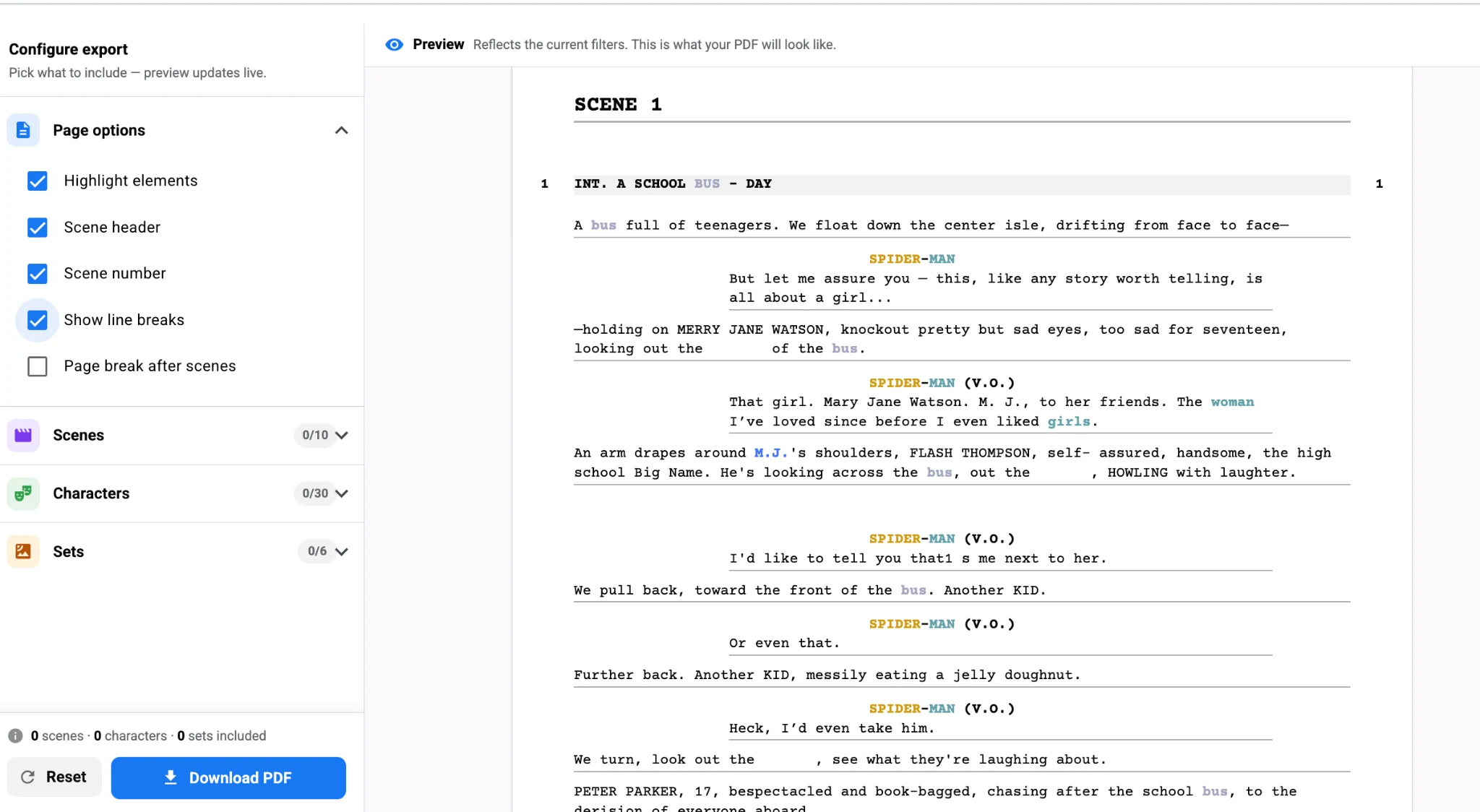
A color-coded breakdown that turns gray in the PDF is a wasted effort. When you export, choose highlighted tags so department heads receive the same visual language you worked in, or switch to black format for clean table reads. The export screen in the script breakdown tool previews the result before you download, which saves a reprint when a category color prints too light on the office copier.
Colors also carry into planning. Once tagged elements flow into the shooting schedule, the strip for a scene with red, orange and blue tags tells the AD at a glance that it involves cast, a stunt and an effect, which is a long day in the making. That visual early warning is why the convention has lasted decades.
The payoff
A shared color code turns your breakdown into something people can scan rather than study. Pick the chart, lock it in the project settings, and let AI tagging apply it the same way across every page. Then spend the hours you saved on the judgment calls only an AD can make. Set up your color rules in Studiovity’s script breakdown workspace and start your next project with a breakdown every department can read on sight.