
A stripboard counts shoot days; a production pays for dates. The gap is where schedules quietly break: Day 9 lands on a public holiday, the unit is still driving to the next location on the morning of Day 14, and nobody noticed the six-day week turned into seven. Setting non-working days before you lock the board is one of the cheapest fixes an AD or UPM can make.
Related video: Studiovity Film Pre-Production Software: AI breakdown, scheduling, and production calendar
Count the work before you place it
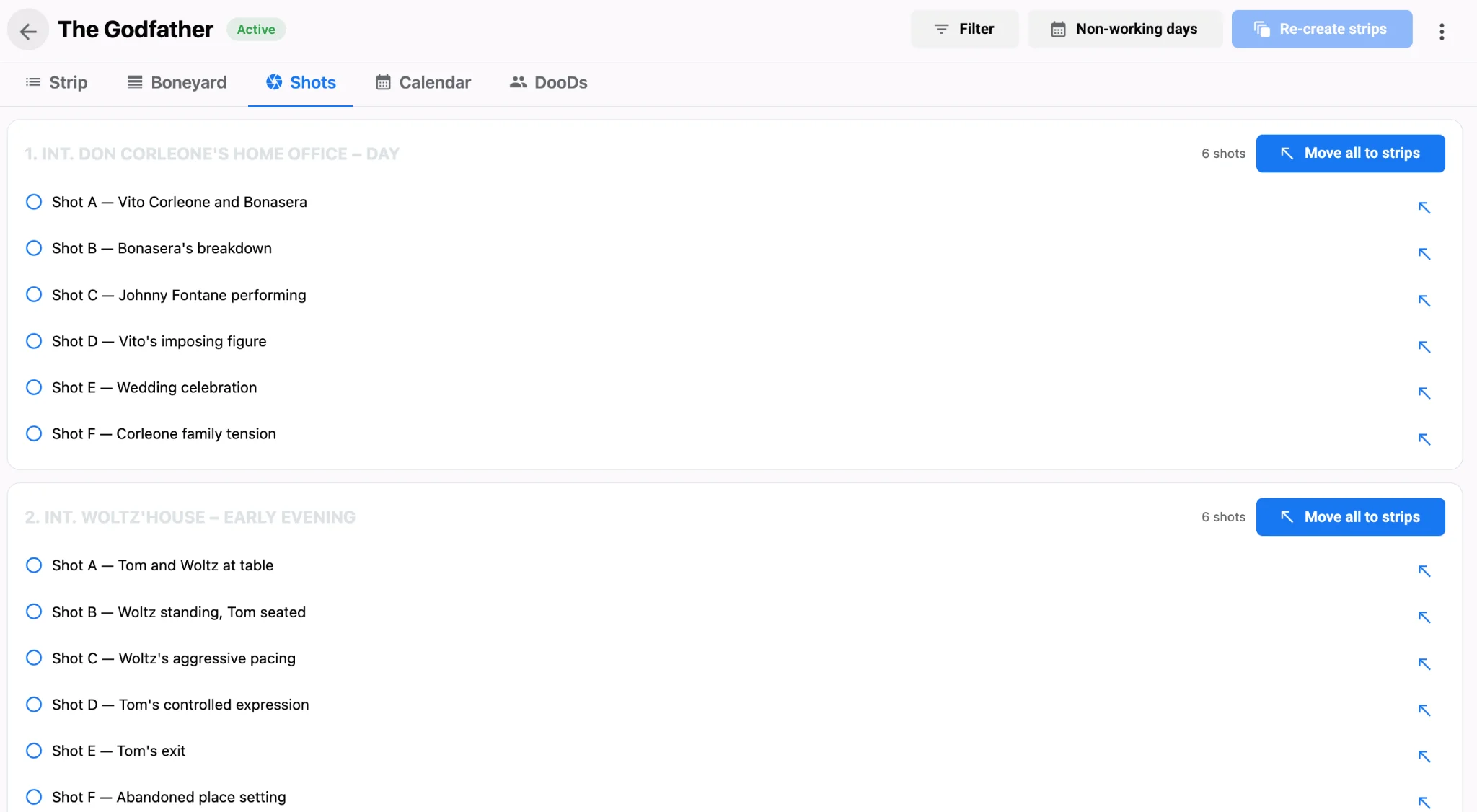
Start with how many shooting days the script really needs. Pages in eighths give you a first estimate, but the shot count per scene is often the better signal. A two-page dialogue scene with three setups is lighter than a half-page chase with twelve.
Mark the days nobody shoots
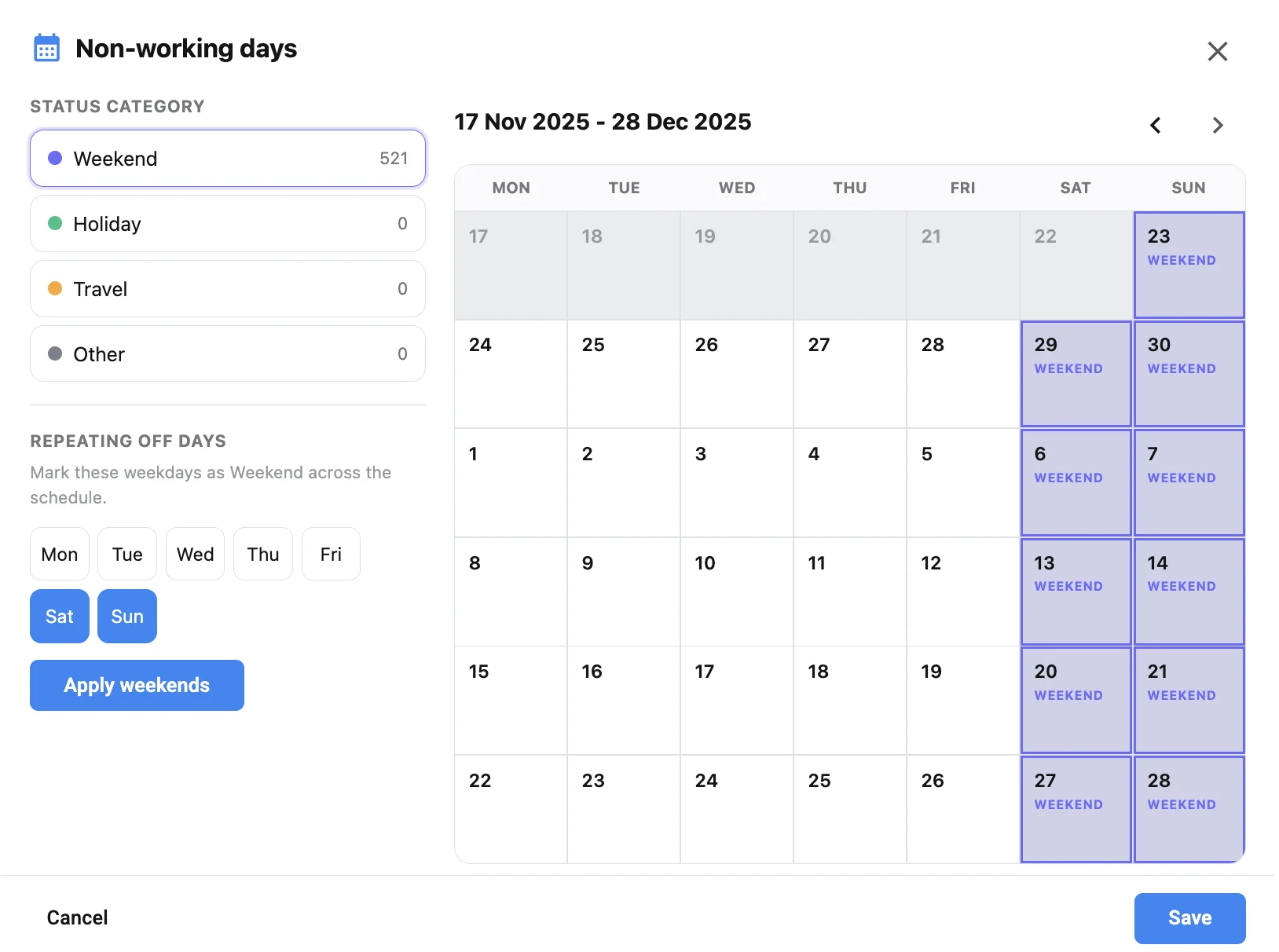
In Studiovity’s film scheduling software, the Non-working days panel sorts off days into Weekend, Holiday, Travel and Other. You can set repeating off days, such as Saturday and Sunday for a five-day week or only Sunday for a six-day week, and apply them across the schedule in one step. Holidays and travel days go onto the calendar individually, so every shoot day falls on a date the crew can actually work.
Treat travel days as real days
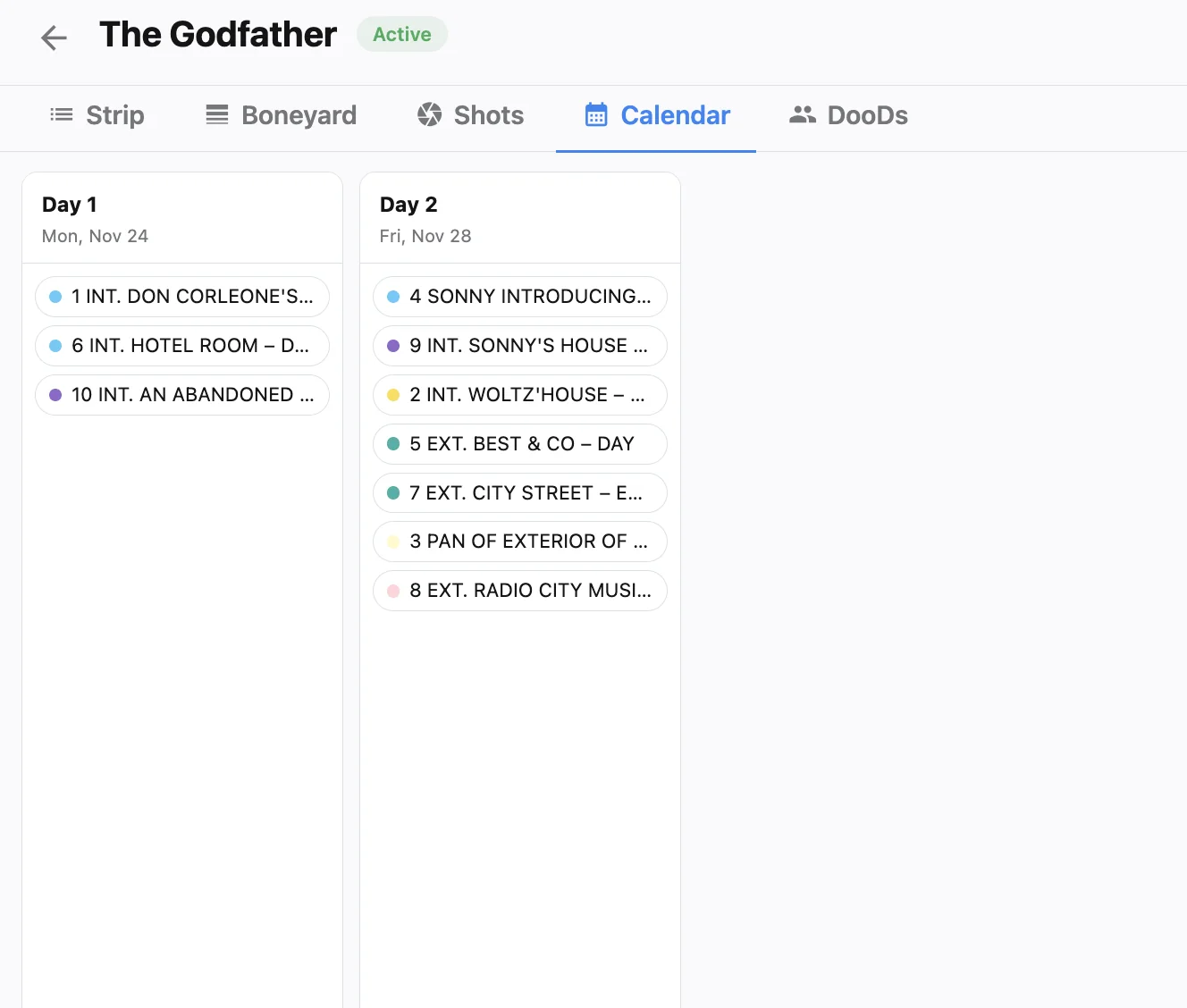
On location shoots, travel days eat the calendar faster than anything else. Marking them as Travel rather than leaving a gap keeps the reason visible to everyone. It also forces the right conversation early: does the cast travel the day before, or do you pay for a hold? Our guide to cast availability and travel logic covers how to plan those windows.
Keep episodic calendars consistent
When several episodes share one project workspace, agree on a single off-day pattern before blocking episodes. Otherwise block two quietly assumes a different week than block one.
Re-check cast after every calendar change
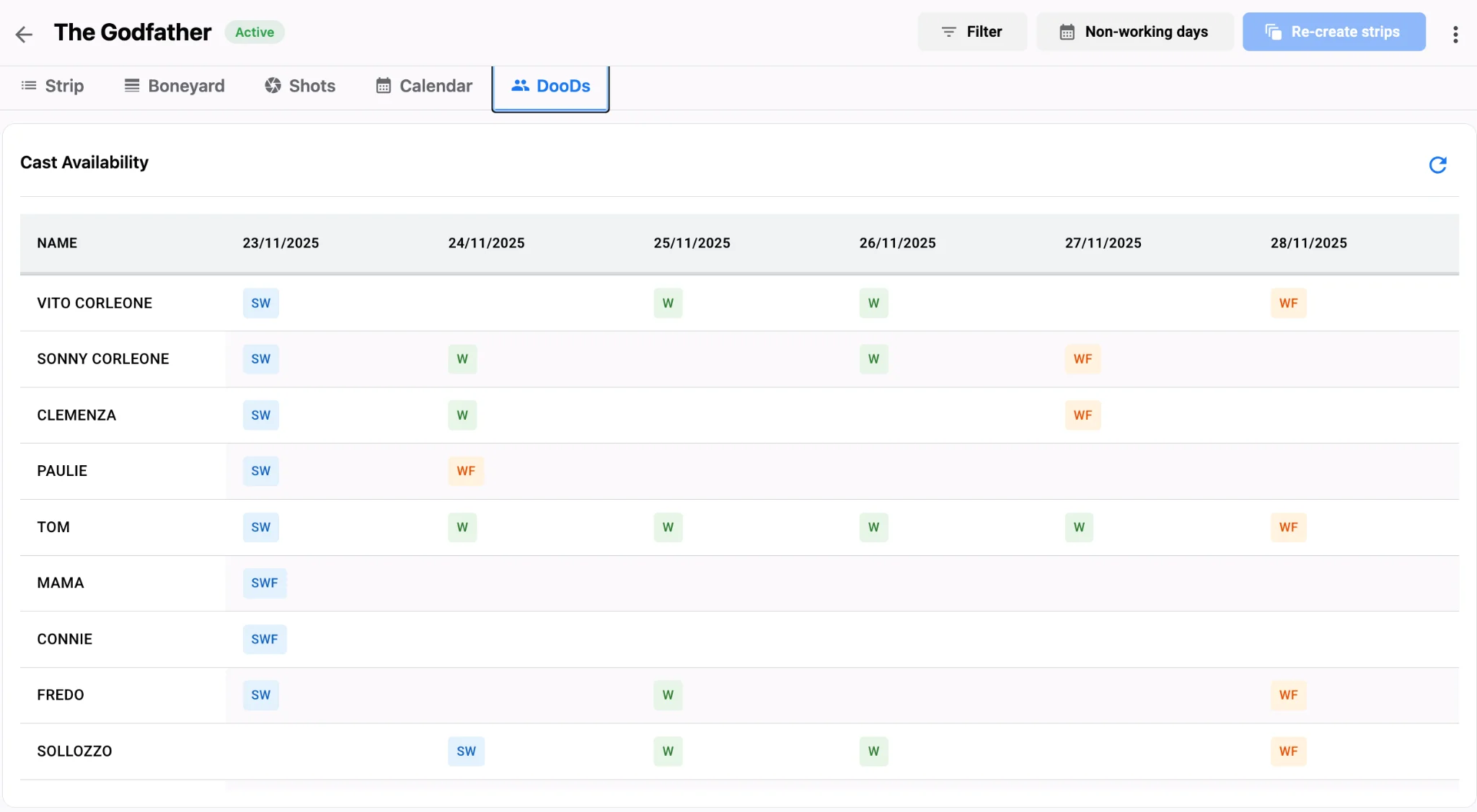
Adding a holiday in the middle of a run can turn a clean work pattern into paid holds. After you change non-working days, open the Day Out of Days view and look for actors who start, sit idle, then finish days later. New to these grids? Start with our post on DOOD reports, one-liners and the boneyard.
A quick calendar checklist
- Confirm local public holidays for every shooting city, not just the production office.
- Set the repeating weekly pattern before you add any one-off off days.
- Mark travel days explicitly so they show up on the shooting schedule.
- Re-check the DOOD after each change.
When dates are real, every call sheet built from a daybreak with the call sheet software carries the right date too. Set up your off days in Studiovity’s scheduling workspace before you lock the first draft.