
A script breakdown is not the end of pre-production. It is the raw material that a shooting schedule and a budget are built from. If the breakdown is incomplete, the stripboard will be incomplete, and the budget will be a guess. If it is clear – who is in each scene, where it takes place, whether it is day or night, and which elements it requires – planners can work with far fewer surprises.
That is the real use of AI script breakdown for scheduling and budgeting. The software is not there to invent a shoot plan or a cost report on its own. It extracts scene facts and production elements quickly, so planners can group days, count workdays, and price the film against what the script actually demands.
Why Schedule and Budget Quality Starts With the Breakdown
Every serious production already knows the sequence: script, breakdown, schedule, budget, then call sheets. The weak link is usually the breakdown. A schedule that groups all the diner scenes together only works if every diner scene has been identified. A budget line for extras only works if someone has counted the crowd scenes.
Schedulers need scene facts, not just a page count
Page count matters, but it is not enough. To build a day, an AD also needs interior versus exterior, day versus night, the cast list, the location, and special elements that change the pace of work: stunts, children, animals, picture vehicles, or effects. If those facts are missing, the first stripboard has to be rebuilt later.
Budgets need counts and categories
Line producers do not price “a scene.” They price units: actor workdays, location fees, extras, vehicles, special makeup, overtime risk from night work, and department labor. Those units are easier to estimate when the breakdown lists elements by category and by scene.
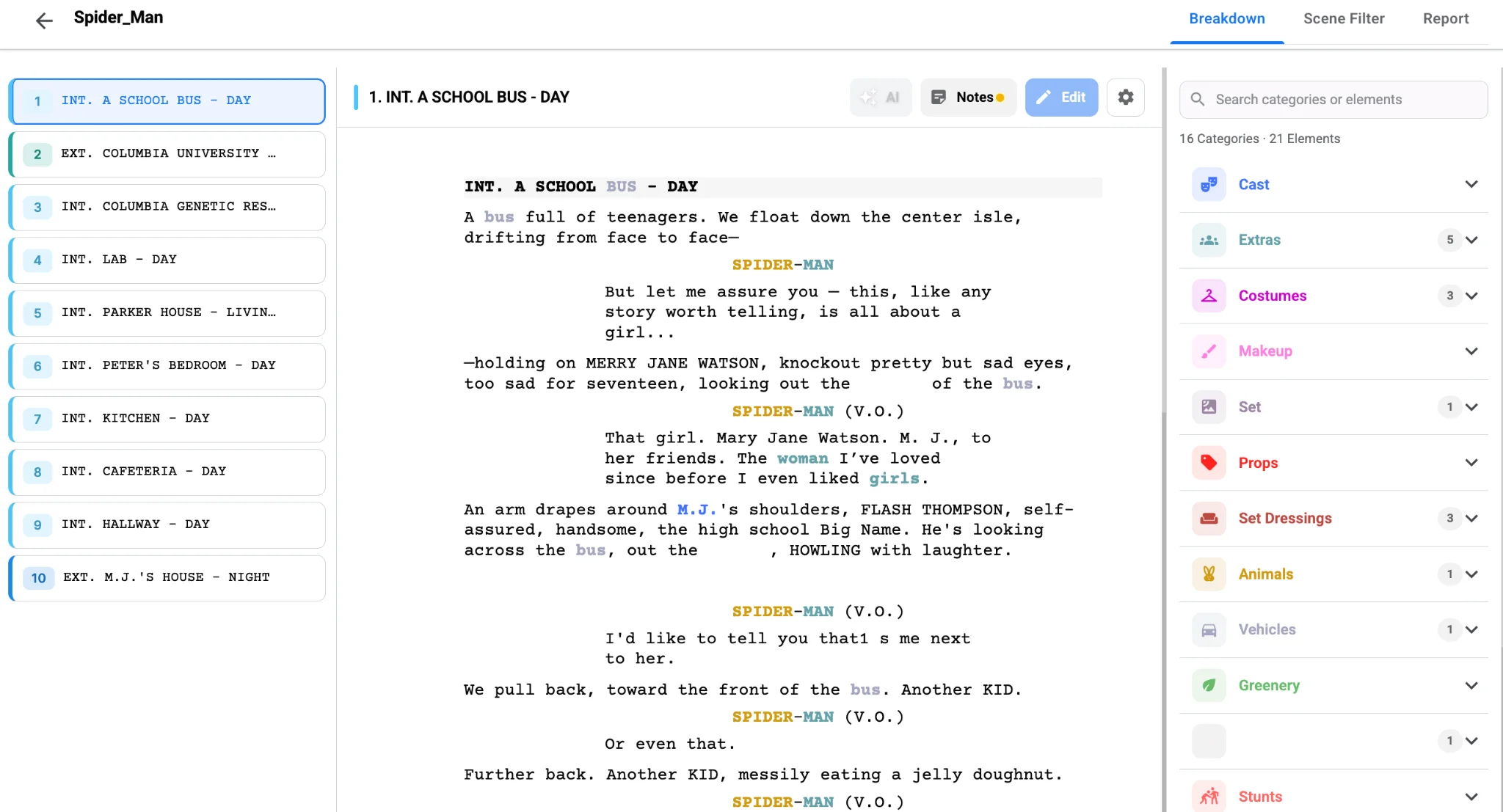
This short walkthrough shows how quickly an AI pass can turn a screenplay into tagged production data:
What an AI Breakdown Hands to the Scheduling Team
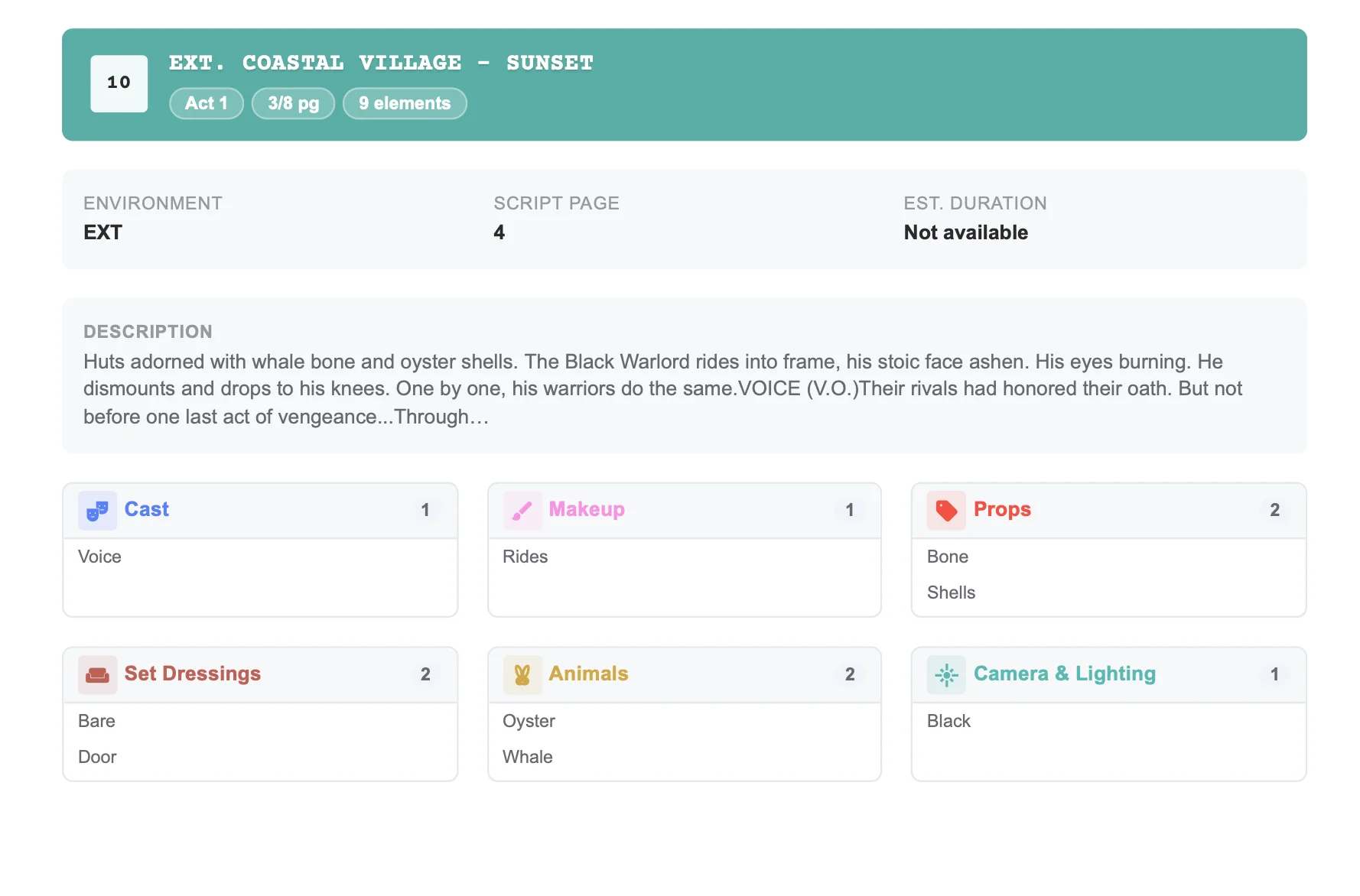
An AI script breakdown can surface, scene by scene, the information a scheduling pass depends on:
- Cast per scene, including roles that appear briefly and are easy to miss in a manual read.
- Locations, with interior and exterior distinctions that affect company moves and lighting.
- Day and night, which change call times, permits, and crew conditions.
- Page or eighths estimates, which help with how much a day can reasonably hold.
- Special elements such as extras, vehicles, stunts, animals, and effects that need extra time.
The AD or UPM still decides the shooting order. AI will not know that a location is only available on a Tuesday, or that a company move will eat two hours. What it can do is make sure the scene inventory is complete before those constraints are applied.
Grouping days becomes faster
Once locations and INT/EXT/DAY/NIGHT flags are trustworthy, grouping work is more straightforward: all the office interiors, all the night exteriors on the same street, all the scenes that need the same picture car. You are sorting a clean list instead of rediscovering scenes during the stripboard pass.
Cast workdays become visible
A character who “feels” like a small role can appear in more scenes than expected. A reviewed breakdown makes it obvious how many days a role may require once scenes are grouped, which matters for principals and for day players who should be concentrated into fewer workdays.
What the Same Breakdown Hands to the Budget
A useful script breakdown is also a costing document, even before anyone opens a budget template.
Element counts turn into line items
If the breakdown shows three vehicles, two animal scenes, six days with extras, and a handful of specialty props, those can be priced, bid, or cut. If they are only mentioned in the script, they often appear in the budget too late.
Complexity changes labor and time
A two-page dialogue scene in a quiet interior is not the same cost as a two-page scene with rain, a crowd, and a process trailer. The breakdown reveals the difference, and the schedule turns it into extra hours and a higher day cost. Budgeting from page count alone is how productions underestimate expensive scenes.
Script changes can be repriced sooner
When a revision adds a night exterior or removes a location, the breakdown should update first. Then the schedule and the budget can follow. An AI pass does not remove the need for version control, but it makes it realistic to refresh the element list when new pages arrive.
If your current draft is ready for a planning pass, run an AI script breakdown in Studiovity, review the tags, and use the scene elements as the foundation for your schedule and budget.
A Practical Path From Script to Schedule to Budget
The cleanest workflow is linear, with a review at each handoff.
1. Break down the current draft and review it
Do not send an unreviewed AI pass straight into scheduling. Correct character names, merge duplicate props, confirm locations, and flag anything the model missed, especially paid extras, picture cars, weapons, minors, and effects. An hour here is cheaper than rebuilding a week of stripboard later.
2. Build the schedule from approved scene data
Import or carry the scene list, locations, and cast into your shooting schedule. Group by location and lighting, then adjust for cast availability, company moves, and the director’s priorities. The breakdown tells you what each scene requires; the schedule decides when you can shoot it.
3. Price the plan, not just the script
Once you have a plausible shooting order and day count, build or revise the film budget against that plan. Workdays, location days, extras, vehicles, and department labor should reflect the grouped schedule, not an optimistic reading of the screenplay. If the number does not work, the breakdown shows which scenes are candidates to rewrite, cut, or simplify.
4. Share the same source of truth with departments
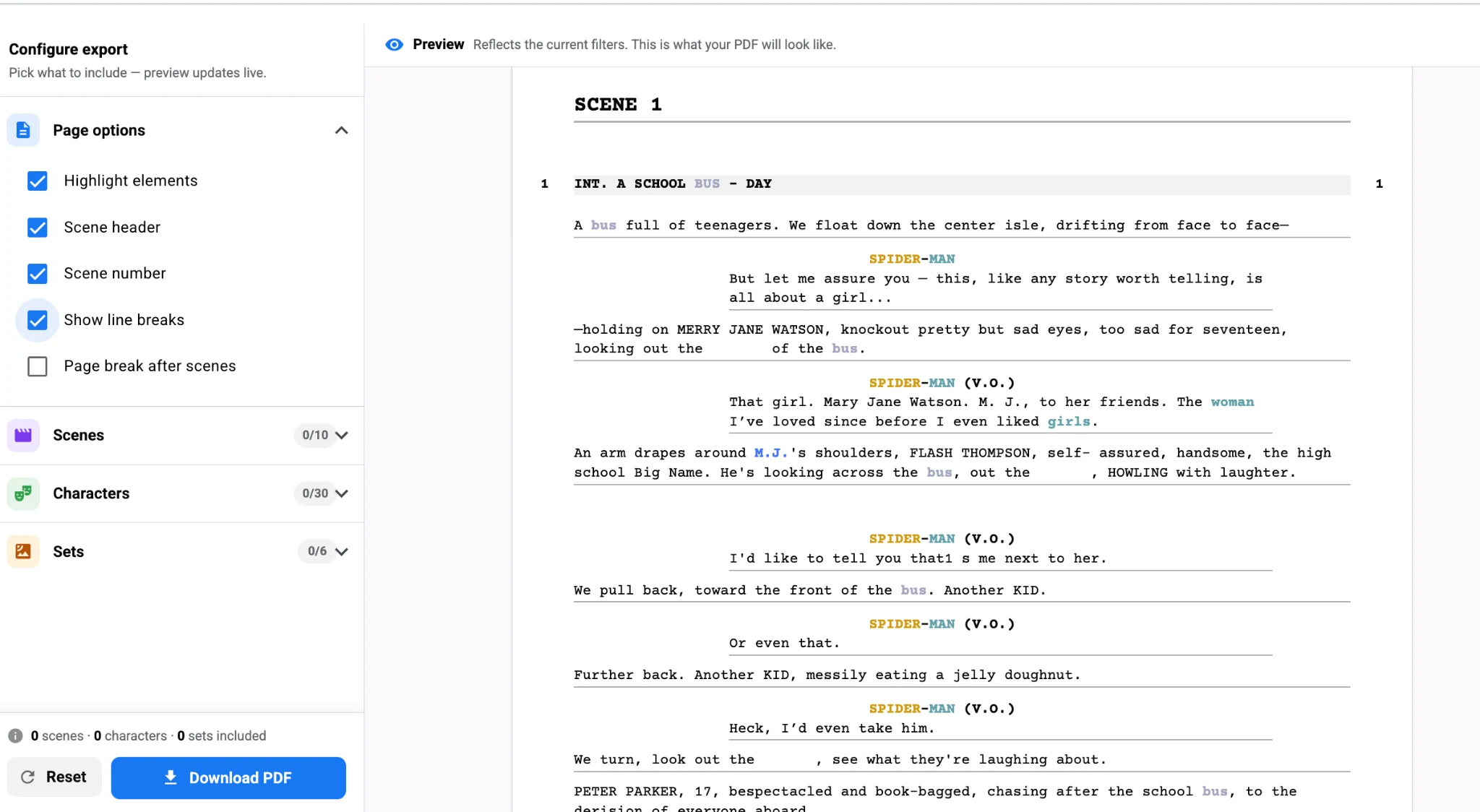
Art, wardrobe, transportation, and locations should see the same element lists the AD and line producer used. A PDF export or filtered report is often enough. When departments plan from a different version of the script, the schedule and budget start to drift.
Problems That Appear When the Handoff Is Weak
Even teams that care about planning can lose time in the gap between breakdown and the later documents.
Scheduling from memory of the script
An experienced AD may remember the big set pieces and still miss a short scene that requires a return to a wrapped location. A complete scene inventory is the safeguard.
Budgeting before the breakdown is reviewed
If cost estimates are based on an AI first pass that still has duplicate characters or unconfirmed extras, the budget will look more precise than it is. Review first, then price.
Letting departments make private lists
Once wardrobe and art build their own disconnected trackers, a script revision has to be communicated three times. Keep the official element list in the breakdown, and treat department lists as copies that get refreshed.
Forgetting that night work and moves are cost events
A night-exterior can change permits, crew conditions, and transportation. Those flags should be visible in the breakdown before someone promises a 7 a.m. call and a 9 p.m. street scene on the same day.
Keeping the Chain Intact in One Production Workspace
The fastest way to weaken this chain is to break down the script in one tool, schedule in a second, and budget in a third, with no reliable export between them. Then every revision becomes a manual copy. Studiovity is designed so an AI-assisted breakdown can sit in the same workspace as scheduling and budgeting.
You can start with Studiovity’s script breakdown software, review the tags, and carry that planning data into the shooting schedule and the budget without rebuilding the scene list by hand.
FAQ
Can I build a shooting schedule directly from an AI script breakdown?
You can start from it, and you should, but only after a human review. AI script breakdown for scheduling gives you the scene inventory, elements, and flags. An AD still has to apply location access, cast deals, geography, and the creative order of the shoot.
Does a more detailed breakdown make the budget more accurate?
It makes the budget more defensible. You still have to apply real quotes, rates, and fringes. What the breakdown improves is the completeness of what you are pricing: workdays, extras, vehicles, effects, and complex scenes that page count alone will hide.
What should I do when the script is revised after the schedule is built?
Update the breakdown first, then adjust the affected strips or days, then update the budget lines that those days support. Changing the schedule without refreshing the element list is how a new night scene or a new cameo slips through unpriced.
Try Studiovity’s AI Script Breakdown Free
If your schedule and budget are only as good as the scene data underneath them, start with a reviewed breakdown rather than a highlighted draft. Try Studiovity’s AI Script Breakdown free and turn that first pass into a cleaner foundation for your shoot days and costs.