
Some script elements bring their own handlers, insurance, permits and timetables. A horse needs a wrangler and rest breaks. A picture car needs a driver, a backup and a low-loader. A dog that has to "look up on cue" needs a trainer and multiple takes. These elements are not just items on a list; they are mini-productions inside your production, and the breakdown is where you first see them. Tagging picture cars and animals early is how you see their real cost before it lands on an invoice.
Vehicles: picture cars versus production vehicles
Only tag vehicles the camera sees or the story uses. A sedan the lead drives is a picture car. The van that moves the grip truck is not part of the breakdown. For each picture car, record:
- Make, model, era and color if the script specifies them.
- Whether it is driven on camera, parked or towed on a process trailer.
- Whether it needs duplicates for stunts or damage.
- Which characters ride in it, for cast and continuity tracking.
Picture cars repeat across scenes more than any other element, so consistent naming matters. "Maya’s Red Hatchback" should be the same tag in every scene where it appears. The same naming discipline applies to smaller items; see props vs set dressing in a script breakdown.

Animals: tag the handler, not just the creature
Animals bring rules. Working hours, rest periods, welfare supervision and transport all affect the schedule. Tag the animal, its action ("barks at the door," "gallops across the field") and any requirement for doubles. Then add a note for the wrangler so the first conversation starts with specifics. Vehicles and animals sit alongside the other standard script breakdown elements every AD tags.
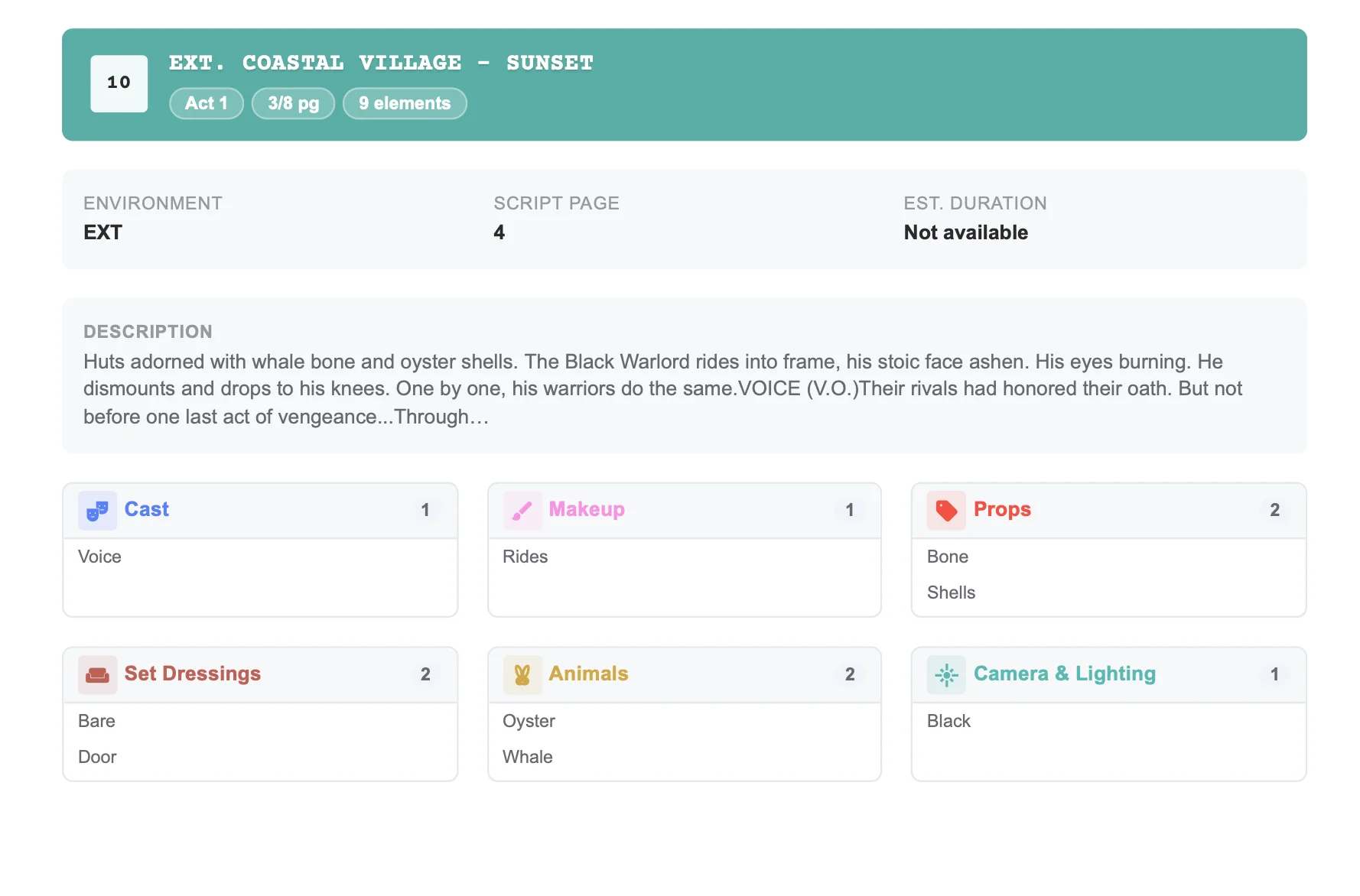
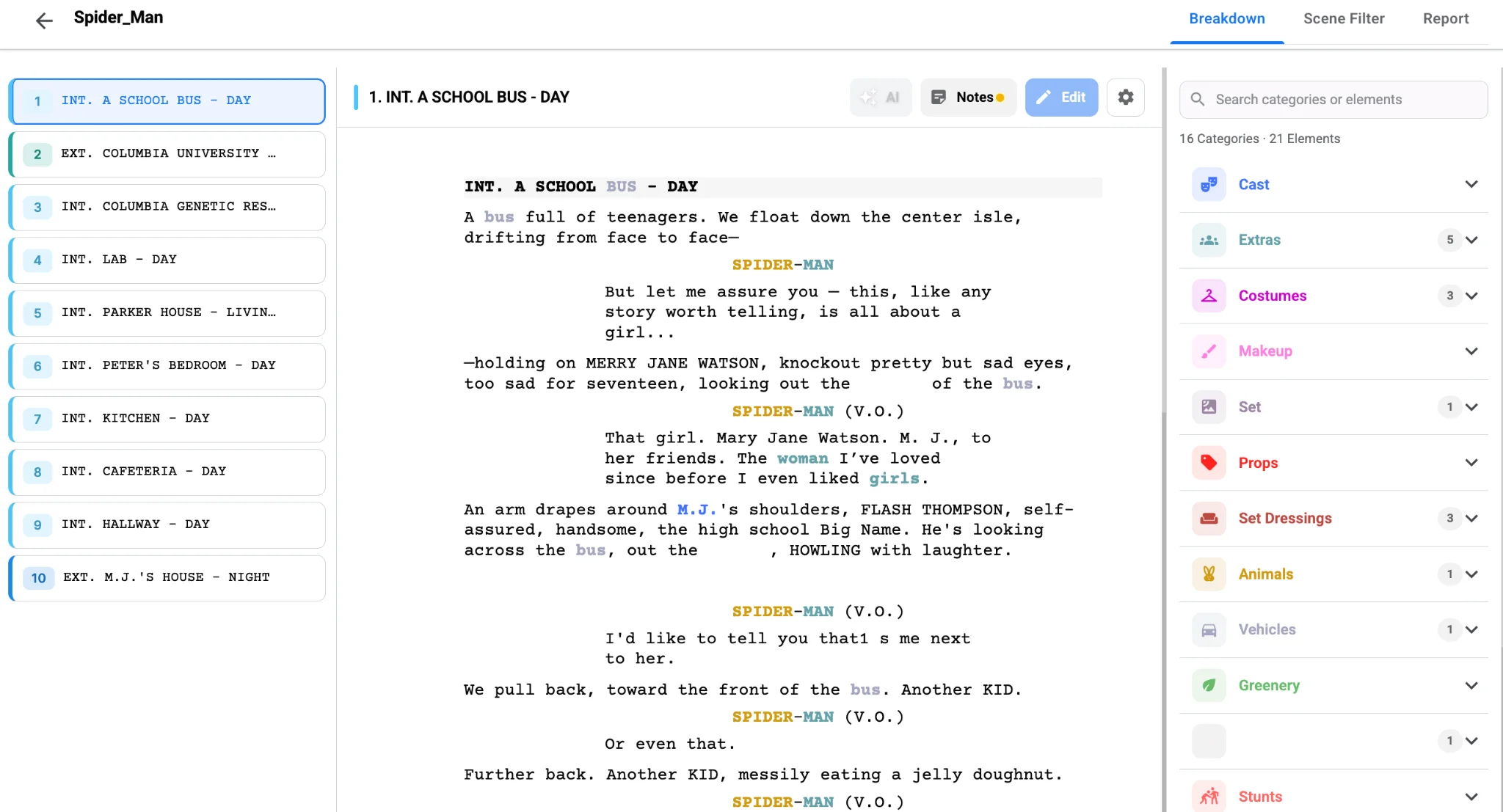
Studiovity’s AI script breakdown software includes vehicles and animals among its default categories and tags them automatically when the script mentions them. The breakdown summary then groups them per scene next to extras, costumes and set dressing, which makes it easy to see when a scene stacks an animal, a vehicle and a crowd in the same setup.
Spot the cost clusters early
A scene with a vehicle and an animal is rarely a simple day. Filter the breakdown by these categories and export a list for transport and wrangling. The script breakdown tool can export filtered reports as PDF or Excel, which makes it easy for those coordinators to quote accurately.
Then let those tags shape your planning. Picture cars and animals are often available only on certain days, and they cost money for every day they are held. When the elements flow into Studiovity’s film scheduling software, the AD can group every scene with the same vehicle or animal into consecutive days, cutting rental and handler days. Those numbers then move into the budget as real line items rather than rough allowances.
Do not forget the safety side. Driving shots may need road closures, police liaison and tracking vehicles, while animal scenes may need a welfare officer on set. Noting these needs on the breakdown sheet gives the production office the lead time to arrange them properly instead of scrambling the week before the shoot.
The payoff
Vehicles and animals are where small script lines turn into big invoices. Tag every picture car with consistent names, capture each animal’s action and handler needs, filter them into their own reports and schedule them in clusters. Start your next breakdown in Studiovity’s AI breakdown workspace and keep the cars, horses and dogs from driving your budget off course.