
Some of the best breakdown decisions happen far from a desk. Standing in the actual location, you notice the staircase the script never mentioned, the neon sign that will need clearing, the alley where a picture car cannot turn. If your breakdown lives only on an office computer, those insights end up in a notebook and wait days to be typed in, if they are typed in at all. A mobile script breakdown captures those decisions in the project at the moment you make them.
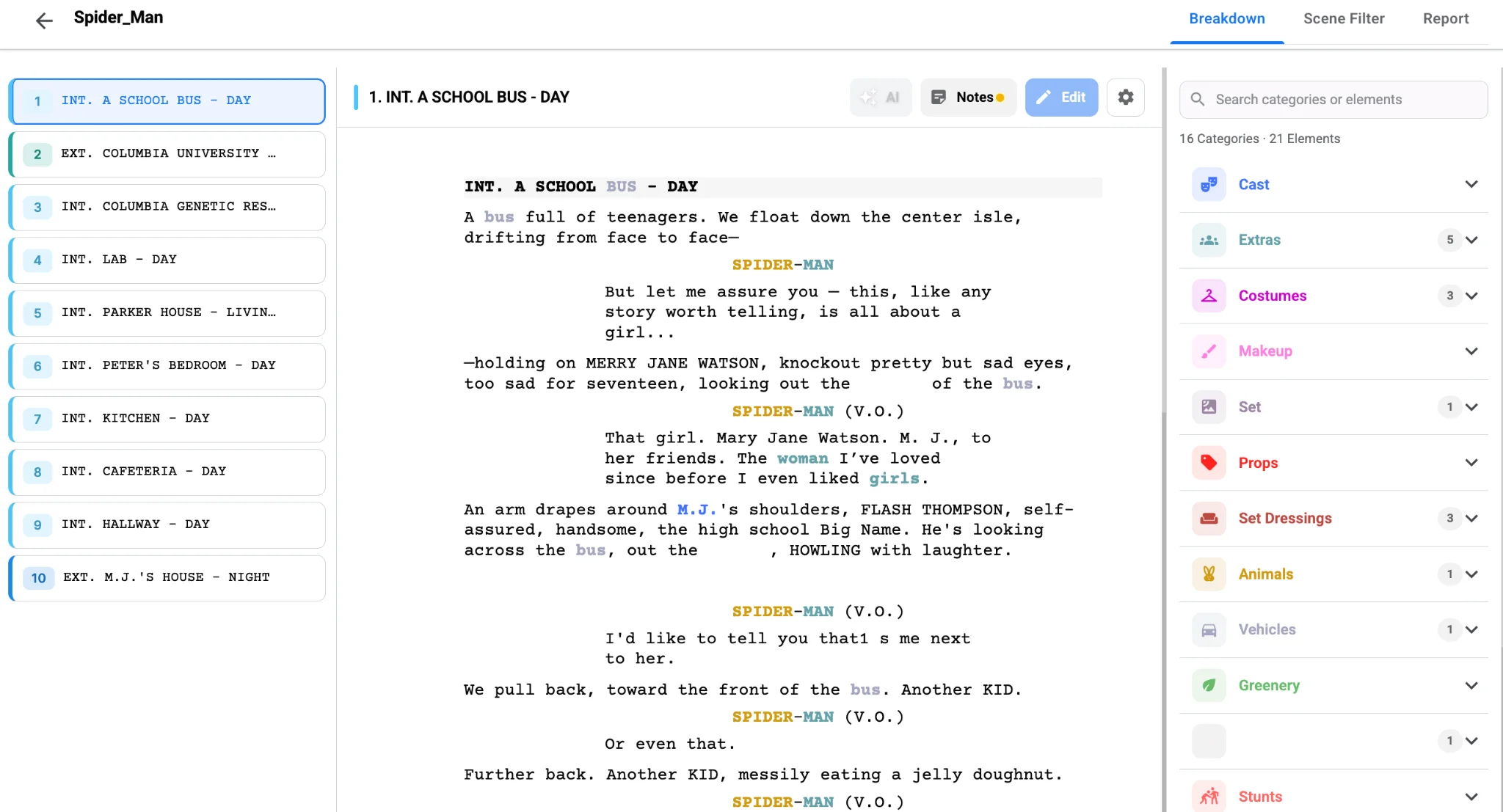
Why breakdown belongs on the scout
Location scouts and tech recces are where the script meets reality. Directors, ADs, production designers and DPs walk the space together and make dozens of small calls: this wall gets dressed, that window gets blacked out, this corner needs a practical lamp. Every one of those calls is a breakdown element. Capturing them on the spot, against the right scene, is far more reliable than reconstructing them from memory.
What mobile tagging looks like in Studiovity
Studiovity’s AI script breakdown software runs on phones and tablets as well as the web, and AI Magic works on mobile too. Directors and ADs can open the screenplay on site, run an analysis if one has not been done yet, and tag elements with a touch interface. Changes sync to the cloud instantly, so the team back at the office sees new tags as soon as they are added.
That is not a theoretical benefit. Production managers who scout regularly describe quick tablet breakdowns on location as invaluable, because decisions are recorded while everyone is still standing in the room.
A practical scouting routine
Use a simple routine so mobile tagging stays tidy:
- Before the scout, filter the breakdown by the set you are visiting so you only see relevant scenes.
- Tag new elements directly against the scene, not in a general note.
- Add short notes for constraints, such as power access, noise or parking.
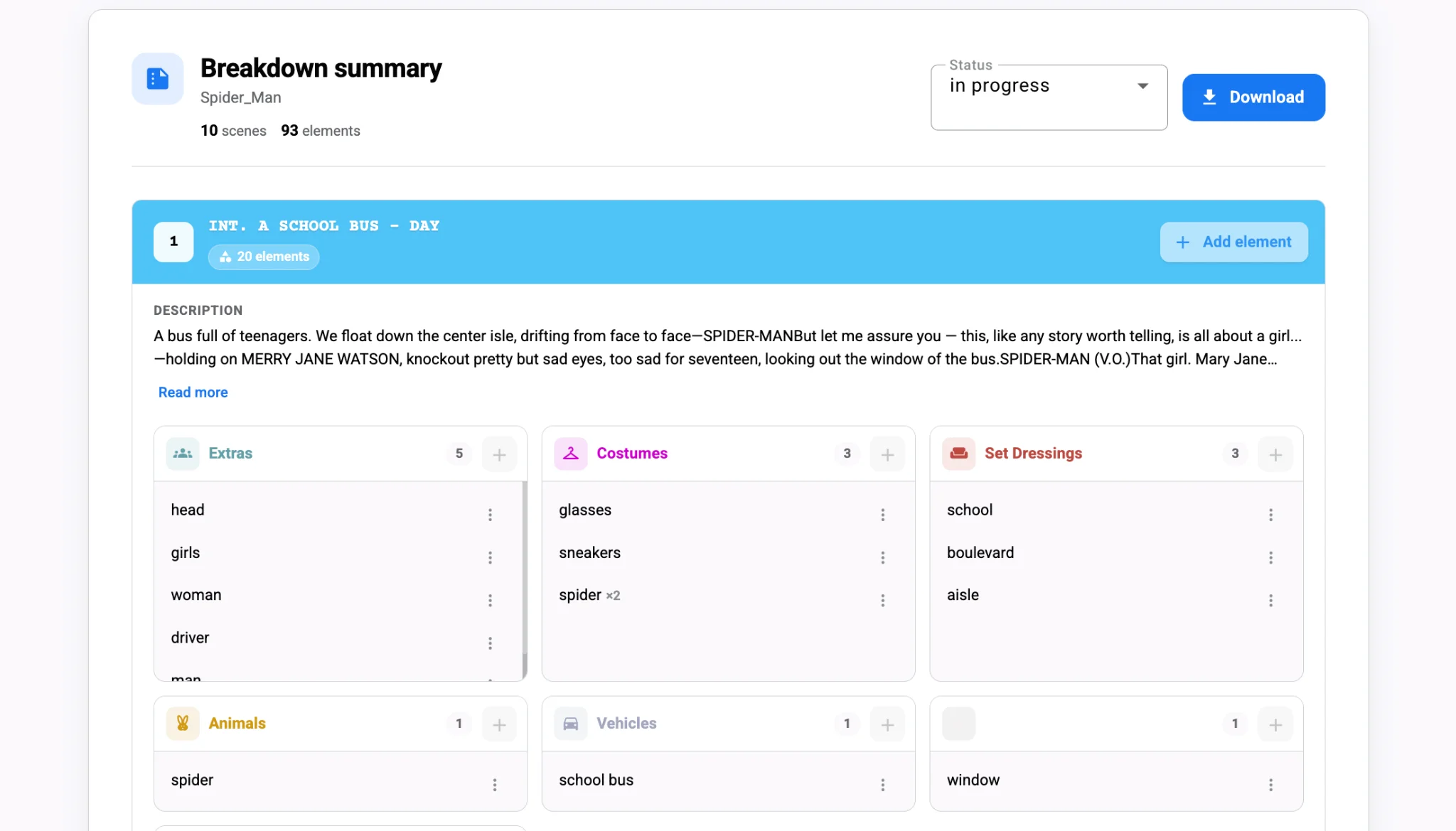
- After the scout, review the breakdown summary on a larger screen and confirm every new tag.
Filtering is the key step. Advanced filtering by set, cast or scene number turns a long script into a short list of scenes for that location, which is much easier to work with on a phone in bright daylight.
From the scout to the schedule
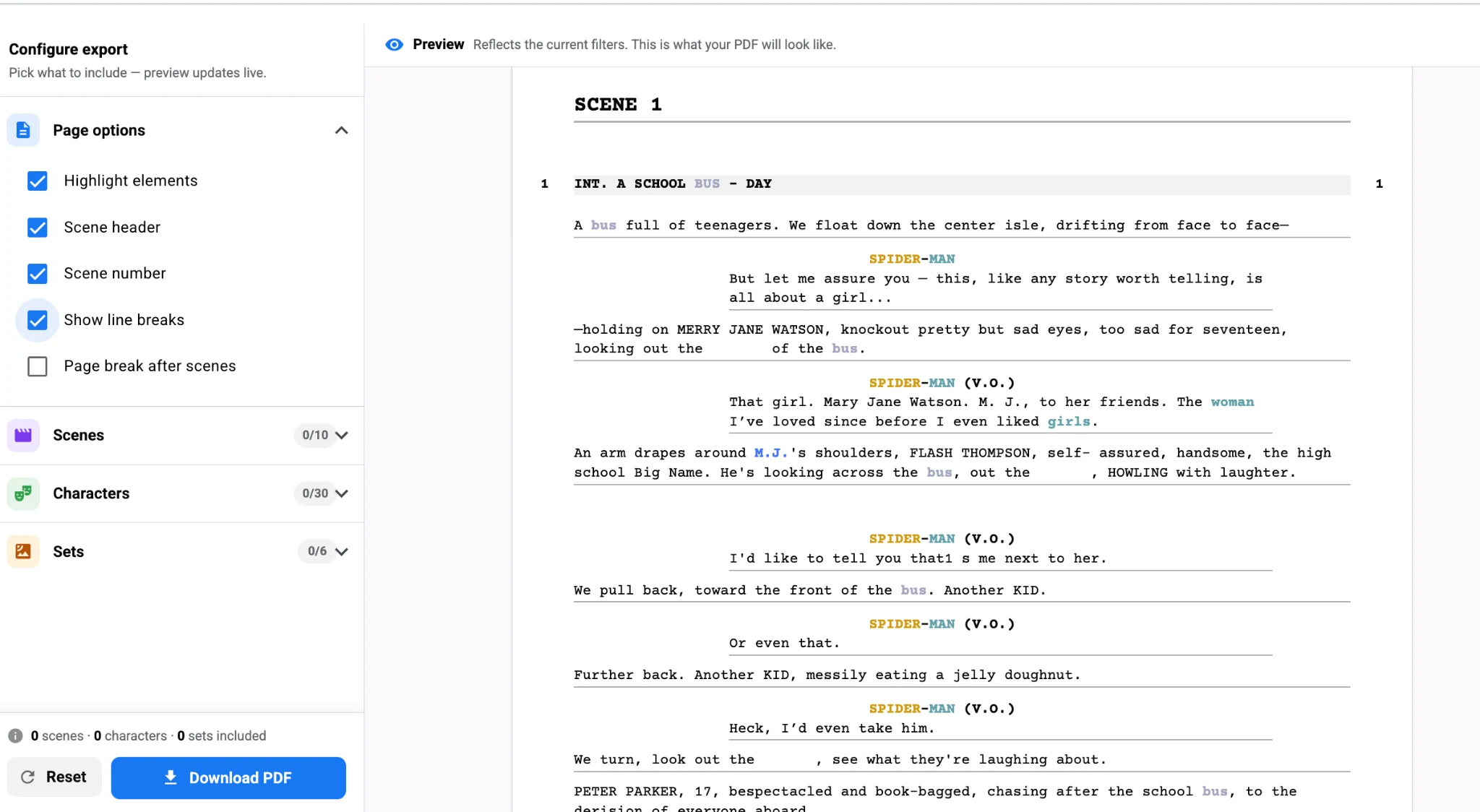
Scouting often changes the plan. You may learn that a location is only available on weekends, or that two sets can share a single address. Because tags and notes sync across devices, the AD can adjust the shooting schedule the same afternoon, and those updates later reach the call sheet. If a location adds new needs, export a filtered report from the breakdown tool and send it straight to the art department. For sending each department only its own list, see department breakdown reports.
Offline work matters too. Many locations have weak signal, and Studiovity is designed to keep working offline and sync when you reconnect, so a basement or rural farmhouse does not stop the scout. The same offline sync powers film scheduling offline and on mobile, so the stripboard keeps pace with the breakdown.
The payoff
Breakdowns improve when they are made where the film will be shot. Take the script to the scout on a tablet, filter by set, tag what you see against the right scenes and let cloud sync keep the office current. Bring Studiovity’s mobile AI breakdown on your next recce and capture every decision while it is still fresh.