
A breakdown sheet is one page per scene that tells every department what that scene needs. It looks simple, a header and a grid of boxes, but each field exists because a real production once lost time or money without it. Knowing why each field is there helps you fill it in properly instead of treating it as a form. This guide walks the anatomy of a script breakdown sheet field by field, so you know why each box exists before you fill it in.
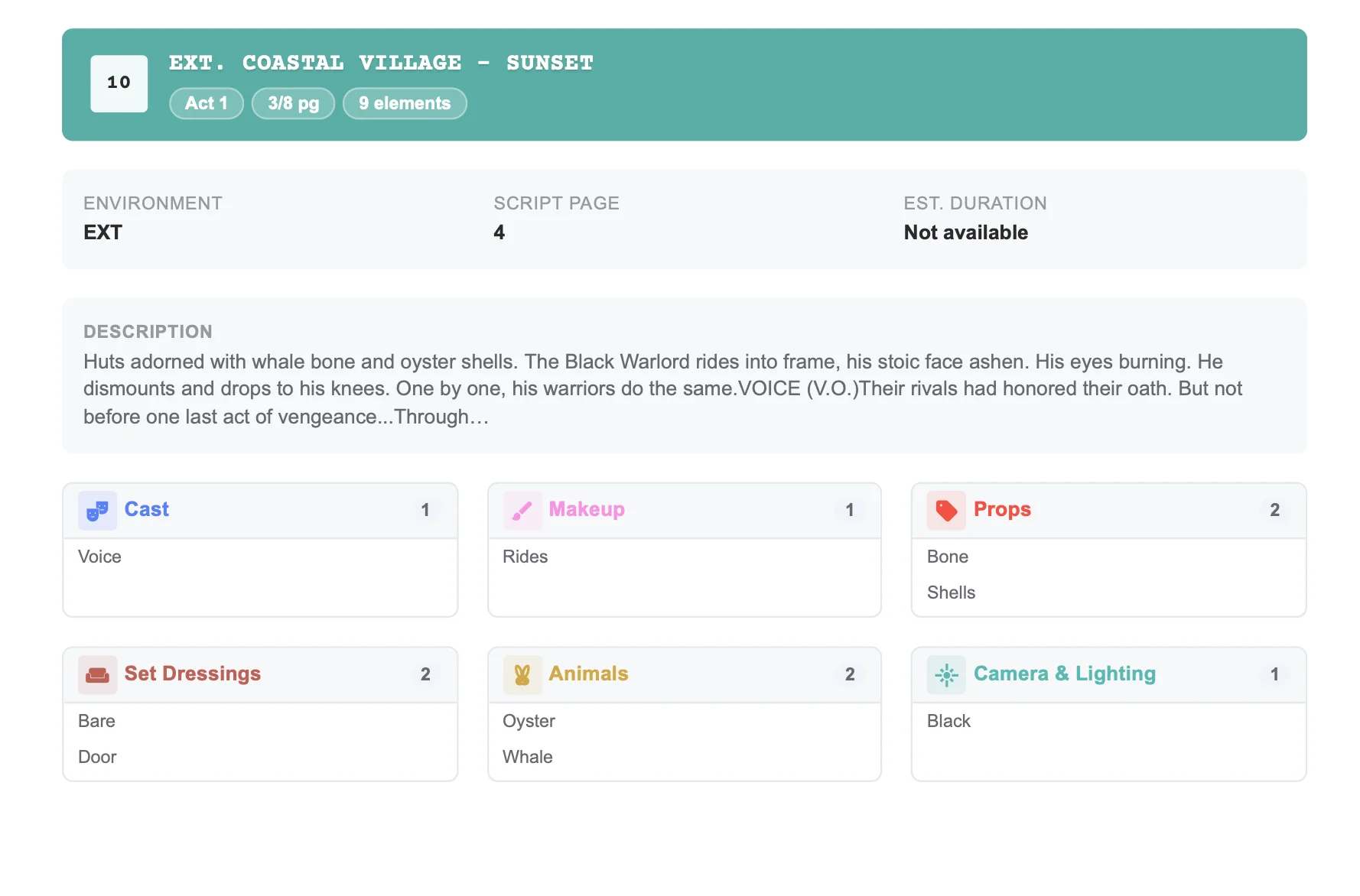
The header: identifying the scene
The top of the sheet locks down which scene you are talking about and how big it is:
- Scene number: the reference everyone uses, from the AD to the editor.
- Set or location name: written the same way every time, so scheduling can group it.
- INT or EXT: interior or exterior, which affects weather cover and lighting.
- DAY or NIGHT: drives lighting packages, turnaround and overtime risk.
- Script page and page length in eighths: how much screen time is on paper.
- Description: a one-line summary such as "Maya confronts her father at the pier."
That description line matters more than people think. It is what the AD reads on the stripboard when deciding whether two scenes can share a day.
The body: elements by category
Below the header sits a grid of element categories. Common ones include cast, extras, stunts, props, set dressing, costumes, makeup and hair, vehicles, animals, special effects, sound, special equipment, and camera and lighting needs. Each box lists the items in that category for that scene only. If you need a blank starting point first, grab our free script breakdown template, then use this field guide to fill it correctly.
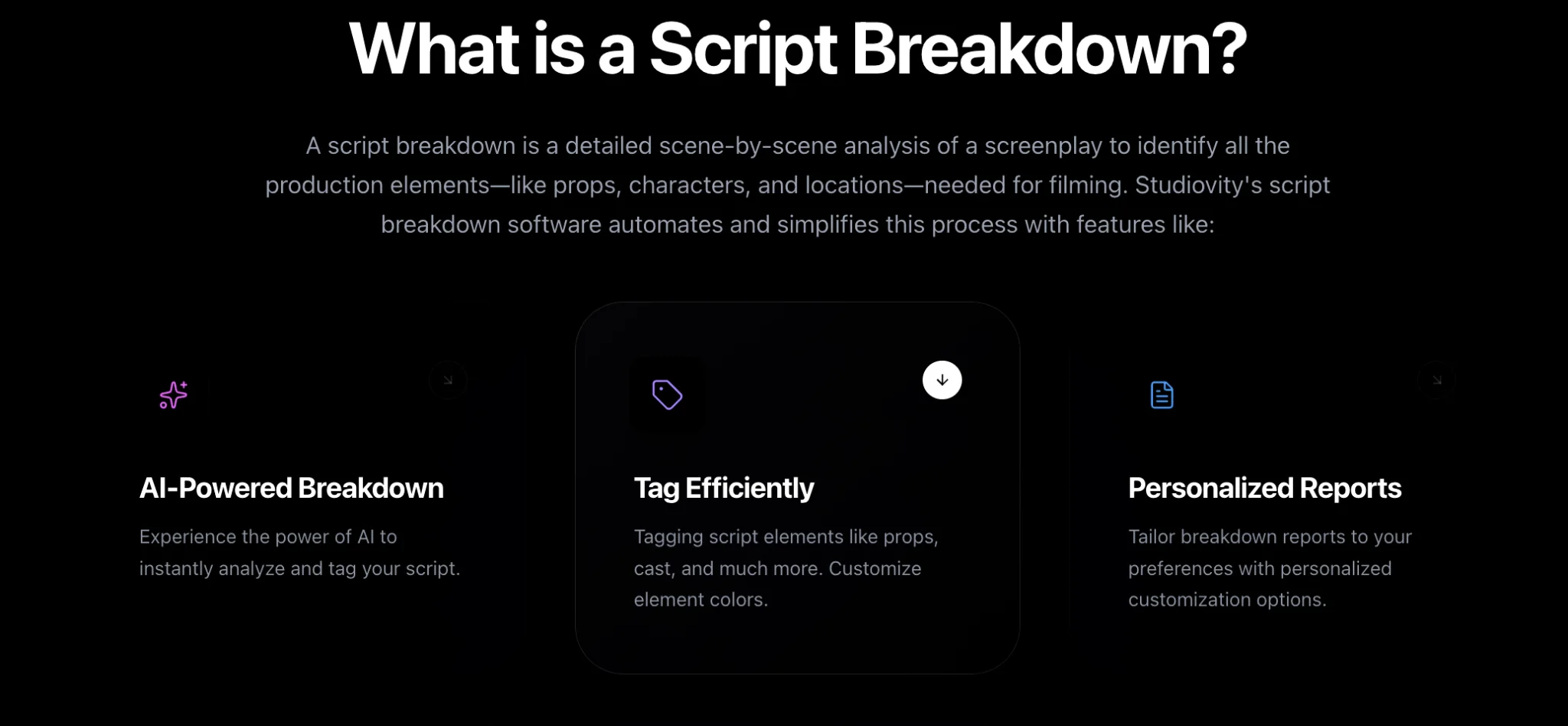
Studiovity’s AI script breakdown software builds these sheets automatically. AI Magic extracts the header data, including INT/EXT, day or night and page length, then sorts tagged elements into sixteen default categories. A scene breakdown sheet in Studiovity shows the environment, script page, description and grouped elements in one view, so you are reviewing rather than typing.
Notes: the field that saves the shoot
Most sheets include a free-text notes area. Use it for anything that does not fit a category but will matter on the day: a practical light that must work on camera, a child actor with restricted hours, a location that is only available after 6 p.m. These notes are where institutional knowledge lives, and they travel with the scene into scheduling. Page length belongs in the header too; see how to measure page eighths in a script breakdown.
Customize the sheet to the project
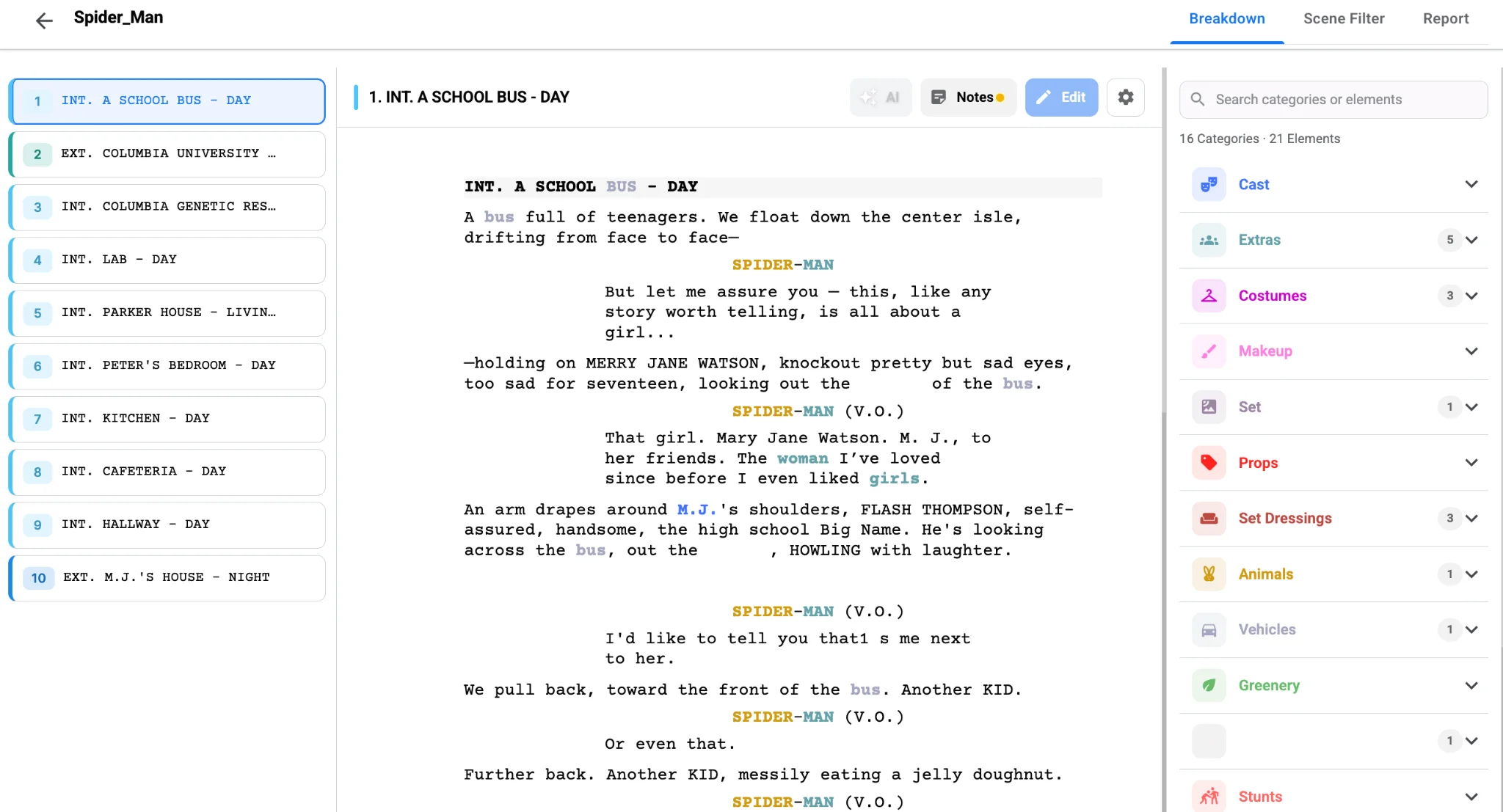
No two productions are identical. A period drama may need a category for signage and period cars; a sci-fi short may need one for practical screens or creature work. Add custom categories in the breakdown tool so the sheet reflects what your project really requires, rather than squeezing special items into "miscellaneous."
When sheets are complete, the breakdown summary rolls them up into a single view of every scene and its elements, and those elements feed the shooting schedule directly. That is the real job of a breakdown sheet: to be the record that every downstream document trusts.
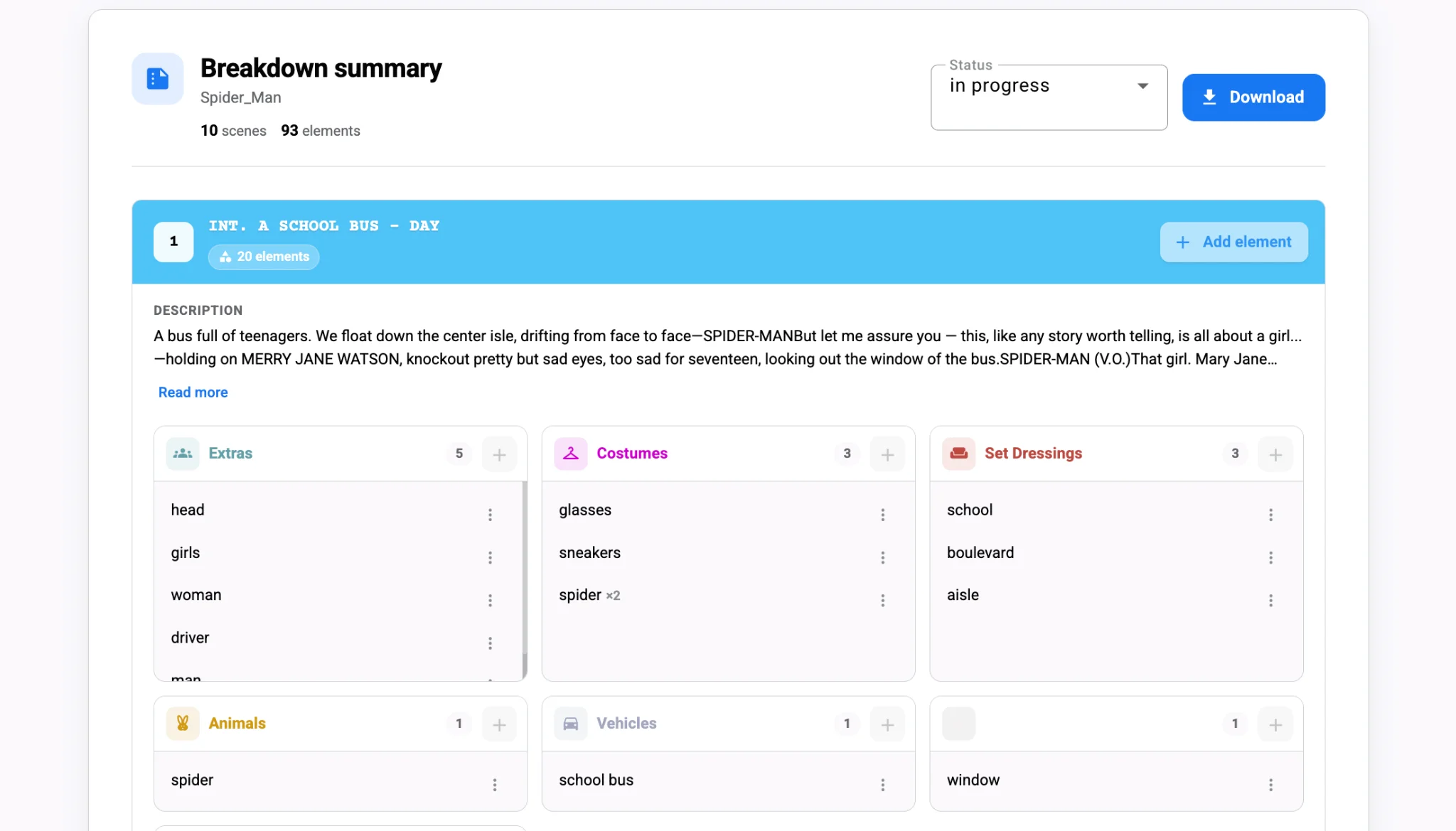
Export sheets as PDF for a printed prep binder, or as Excel when a department wants to sort and annotate. Either way, each sheet keeps the same structure, which makes them quick to scan once the crew learns the layout.
The payoff
A well-filled breakdown sheet answers every department’s first question before they ask it. Lock the header, fill each category, use the notes field generously, and add custom categories where the project demands them. Generate your first set of sheets in minutes with Studiovity’s script breakdown and spend prep refining them instead of building them.