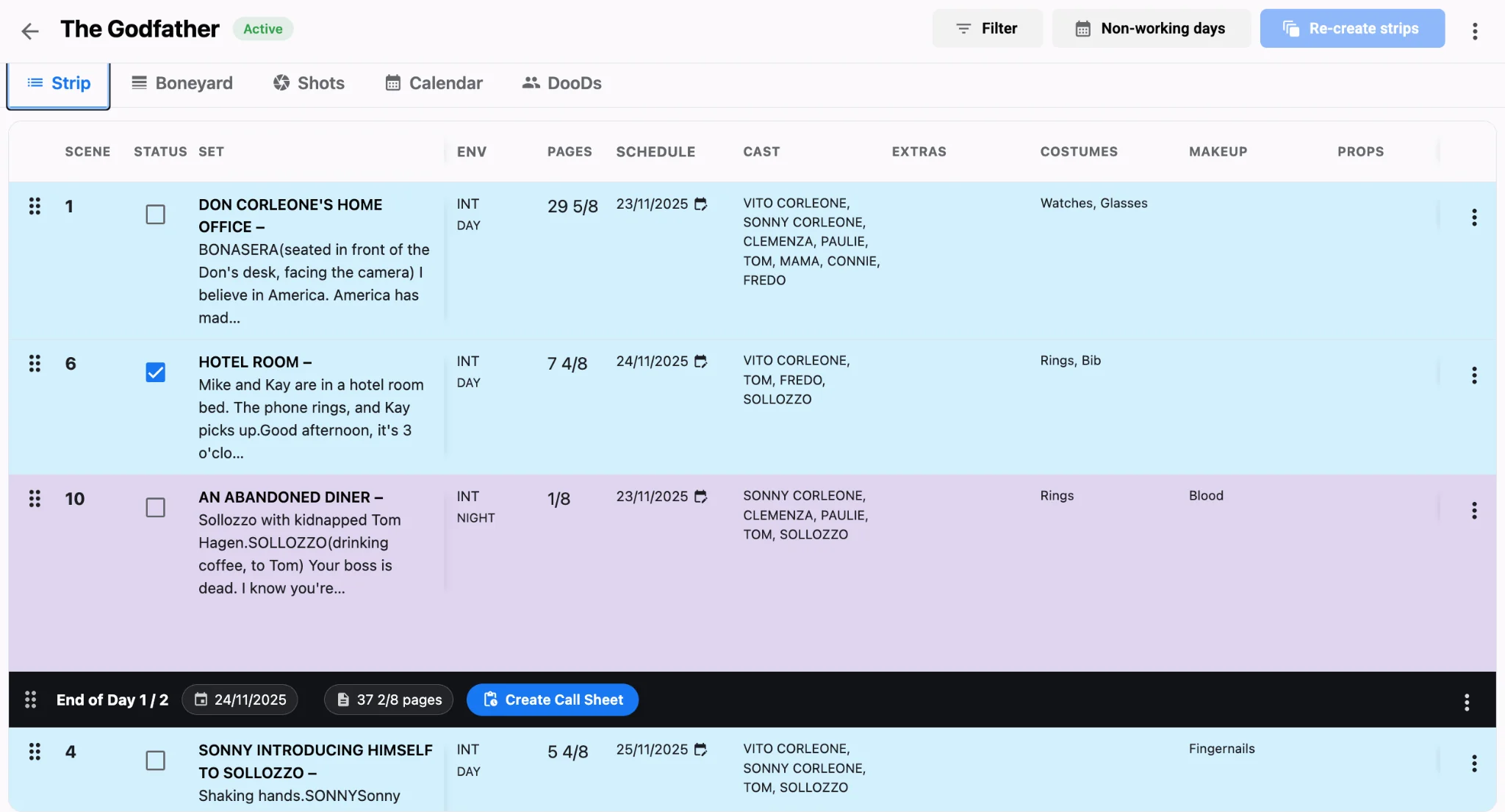
Short-form shoots break the assumptions built into feature scheduling. There may be no traditional screenplay, page eighths mean little when a thirty-second spot has forty setups, and the client wants to see the plan before approving the budget. Yet a two-day music video can go over just as badly as a feature, with far fewer days to recover.
Related video: Studiovity AI shotlist: plan perfect shots in seconds
Start with the AV script
Commercials and music videos usually begin as a dual-column AV script, not a traditional screenplay. Studiovity’s AV script software keeps visuals and audio in separate columns, tracks estimated runtime in real time, and can generate AI reference images from visual descriptions. Because it sits in the same workspace as the film scheduling software, nobody retypes the creative into a production document. Lock the AV script and runtime before building the schedule; on a two-day shoot, every late creative change costs a setup somewhere else. Because clients often approve the budget only after seeing the plan, a clean AV script doubles as their first look at the shoot.
Schedule by setup, not by page count
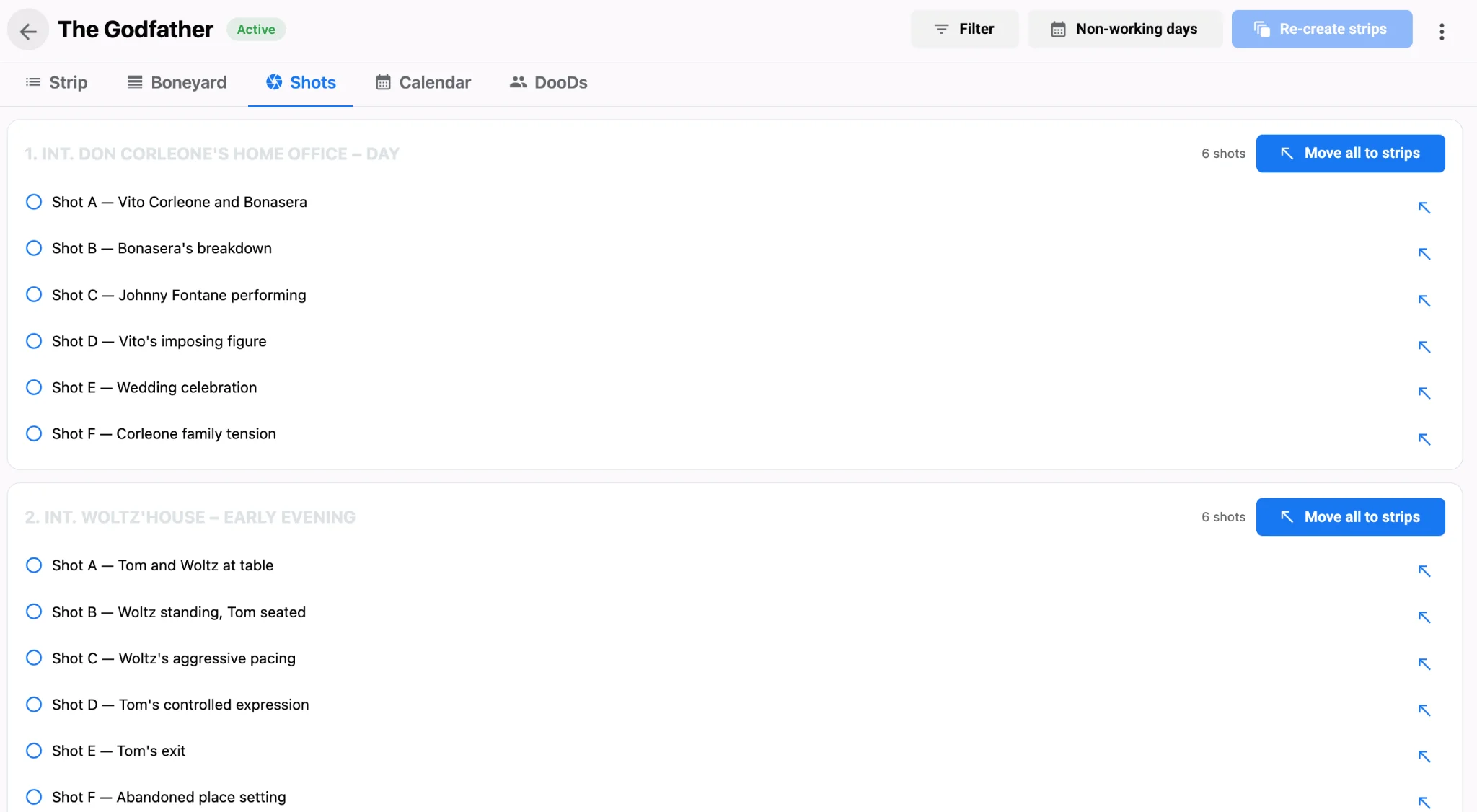
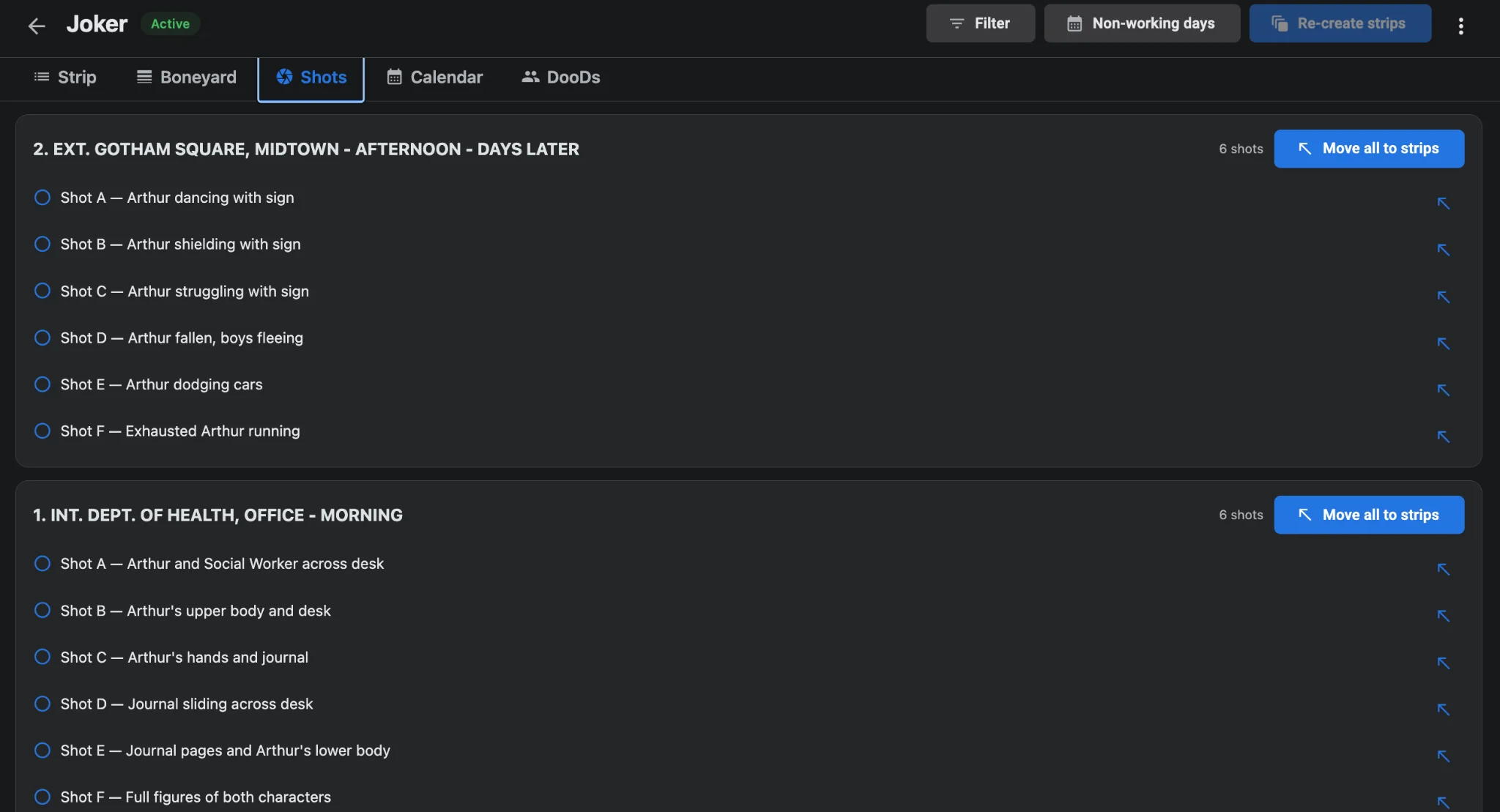
Features are scheduled in eighths, a method covered in script eighths explained, and it still helps for dialogue-heavy spots—see pages in eighths for sizing a day. For product commercials or performance videos, though, the real unit is the camera setup. Build a shot list with lens, movement, and lighting details, attach visual references, and link those shots to the shooting schedule with honest durations, including resets and moves. Twenty-five setups at twenty minutes each already fill a long day with no room for a lighting reset.
Cluster aggressively across one to three days
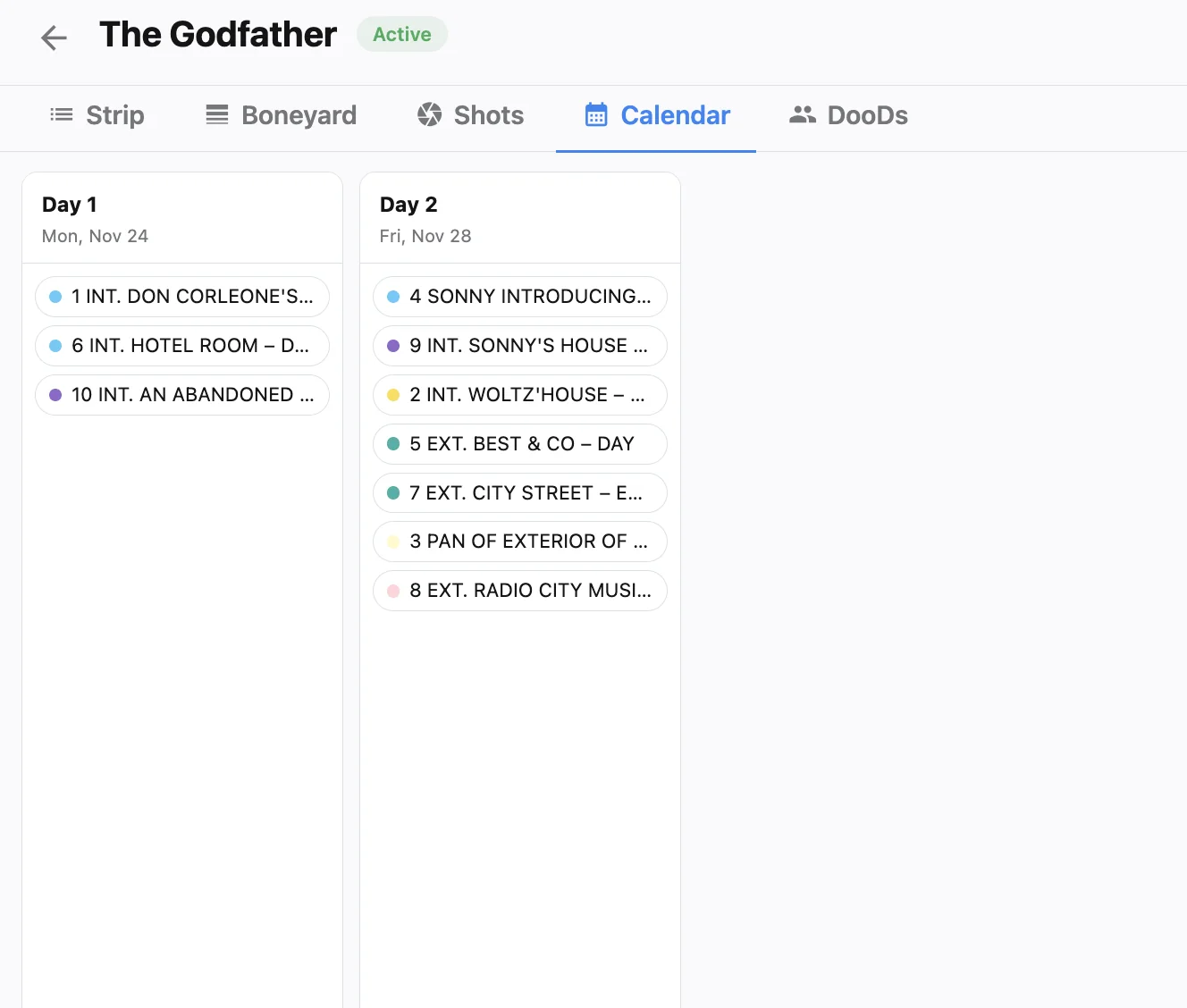
On a short shoot, a single company move can eat a sixth of your shooting time. Group by location first, then by lighting state, then by talent. Studiovity’s AI produces a first pass based on location and cast availability; how AI film scheduling cuts company moves explains the logic. For music videos, keep the artist’s performance passes in one block wherever possible, because wardrobe and makeup changes are the hidden time sink. Park “nice to have” shots in the boneyard and protect one buffer block after lunch—if the morning overruns, drop a boneyard shot instead of inventing overtime.
Let the call sheet handle client management
Commercial days include agency and client guests who don’t need the full technical breakdown. Studiovity’s call sheet software is built for commercials, music videos, and fashion shoots as well as features, and lets you hide sections to produce a clean client version while the crew gets the detailed one. Give the agency a one-liner that lists setup counts beside locations—department-ready schedule PDFs cover the export side—and set individual call times so talent isn’t sitting in holding for hours. Building short shoots in Studiovity’s scheduling tool keeps script, shots, and call sheet connected, so a change in one place is never lost in the others. If a client adds a hero product setup after lunch is locked, park a lower-priority shot in the boneyard first so the day still finishes.