
Have you ever started filming only to realize you forgot a crucial shot? We’ve all watched brilliant video ideas turn into chaotic messes during production because of poor planning. Therefore, utilizing a dedicated storyboard software prevents these costly mistakes right from the start.
Think of a visual blueprint as a roadmap for a road trip. Without it, you wander aimlessly and waste gas. Furthermore, industry data reveals that storyboarding saves roughly 30% of time on set. This happens because it completely eliminates guesswork and prevents expensive reshoots. Fortunately, streamlining film pre-production workflow is no longer strictly for experts. Consequently, digital storyboarding for beginners has become incredibly practical.
Studiovity Storyboard Software acts as the perfect bridge from your raw imagination to smooth execution. In addition, you do not need drawing skills to transform rough concepts into clear, professional instructions.
The Magic Link: Converting Your Script to a Professional Shot List Instantly
We have all stared at a finished script and wondered how to turn those words into an actual video. Normally, you would spend hours copying and pasting dialogue into a separate document just to figure out what pictures you need. But Studiovity eliminates this frustrating manual data entry with automated script to shot list conversion.
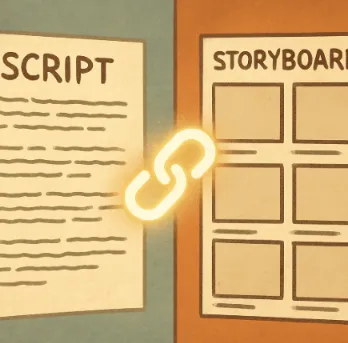
Think of this feature as a magic link between your writing and your visuals. Through integrated scriptwriting and storyboarding, the software actively reads your scene descriptions. Then, it instantly generates empty, ready-to-fill visual boxes—or frames—for every single camera angle you need.
For example, if you are filming a two-minute coffee commercial, changing a character’s action in the text automatically updates your visual panels. This creates a reliable, professional cinematography planning guide without any extra effort. Because of this, your pictures always follow your words. As a result, you never accidentally skip a crucial moment while filming.
Because everything stays perfectly synced in one place, sharing this blueprint becomes incredibly simple. Once your solo planning is complete, you are ready to explore collaboration without the clutter: building a digital writers’ room for your crew.
Collaboration Without the Clutter: Building a Digital Writers' Room for Your Crew
Sending heavy video files and messy notes back and forth usually leads to missing files and frustrated teammates. Studiovity solves this by creating a digital writers’ room. This is a shared online space where two people can look at the exact same screen from different houses. Using a familiar cloud-based film planning platform, you no longer have to wonder which version of your project is the newest.
By centralizing everything online, these visual production management features can easily reduce confusing email chains by 50%. Your entire crew can rely on these collaborative visual storytelling tools to stay on the same page:
Real-time feedback: Get instant notes from your camera operator or editor anywhere in the world.
Single-file truth: Keep all updates in one safe location to completely avoid file confusion.
When your team stays perfectly synced, a stressful planning phase transforms into a smooth, shared experience.
Finding the Right Fit: Studiovity vs. Boords for Aspiring Filmmakers
Choosing the right storyboard software for your next short film or vlog often comes down to balancing features with your budget. In any Studiovity vs Boords comparison, you will quickly notice how each storyboard software handles the creative process differently.
For instance, if you prefer a dedicated space just for sketching, Boords excels at pure visual planning. It provides straightforward templates for beginners, making it easy to map out a quick commercial. However, you must handle your script in a completely separate program.
To solve that disconnect, Studiovity acts as an ‘all-in-one’ hub that directly links your written words to your images. This seamless workflow integration means your storyboard updates automatically when your script changes. Therefore, it stands out as one of the most affordable storyboard software options since you avoid paying for multiple disjointed tools. Ultimately, both stand out as some of the best storyboard apps for filmmakers. But finding your perfect fit depends on whether you want a simple sketchpad or a fully connected digital workspace.
From Sketch to Screen: Creating Simple Animatics to Master Your Scene Timing
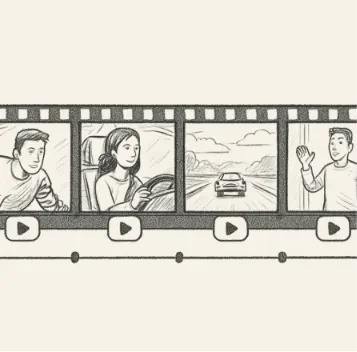
Determining whether your planned video will feel too rushed or too slow comes down to testing your pacing. Simply put, pacing means the speed and rhythm of your story. Instead of guessing, you can turn your static frames into an animatic, which is a rough, playable video of your sketches.
Building this sequence is much easier than learning complex animation software. Inside Studiovity storyboard software, creating animatics from scripts takes just three quick steps:
Select your completed storyboard panels.
Assign a duration in seconds for each image.
Press play to watch your story flow.
This digital test run lets you figure out how to organize scene layouts. Also, it lets you double-check your aspect ratio, which means the physical shape of your screen like a wide TV or a tall smartphone. Adjusting these details before anyone arrives on set communicates the real “feel” of your project to stakeholders perfectly. In fact, it works far better than flat drawings ever could. With your visual blueprint now fully timed out, you are completely prepared for production.
Launch Your Film: A 4-Step Checklist for Pre-Production Success
You’ve officially moved past hoping others understand the vision in your head. Managing creative workflows for video no longer requires being a professional artist.
Uploading a script into a storyboard software tool yields immediate visual structures. By using built-in templates, you can frame scenes without drawing a single line. Finally, exporting a professional PDF to share with colleagues provides the exact blueprint needed to turn an initial concept into a shoot-ready reality.