
We all see the dazzling explosions and red carpets, but every frame of your favorite movie started as a number on a spreadsheet. Think of a production like organizing a massive, high-stakes wedding where every catering tray, location fee, and camera rental must be meticulously tracked. In practice, proper financial planning protects the director’s vision rather than stifling it. Film Budgeting Software Explained clearly shows why organized budgeting matters before production begins.
Producers rely on creating a preliminary film budget to figure out what is actually possible long before actors arrive on set. This document functions as a crucial map, telling you exactly how far your artistic ambitions can travel before you run out of gas. This blueprint guarantees the ultimate goal: finishing the movie without going broke.
Managing these moving parts quickly outgrows basic spreadsheets, whether you are shooting a backyard YouTube short or a studio epic. Adopting dedicated film budgeting software transforms a chaotic list of expenses into a clear plan. While mastering professional applications takes time, starting with movie budget breakdown templates for beginners helps demystify how Hollywood manages its millions. Film Budgeting Software Explained also helps beginner filmmakers understand how structured planning supports creativity.

Beyond the Spreadsheet: Why Manual Budgeting Risks Your Entire Production
Almost every filmmaker starts out tracking costs on a blank spreadsheet. While Excel is fantastic for organizing a home renovation, video production budgeting is completely different. Imagine coordinating a massive live event where vendor prices change hourly. Tracking hundreds of moving parts manually means one broken link can suddenly hide the fact that you can no longer afford camera lenses.
Consider three common spreadsheet errors that can bankrupt a shoot:
- Version control confusion: Is the director looking at “Budget_v3” or “Budget_FINAL_v4”? In a fast-moving production, working from yesterday’s numbers is disastrous.
- Manual calculation errors: A basic spreadsheet lacks formula integrity. Accidentally typing over an equation breaks your math instantly without warning.
- Missing hidden costs: General software won’t automatically remind you to calculate union fees or insurance (the mandatory “tips and taxes” of film labor).
Avoiding these traps requires a shift to database-driven film production budgeting software. Instead of relying on fragile equations, these dedicated tools securely connect every expense behind the scenes, ensuring your financial map stays accurate even when plans change. Film Budgeting Software Explained demonstrates why modern productions depend on specialized budgeting platforms instead of manual tracking.
Decoding the 'Top Sheet' and 'Line Items': The Ingredients of Your Movie
Baking a cake requires a precise recipe. In film, your ingredients list is made of “Line Items.” Every purchase—from a camera rental to a crew lunch—gets its own row. While major studios rely on complex line item coding for production accountants, you simply need to know that these granular details form your project’s foundation.
Handing a fifty-page receipt list to an investor is rarely helpful. That is why film budgeting software automatically condenses these daily expenses into a master cover page called the “Top Sheet.” Most movie budget breakdown templates for beginners organize this high-level summary into four core categories:
- Above-the-Line (ATL): The creative foundation (writers, directors, lead actors).
- Below-the-Line (BTL): Physical production costs (crew, cameras, locations).
- Post-Production: Editing, sound, and visual effects.
- Other: Insurance, legal fees, and emergency funds.
Organizing costs this way provides an instant financial snapshot of your entire shoot. However, simply writing down a crew member’s daily rate rarely covers their actual final price tag. Film Budgeting Software Explained makes these categories easier to understand for new and experienced producers alike.
Taming the 'Hidden Costs': How Software Handles Fringes and Union Rates
Imagine looking at a restaurant menu, ordering a twenty-dollar burger, and forgetting to factor in the tax and tip. In film production, hiring a crew member works exactly the same way. When you agree to pay a camera operator a daily rate, that number is just the starting point. The hidden costs added on top—like payroll taxes, insurance, and retirement contributions—are known in the industry as “fringes.”
Calculating these extra expenses manually quickly becomes a math nightmare, especially when dealing with professional guilds. Hiring union talent requires strict adherence to specific rules, meaning SAG-AFTRA rate integration for budgeting is crucial for financial accuracy. Instead of digging through dense rulebooks to find current pension and health percentages, professional producers rely on modern tools for automating fringe benefits and union labor rates behind the scenes.
By utilizing cloud-based film production accounting software, every time you add a union actor to a line item, the system instantly calculates the exact fringes required. This automates the math and keeps complex labor burdens safely managed without requiring constant manual updates. Film Budgeting Software Explained highlights how automation reduces financial mistakes during production planning.

Avoiding the 'Production Panic': Real-Time Tracking and Managing Overages
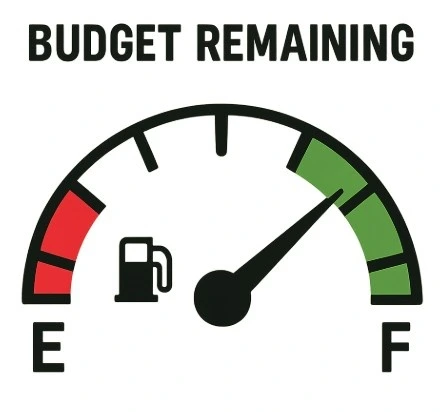
Even the most meticulous shoot will encounter surprises, like a sudden rainstorm forcing an extra day of camera rentals. This is when your budget transforms into a dynamic map. Before filming begins, every line item is an “Estimate.” As receipts arrive, you enter the “Actuals”—the real money spent. Quality film budgeting software lets you compare these numbers instantly, ensuring your production never runs out of gas.
When an actual cost exceeds the estimate, you face an overage. Fortunately, managing production overages with real-time tracking prevents minor hiccups from sinking your movie. Professionals handle these surprises using four crucial steps:
- Identify: Spot the unexpected expense immediately.
- Reallocate: Move funds from a cheaper, under-budget category.
- Communicate: Inform the director about the necessary financial shift.
- Resolve: Update the system utilizing industry-standard production report integration.
If extra funds aren’t available to shift, producers rely on a “Contingency” fund. Think of contingency as your ultimate financial safety net—a rainy-day reserve strictly for emergencies. Modern tools allow you to tap this emergency pool without rewriting your entire top sheet. Film Budgeting Software Explained also emphasizes the importance of real-time tracking to prevent budget overruns.
Finding Your Perfect Match: Comparing Movie Magic, Showbiz, and Free Tools
Stepping onto a film set feels incredible, but choosing the right financial software ensures you actually get to finish your movie. When evaluating professional film budgeting software costs, look at the heavyweight champion: Movie Magic Budgeting. Used by nearly 90% of Hollywood productions, this desktop-based titan remains the industry standard because it easily calculates complex hidden costs like union fees and tracks massive blockbuster line items without breaking a sweat.
Comparing Movie Magic Budgeting and Showbiz Budgeting reveals several key differences for producers. While Movie Magic dominates traditional studio workflows, Showbiz offers cloud-based flexibility and tracks real-time spending more smoothly. In addition, both premium platforms feature powerful scheduling integration, linking your budget directly to your shooting calendar so that adding an extra filming day automatically updates your estimated costs. They also provide multi-currency support for international film co-productions, which becomes essential when renting camera gear in dollars while paying local background actors in euros.
If you are shooting a weekend short film, dropping hundreds of dollars on premium software may not feel realistic. Therefore, the best free film budgeting software for independent filmmakers prioritizes accessibility over advanced enterprise-level features:
- StudioBinder: (Free tier available) Cloud-based collaboration ideal for students and small indie crews.
- Celtx: (Low monthly subscription) All-in-one script-to-budget tools perfect for first-time producers.
- Spreadsheet Templates: (Completely Free) Highly customizable solutions for micro-budget productions learning the basics.
Ultimately, the right platform is the one that best matches your current project scale. Securing your financial map early provides peace of mind throughout pre-production. Film Budgeting Software Explained helps filmmakers understand which tools align with their production size and workflow requirements.
Your Step-by-Step Launchpad: From Preliminary Budget to First Day of Photography
While film budgeting software handles the complex math and hidden costs, you still remain the pilot navigating the ship. Rather than acting as a rigid ledger, this technology serves as a dynamic tool that supports your story. By organizing resources clearly, you gain the creative freedom needed to focus on directing actors and crafting the perfect shot.
Start by choosing an accessible entry-level tool that fits your current production scale. Then, draft a preliminary film budget by estimating essential ingredients like locations, transportation, and catering. Finally, integrate film scheduling with your budgeting software so you can understand how adding one extra shoot day directly impacts production costs. As a result, starting small builds practical confidence over time.
Once filming begins, establish a quick daily routine for updating your “Actuals”—the real money spent compared with your original estimates. Consistently tracking these numbers guarantees you will not run out of funds before wrapping your final scene. Every logged receipt and adjusted line item actively protects your creative vision, keeping the production financially healthy from the first slate to the final cut.
Simplify Film Budgeting with Studiovity
Managing production finances becomes far easier when your budgeting tools connect directly with the rest of your filmmaking workflow. Studiovity helps filmmakers streamline pre-production with integrated screenplay writing, AI-powered script breakdowns, scheduling, shot lists, call sheets, storyboarding, and production planning tools in one platform. Instead of juggling multiple spreadsheets and disconnected apps, creators can organize budgets, coordinate schedules, and manage production resources more efficiently from a single workspace. Whether you are producing a short film, commercial, documentary, or feature film, Studiovity supports smoother collaboration and smarter production management from development to final shoot day.