
A full stripboard is useful. A filtered stripboard is what you hand to the 1st AD the morning before cameras roll. Before Day 1, ADs and UPMs should run cast, set and status filters so the board shows only what still needs attention—not every scene in the show.
Related video: Master Movie Scene Scheduling with Studiovity
Start with status, not vibes
Status checkboxes on each strip tell you what is locked, pending or still soft. Filter to the unfinished rows first. If twenty strips still lack a confirmed set or a cast assignment, that is your prep list for the afternoon. Studiovity’s film scheduling software keeps Filter, Non-working days and Re-create strips on the stripboard toolbar so those passes stay in one workspace instead of a separate spreadsheet.
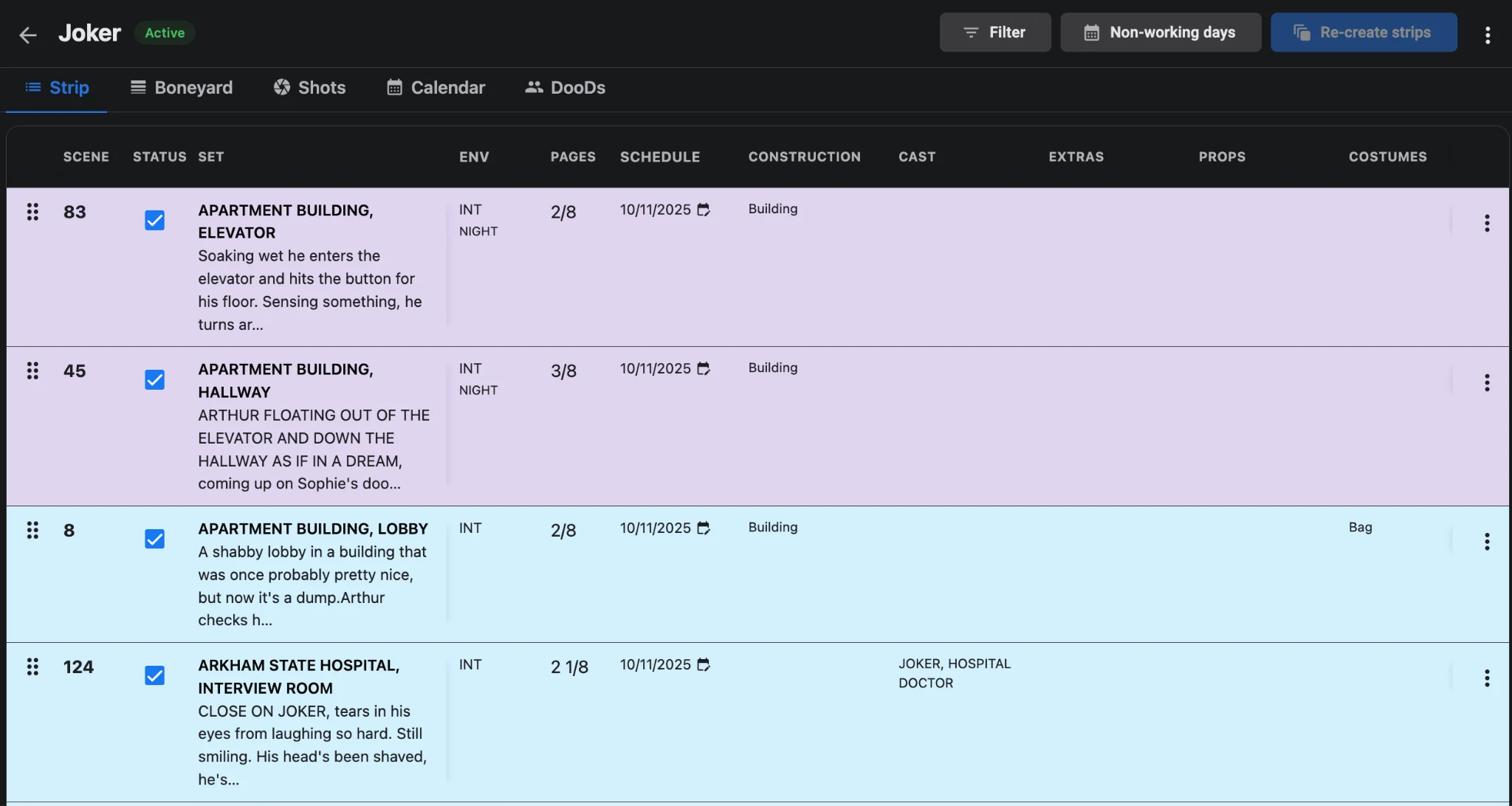
Cast filters catch expensive mistakes
Open the board by actor before you freeze daybreaks. An actor who appears on three non-consecutive days with idle gaps in between is a hold-cost problem you can still fix. Cross-check the filtered strips against the Day Out of Days view so work patterns stay clean. Our post on cast availability and travel logic walks through building smarter windows around travel.
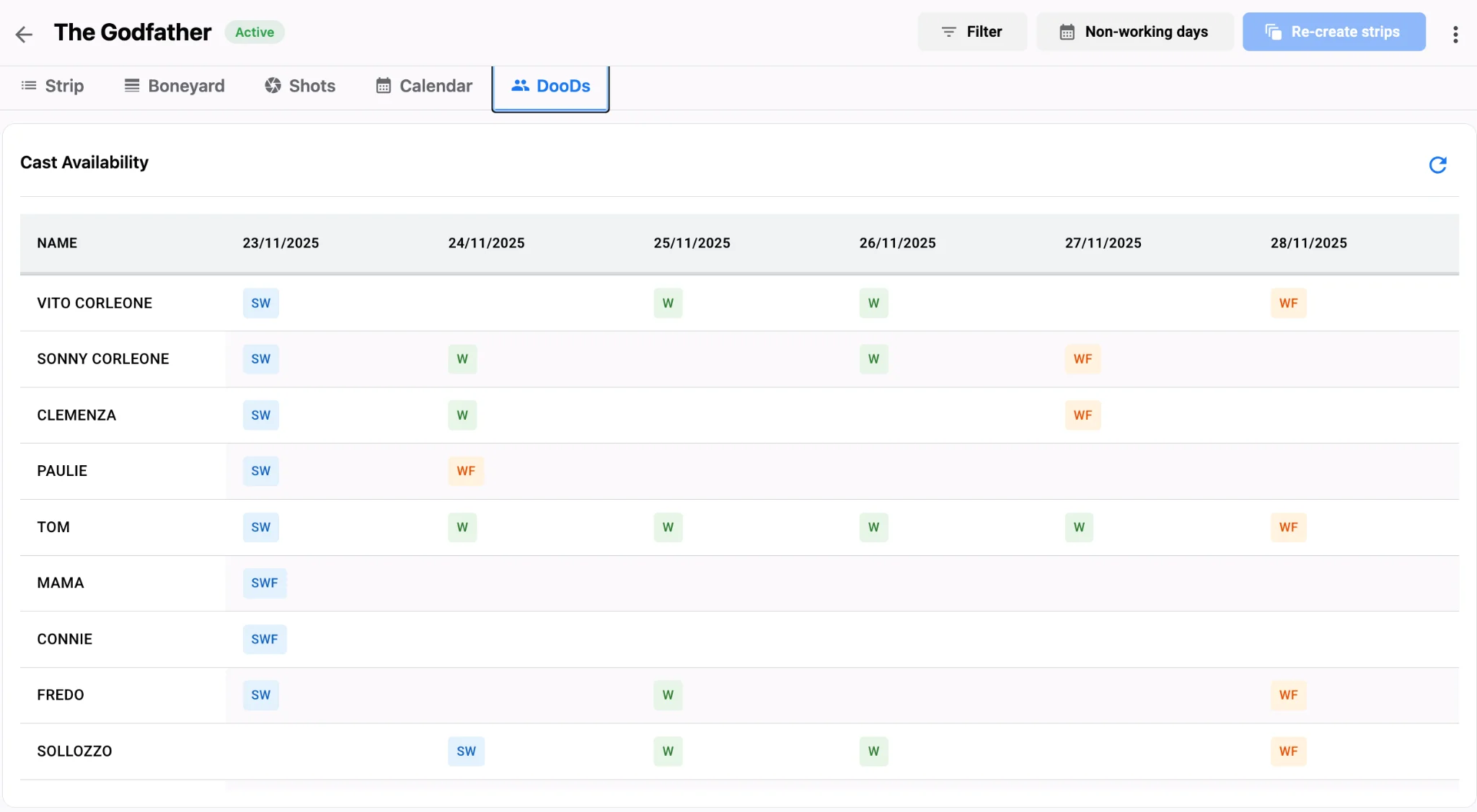
Set filters expose company-move risk
Filter by set name and you will see whether the same location is scattered across the week. Clustering those strips is still the cheapest way to protect the day. When a set only appears once, ask whether it can ride with a nearby day or whether second unit should take it. Pair that pass with a quick look at shot density so heavy days are not hiding behind short page counts. For aligning camera plans after the board is clean, see shot list sync with your shooting schedule.
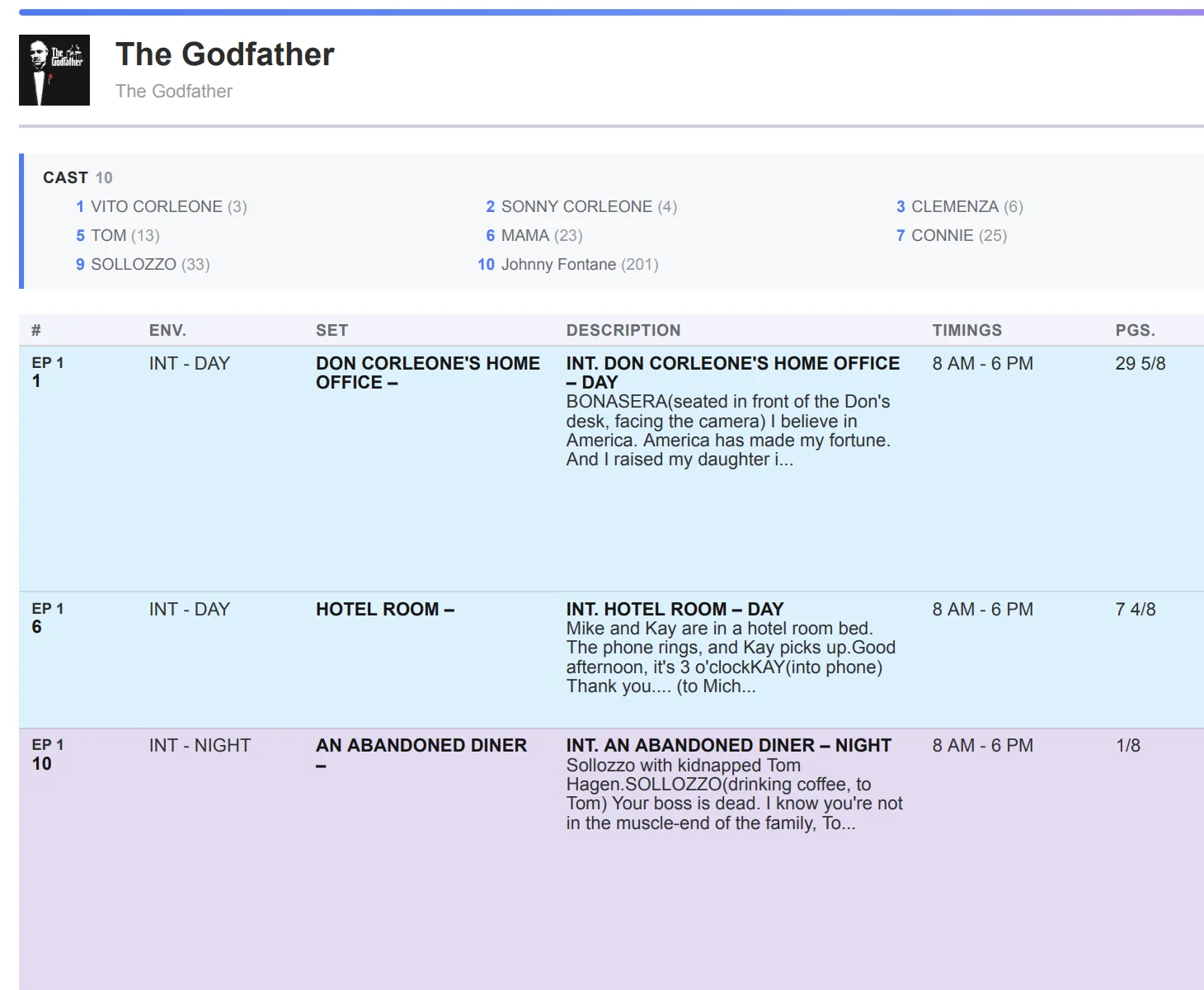
Turn a clean filter pass into paper the crew trusts
Multi-script projects tempt teams to skim. Run the same cast and set filters per episode, then once across the shared workspace, so a guest star is not double-booked between blocks. Episodic TV scheduling in one workspace explains how multi-script stripboards keep that view centralized. When filters show zero blockers, export the shooting schedule and generate the Day 1 call sheet from the daybreak with call sheet software, then run one last status filter tomorrow morning before you distribute.
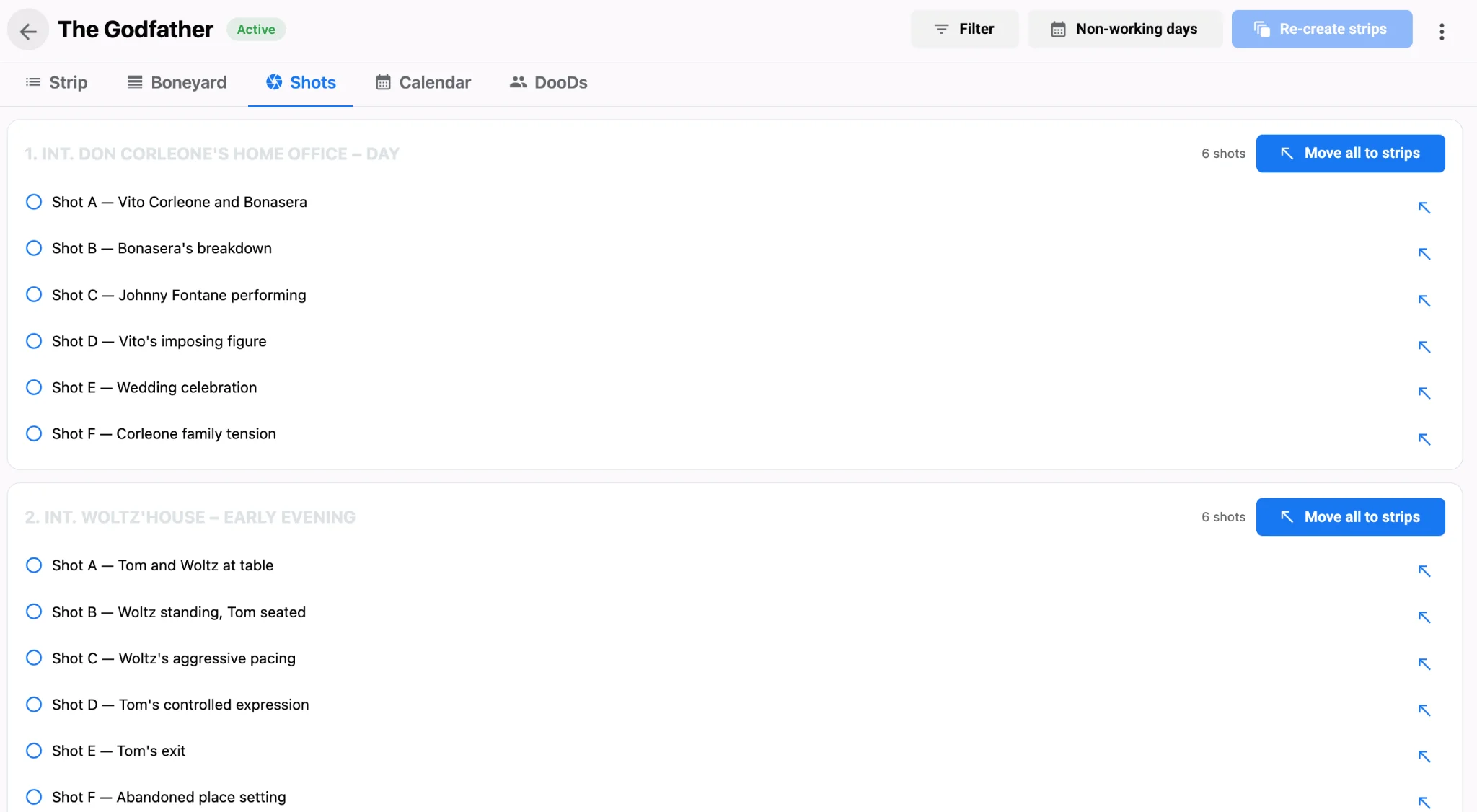
Day-1 filter checklist
- Filter by status for anything still unchecked.
- Filter by lead cast and scan for idle gaps.
- Filter by set and collapse unnecessary moves.
- Re-check non-working days so Day 1 is a real work date.
- Treat an unchecked status row as a blocker until a named owner clears it the same day.
Filtering is not bureaucracy. It is how you prove the shooting schedule is ready for the floor before the first production meeting of the week. Run cast and set filters again after any late location change so a new company move does not hide inside an otherwise clean board. Publish from Studiovity scheduling only after status, cast, set and non-working-day passes are clean, and save a named filter preset for Day-1 blockers so the morning re-check takes minutes.