
If you are comparing script breakdown apps in 2026, the hard part is not finding options. It is working out which one fits how your AD team, line producer and department heads actually work. This guide compares seven widely used platforms, explains the features that matter, and gives you a hands-on test to run before you commit a production to any of them.
The goal of any breakdown platform is the same: turn a screenplay into department-ready data on cast, locations, props, wardrobe, vehicles, stunts, VFX, animals, extras and day or night notes, then pass that data cleanly into schedules, budgets and call sheets.
What has changed in 2026
The traditional process still matters: someone reads the script and tags what each scene needs. What has changed is what teams expect around it. Most productions now want AI-assisted first passes, collaborative review, searchable element lists, stripboards, Day Out of Days reports and a direct path to call sheets. The value is fewer missed details and a cleaner handoff from script to schedule, not automation for its own sake.
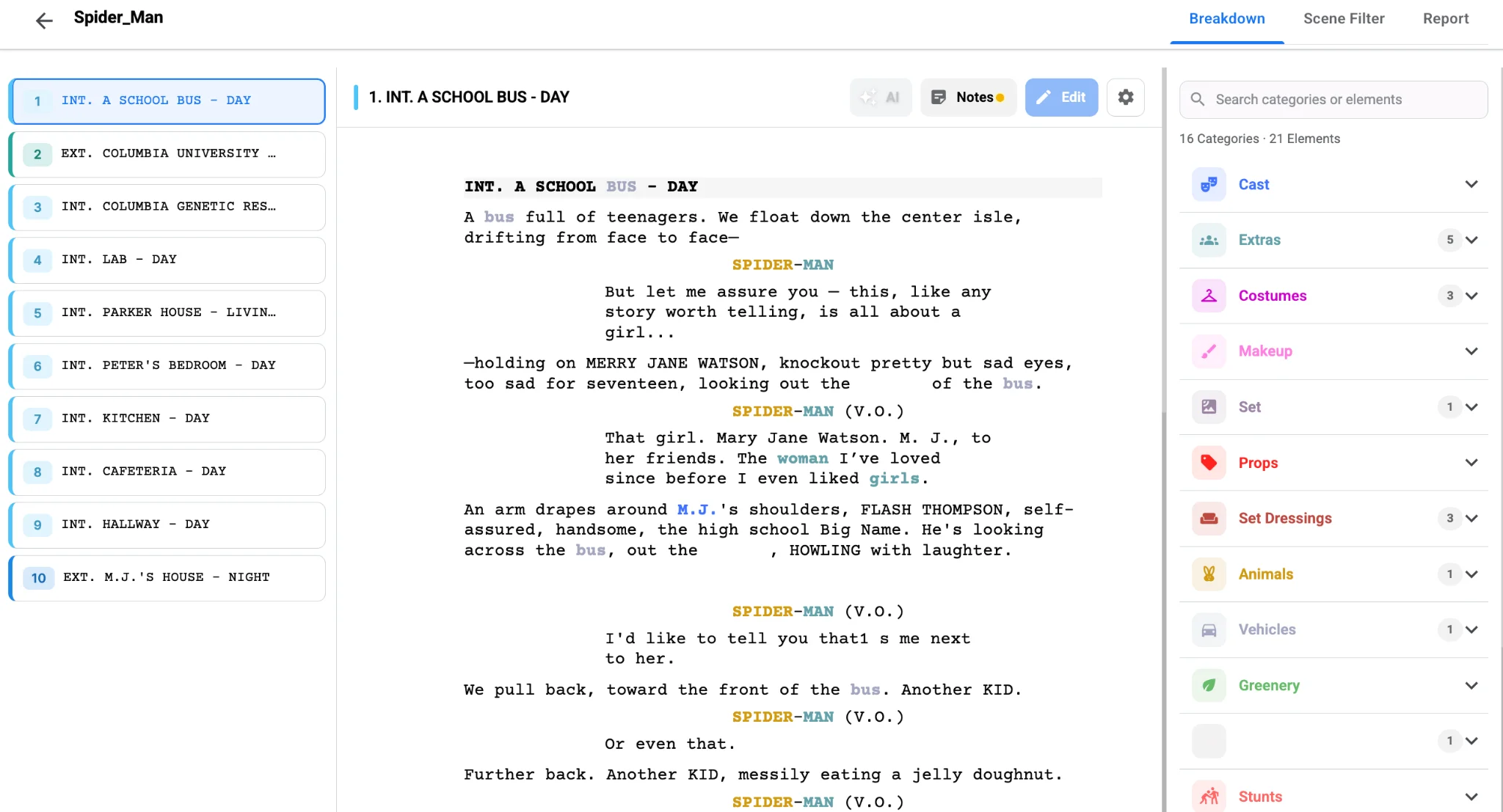
Seven breakdown platforms compared
No single platform is right for every crew. A two-person short film team needs something different from a multi-episode series or a commercial production company. Here is how the main options position themselves, based on their own published feature pages.
Studiovity
Studiovity focuses on AI-assisted breakdown inside a connected pre-production suite. It analyzes a script and tags cast, props, locations, wardrobe and other elements, supports custom categories, filters by set, cast and scene number, exports PDF and Excel reports, and works on phones and tablets. Because screenwriting, scheduling, call sheets, budgeting and task management sit in the same workspace, tagged data can move to the next step without copying.
StudioBinder
StudioBinder is a polished all-in-one production platform. Its breakdown workflow imports PDF, Final Draft, Fountain and TXT files, syncs script changes, keeps an element manager, and generates breakdown summaries, element lists, DOOD reports and shooting schedules, alongside shot lists, storyboards, calendars and call sheets.
Celtx
Celtx suits writing-to-production workflows. Its breakdown mode tags and tracks assets that then feed the catalog, cast and crew, budget, schedule and reports, with shot lists, auto-populated stripboards, sides and real-time collaboration. It is popular with smaller teams and in education.
Yamdu
Yamdu is a production management hub with AI-enhanced tagging, script import from Final Draft, Fountain, Celtx or PDF, automatic detection of characters and locations, real-time collaboration, stripboards, call sheet support and DOOD reports for actors, locations, costumes and props.
Filmustage
Filmustage is AI-first. It imports scripts, generates breakdowns, flags VFX-heavy scenes, builds schedules, DOODs and call sheets, and exports to PDF, XLSX, Final Draft, Movie Magic Scheduling and Movie Magic Budgeting, which helps teams hand data to traditional departments.
Movie Magic Scheduling
Movie Magic Scheduling remains the reference for scheduling-heavy professional work: multi-episode management, block shoots, cross-boards, calendar views, customizable boards and reports, DOOD views and Movie Magic Budgeting integration. It is less focused on AI script parsing, so many teams tag elsewhere and import.
Dramatify
Dramatify targets mixed-format producers working across film, TV, branded video, broadcast and sports, with scheduling, breakdowns, shot planning, dashboards, timelines and collaboration. It is worth a look if your slate is not purely narrative.
Comparison at a glance
| Platform | Best fit | Notable strengths | Watch for |
|---|---|---|---|
| Studiovity | AI-assisted pre-production for film and TV teams | AI tagging, custom categories, PDF and Excel reports, mobile, connected suite | Test AI output against your own tagging standards |
| StudioBinder | Visual, collaborative production management | Breakdown, reports, stripboards, shot lists, calendars, call sheets | Confirm export formats before committing |
| Celtx | Writing-to-production workflows | Screenwriting, breakdown, catalog, schedule, budget | Works best inside the Celtx ecosystem |
| Yamdu | Department collaboration | AI suggestions, reusable databases, stripboard, DOOD | Needs team buy-in to pay off |
| Filmustage | AI-first breakdown | AI and VFX breakdown, schedules, wide export formats | Human review is still essential |
| Movie Magic Scheduling | Scheduling-heavy productions | Multi-episode boards, DOOD, budgeting integration | Less focused on AI script parsing |
| Dramatify | Mixed-format teams | Dashboards, scheduling, breakdowns, reports | Check fit for scripted narrative detail |
Features that matter most when you compare
Accurate script import and scene parsing
Import the formats your writers and ADs actually use. If headings, character names, page counts or dialogue break on import, the whole breakdown is unreliable. Test with a real production draft that includes revised pages, intercuts, montages, flashbacks, text messages and split locations.
Flexible categories
Standard categories cover cast, props, wardrobe, locations, set dressing, vehicles, animals, stunts, SFX, VFX, makeup, hair, extras, sound and special equipment. Good platforms also let you add project-specific ones: creature suits and hologram plates for sci-fi, archival signage and dialect notes for period work, ingredients and sponsor products for a cooking series. For a refresher on the standard set, see our guide to script breakdown elements and color codes.
Human review and manual control
Treat AI output as a first draft. You should be able to add, merge, rename, delete and reassign elements quickly; if the same red backpack is tagged three different ways, consolidating it should take seconds. Experienced staff still judge risk, cost and schedule impact.
Reports departments can use
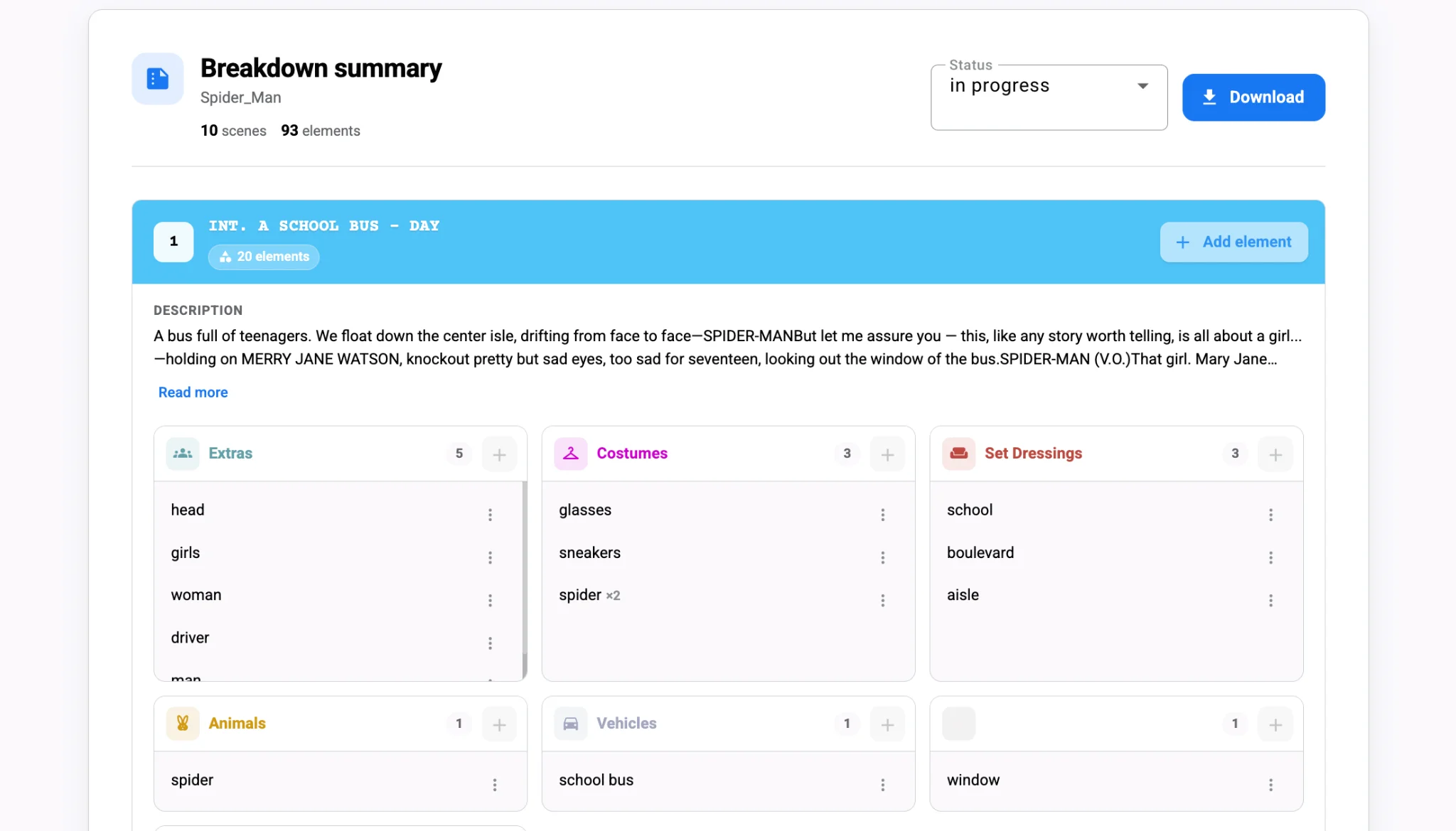
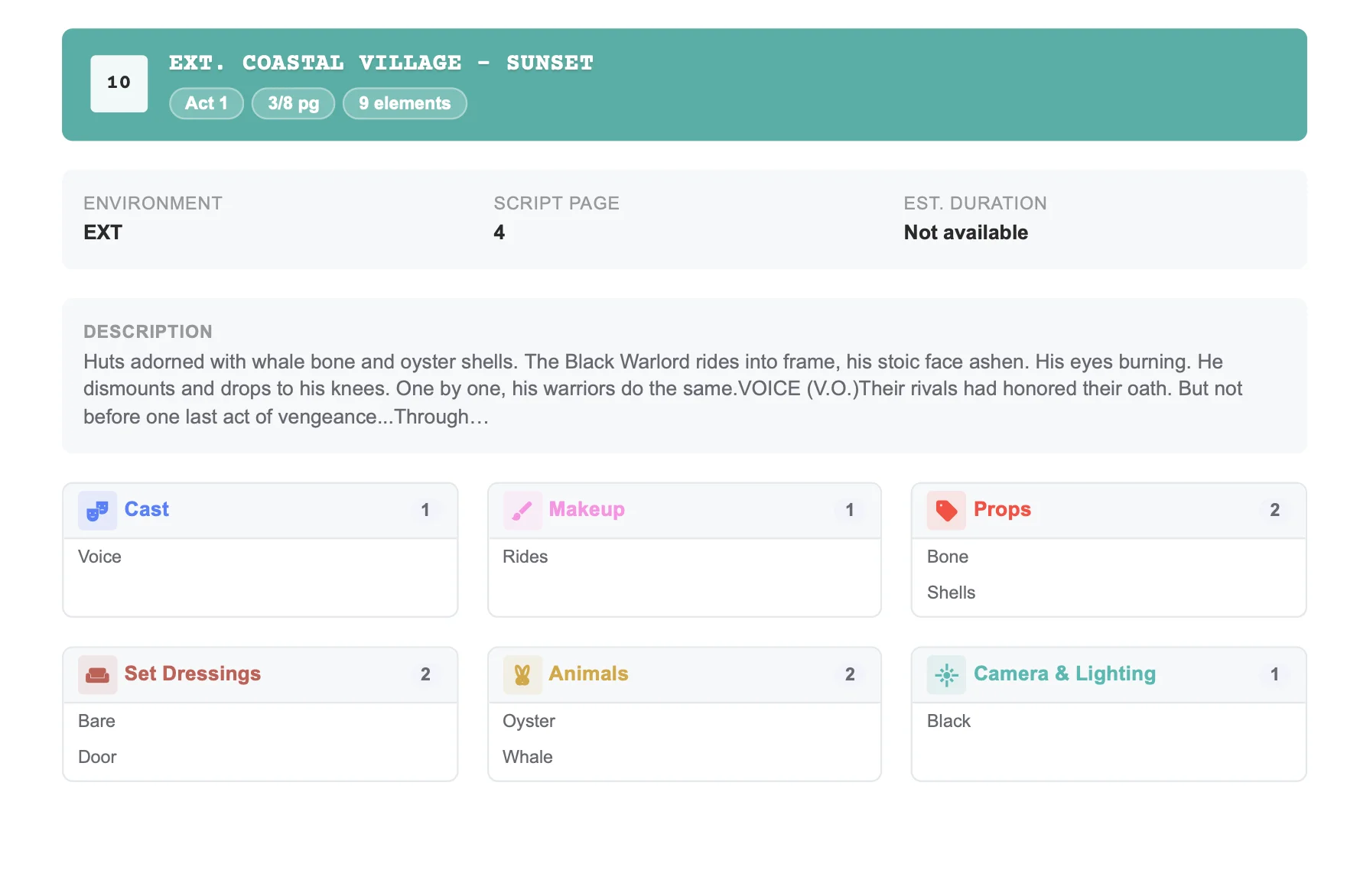
Department heads need element lists, scene reports, cast and location reports and DOODs; producers often need Excel for budgeting; ADs need PDFs or scheduling exports. The best reports filter cleanly, so costume sees costume and locations sees locations, without losing the full picture.
Collaboration and permissions
Breakdown data changes constantly. Look for role-based access, comments, version history, share links and clear permissions so review is fast but production-critical data cannot be overwritten by accident.
Watch: breakdown reports in action
A hands-on test before you choose
Run a mini production test with the people who will live with the platform:
- Import a real draft and check scene numbers, page counts, headings and characters.
- Run the automatic breakdown, if offered, and measure how much cleanup it needs.
- Tag a few scenes manually to see whether it is fast enough under deadline.
- Create custom categories for your project.
- Export department reports, scene summaries, Excel files and PDFs.
- Simulate a revision and confirm earlier work stays intact.
- Invite collaborators and test comments, permissions and version clarity.
- Move the breakdown into scheduling, budgeting or call sheets.
- Review how scripts and production data are stored and shared.
- Ask the crew; the best platform on paper loses if nobody uses it.
If you want to run this test on a connected platform, you can try Studiovity’s breakdown workspace on a real scene and compare the results with your current process.
Which platform fits which production
- Small indie film: prioritize fast tagging, clean reports and an easy learning curve over enterprise features.
- TV series: prioritize multi-episode logic, cross-boards, DOODs and shared department access.
- Commercial company: prioritize speed, reusable contacts, short timelines and client-friendly exports.
- Film school: prioritize a connected writing-to-production workflow that teaches the full process.
Common mistakes when evaluating
- Choosing on price alone, then paying for it in manual cleanup.
- Ignoring exports your accountant, producer or AD depends on.
- Trusting AI tags without a human review pass.
- Skipping revision tests, even though rewrites are guaranteed.
- Forgetting that each department needs a different view of the same data.
- Overbuying complexity for a small shoot, or underbuying collaboration for a big one.
Final takeaway
The right breakdown platform is not simply the newest AI product or the most established name. It is the one that moves your team from script to schedule with clean data and department-ready communication. Shortlist two or three, run the same real-script test on each, and pick the one your crew trusts under pressure. When you are ready, see how Studiovity handles breakdown, reports and scheduling in one place.