
A film workshop can feel magical on the first morning and chaotic by the third afternoon. Scripts live in five different apps, nobody knows who owns the shot list, and the final screening slips. Learning how to run a film workshop well is mostly about structure: clear roles, a fixed timeline and one shared workspace. Studiovity for Education‘s workshop and institute plans are built for exactly that.
How to Run a Film Workshop: Start with the End
Fix the screening date first, then plan backwards. Most short workshops follow the classic pre-production, production and post-production stages. Decide how many days each stage gets before you write a single lesson.
- Define one clear outcome, such as a 3-minute short per team.
- Set team sizes of four to six participants.
- Choose a theme or prompt to keep scripts short.
- Book equipment and locations early.
Watch: the whole pre-production workflow in one place
Play this short Studiovity 2.0 overview on day one so participants see how scripts, breakdowns, schedules and call sheets connect before they start their own project.
The 6-Step Film Workshop Plan
1. Write short scripts
Give teams a tight page limit and a writing deadline. A shared screenwriting tool lets instructors comment on drafts the same day.
2. Break down and assign roles
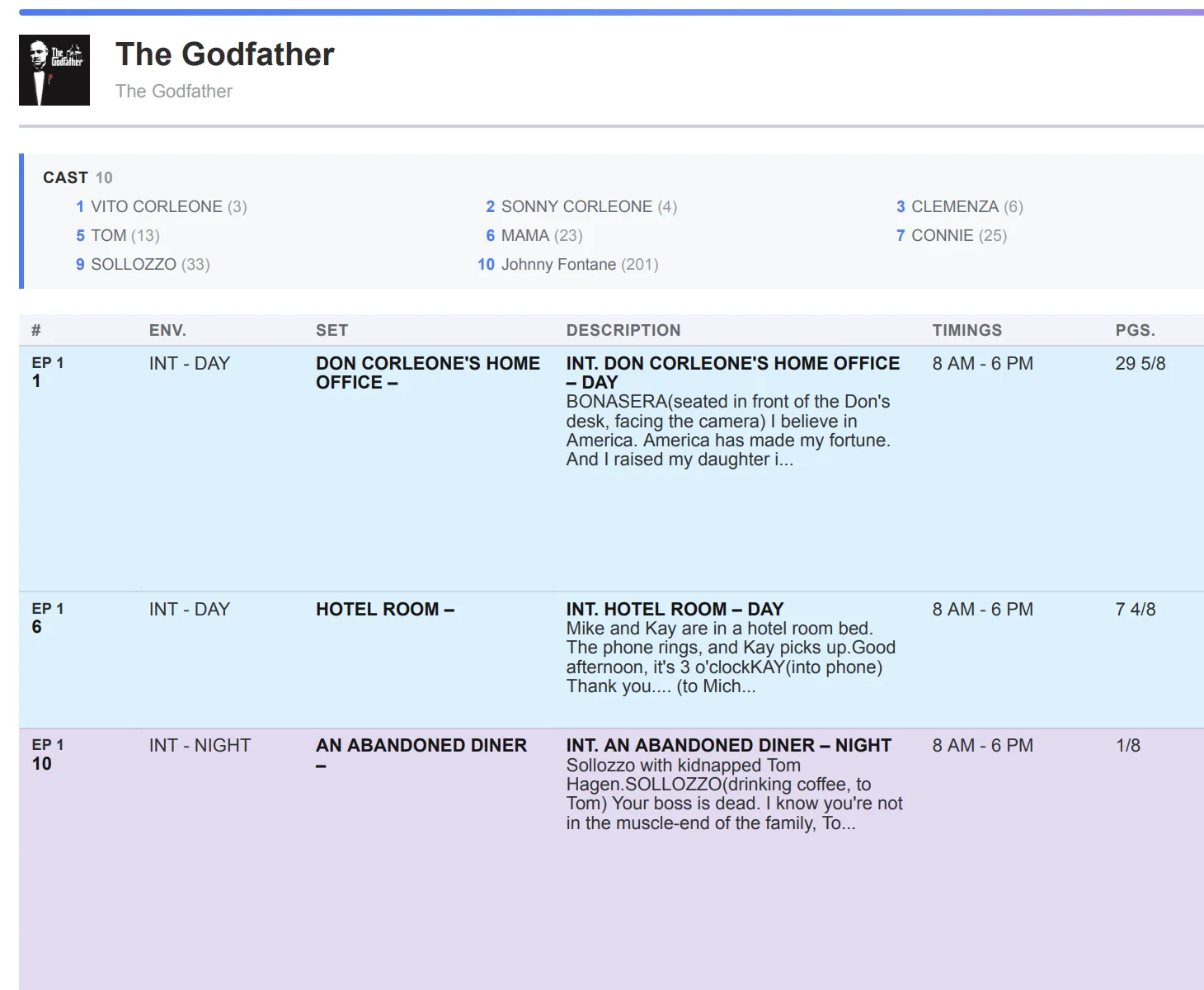
Rotate roles such as director, assistant director, camera, sound and producer. An AI script breakdown quickly lists the props, cast and locations each team needs.
3. Plan shots and storyboards
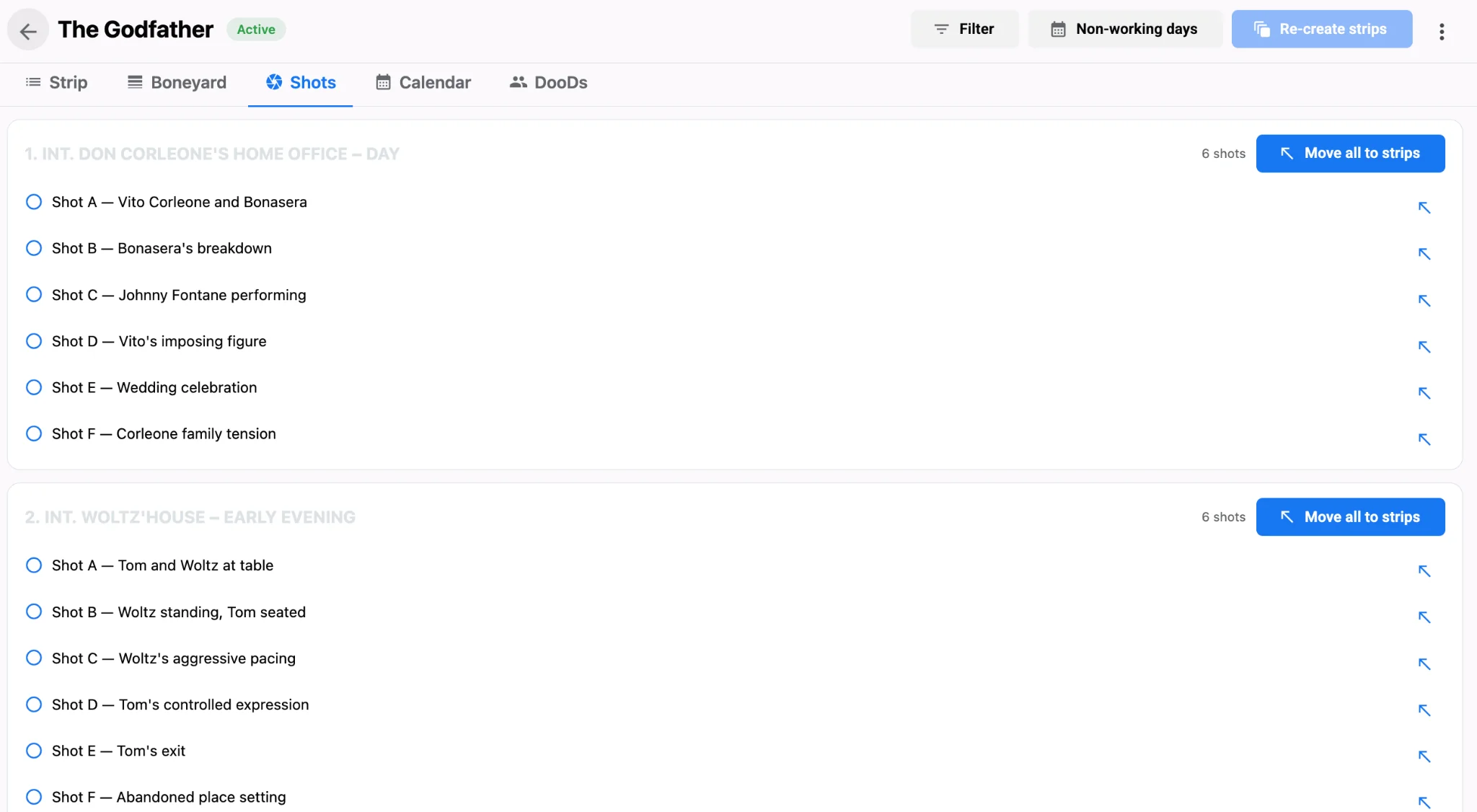
Have each team build a shot list and simple storyboard. Faculty approve it before anyone touches a camera.
4. Schedule and send call sheets
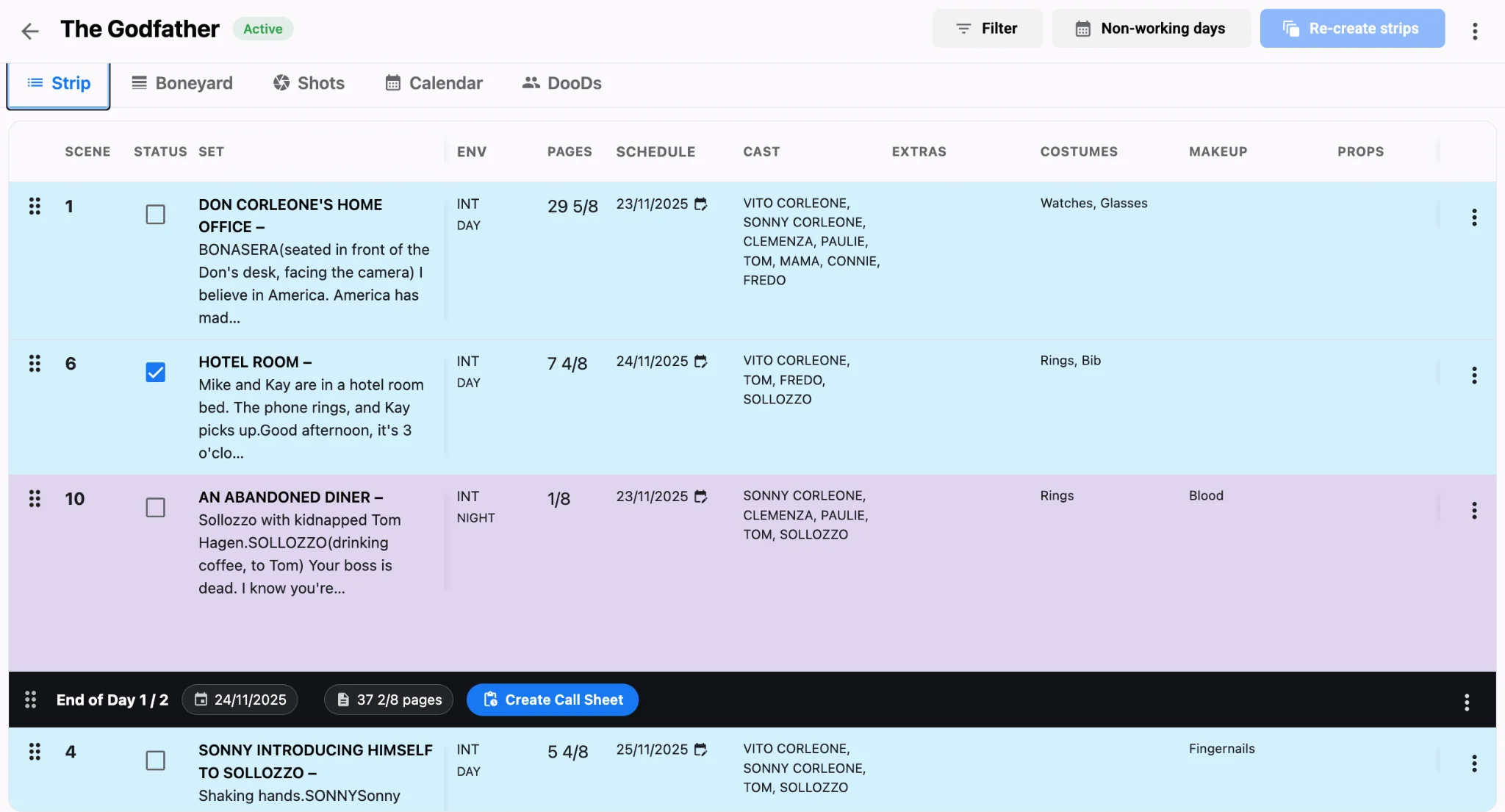
Teams schedule their shoot and send a call sheet the night before. Our guide on how film schools can teach pre-production effectively covers this stage in depth.
5. Shoot with a task board
Use a shared task board so everyone sees what is done, pending or blocked during the shoot.
6. Edit, screen and review
End with a screening and a structured review. Ask each team what they would change in their plan, not only in their film.
Keep Everything in One Collaborative Workspace
The biggest time sink in workshops is switching tools. Studiovity brings screenwriting, AI storyboarding, script breakdown, scheduling, call sheets, budgeting and task management into one platform on web, iOS and Android. Instructors can review scripts, approve shot lists and grade collaboratively in real time.
Participants also leave with a complete project they can show, following the same script-to-screen workflow for students used on real productions.
Key Takeaways
- Fix the screening date and plan backwards.
- Rotate crew roles so everyone learns production.
- Approve scripts and shot lists before shooting.
- Use one shared tool instead of five separate apps.
Film Workshop Pricing with Studiovity for Education
Accredited filmmaking workshops, registered institutes, educators, students and differently-abled creators are all eligible. Education pricing is $18/mo billed monthly (10% off the regular $20), $14/mo on the semi-annual plan billed at $84 (30% off), or $10/mo on the annual plan billed at $120 (50% off). Every plan starts with 10 projects and 2 seats and extends up to 100 projects and 150 seats per institute, and groups of 20+ seats can ask about custom institutional pricing.
FAQ
How long should a film workshop be?
It depends on the goal. Many run from a few intensive days to several weeks, with the time split across writing, shooting and editing.
What do you need to run a filmmaking workshop for students?
A clear outcome, basic camera and sound kits, a space for screenings and a shared tool for scripts, schedules and call sheets.
Can workshops get education pricing on Studiovity?
Yes. Accredited workshops qualify for Studiovity education plans with up to 150 seats.
Planning your next workshop? Visit Studiovity for Education to claim workshop pricing and set up your teams today.