
A table read is the first time your screenplay leaves your head and enters a room. Actors sit around a table, read the script aloud from page one to the end, and everyone listens. Jokes land or fall flat, scenes drag or fly, and lines that looked fine on the page suddenly sound wrong. For a writer, it is the most honest feedback a draft will ever get.
This guide explains how to prepare a screenplay for a table read: getting the draft ready, preparing the pages, casting the readers, running the session and turning what you hear into a better rewrite.
Here is a short Studiovity video on how AI can speed up the writing and revision work around a draft like this:
Why a Table Read Matters
Reading silently, your brain fills gaps. Reading aloud, it cannot. A table read exposes dialogue that is hard to say, scenes that repeat the same beat, characters who sound alike and stretches where the energy drops. It also gives you a rough running time. A feature that takes much longer than two hours to read aloud is often too long.
Table reads happen at two stages. A writer’s table read uses friends or local actors to test a draft before it goes out. A production table read brings the cast, director and key crew together before rehearsals. The preparation is similar, but the stakes are higher in the second one.
Before the Read: Get the Draft Ready
Lock a version
Pick one draft and stop changing it a few days before the read. If you keep editing, readers will have mismatched pages and you will not know which version you are testing.
Do a formatting pass
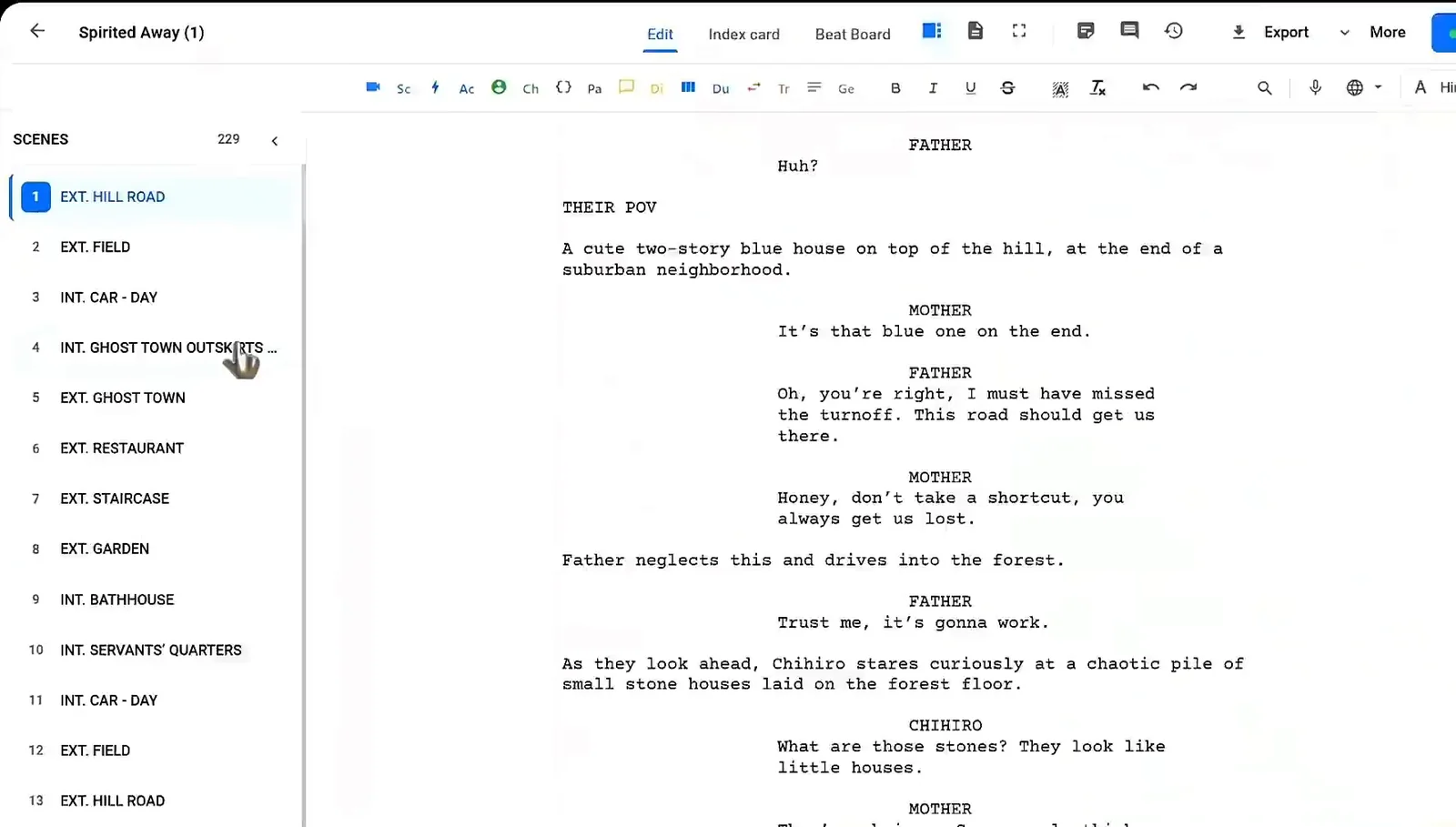
Make sure every scene heading, character cue and parenthetical is clean. Readers stumble on typos and odd formatting, and every stumble steals attention from the story. Number your scenes so people can find their place quickly.
Trim the stage directions
Long action paragraphs are tiring to hear. You do not need to cut them from the script, but check that each one says only what matters. A screenplay editor with automatic formatting makes this pass faster because the layout stays correct while you trim.
Preparing the Pages
Export the script to PDF so every reader sees the same layout and page numbers. Send it to readers at least a day ahead so they can find their roles, but ask them not to rehearse heavily. You want a fresh read, not a performance.
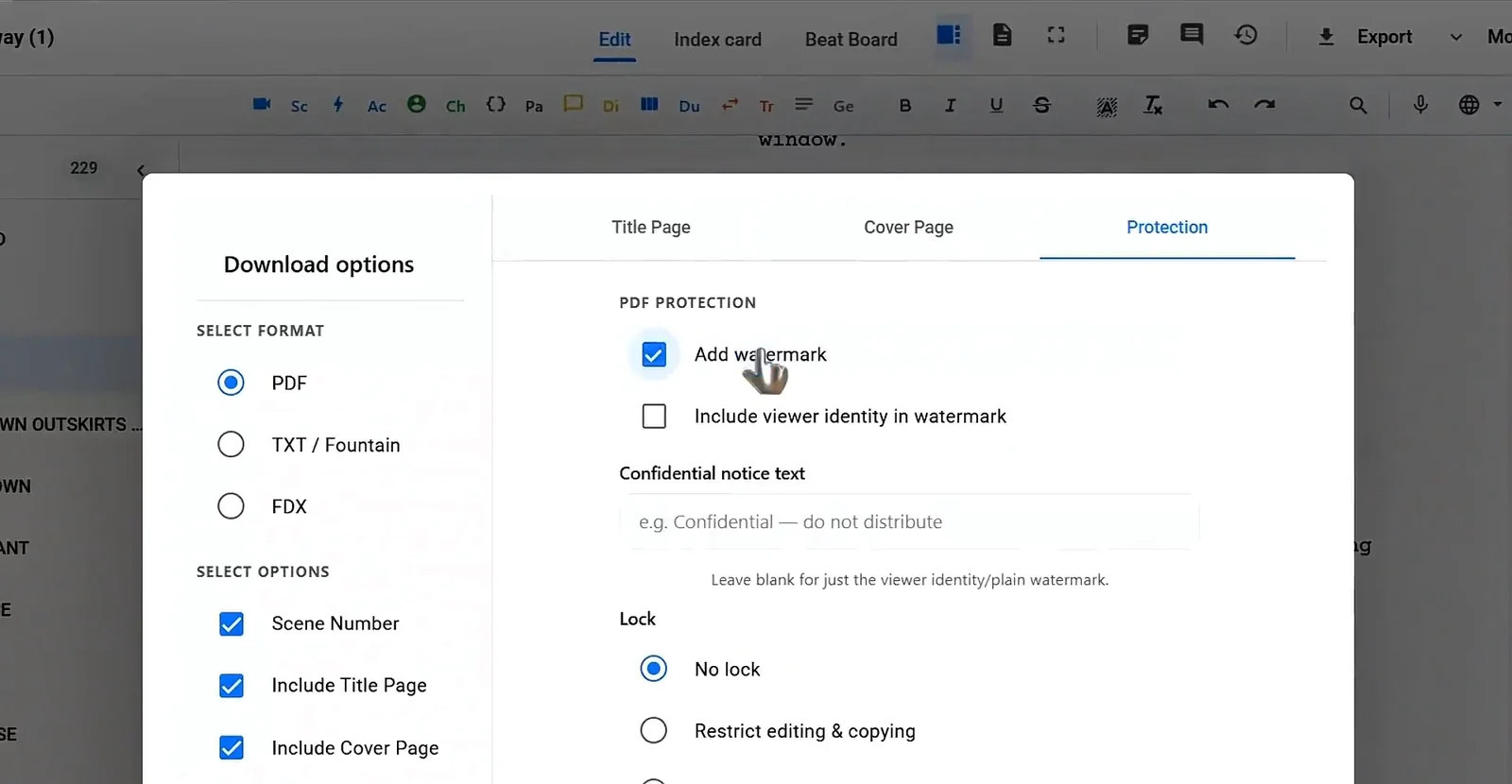
If the script is unproduced or confidential, protect it. Add a watermark or a confidential notice to the PDF, and consider restricting editing and copying. In Studiovity the download options include a Protection tab with a watermark, an optional viewer identity in the watermark, a confidential notice line and lock settings.
Bring a few printed copies for anyone who prefers paper, and highlight each reader’s lines if you have time. It makes cold reading much easier.
Casting the Readers
You do not need famous actors, but you do need people who read well out loud. Match readers to roles by voice and energy rather than looks. For small parts, one person can read several roles, as long as the roles do not speak to each other in the same scene.
The most important reader is the one reading the action lines. Choose someone clear and steady, not one of the actors. If you read the action yourself, you will be too busy performing to listen.
If the cast will later play these roles on set, their preparation process matters too. Our guide on how actors prepare for a role explains what they bring to a read.
Ready to prep your next read? Export a clean, protected PDF from Studiovity and share the same pages with every reader.
Running the Session
- Start with a one-minute welcome. Say the title, the genre and roughly how long the read will take. Do not explain the story.
- Read straight through. Take one short break at the midpoint of a feature, but do not stop to discuss scenes.
- Time the read. Note the clock at the start of each act.
- Listen, do not defend. Keep a pen in hand and mark the page wherever people laugh, shift in their seats or check their phones.
- Collect notes at the end. Ask open questions such as which character they want more of, where they were confused and where they felt bored.
Turning the Read Into a Rewrite
The day after the read, go through your marked pages while your memory is fresh. Group what you heard into three lists: lines that were hard to say, scenes that dragged and story questions people raised.
Fix lines that do not play
If readers tripped on a line twice, rewrite it. Shorter words and simpler rhythm usually help. Studiovity’s AI tools can suggest options such as simplifying language or adjusting pace on a selected line, but always keep the version that sounds like your character.
Cut repetition
If two scenes made the same point, merge them or cut one. Readers feel repetition long before they can name it.
Check exposition
Long explanations often sound worse out loud than on the page. Our guide on how to write exposition in a screenplay shows ways to deliver information without stopping the scene.
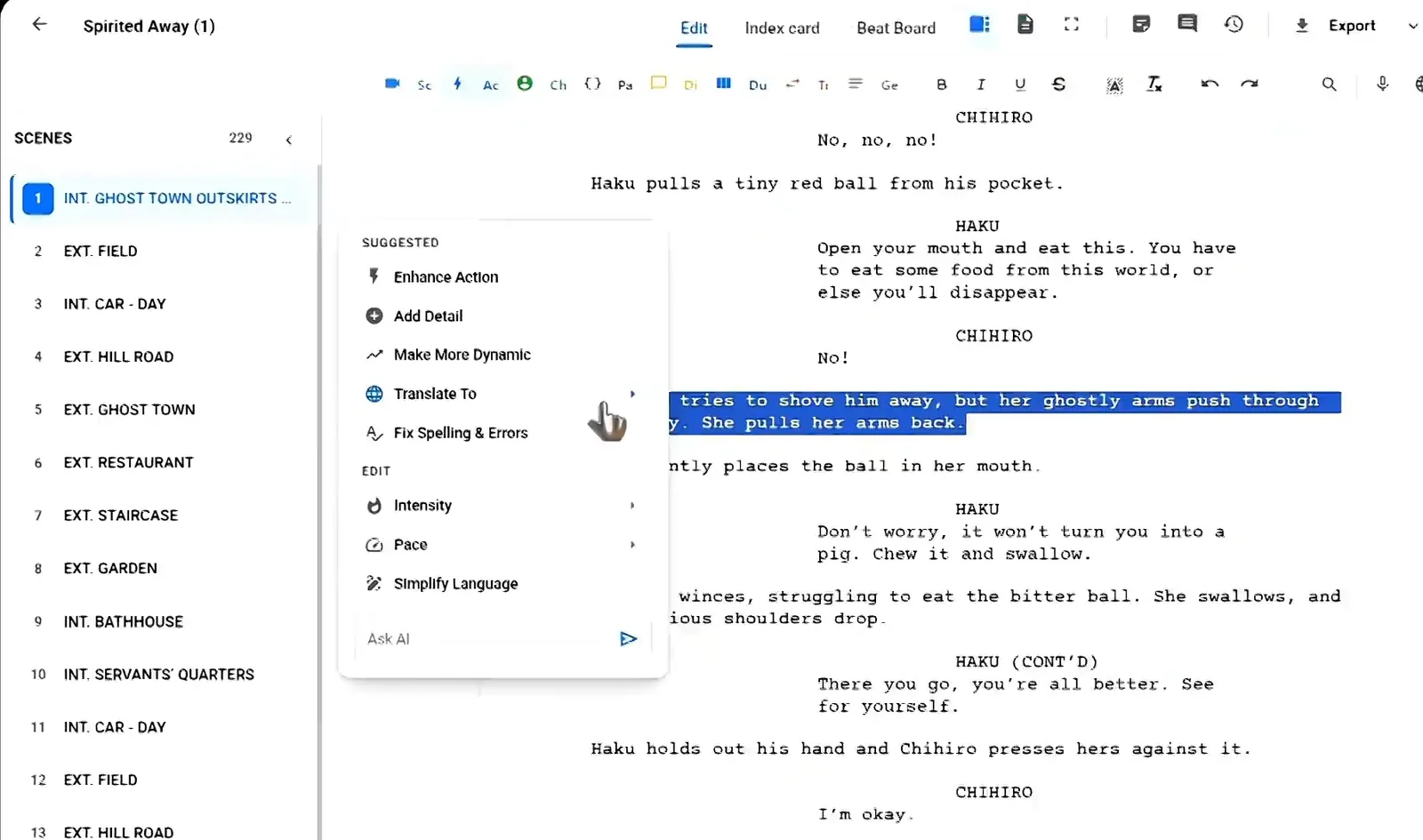
Table Read Checklist
- One locked draft with scene numbers.
- PDF sent a day ahead, with a watermark if the script is confidential.
- A strong reader for action lines.
- A timer and a marked-up copy for you.
- A short notes session at the end, then a rewrite plan within a day.
FAQ
How long should a table read take?
Roughly one minute per page, so a 100-page feature takes about 100 minutes plus a break.
Should the writer read a part?
It is better not to. You learn more by listening.
Can I do a table read online?
Yes. A video call works well if everyone has the same PDF and you assign one person to read the action lines.
Prepare Your Next Draft in Studiovity
A table read is only as good as the pages on the table. Studiovity helps you format the draft, polish lines that did not play, and export a protected PDF for every reader. Write and revise your screenplay in Studiovity and walk into your next read with a script you are proud to hear out loud.