
Send a head of department the full tagged script and you will usually get one of two reactions: silence, because they never opened it, or a flood of questions about items that were in there all along. Department heads are busy. They want a list of what is theirs, scene by scene, in a format they can work from. The breakdown report is how you give it to them. Department breakdown reports solve that by giving each HOD a filtered list of only their elements.
What each department actually reads
Different HODs care about very different slices of the same script:
- Costume: wardrobe by character and scene, with damage and multiples noted.
- Props: hand props by scene, including weapons, food and hero items.
- Art and set decoration: sets, dressing and implied environment details.
- Makeup and hair: looks, wounds, aging and special makeup effects.
- Camera and lighting: special equipment, night work, cranes, drones, rain.
- Transport and wranglers: vehicles, picture cars and animals.
A one-size-fits-all report makes each of them dig for their slice. A filtered report hands it to them directly.
Filter first, then export
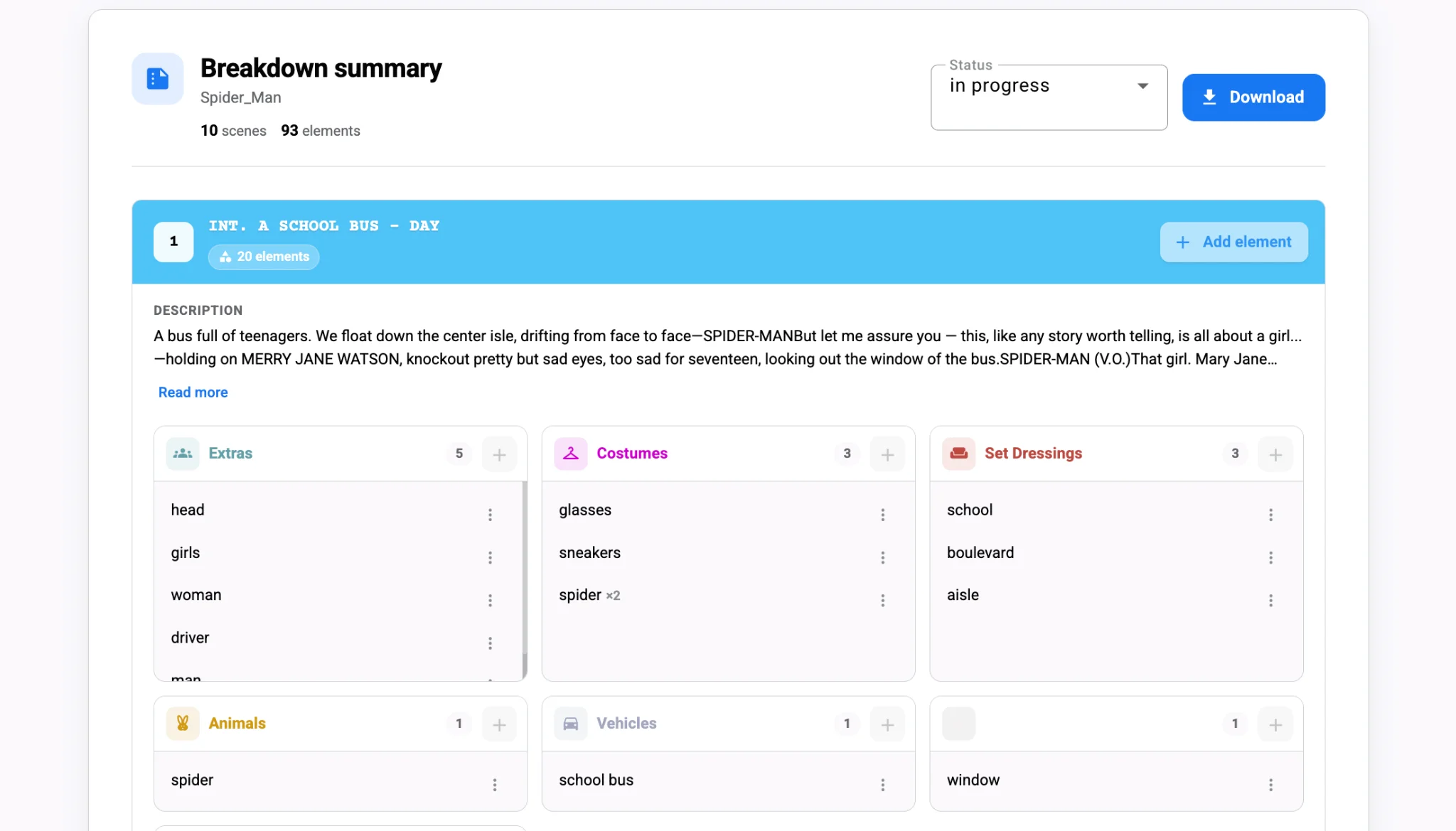
Studiovity’s script breakdown software lets you filter elements by category, set, cast or scene number and generate reports from exactly that view. Choose props only and you get a prop list by scene. Choose a set and you get everything that set needs. Export as PDF for reading and printing, or Excel when the department wants to sort, add vendor notes or track purchases.
Formatting matters as well. The export options let you include scene headers and scene numbers, and choose between highlighted tags or black format, so a report reads cleanly whether it is printed in the office or opened on a tablet. Once the schedule exists, the same thinking applies to department-ready schedule PDFs.
Keep reports tied to the master breakdown
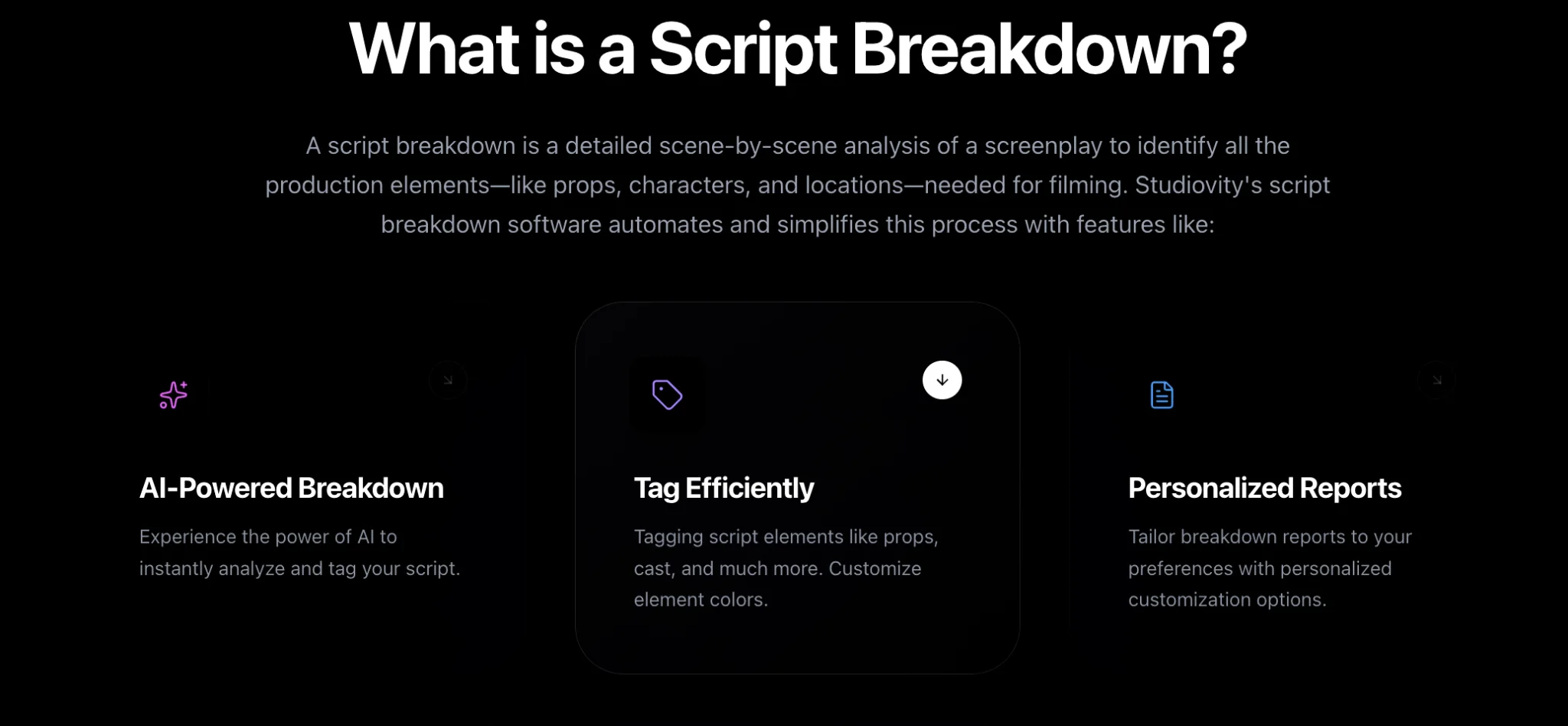
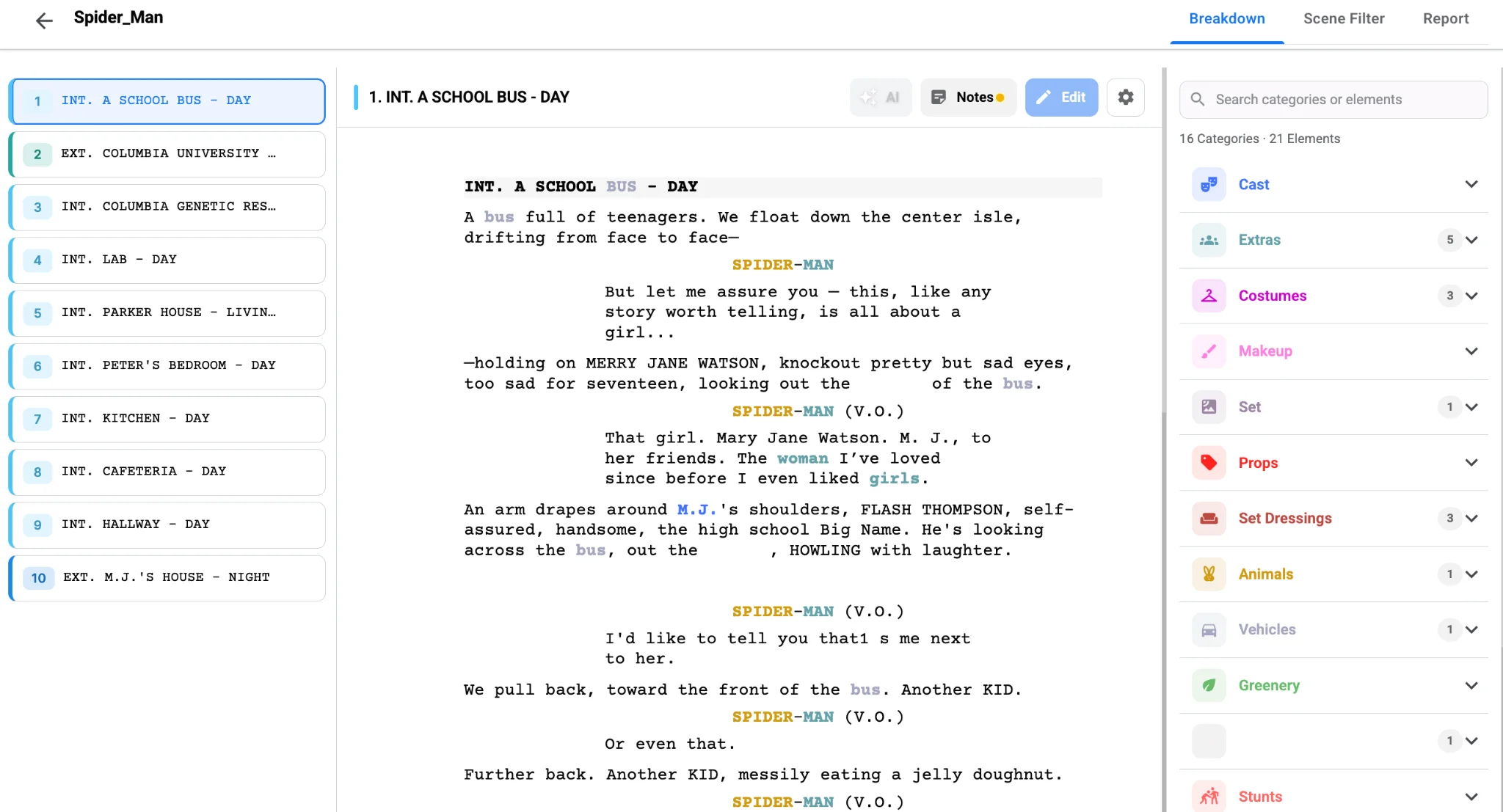
Reports only stay useful if they come from a live source. When you re-run the breakdown after a revision, generate fresh department reports instead of asking HODs to redline last week’s copy. Tagged elements in Studiovity also auto-populate department lists in cast and crew management, so the people receiving these reports are already organized by department inside the same project. If you are setting up that master breakdown for the first time, see how to use AI for script breakdown.
Use reports to drive the prep meeting itself. Walk through each department’s list on screen, confirm ownership of edge items such as props versus dressing, and update tags live in the breakdown tool. Decisions made in the room are captured immediately, not transcribed from someone’s notes later.
Timing is the other half of a good report. Send the first round as soon as the initial breakdown is reviewed, so departments can start research and early quotes. Send a second round after the schedule is drafted, sorted by shoot day rather than scene number, so each team can see what lands in week one versus week four. The breakdown stays the same; only the view changes.
Ask each department for one thing in return: a reply listing any items they think are missing. Those replies are the cheapest quality check you will ever get, because the people closest to the work spot gaps a general read never would.
The payoff
Department reports turn a breakdown from an AD’s document into a working tool for the whole crew. Filter by category, export in the format each team prefers, regenerate after every revision, and run prep meetings from the same live data. Give every HOD a list they will actually use with Studiovity’s AI script breakdown.