
Every production needs a cast list long before casting is finished. The casting director needs character counts, the line producer needs day-player estimates, and the AD needs to know which actors overlap in which scenes. Pulling that list by hand means reading the whole script with a notepad, and somewhere around page 70 a minor character with two lines slips through. Here is how AI script breakdown lets you build a cast list from screenplay pages in minutes, and keep it accurate all the way through prep.
Why the cast list starts in the breakdown
Characters are the first category any breakdown tags, and for good reason. A cast list built from the breakdown carries more than names: it knows which scenes each character appears in, how many pages they work, and who shares scenes with whom. That context is exactly what you need to estimate actor days and plan around availability. If you are new to the process, start with our guide to what a script breakdown is.
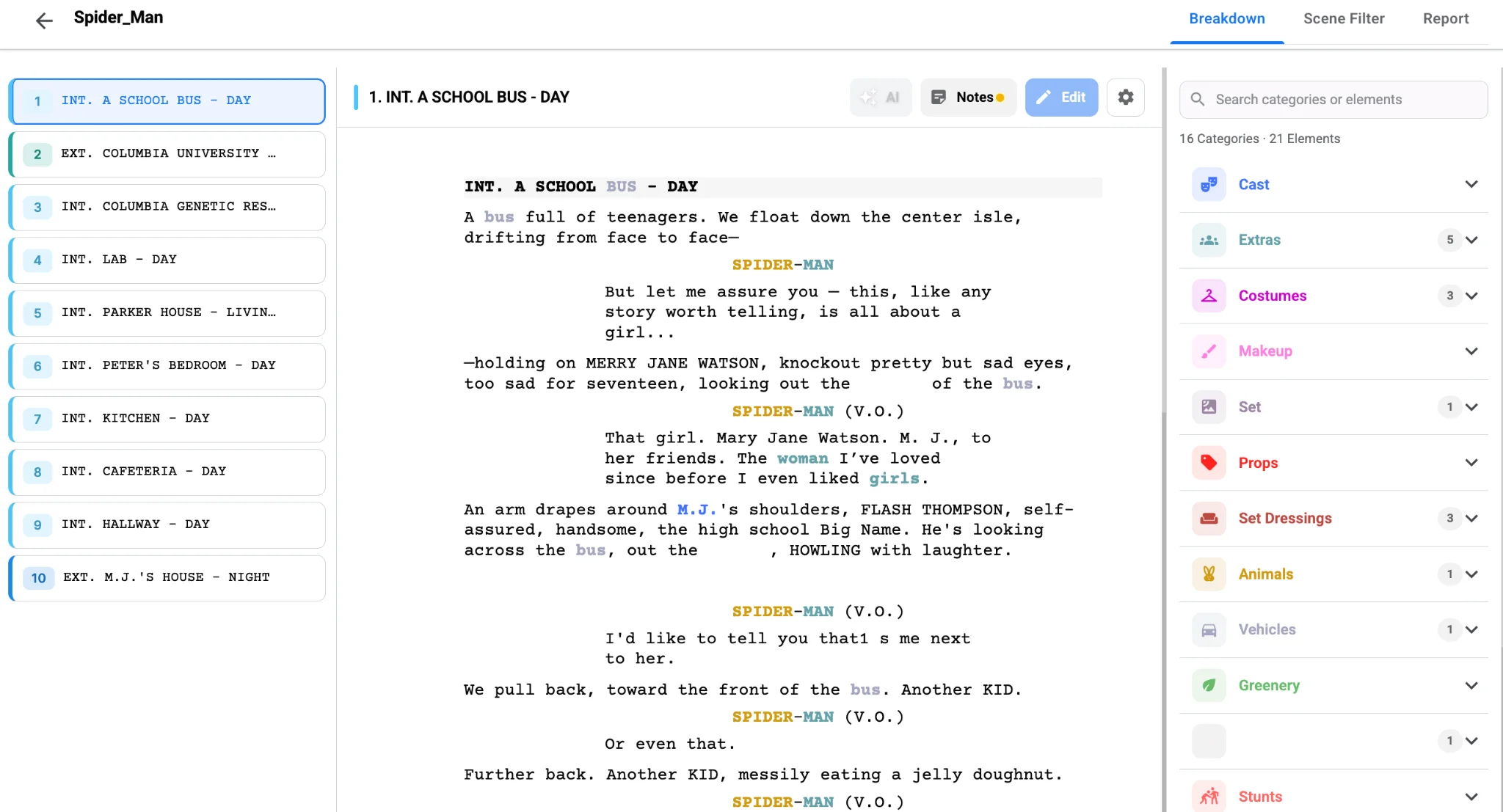
With Studiovity’s AI script breakdown software, AI Magic reads the screenplay and tags speaking characters as cast elements scene by scene. Instead of building a list and then cross-referencing it, you get both at once: the names and the scenes they live in.
Clean the list before anyone sees it
Consistent character names start on the page, which is why it helps to format your screenplay for script breakdown before running AI. AI gets you most of the way, but screenplays are messy. The same character might appear as "MAYA," "YOUNG MAYA" and "MAYA (V.O.)." Before sharing the list, tidy it:
- Merge duplicates created by nicknames, ages or parenthetical extensions.
- Decide whether flashback versions are separate roles or the same actor.
- Separate speaking parts from silent bits and background extras.
- Give principal cast a consistent numbering so the schedule and call sheet use the same IDs.
Studiovity lets you edit, merge and organize tagged elements, so these fixes happen once inside the breakdown instead of in a parallel spreadsheet that falls out of date.
From cast list to department lists
Here is where an integrated tool pays off. Tagged cast in the breakdown can auto-populate department lists, so your cast and crew management area starts with every role already in place. When an actor is attached, you fill in contact details against a role that already knows its scenes.
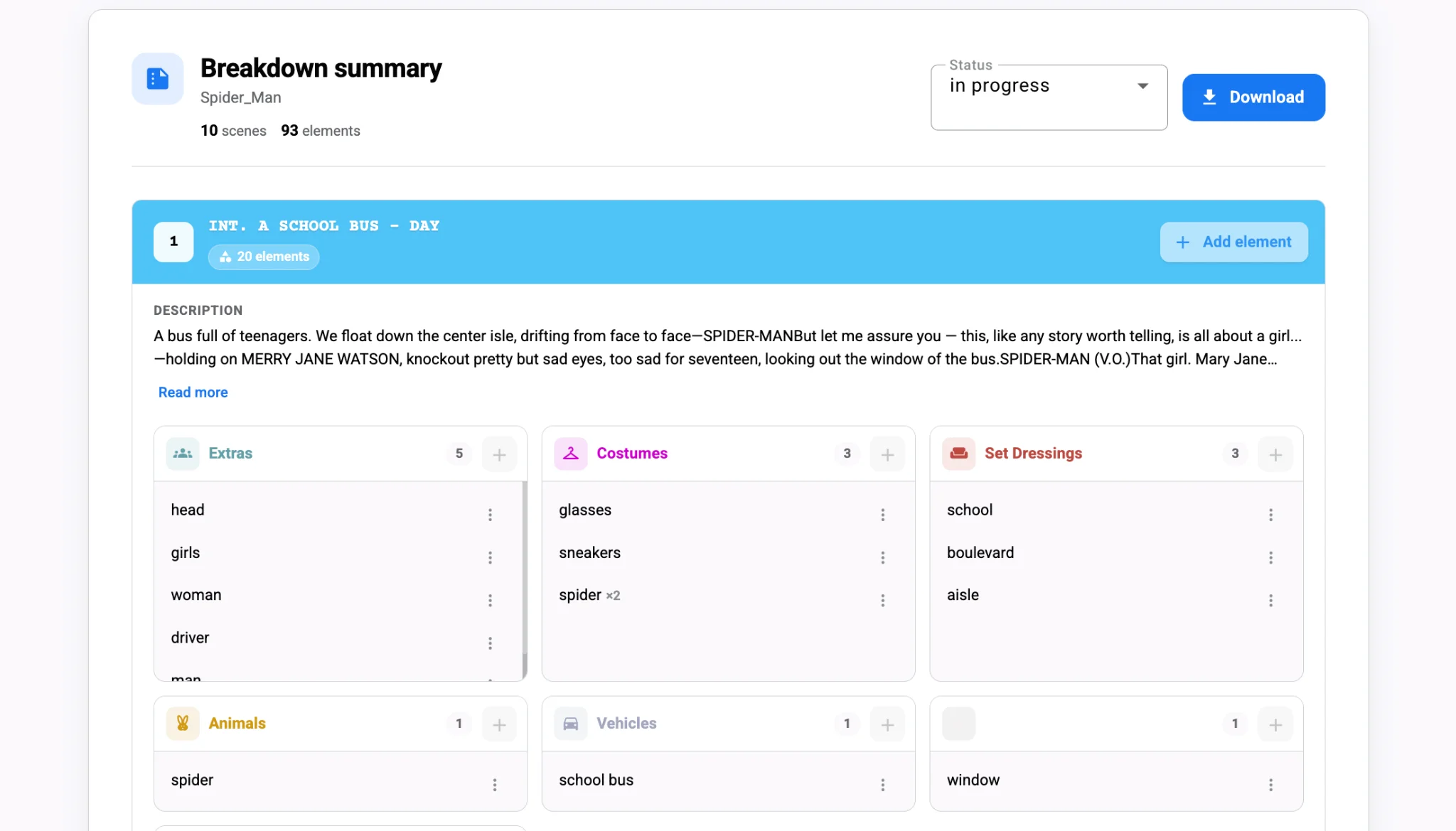
The breakdown summary shows each scene with its tagged elements, which makes it easy to spot a supporting character who appears in only two scenes on opposite ends of the shoot. That is a day-player with a hold problem, and it is far better to see it now than when the schedule is already locked.
Keeping the cast list alive through revisions
Scripts change. A character gets cut, two roles merge, a new cameo appears on the pink pages. Re-running the breakdown on revised scenes keeps the cast list current, and the changes flow into scheduling rather than waiting for someone to notice. Treat the script breakdown as the master and every downstream list stays honest.
The payoff
A cast list built from the breakdown is faster to create and far harder to get wrong, because it is tied to the scenes themselves. Let AI tag the characters, spend ten minutes merging and numbering, and hand casting a list with real page counts behind it. Generate your next cast list from the script in Studiovity’s AI breakdown and skip the notepad entirely.