
Script breakdown elements are the production requirements hidden inside every scene: the characters, background actors, props, set dressing, wardrobe, makeup, locations, vehicles, animals, stunts, effects and sounds that someone has to cast, source, build or schedule. Knowing the categories, and which color or tag each one gets, is what makes a breakdown readable for every department. This guide covers each category, a standard color code you can adopt, the elements most teams miss, and how to tell when an AI first pass has tagged them correctly.
What are script breakdown elements?
A script breakdown element is anything in a scene that affects preparation. A useful rule: if someone must source it, build it, approve it, schedule it, dress it, reset it, insure it, clear it, transport it or coordinate it, it is an element. If a detail is purely interpretive and does not change planning, it belongs in the director’s notes instead.
Elements are grouped into categories so each department can find its own work quickly. The exact list varies by production, but the logic is the same everywhere: every relevant item gets assigned to a department or planning area.
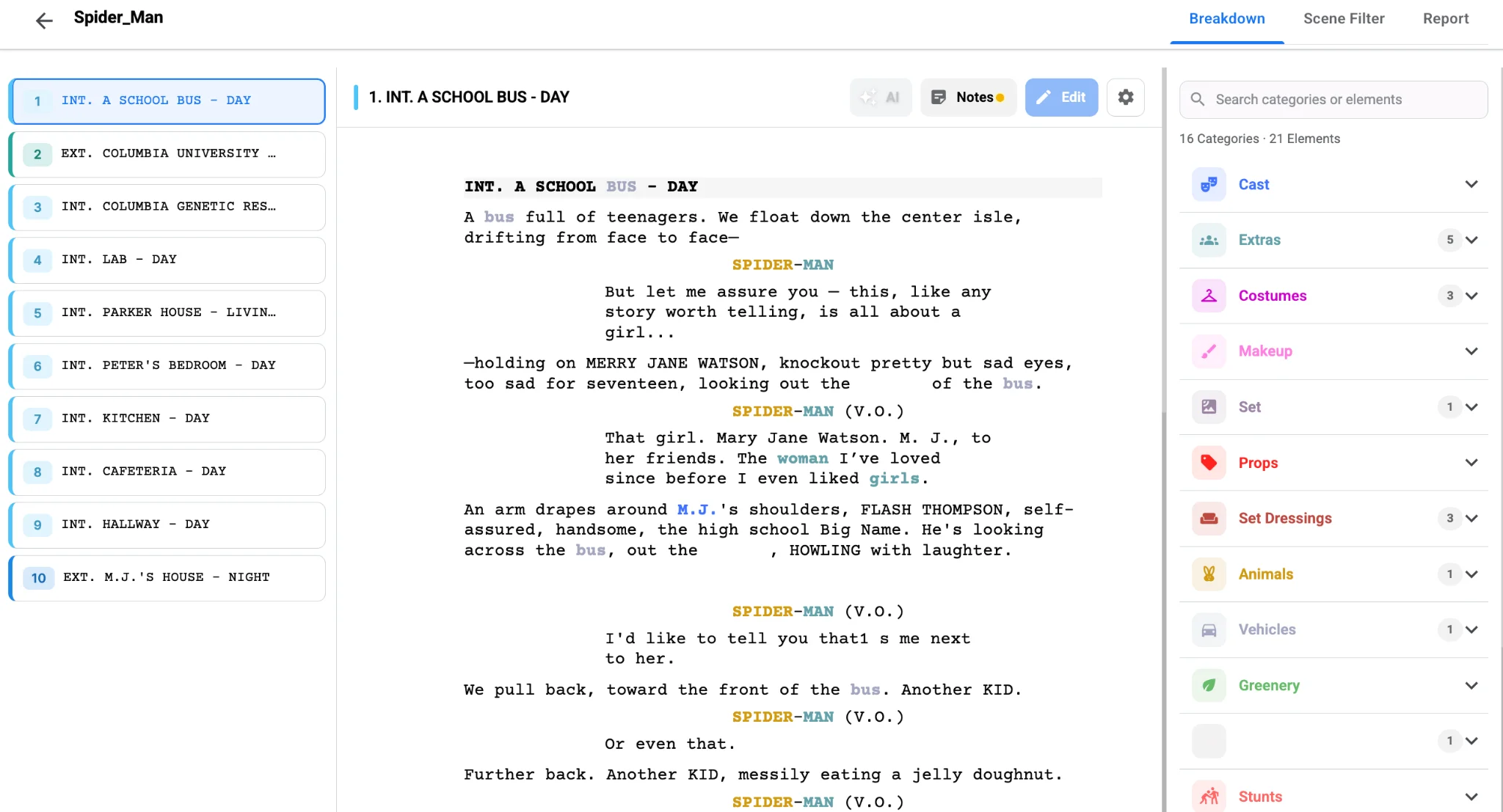
The 16 core script breakdown categories
| Category | What it covers |
|---|---|
| Cast | Speaking characters in the scene, including recurring roles |
| Background actors | Extras, crowds, pedestrians, diners, students, party guests |
| Stunts | Fights, falls, crashes, driving action, wire work, any physical risk |
| Props | Objects handled or used by actors: phones, letters, bags, drinks, weapons |
| Set dressing | Objects that decorate the space but are not handled: furniture, art, signage, clutter |
| Wardrobe | Costumes, uniforms, changes, doubles, distressing, wet or torn looks |
| Hair and makeup | Looks, aging, injuries, blood, sweat, dirt, tattoos, prosthetics |
| Locations and sets | Real or built spaces, with INT./EXT. and time of day |
| Vehicles | Picture cars, motorcycles, buses, boats, emergency or parked vehicles |
| Animals | Pets, livestock, trained animals, insects, any creature that needs handling |
| Special effects | Practical rain, smoke, fire, wind, breakaway glass, squibs |
| Visual effects | Green screen, set extensions, screen replacements, cleanup, creatures |
| Sound and music | Playback, live performance, scripted calls, alarms, difficult environments |
| Minors | Child actors or background minors with scheduling and welfare rules |
| Special equipment | Cranes, drones, Steadicam, process trailers, specialty rigs or lenses |
| Production notes | Anything that affects planning but fits nowhere else |
Not every scene needs every category. A two-person interior may touch five; a chase through a market can touch nearly all sixteen.
Props vs set dressing: the distinction that trips people up
If an actor handles it, it is usually a prop. If it decorates the environment, it is set dressing. The line matters because different people are responsible: the prop master tracks handled items and their duplicates, while the set decorator dresses the room. A coffee cup on a shelf is dressing; the same cup the moment a character picks it up and drinks becomes a prop, with continuity on the liquid level. When in doubt, tag it as a prop and add a note.
A similar line runs between special effects and visual effects. SFX happen practically on the day (rain towers, smoke, breakaways); VFX are planned for post. Many scenes need both, and tagging them separately keeps the budget conversations clear.
Script breakdown color codes
Breakdowns traditionally use a highlighter color per category, and digital tools turn those colors into searchable tags. The exact colors matter less than consistency: pick a key, share it with the team and never change it mid-script. Here is a common starting point:
| Category | Color | Why it is tracked |
|---|---|---|
| Cast | Red | Speaking roles by scene |
| Background | Yellow | Extras and crowd counts |
| Props | Green | Handled items and duplicates |
| Set dressing | Blue | Art department dressing |
| Wardrobe | Purple | Costumes, changes and continuity |
| Hair and makeup | Pink | Looks, injuries, special applications |
| Vehicles | Orange | Picture cars and transport |
| Animals | Light green | Handlers and welfare rules |
| Stunts, SFX and VFX | Gray | Safety and technical planning |
| Sound and music | Brown | Playback, live sound and music |
| Production notes | Teal | Unusual requirements |
Other productions use slightly different keys, and paper scripts often fall back on underlines, circles or boxes once highlighter colors run out. Write your key at the top of the breakdown so new crew can read it instantly.
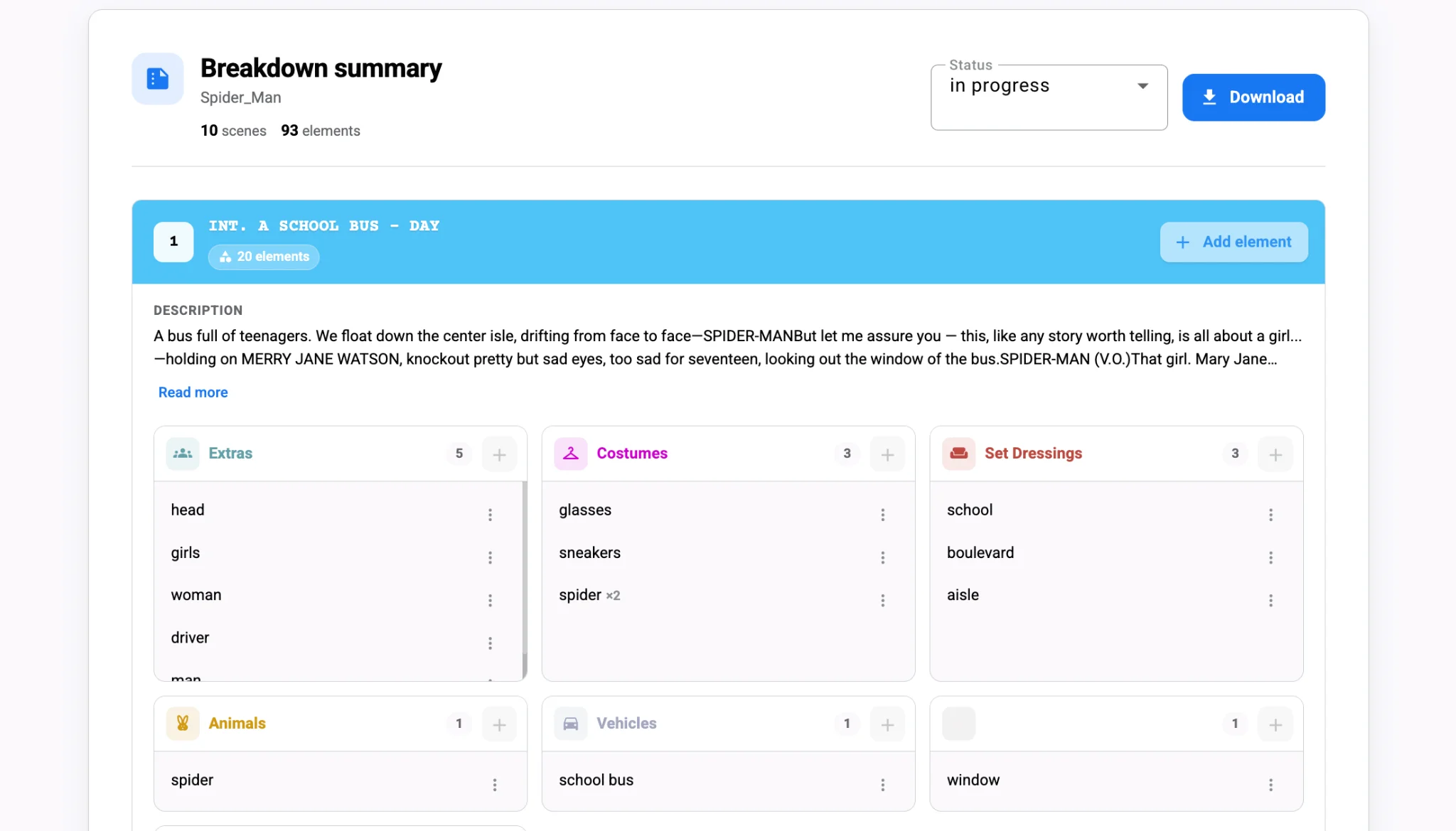
Where elements hide in a screenplay
Scene headings
The heading gives you location, interior or exterior and time of day, three facts that drive lighting, permits, scheduling and cost. Watch for mini-slugs, montages, flashbacks, intercuts and dream sequences, which often hide extra locations or time-of-day changes inside a single scene.
Action lines
Most physical elements live here. “Grabs a cracked helmet” is a prop. “Rain lashes the windows” is an effect and a sound note. “Fifty guests freeze as the chandelier crashes” is background, a special effect, stunt coordination, set dressing and a safety review in one sentence.
Dialogue
Dialogue can name objects, wardrobe and places that the action never mentions. “I left the passport in your blue coat” creates a prop, a wardrobe item and a continuity note at once. Equally, “I feel like I was hit by a truck” does not need a truck. Dialogue has to be read for real requirements and for metaphor.
Elements teams often miss
- Implied set dressing: a restaurant needs tables, menus, plates, servers, background diners and practical lights even if none are named.
- Screens and readable text: phones, TVs and laptops need graphics, playback or replacement, and may need clearance.
- Food: eating scenes need duplicates, portions for many takes, reset time and food safety.
- Weather: rain, fog, snow or strong sun means waiting for it, creating it, faking it in post or writing around it.
- Continuity states: blood, dirt, sweat, wet hair, torn clothing and broken props carry across non-sequential shoot days.
- Recurring hero items: a necklace, diary or damaged car that returns across the story needs duplicates and continuity photos.
- Off-screen sound: sirens, music from another room or a ringing phone still need planning.
Watch: tagging elements on a breakdown
Checking an AI pass on your breakdown elements
AI is good at the repetitive part of element tagging. It does not get tired on page 78, and it catches a lighter dropped in one scene and picked up ten pages later. It is weaker at tone and metaphor: “the city swallows him whole” is mood, not a VFX shot, and “a crowd gathers” could mean ten people or three hundred. If you let Studiovity tag the first pass, review it category by category with this checklist:
- Scenes: are montages, flashbacks, intercuts and mini-slugs split correctly?
- Characters: are speaking roles, background groups, doubles and recurring appearances right?
- Locations: are names consistent, and are INT./EXT. and day/night correct?
- Props vs dressing: are handled items separated from decor, and hero props flagged?
- Wardrobe and makeup: are changes, injuries and period looks tracked over story time?
- Safety items: are weapons, stunts, fire, water, animals, minors and crowds all marked?
- False positives: have metaphors and figures of speech been removed?
- Naming: does each recurring element use one name, so it is not split into duplicates?
For the full import-to-schedule workflow, see our guide on how to use AI for script breakdown.
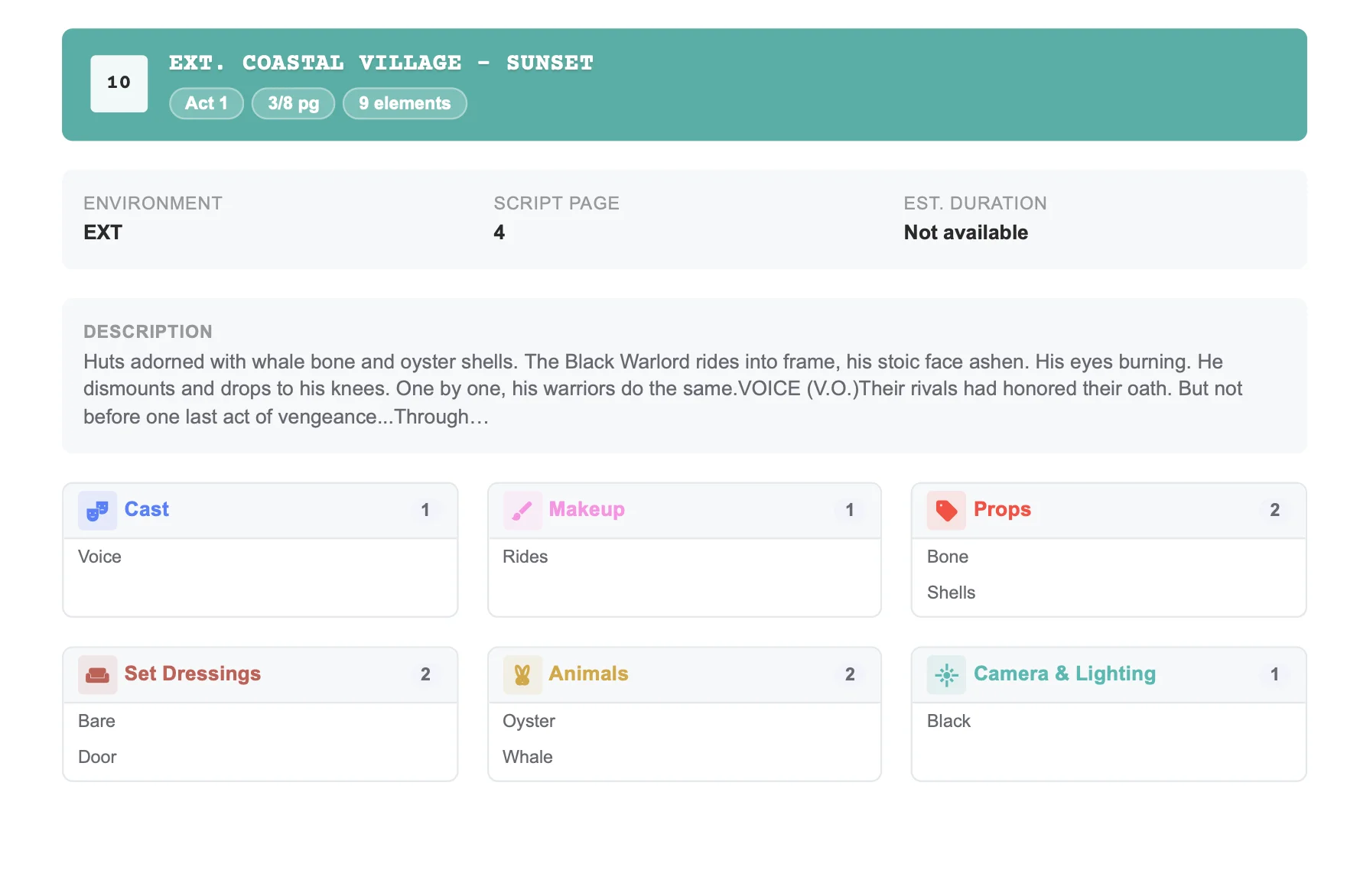
A one-line element example
A teenager enters a school gym during a storm holding a trophy, wearing a torn jacket, followed by a barking dog as the lights flicker. Broken down by element:
- Cast: the teenager.
- Location: school gym, interior; storm implies night or low light.
- Props: trophy (possibly a hero prop with duplicates).
- Wardrobe: torn jacket, with continuity on the tear.
- Animals: dog, plus a handler and barking on cue.
- Special effects: flickering lights; storm visible through windows.
- Sound: thunder, rain, barking.
- Background: other students, if the gym is in use.
One sentence, eight categories. That is why the categories exist: they make sure each of those needs lands with the right department instead of surfacing on the shoot day.
Final takeaway
Learn the categories, agree a color key, read headings, action and dialogue for both stated and implied needs, and check every recurring item for continuity. For the step-by-step process of turning tagged elements into breakdown sheets, a schedule and a budget, read how to break down a film script. When you are ready to tag your own screenplay, try color-coded element tagging in Studiovity.