
Top Mistakes to Avoid While Creating a Shooting Schedule for Films
Imagine you’ve spent $5,000 on a camera rental, your lead actor is in full costume, and the sun has just set—but you still have three pages of dialogue to shoot. This panic-inducing scenario is known as a “Schedule Collapse,” and it serves as the silent killer of ambitious independent films. Without a solid plan, money burns faster than film stock. These situations often happen because of the Top Film Scheduling Mistakes that filmmakers overlook during planning.
Think of a production schedule like a high-stakes road trip where you cannot turn back for forgotten items. On professional sets, the Assistant Director (AD) acts as the navigator for this journey, managing the clock so the director can focus entirely on the performance. While the script provides the emotional blueprint, the schedule dictates the physical reality of the day, balancing artistic goals against the hard limits of daylight and human endurance.
Industry veterans often warn that a movie’s success is determined long before the cameras roll. Mastering the logistical fundamentals and avoiding Top Film Scheduling Mistakes ensures you capture every scene on your list, transforming a potential disaster into a finished film.
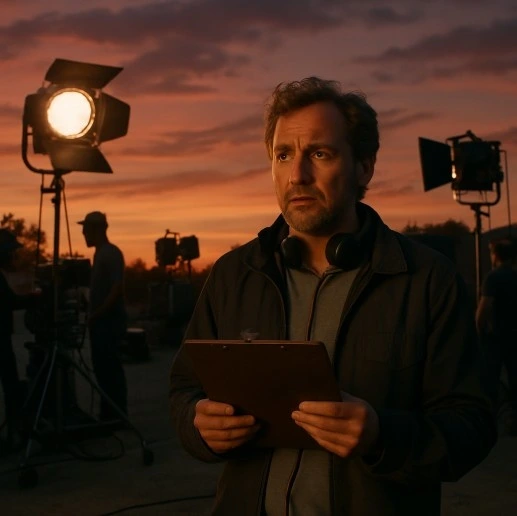
The 'Lego Brick' Mistake: Why Skipping a Full Script Breakdown Guarantees Chaos
Arriving on set to film a chase scene, only to realize the vintage getaway car isn’t there because nobody explicitly hired it, is a nightmare scenario. This happens when filmmakers skip the Script Breakdown, the crucial process of turning a creative story into a tangible inventory of logistical needs. Just as you wouldn’t build a complex Lego set without sorting the bricks first, you cannot schedule a film until you identify every single item required to capture the shot.
To prevent missing these details, producers perform a pass called Tagging. This involves combing through the script line-by-line and highlighting different categories of requirements. Identifying these elements early prevents a production from stalling over a missing $5 prop. You must identify:
- Talent: Specific actors and background extras needed.
- Props: Items actors touch, like a specific book or weapon.
- Vehicles: Any cars on screen, from hero cars to background traffic.
- Special Effects: Practical elements like rain, blood, or sparks.
- Atmosphere: Environmental needs like fog, smoke, or artificial snow.
On professional sets, the Unit Production Manager (UPM) relies on this data to determine the shoot’s feasibility. The UPM is the executive responsible for the budget and daily operations; they look at the breakdown to calculate exactly how many days are required to capture the script. Once every element is tagged and accounted for, you can move away from the chronological story and begin organizing for pure speed and savings. Skipping this process is one of the most common Top Film Scheduling Mistakes in independent productions.
Efficiency Over Chronology: How to Group Locations and Talent to Save Thousands
If you were cooking a three-course meal, you wouldn’t drive to the grocery store for the appetizer ingredients, drive home, cook, and then drive back to the store for the main course. That is exactly how most novice filmmakers try to schedule their movies—chronologically. While filming in story order helps actors follow the emotional arc, it is financially disastrous. Professional productions group scenes by Location. If scenes 1, 55, and 90 all take place in the “Kitchen,” you shoot them all on the same day. This approach, often called Block Shooting, eliminates wasted travel time and ensures you squeeze every dollar out of a rental fee before moving on.
Shifting the entire crew from one site to another during a shooting day is known as a Company Move, and it is the single biggest drain on your schedule. Even for a small crew, packing up cameras, lights, and cables, driving across town, and setting up again takes a minimum of two hours. In a standard 12-hour day, a single company move effectively kills 20% of your available filming time. To avoid this “hidden cost,” smart producers strive to remain at one location for the entire day, even if it means filming the breakup scene before the couple has even met on screen.
Efficiency isn’t just about geography; it is a balancing act involving human limitations. When deciding whether to prioritize chronological shooting vs shooting out of sequence, you must weigh three specific factors:
- Location Costs: Is the permit for the subway station strictly limited to Tuesday morning?
- Actor Availability: Does your lead actress have a flight booked for Friday night?
- Emotional Intensity: Can the actor handle screaming in a horror scene immediately followed by a quiet romance scene?
Once you have locked your locations and managed these cast and crew availability constraints, you face the final, unchangeable variable: the position of the sun.
Chasing Light and Losing: Optimizing Shooting Order for Lighting Efficiency
The sun is the only light source on a film set that you cannot dim, pause, or ask to hold still while actors rehearse. One of the most frequent Top Film Scheduling Mistakes novice directors make is treating a twelve-hour day as a generic block of time, ignoring that the angle and quality of light change constantly. The most famous example is “Golden Hour”—that stunning, warm window just before sunset. While it looks incredible on camera, it effectively lasts only about forty minutes. If your schedule demands two hours of complex dialogue during this window, you will inevitably run out of light, resulting in mismatched footage that no amount of editing can fix.
Controlling artificial light indoors prevents these solar deadlines, but it introduces a different logistical hurdle: setup time. Optimizing shooting order for lighting efficiency requires you to shoot out one direction of a room completely before turning the camera around. Every time you reverse the camera’s angle to capture the other person in a conversation, the crew must physically move every light and cable that was previously behind the camera to avoid seeing it in the frame. This process can take over an hour per turnaround. To keep the day moving, smart schedules group all shots facing the window together, then all shots facing the door, regardless of chronological story order.
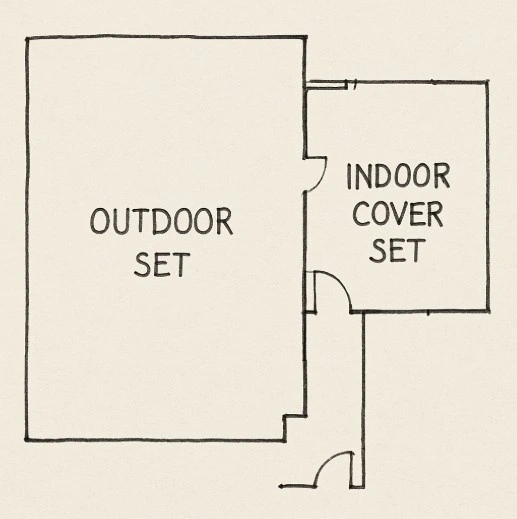
Even with perfect planning, nature sometimes refuses to cooperate, which is why professionals always prepare a “Cover Set.” This is usually an interior location where lighting is fully under your control, ready to be used immediately if rain starts or the sun sets too quickly. However, constantly racing against the fading light or dragging heavy equipment to a backup location exhausts more than just your budget. When the pressure to get the shot overrides the crew’s physical needs, you run into the industry’s most dangerous friction point: burnout.

Ignoring Human Physics: How Turnaround Times and Page Counts Prevent Crew Burnout
Cameras run indefinitely; people do not. A common pitfall for first-time producers is assuming that if a location is booked for the weekend, you can shoot for 48 hours straight. Professional productions adhere to “Turnaround Time”—a mandatory rest period between the end of one shift and the start of the next. Think of this like a pilot’s flight restrictions; it is a safety necessity, not a luxury. SAG-AFTRA turnaround time requirements typically mandate a 12-hour break, meaning if you wrap at 2:00 AM, you cannot ethically ask actors to return by 8:00 AM. Ignoring this triggers a “Forced Call,” a financial penalty that drains your budget and destroys morale.
Once you establish when the crew works, you must determine how much they can actually film. While one script page equals roughly one minute of screen time, capturing that minute takes hours. A realistic daily page count for indie films sits safely between three and five pages. Attempting to cram ten pages into a single day forces the director to rush performances, resulting in a movie that is technically finished but emotionally flat. Overloading the schedule like this is another example of the Top Film Scheduling Mistakes filmmakers often make.
To keep your set productive and prevent burnout in film production schedules, stick to these human-centric rules:
- Cap the Day: Limit work to 12 hours maximum.
- Respect Rest: Guarantee 10-12 hours of rest between shifts.
- Fuel the Crew: Schedule a meal break every six hours.
However, even a well-rested crew can’t fight the elements. If your schedule relies entirely on sunny days without a backup plan, you are vulnerable to the one producer you can’t negotiate with: Mother Nature.
The Rain-Out Disaster: Using Location Scouting and Buffer Days as a Safety Net
You might have the perfect beach permit, but if a thunderstorm rolls in, your gear stays packed in the truck. To avoid losing a full day of money and momentum, producers rely on “Cover Sets”—alternative indoor locations ready to shoot immediately if the primary site becomes unusable. Effective contingency planning for outdoor weather conditions means identifying a garage or living room near your main location, allowing the crew to pivot rather than shut down when the skies open up.
Finding these safety nets happens during the “Tech Scout” (Technical Scout), a final walkthrough where department heads inspect the site for logistical hurdles like power access. Location scouting is critical for scheduling because it reveals if moving between the beach and your cover set takes too long. If the move eats three hours of your day, you know your plan needs adjustment before you waste time on the actual shoot.
Even with perfect plans, equipment breaks and scenes run long. To absorb these delays, seasoned schedules include “Buffer Days”—empty dates at the end of the calendar for spillover work. Solving production bottlenecks with buffer days ensures that if a complex stunt runs over, you have time to finish it without begging for more budget. This padding creates a professional boundary between a difficult shoot and an incomplete movie. Planning buffer time also helps productions avoid some of the Top Film Scheduling Mistakes that derail shoots.
With your safety nets in place, you are ready to lock the calendar.
Your Production Action Plan: Choosing Tools and Locking the Final Schedule
You now possess the insight to turn a script into a shootable reality. A great schedule doesn’t just prevent overtime; it protects your cast’s energy and preserves your creative vision against the chaos of production. Instead of fearing the logistics, you can now use them to ensure your story actually makes it to the screen.
Choosing the right toolkit helps you manage that chaos. While the debate between digital stripboards vs traditional paper scheduling persists, digital tools generally offer the flexibility modern productions require. Select the tool that fits your workflow:
- Excel: Free and fully customizable, but requires manual entry and lacks drag-and-drop automation.
- Shotgun (now ShotGrid) or Celtx: Excellent for collaboration and visual planning, though often subscription-based.
- Movie Magic Scheduling: The robust industry standard for complex data, but expensive with a steep learning curve.
Start by taking three concrete steps: break your script into scene “bricks,” group them by location to minimize travel, and perform a final “Sanity Check”—ask if a human can physically achieve the day’s work in twelve hours. Remember, a schedule isn’t just a calendar; it is the first edit of your film.
Avoid Top Film Scheduling Mistakes with Studiovity
Avoiding Top Film Scheduling Mistakes becomes much easier when you have the right production tools supporting your workflow. Studiovity helps filmmakers turn scripts into structured shooting schedules by combining AI-powered script breakdown, scheduling tools, and production planning features in one platform. Instead of juggling spreadsheets, notes, and multiple apps, Studiovity allows directors, assistant directors, and producers to organize scenes, group locations, manage cast availability, and generate efficient shooting schedules from a single workspace. With built-in tools for script breakdown, shot lists, scheduling, call sheets, and budgeting, filmmakers can plan smarter, avoid costly delays, and keep their production running smoothly from pre-production to the final shoot day.