Film Cast and Crew Budgeting is the financial backbone of any production, determining whether your creative vision makes it to the screen or remains stuck in development hell. Every producer knows that talent costs are volatile; a single overtime hour or a miscalculated fringe benefit can derail an entire shoot. Therefore, accurate financial planning is not just about math; it is about creative survival.
In the modern industry, using robust pre production software is essential to tame this complexity. By integrating your script data directly into your financial tools, you can ensure that every dollar allocated to Film Cast and Crew Budgeting is accounted for, tracked, and optimized.

The Hierarchy of Production Costs
Understanding the structure of your budget is the first step toward mastery. Professional budgeting is rarely a single list; rather, it is a hierarchy of accounts. Most industry-standard tools, including Studiovity, organize these costs into a “Top Sheet” and a “Detailed Sheet”.
The Top Sheet provides a high-level summary, aggregating costs into four primary buckets: Pre-Production, Production, Post-Production, and Other. This is what your investors and studio executives want to see. However, the real work of Film Cast and Crew Budgeting happens in the Detailed Sheet. Here, you break down every account into granular line items—defining the specific rates for the Lead Actor, the Director of Photography, and the hundreds of extras required for that big crowd scene.
For example, a “Cast” account on the Top Sheet might show $500,000. But the Detailed Sheet reveals that $300,000 is for the lead, $100,000 is for supporting roles, and the rest covers casting director fees and travel. Without this granular view, you are flying blind.
From Script to Dollar: The Data Flow
A common mistake novice producers make is treating the budget as an isolated document. In reality, an accurate budget must flow directly from your creative materials. The process begins with a script breakdown.
When you tag an element in your script—say, a specific character or a group of extras—you are creating a data point that should eventually end up in your budget. If your breakdown identifies that “Guard #1” appears in 14 scenes, you immediately know this is not a day-player role; it requires a weekly contract.
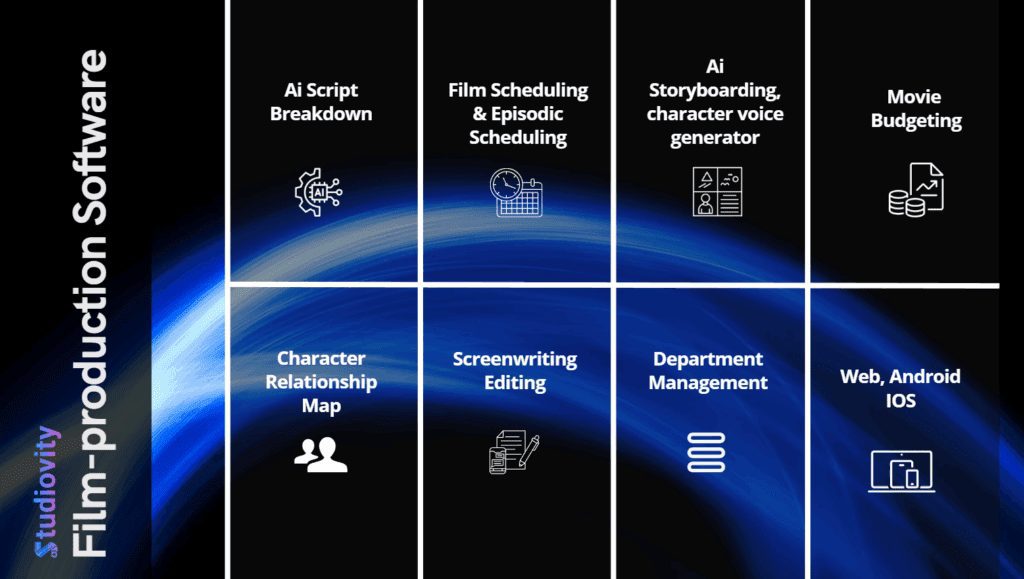
Consequently, precise tagging prevents “ghost costs” where required personnel are missing from the budget. Studiovity’s integrated workflow allows you to see these elements clearly. Once you identify the assets and personnel in the breakdown, you can log them into the Department module, which acts as the database for your cast and crew.

Time is Money: The Scheduling Connection
You cannot accurately budget for crew without knowing how long you need them. This is where Film Cast and Crew Budgeting becomes inextricably linked to your schedule. A budget created without a stripboard is merely a guess.
To get precise numbers, you must first utilize film scheduling tools to arrange your scenes into shoot days. This process, often automated by setting page-per-day counts, tells you exactly how many days the Gaffer, Grip, and Sound Mixer are required on set.
For instance, if your schedule dictates a 20-day shoot, your budget must reflect 20 days of labor plus prep and wrap days. If the schedule shifts to 22 days, your budget must automatically adjust. This dynamic relationship is why static spreadsheets fail and dynamic engines succeed. Furthermore, identifying “Day Breaks” in your schedule allows you to predict overtime triggers, a massive hidden cost in production.
The Hidden Costs: Fringes and Globals
Novice budgets often look perfect until the first payroll runs. Suddenly, the production is over budget. Why? Because the producer forgot the “Fringes.”
Fringes are the non-wage costs associated with employment, such as union dues, payroll taxes, agent fees, and insurance contributions. In Film Cast and Crew Budgeting, these can add 20% to 40% on top of the base salary.
Professional software allows you to apply and manage these fringes systematically. You can set a global rule—for example, “Apply 10% Agent Fee to all Cast”—and the system will calculate this across the entire budget instantly.
Similarly, “Globals” allow you to manage variables that affect the whole project, such as currency exchange rates or city-specific labor rates. If you are shooting in Europe but budgeting in Dollars, a “Global” setting ensures that a shift in the exchange rate updates every line item in real-time, protecting your bottom line.

Tracking Actuals vs. Estimates
Creating the budget is only half the battle; tracking it is the war. As production begins, you must constantly compare your “Estimated” costs against your “Actual” spend.
A robust film production calendar helps you track when payments are due, ensuring cash flow remains positive. Meanwhile, your budgeting tool should offer a “Variance” column. This column highlights the difference between what you planned to spend and what you actually paid.
If you budgeted $500 for catering but spent $700, the variance is -$200. Seeing this immediately allows you to trim costs elsewhere before the deficit snowballs. This level of financial vigilance is what separates successful producers from those who run out of money before the wrap party.
Conclusion
Mastering Film Cast and Crew Budgeting requires more than a calculator; it requires a systematic approach that integrates your script, schedule, and financial data. By leveraging tools that connect these silos—moving seamlessly from breakdown to schedule to budget—you gain the control needed to deliver high-production value without breaking the bank.
Smart budgeting protects your creative vision. It ensures that when the director calls “Action,” the money is there to capture the moment.