A chaotic film set is the nightmare of every producer, specifically when managing a large crowd of background talent. Imagine wrapping a perfect scene with 50 extras, only to realize you are missing the legal paperwork for half of them. Without a signed release, that footage is legally unusable. This is why having a reliable background extras release form template is not just a convenience; it is a necessity for securing your film’s chain of title. In this guide, we will provide a comprehensive template, explain why it matters, and show you how to streamline the entire process using Studiovity’s AI-powered tools.

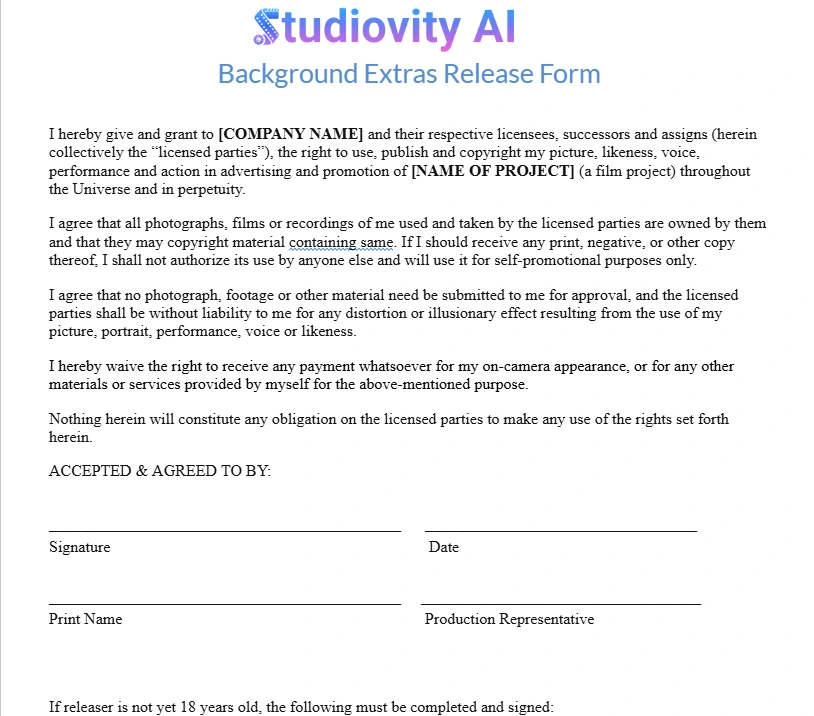
Download our free background extras release form template given below to standardize your workflow.
Why You Need a Solid Release Form
A release form acts as a legal shield for your production. Furthermore, it serves as the definitive proof that an individual has granted you permission to use their image, likeness, and performance in your project. Without this document, a distributor will likely refuse to acquire your film. They typically require a “clean chain of title,” which means every face on screen must be accounted for legally.
Moreover, disputes often arise regarding compensation or the nature of the role. A clear agreement prevents these headaches before they start. Consequently, having a standardized background extras release form template ready before cameras roll allows your Assistant Directors (ADs) to focus on logistics rather than legal panic.
Key Elements of a Standard Template
Creating a release form does not require a law degree, but it does require specific clauses to be effective. When you draft or customize your background extras release form template, ensure it includes the following components:
Grant of Rights: This clause explicitly states that the extra grants the production company the right to use their image, voice, and likeness in perpetuity (forever) and throughout the universe.
Compensation: Clearly outline the payment terms. If the work is unpaid or deferred, the form must state that the “credit and experience” constitute the full consideration.
Waiver of Claims: This section prevents the extra from suing for libel, invasion of privacy, or other claims related to how their image is used.
Promotional Use: You need the right to use their image not just in the film, but in trailers, posters, and social media marketing.
Minors: If the extra is under 18, the form must have a section for a parent or legal guardian’s signature.
Managing Extras on Set with AI
While having a background extras release form template is crucial, managing the people who sign it is an operational challenge. Traditionally, this involved chaotic paper stacks and clipboards. However, modern productions use integrated software to handle the logistics.
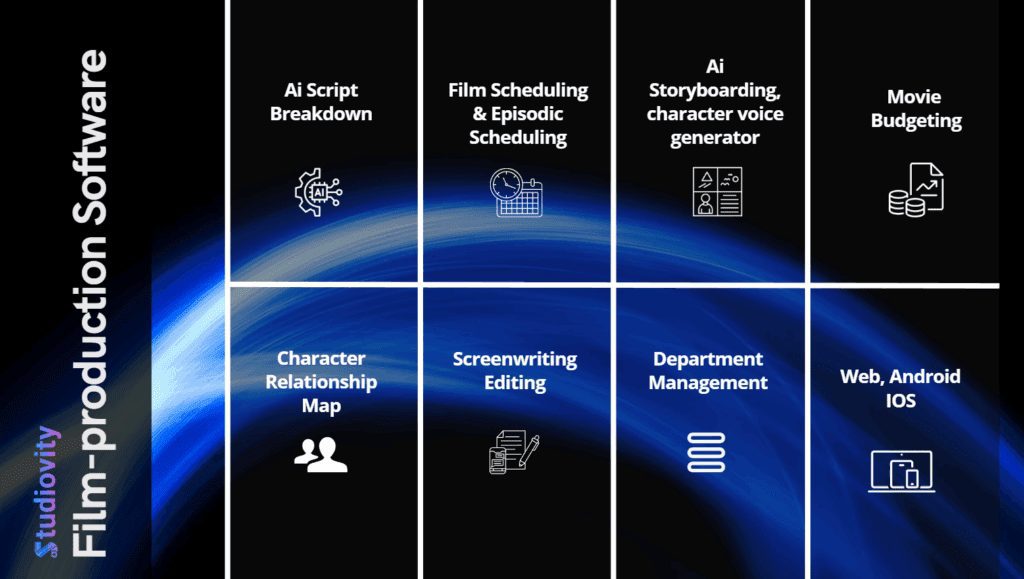
For instance, Studiovity’s Script Breakdown features allow you to tag “Extras” directly in your script. Once tagged, these requirements flow into your Production Calendar and budgeting modules. You calculate exactly how many bodies you need for the “Cafeteria Scene” or “Battle Sequence” immediately.
Furthermore, once your background talent is booked, you can manage their arrival times using Studiovity’s Call Sheets. Instead of manually texting 50 people, you generate a professional call sheet that includes specific notes for background artists, such as wardrobe requirements or holding area locations. This ensures that when they arrive to sign your release form, they are already organized and informed.
A Simple Background Extras Release Form Template
Below is a standard template you can copy and adapt for your production.
Note: We always recommend having a local entertainment attorney review your documents to ensure compliance with local labor laws.
BACKGROUND ACTOR / EXTRA RELEASE FORM
Production Company: ___________________ Project Title: ___________________ Date: ___________________
1. Grant of Rights: I, the undersigned (“Artist”), hereby grant to [Production Company Name] (“Producer”), its successors, assignees, and licensees, the irrevocable right to photograph, record, and use my name, likeness, voice, and performance in connection with the project currently titled “[Project Name]” (the “Picture”).
2. Usage: I understand that the Producer allows the footage to be used in all media, whether now known or hereafter devised, throughout the universe, in perpetuity. This includes, but is not limited to, theatrical release, television, streaming, and promotional materials.
3. Compensation: I acknowledge that the compensation received (if any) is the entirety of the payment due. I waive any right to royalties or other compensation arising or related to the use of my image or recording.
4. Release of Liability: I hereby hold harmless and release the Producer from all claims, demands, and causes of action which I, my heirs, representatives, executors, administrators, or any other persons acting on my behalf have or may have by reason of this authorization.
Name (Print): ___________________ Phone: ___________________ Email: ___________________
Signature: ___________________
(If under 18) Parent/Guardian Signature: ___________________
Electronic vs. Paper Forms
In the past, a 2nd AD would stand at a folding table with a stack of paper forms. This method is prone to errors; papers get lost, coffee gets spilled, and handwriting is often illegible. Therefore, many productions are moving toward digital solutions.
Using a tablet for check-in allows data to be stored securely in the cloud instantly. In addition, it allows you to link the signed form directly to the talent’s profile in your production management software. If you are using Studiovity’s Task Management features, you can assign the task of “Collect Extras Releases” to a PA and track its completion in real-time.
Common Mistakes to Avoid
Even with a great background extras release form template, mistakes happen. Here are a few pitfalls to watch out for:
Missing Dates: Always ensure the date on the form matches the shoot date. If you do reshoots, get a new form signed.
Illegible Writing: If you cannot read their name, you cannot credit them or prove who signed it. Digital entry solves this.
Ignoring the “Crowd Notice”: For large public scenes where individual signatures are impossible, post a “Crowd Notice” sign at all entrances. Take a photo of the sign in place for your records.
Forgetting the Guardian: Never film a minor without a guardian’s signature. It is legally void otherwise.

Conclusion
Professional filmmaking requires rigorous attention to detail. A standardized background extras release form template ensures your project remains legally secure and distributable. However, the paperwork is only half the battle. Efficiently managing the flow of data, from the Script Breakdown to the final Budgeting of background talent fees, is what separates amateur shoots from professional productions.
Studiovity AI provides the ecosystem to handle this complexity. By centralizing your cast management, scheduling, and documentation, you free yourself to focus on the creative vision rather than administrative chaos.