
A call sheet is one of the most operationally important documents on a set because it tells every department where to be, when to arrive, what is being filmed, and what they need to prepare. Production teams can build a production call sheet manually with a spreadsheet or document-based call sheet template, or they can use a call sheet app or dedicated call sheet creator to automate much of the workflow. The better choice depends on the size of the production, the pace of revisions, the number of cast and crew involved, and how much risk the team can tolerate when details change late.
Related video: Streamline your production schedule with Studiovity’s call sheet feature
If you are comparing Call Sheet Software vs. Manual Call Sheets: Which Workflow Is Better?, the practical answer is this: manual workflows can work for very small, simple shoots, but software-based workflows usually scale better when a production has multiple departments, frequent changes, sensitive information, or a larger distribution list.
Which call sheet workflow is better for a working production team?
For most professional film, commercial, television, documentary, and branded-content crews, call sheet software is the stronger workflow because it reduces repetitive data entry, speeds up revisions, and makes distribution easier to track. Manual call sheets are still useful for lean productions, early planning, one-day shoots, or teams that already have a reliable internal template, but they become harder to manage as schedules, locations, cast details, and department notes change.
The decision is not simply “digital is better†or “manual is cheaper.†A good workflow protects the production from confusion. If the call time changes, the parking address is updated, a scene is dropped, or a special equipment note is added, the right system should help the assistant director team make the change once, communicate it clearly, and avoid sending mixed information to the crew.
A manual workflow can do that if the production is small and disciplined. A software workflow is designed to do that repeatedly, often under pressure, with fewer opportunities for copy-and-paste mistakes. That difference matters because a film call sheet is not just a document; it is a daily operating plan.
The role of the call sheet in daily production
A call sheet connects the creative plan to the working day. It translates the shooting schedule into clear instructions for cast, crew, department heads, drivers, background performers, vendors, and sometimes clients or agency representatives. When it is accurate, people arrive prepared. When it is unclear, the production loses time before cameras even roll.
A strong movie call sheet typically includes the production title, shoot date, day out of days, crew call, individual cast call times, shooting location, parking instructions, weather, sunrise and sunset, nearest hospital, key contacts, scene information, meal times, department notes, walkie channels, safety instructions, and any special requirements. Not every production needs every field, but every production needs the right information delivered in a format people can trust.
The call sheet also becomes a coordination tool between departments. Camera may need to know whether a company move is expected. Wardrobe may need cast-specific notes. Locations may need parking arrival windows. Transportation may need pickup times. The assistant director team may need to communicate staggered calls without overloading the main document.
Because so many details sit inside one document, the workflow used to create it matters. The format affects how fast the team can build, review, revise, distribute, and correct the call sheet.
Manual call sheets are familiar, flexible, and low-cost
A manual call sheet workflow usually means creating the document in a spreadsheet, word processor, PDF editor, or shared document using a call sheet template. Someone on the production team, often the 1st AD, 2nd AD, production coordinator, or producer on smaller sets, enters the day’s details by hand. The finished call sheet is then exported as a PDF, emailed, texted, printed, or posted in a shared folder.
This approach is familiar because it mirrors how many crews have worked for years. A team can duplicate yesterday’s file, update the date, swap scenes, change the location, adjust call times, and send a new PDF. For small productions, that may be perfectly adequate.
Manual workflows also offer high layout control. If a director or producer wants a specific format, color coding, field order, or department section, a custom template can support that. Productions with unusual structures, such as experimental shoots, student films, very small documentaries, or local crew days, may not need the additional features of a call sheet app.
Where manual workflows work well
Manual call sheets are often practical when the production has a simple structure and a short distribution list. A five-person documentary team filming one interview in one location may not need advanced automation. A small corporate shoot with a producer, director, DP, sound mixer, and talent can operate from a clean PDF and a group text if everyone is already aligned.
Manual workflows can also be helpful during early prep. Before a shooting schedule is locked, a producer may sketch out sample call sheets to understand crew needs, parking logistics, estimated meal timing, or location order. At that stage, a flexible document can be faster than building a full digital workflow.
There is also a training advantage. Building a call sheet manually forces newer production team members to understand the logic behind the document. They must think through crew call, first shot, cast readiness, travel time, department notes, and company moves instead of assuming software will solve the structure for them.
Common risks with manual call sheets
The downside is that manual workflows depend heavily on human attention. Every update must be made in the right place, and the person making changes must remember how each detail affects the rest of the document. A changed location may also require updated parking, nearest hospital, map links, travel notes, weather, and contact details. A changed scene order may affect cast call times, makeup calls, prop notes, and vehicle needs.
Manual systems are especially vulnerable to version confusion. If one producer sends “Call Sheet Day 3 Final.pdf†and then the AD sends “Call Sheet Day 3 FINAL revised.pdf,†crew members may not know which version to follow. If a department head forwards an older PDF to their team, outdated information can continue circulating even after corrections are made.
The most common manual workflow problems include:
- Duplicate data entry: The same names, phone numbers, locations, and scene details are retyped or copied across documents.
- Version control issues: Multiple PDFs or file names make it hard to know which call sheet is current.
- Slow revisions: A late change requires manual updates, PDF export, and redistribution.
- Inconsistent formatting: Different team members may edit the document in different ways.
- Distribution blind spots: The sender may not know who opened, received, or missed the call sheet.
- Higher risk of omissions: A changed detail in one section may not be updated elsewhere.
None of these problems mean manual call sheets are unprofessional. They mean the production needs a clear process if it chooses a manual workflow.
Call sheet software centralizes the moving parts
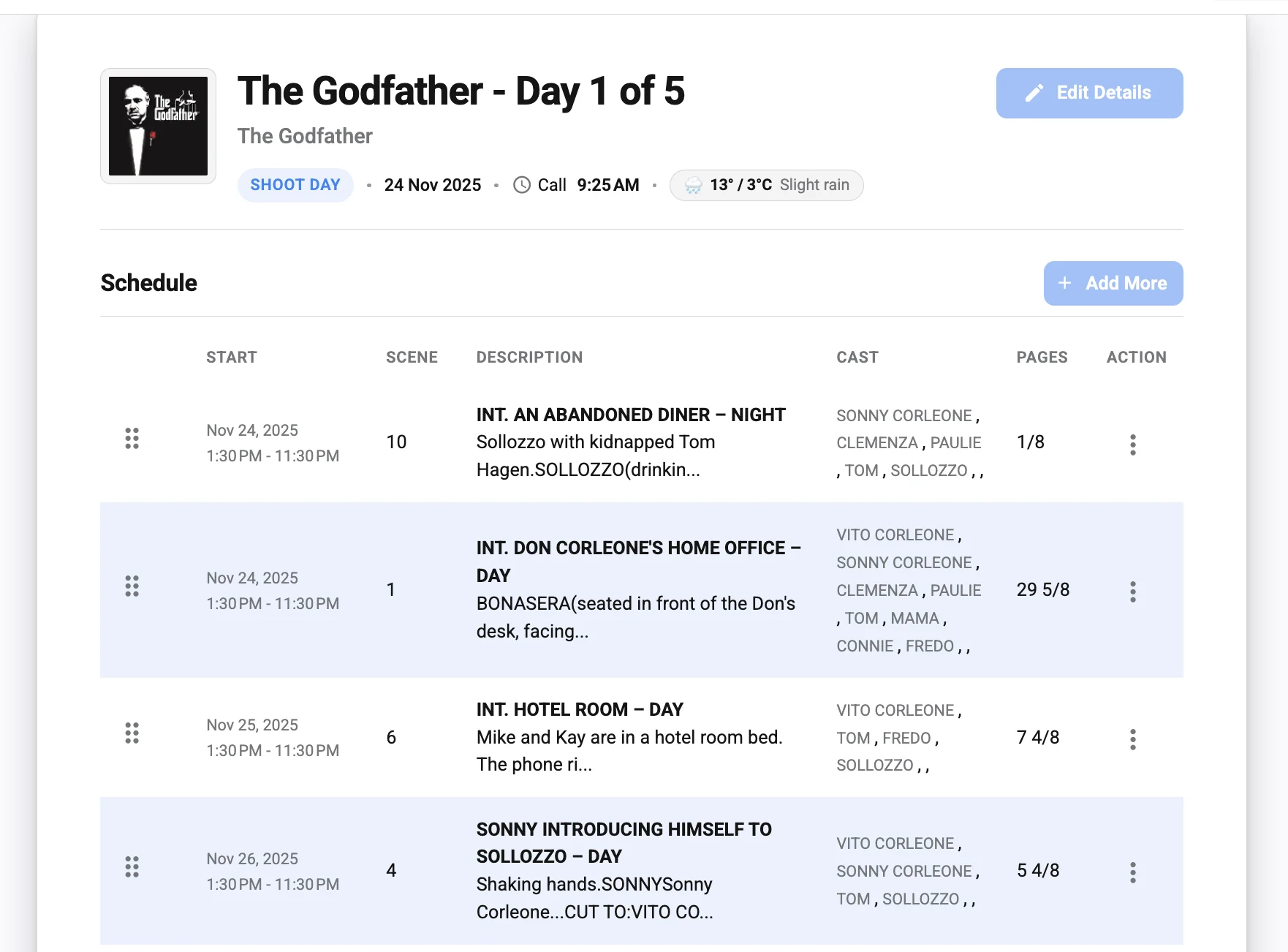
Call sheet software is built to create, manage, send, and often track call sheets from a centralized digital system. Instead of starting from a blank document each day, the team works from structured production data: contacts, cast lists, crew departments, locations, schedules, scenes, attachments, maps, and notes. A call sheet creator can then assemble the document with less repetitive entry.
The main advantage is consistency. When a cast member’s email, a department head’s phone number, or a location address is stored in the system, it can be reused across call sheets. If the production has several shoot days, the team does not need to rebuild the same core information from scratch.
Many software workflows also help with sending and confirming delivery. Depending on the tool, production teams may be able to email call sheets directly, send SMS notifications, request confirmations, attach maps, customize call times by recipient, or maintain a record of who received the latest version. Those features are useful because distribution is one of the most stressful parts of the call sheet process.
What software improves in practice
The biggest improvement is not that the call sheet looks more modern. It is that the workflow becomes less fragile. When a call time changes from 7:00 a.m. to 7:30 a.m., the AD team should not have to update that detail in multiple disconnected places, export another PDF, rename the file, and hope everyone ignores the previous version.
Software can also help separate global information from individual information. For example, all crew may need the general crew call, address, safety note, and parking details, while specific cast members need individual pickup, makeup, wardrobe, and set call times. A manual PDF can include that information, but a digital workflow often makes personalization easier.
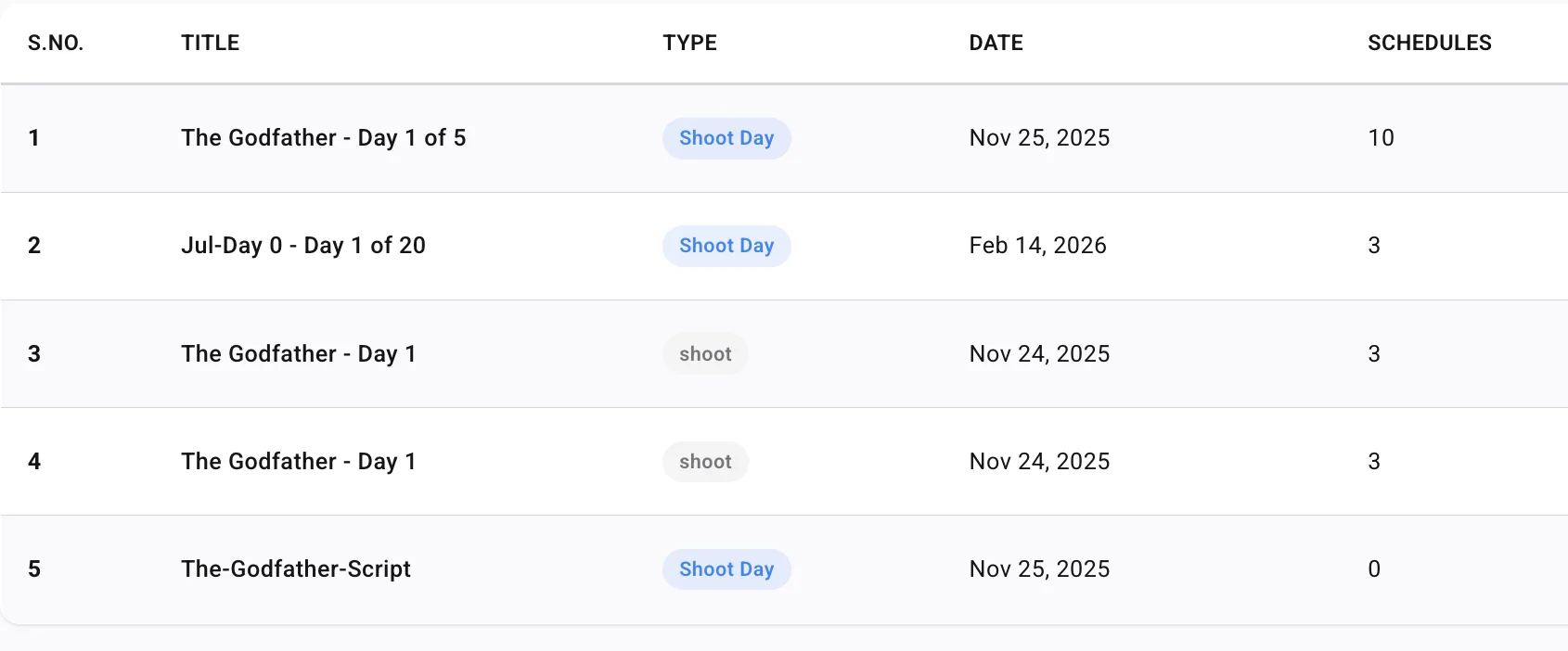
Production teams also benefit when repeat information is stored once. If a location is used on three shoot days, the address, parking instructions, map link, and nearest hospital can be reused. If a crew member works multiple days, their contact record can follow the schedule. This reduces busywork and keeps the production office or AD department focused on decisions rather than formatting.
Where software still requires discipline
A call sheet app is not a substitute for a good production process. Software can make distribution faster, but it cannot decide whether a call time is realistic. It can store a hospital address, but someone still needs to verify that the information is appropriate for the location. It can generate a layout, but the AD team still needs to review the document with department heads.
Digital workflows also require setup. The production must enter contacts correctly, organize departments, confirm permissions, and make sure the team knows how to use the tool. If the data is messy, the generated call sheet will be messy too. The value of software depends on the accuracy of the information inside it.
There may also be budget, access, or connectivity considerations. A small shoot with limited prep time may not want to onboard a new platform the night before filming. A remote production with unreliable internet should think through offline access, printed backups, or alternate communication plans. Software reduces many risks, but it does not eliminate the need for practical set-ready planning.
A side-by-side comparison of the two workflows
The easiest way to compare the two workflows is to look at the actual tasks a production team performs every day. A call sheet is not finished when it looks good. It is finished when the right people receive the right information in time to act on it.
| Workflow area | Manual call sheets | Call sheet software |
|---|---|---|
| Setup | Fast if using an existing call sheet template; slower if designing from scratch | Requires initial production setup, contacts, locations, and permissions |
| Data entry | Details are typed, copied, or pasted manually | Reusable production data can populate repeated fields |
| Revisions | Changes must be updated across the document and redistributed | Changes can often be made in one system and resent more efficiently |
| Version control | Depends on file names, email threads, and team discipline | Often easier to identify and send the latest version |
| Personalization | Possible but time-consuming for individual cast or crew notes | Often better suited to individual call times and targeted distribution |
| Distribution | Email, text, print, or shared folders; tracking is limited | Email or app-based sending may include delivery or confirmation tools |
| Cost | Low software cost, but can require more labor | May involve subscription or platform cost, but can save coordination time |
| Best fit | Small, simple, low-change productions | Multi-day, multi-department, fast-moving productions |
The table shows the real tradeoff: manual call sheets can be inexpensive and flexible, while software can reduce administrative drag and communication risk. The right choice should reflect the production’s complexity, not just personal preference.
What changes when a call sheet is revised late?
Late revisions reveal the strength or weakness of a call sheet workflow. If the company call moves, a location changes, weather affects the order of scenes, or a cast member’s pickup time shifts, the team must update the document quickly and make sure the old information stops circulating. Software usually handles this more cleanly, while manual workflows require stricter version control.
Imagine a commercial shoot where the exterior scene scheduled for first light is moved later because of weather. The production now needs to update the scene order, adjust cast calls, revise the first shot, change department notes, alert transportation, and send an updated production call sheet. In a manual workflow, each of those updates may happen in a spreadsheet or document, then the file must be exported and distributed again.
In a software workflow, the team may still need to make the same decisions, but the mechanics are often faster. The AD or coordinator can update the relevant fields, generate the revised call sheet, and send it to the same distribution list. If the platform supports confirmations, the team may also see who has received or acknowledged the new version.
The practical lesson is simple: if your production expects late changes, you need a workflow built for revisions. That may mean using software, or it may mean creating a strict manual revision process with file naming rules, update notes, and a single person responsible for final distribution.
Production-specific examples that clarify the difference
Different productions put different pressure on the call sheet. A workflow that works well for one shoot may be too fragile for another.
One-day interview shoot
A small documentary interview may involve a producer, director, DP, sound mixer, gaffer, makeup artist, and one subject. The location is fixed, the schedule is simple, and there may be no company move. In this situation, a manual film call sheet made from a clean template can work well.
The most important details are arrival time, parking, load-in access, interview start time, meal plan, contact numbers, and release or location notes. A shared PDF may be enough, especially if the team is small and everyone confirms by text or email. Software is still useful, but it may not be essential.
Multi-day independent feature
An independent feature has more variables: cast call times, makeup and wardrobe schedules, scene numbers, props, special effects, background, transportation, multiple locations, and changing day-out-of-days information. A manual movie call sheet can still be built, but the risk of mistakes increases with each shoot day.
In this environment, call sheet software often provides a stronger base. Reusing cast and crew data, generating daily documents, and managing revised distribution can save meaningful coordination time. The AD team can focus more on the shooting plan and less on rebuilding the document each night.
Commercial shoot with client visibility
A commercial production may include agency, client, production company, director, department heads, cast, crew, vendors, and location representatives. The call sheet needs to be accurate, polished, and carefully distributed. Some recipients may need full production details, while others only need selected information.
Manual workflows can produce a beautiful PDF, but version control becomes critical because many stakeholders may forward documents. Software can help by centralizing the latest version and supporting more controlled distribution. Even if the final call sheet is exported as a PDF, using a call sheet creator behind the scenes can reduce the risk of conflicting information.
Run-and-gun documentary or field production
Documentary field teams often deal with changing access, weather, travel, and subject availability. A rigid call sheet may be less useful than a concise, frequently updated plan. The best workflow may combine software for core data with direct communication for last-minute field updates.
For example, the team might send a simplified daily call sheet with hotel lobby call, vehicle assignments, contact numbers, expected filming windows, and safety notes. If the day changes in real time, the producer may update the crew through a messaging channel. The call sheet remains the baseline, while the field communication handles active changes.
Manual workflow best practices if you use a template
If your production chooses a manual call sheet template, treat it like a controlled production document, not a casual file. The biggest risks can be reduced with a clear process.
Use this checklist before sending a manual call sheet:
- Start from the approved template: Avoid rebuilding layouts from old files with unknown edits.
- Assign one owner: One person should manage final edits, exports, and distribution.
- Use consistent file names: Include production name, shoot day, date, and revision number if needed.
- Mark revised versions clearly: Add “Revised†and the revision time when changes are significant.
- Check all linked details: If a location changes, verify parking, maps, hospital, travel time, and department notes.
- Confirm cast-specific calls: Make sure pickup, makeup, wardrobe, and set call are not contradictory.
- Review with department heads: Give key departments a chance to flag missing notes before release.
- Export to a stable format: Send a PDF rather than an editable document unless collaboration is still in progress.
- Remove outdated versions: If using a shared folder, archive old call sheets so the latest version is obvious.
- Keep a distribution record: Track who received the call sheet and who confirmed when needed.
A manual system works best when the team is disciplined about ownership. If several people edit separate copies, the workflow will eventually break. If one person controls the master document and follows a checklist, a manual workflow can remain reliable for smaller shoots.
Software workflow best practices for production teams
A call sheet app performs best when the production team sets it up before the pressure of daily shooting begins. The goal is not just to create one attractive call sheet. The goal is to create a repeatable workflow that supports prep, review, approval, sending, and revisions.
Before production starts, decide how the system will be used. Who enters contacts? Who approves the call sheet? Who sends it? Who handles corrections? Who has permission to view sensitive information? These decisions prevent confusion when the first call sheet is due.
A strong software workflow usually follows these steps:
- Build clean production records. Enter cast, crew, department, vendor, and stakeholder details carefully. Use consistent names, titles, phone formats, and email addresses.
- Create reusable location profiles. Add address, parking, load-in notes, map links, holding areas, hospital information, and location contacts where relevant.
- Organize the shooting information. Connect scenes, schedule details, cast needs, and department notes so each call sheet reflects the actual plan.
- Customize the call sheet layout. Include the fields your crew needs and remove clutter that does not support the day.
- Run an internal review. Have the AD team, production office, locations, transportation, and key departments check the draft.
- Send through one official channel. Make it clear that the software-generated call sheet or linked PDF is the source of truth.
- Track confirmations if available. Follow up with critical recipients who have not opened or confirmed.
- Document revisions. When updates happen, label them clearly and communicate what changed.
The best digital workflow is still human-led. Software supports the process, but the production team owns the accuracy.
The hidden cost of “free†manual workflows
Manual call sheets often appear cheaper because a spreadsheet or document template may not require a dedicated subscription. For very small productions, that can be true. But the real cost of a workflow includes labor, delay, confusion, and the production impact of mistakes.
If a coordinator spends extra time copying contact details, checking formatting, resending PDFs, answering “which version is correct?†messages, and correcting avoidable errors, that time has value. If a cast member follows an outdated call time, the cost can be much greater than the time spent making the call sheet. If a department misses a note because it was buried in a rushed revision, the effect can ripple through the day.
This does not mean every production must pay for software. It means teams should evaluate cost honestly. A free template may be the right tool for a simple shoot. For a larger production, the hidden cost of manual coordination may outweigh the visible cost of software.
A practical way to evaluate cost is to ask:
- How many call sheets will we create?
- How many people will receive each one?
- How often do our details change after the first draft?
- How much time does our team spend formatting instead of planning?
- How damaging would one missed update be?
- Do we need confirmation that critical recipients received the latest version?
If the answers point to high complexity, call sheet software is likely worth serious consideration.
Security, privacy, and professional control
Call sheets often contain sensitive information. Cast phone numbers, hotel details, pickup times, private locations, personal emails, medical or safety notes, and production contacts may all appear in the same document. Whether you use software or a manual PDF, the team must handle that information carefully.
Manual workflows can make control difficult because PDFs are easy to forward. Once a call sheet is sent to a large email list, the production may have limited control over where it goes next. This can be especially concerning on projects involving recognizable talent, private homes, unreleased products, confidential clients, or sensitive documentary subjects.
Software may offer better permission structures depending on the platform, but it also requires careful account management. The production should decide who has access, what information appears on recipient versions, and whether any details should be separated from the general call sheet. For example, transportation may need pickup addresses that the full crew does not need to see.
Good privacy practice is workflow-neutral:
- Share only what recipients need to perform their role.
- Avoid placing unnecessary personal details on widely distributed documents.
- Use separate secure communication for sensitive pickups, hotel rooms, or private access notes.
- Remove former crew members or vendors from distribution lists.
- Confirm that printed call sheets are collected or disposed of responsibly when appropriate.
A professional call sheet workflow is not only fast. It is also controlled.
Design and readability matter more than decoration
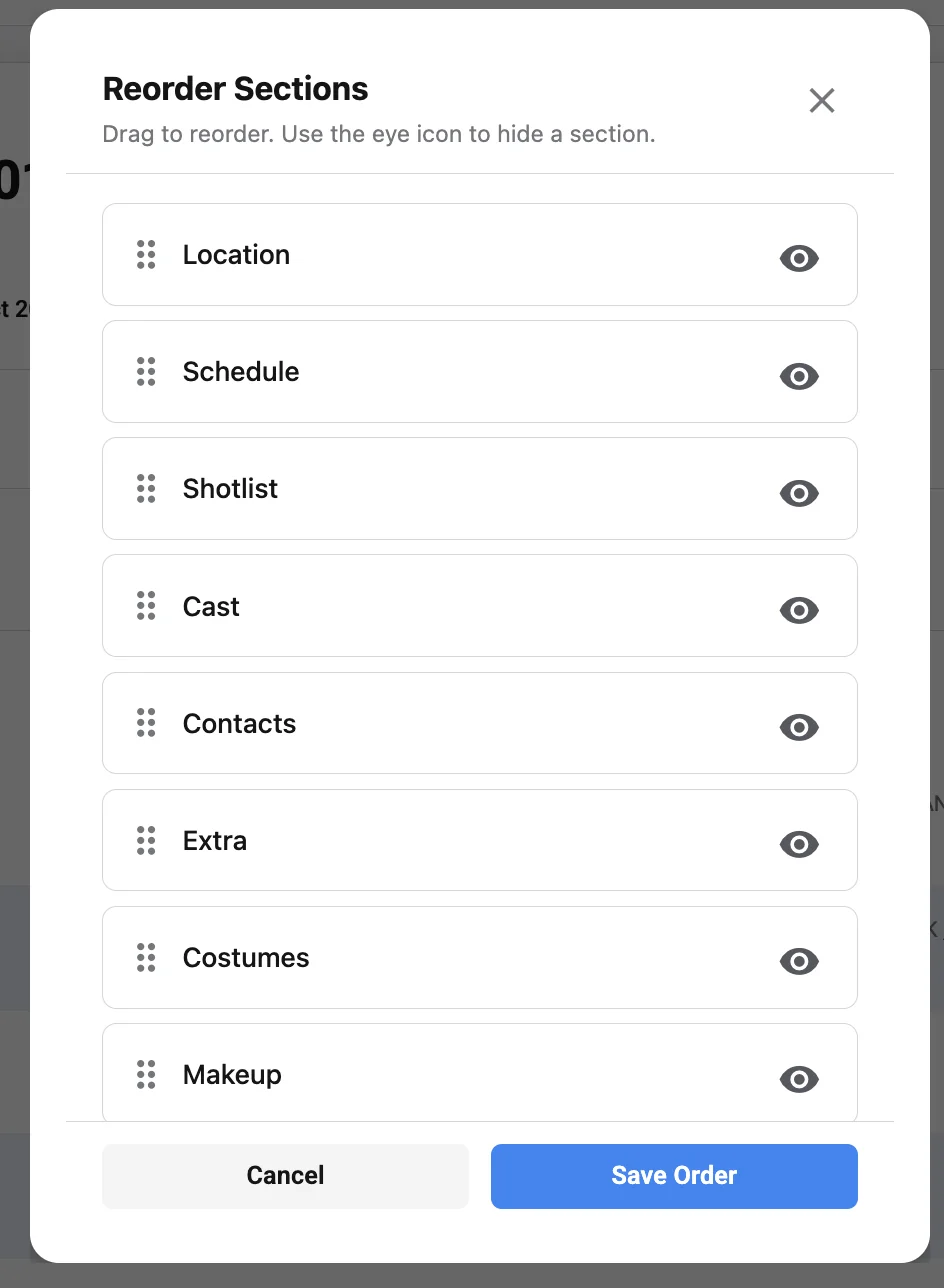
Whether built manually or through a call sheet creator, the final document must be readable under real production conditions. Crew members may check it on a phone at 5:00 a.m., print it in black and white, glance at it in a van, or search it quickly between setups. A beautiful layout that hides essential information is not a good call sheet.
The most important information should be easy to find: shoot date, crew call, location, parking, key contacts, first shot, cast calls, nearest hospital, meal timing, and major safety notes. Department-specific details should be organized so they do not crowd the entire page. If every note is bold, nothing stands out.
Manual templates can be designed with excellent readability, especially if the production uses the same format consistently. Software templates can also be clear, but teams should avoid accepting default layouts without review. The best design is the one your crew can understand quickly.
Useful readability principles include:
- Put the most urgent daily information near the top.
- Use consistent labels for call times, report times, and scene information.
- Separate general notes from department-specific notes.
- Keep paragraphs short and operational.
- Avoid tiny type that becomes unreadable on phones or printed copies.
- Use bold text sparingly for true priority items.
- Make revised information easy to identify.
Readability is a production efficiency issue. If the crew has to hunt for basic details, the call sheet is not doing its job.
Choosing the right workflow for your production
The best choice comes from matching workflow complexity to production complexity. A two-person branded content shoot, a union television production, a student short, and a travel documentary do not need the same system. The goal is to choose the lightest workflow that still protects the day.
Use this decision guide:
| Choose a manual call sheet when… | Choose call sheet software when… |
|---|---|
| The shoot is one day or very short | The production runs multiple days or weeks |
| The crew is small and easy to reach | The distribution list includes many departments or stakeholders |
| Details are unlikely to change | Revisions are common or likely |
| One person can manage all updates confidently | Several people contribute information before release |
| You already have a trusted call sheet template | You need reusable cast, crew, location, and schedule data |
| Confirmation can happen informally | You need better visibility into receipt or acknowledgement |
| Budget is extremely limited | Coordination time and version control are major concerns |
If you are unsure, think about the worst realistic day on the production. Not the simplest day, but the day with a company move, a weather change, a late cast adjustment, and a producer asking for a revised PDF. If your manual workflow can handle that cleanly, it may be enough. If not, software is likely the safer option.
A hybrid approach can be the most practical choice
Many production teams do not need to choose one workflow forever. A hybrid approach can combine the flexibility of a manual template with the structure of software. For example, a producer may use software to manage contacts and generate the core production call sheet, then export a PDF for email, printing, and archival use.
A hybrid workflow can also work during a transition. A team that has always used manual PDFs may start by using a call sheet app for contact management and distribution while keeping a familiar layout. Over time, the team can move more of the process into the software once everyone is comfortable.
Some productions also use manual supplements. The main call sheet may come from software, while a department creates its own internal breakdown, equipment list, shot support note, or transportation grid. That can be effective as long as the main call sheet remains the source of truth for official call times and production-wide information.
The key is to avoid duplicate authority. If two systems contain conflicting call times, the crew will not know which one to trust. A hybrid workflow should define what each tool is for and where final information lives.
Common mistakes to avoid in either workflow
Both manual and software-based workflows can fail if the production process is unclear. A polished tool will not fix late approvals, incomplete notes, or contradictory instructions. Likewise, a simple spreadsheet can work beautifully if the team uses it carefully.
Avoid these common mistakes:
- Sending before review is complete. A rushed call sheet often creates more follow-up than it saves.
- Including too much information. Overloaded documents make critical details harder to find.
- Hiding important changes. If a revised call sheet changes call time, location, parking, or safety information, say so clearly.
- Using multiple unofficial channels. Crew members should know where the official call sheet comes from.
- Failing to confirm key recipients. Cast, department heads, drivers, and location contacts may require direct confirmation.
- Copying old notes without checking them. Yesterday’s parking note, hospital, or department instruction may not apply today.
- Treating the call sheet as clerical only. It is an operational document that affects the whole shooting day.
A reliable workflow has both structure and accountability. Someone must own the final version, and everyone must know what counts as official.
Building a better call sheet process before the next shoot
Improving your call sheet process does not require a complete overhaul. Start by identifying where your current workflow creates the most friction. Are revisions slow? Are crew members asking the same questions after every send? Are department notes arriving too late? Are there too many versions in circulation? Those answers point to the process improvements that matter most.
For a manual workflow, the first improvement is usually standardization. Create one approved call sheet template, define required fields, establish review deadlines, and use consistent file naming. Add a revision protocol so late changes are labeled clearly.
For a software workflow, the first improvement is usually data quality. Clean up contact lists, remove duplicates, standardize department names, and build accurate location profiles before the production is moving at full speed. A call sheet creator is most valuable when it draws from reliable information.
A practical pre-production checklist can help either workflow:
- Confirm who owns the call sheet each day.
- Decide when department notes are due.
- Define who must approve the draft before sending.
- Establish the official distribution channel.
- Create a revision policy for late changes.
- Decide what information should be public, private, or role-specific.
- Test the workflow before the first shoot day.
- Keep a backup plan for internet, email, or printing issues.
Small process decisions made in prep can prevent large communication problems during production.
The bottom line for filmmakers and production teams
Manual call sheets are not outdated; they are simply best suited to productions with fewer moving parts. A well-designed template, a careful coordinator, and a disciplined approval process can support a small shoot effectively. For lean teams, that may be the most practical option.
Call sheet software becomes more valuable as complexity increases. When the production has multiple shoot days, larger crews, individual call times, frequent revisions, sensitive details, or many stakeholders, a dedicated call sheet app can make the workflow faster and more reliable. It helps centralize information, reduce repeated entry, and support clearer distribution.
The strongest production teams choose the workflow that protects the day. If a manual process gives everyone accurate information on time, it is doing its job. If the process depends on too many last-minute edits, scattered files, and hopeful forwarding, it is time to consider software.
In the end, the better workflow is the one that helps the crew show up prepared, keeps departments aligned, and lets the production spend less energy chasing information and more energy making the work. Whether you use a template, a call sheet creator, or a full software platform, treat the call sheet as a core production tool—not an afterthought.