
A strong call sheet keeps a production day organized before the first crew member arrives on set. For filmmakers, producers, directors, assistant directors, and production teams, the right call sheet generator turns scattered details—locations, call times, scenes, cast, crew, parking, weather notes, contacts, and safety information—into one clear plan everyone can follow.
Related video: Studiovity AI Mobile Callsheet
Choosing the best call sheet generator is not just about making a document look professional. It is about reducing confusion, protecting the schedule, and helping each department understand exactly where they need to be, when they need to be there, and what they need to prepare.
What makes a call sheet generator useful for production teams?
A useful call sheet generator helps production teams create, update, share, and track call sheets with less manual work and fewer communication gaps. It should make the production call sheet easier to build, easier to read, and easier to revise when a location changes, a scene moves, or a department needs updated instructions.
On a real set, details move fast. A director may adjust the shooting order, a producer may confirm a new parking area, or an assistant director may need to shift cast call times after a schedule change. A good call sheet app supports those changes without forcing the team to rebuild the document from scratch.
The best tools also understand that call sheets are operational documents, not just forms. A filming call sheet must serve many readers at once: actors checking pickup times, camera crew reviewing gear needs, makeup planning prep windows, production assistants confirming maps, and producers checking contacts and company moves. Clear structure matters as much as attractive formatting.
The role of the call sheet in a professional shoot
A call sheet is the daily roadmap for a film, commercial, documentary, music video, or branded content shoot. It communicates who is needed, where they should report, what scenes or setups are planned, and which logistical details affect the day.
For assistant directors, the call sheet is one of the most important coordination tools. It reflects the shooting schedule, but it also translates that schedule into practical instructions for people on the ground. A call sheet that is incomplete or confusing can create late arrivals, missed prep, unanswered questions, and avoidable delays.
For producers, the call sheet also supports accountability. It centralizes essential production information so departments are not relying on scattered text threads or outdated PDFs. When the team has one reliable source for the next shoot day, communication becomes calmer and more consistent.
A strong movie call sheet usually includes:
- General production details, such as project title, production company, shoot day, and date.
- Key contacts, including producers, directors, assistant directors, production office, and emergency contacts.
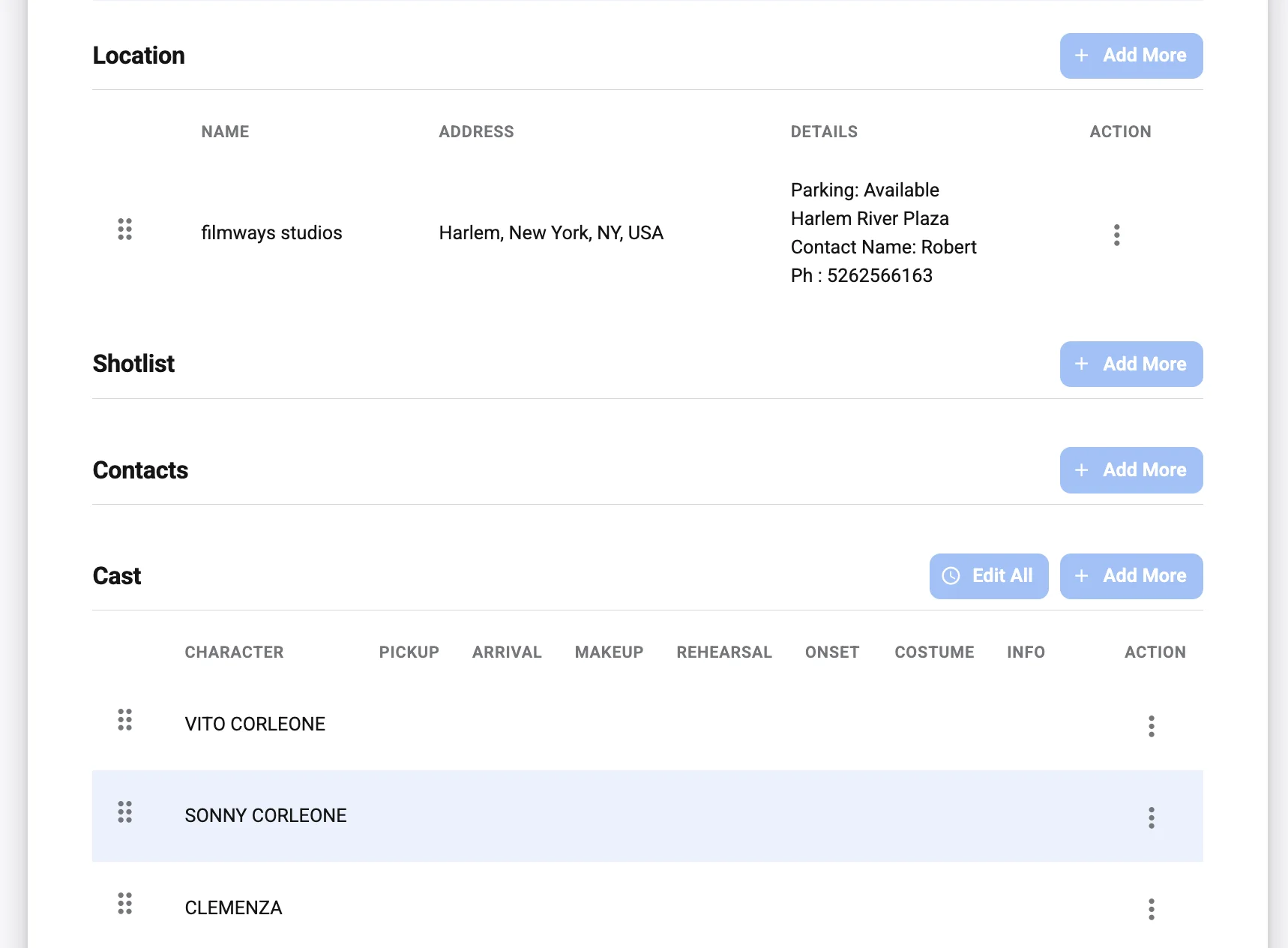
- Location information, including address, parking, basecamp, holding, nearest hospital, and access notes.
- Call times, separated by cast, crew, departments, and sometimes individual needs.
- Scene schedule, including scene numbers, page counts, locations, descriptions, and cast required.
- Weather and daylight notes, especially for exterior work or travel-heavy shoot days.
- Special instructions, such as wardrobe, props, safety notes, meal timing, company moves, or equipment reminders.
Why teams move beyond a basic call sheet template
A call sheet template can be a practical starting point, especially for student films, small crews, or early-stage production teams. Templates give structure to the information that needs to appear on the page, and they help new filmmakers learn the rhythm of production planning.
The challenge is that a static template becomes harder to manage as the shoot grows. A spreadsheet or document may work for one location and a compact crew, but revisions can quickly become messy when there are multiple cast groups, company moves, department-specific notes, or late schedule changes. Version control becomes a risk when one person has yesterday’s PDF and another person is working from a newer export.
That is where call sheet software becomes valuable. Instead of typing every field manually each time, production teams can organize reusable details, reduce repeated data entry, and generate cleaner call sheets from a more structured workflow. The result is not only a better-looking document, but also a more reliable production process.
Essential features to look for in call sheet software
The best call sheet generator for film and video production teams should support the way a set actually operates. A beautiful layout is helpful, but the real value comes from speed, accuracy, collaboration, and clarity.
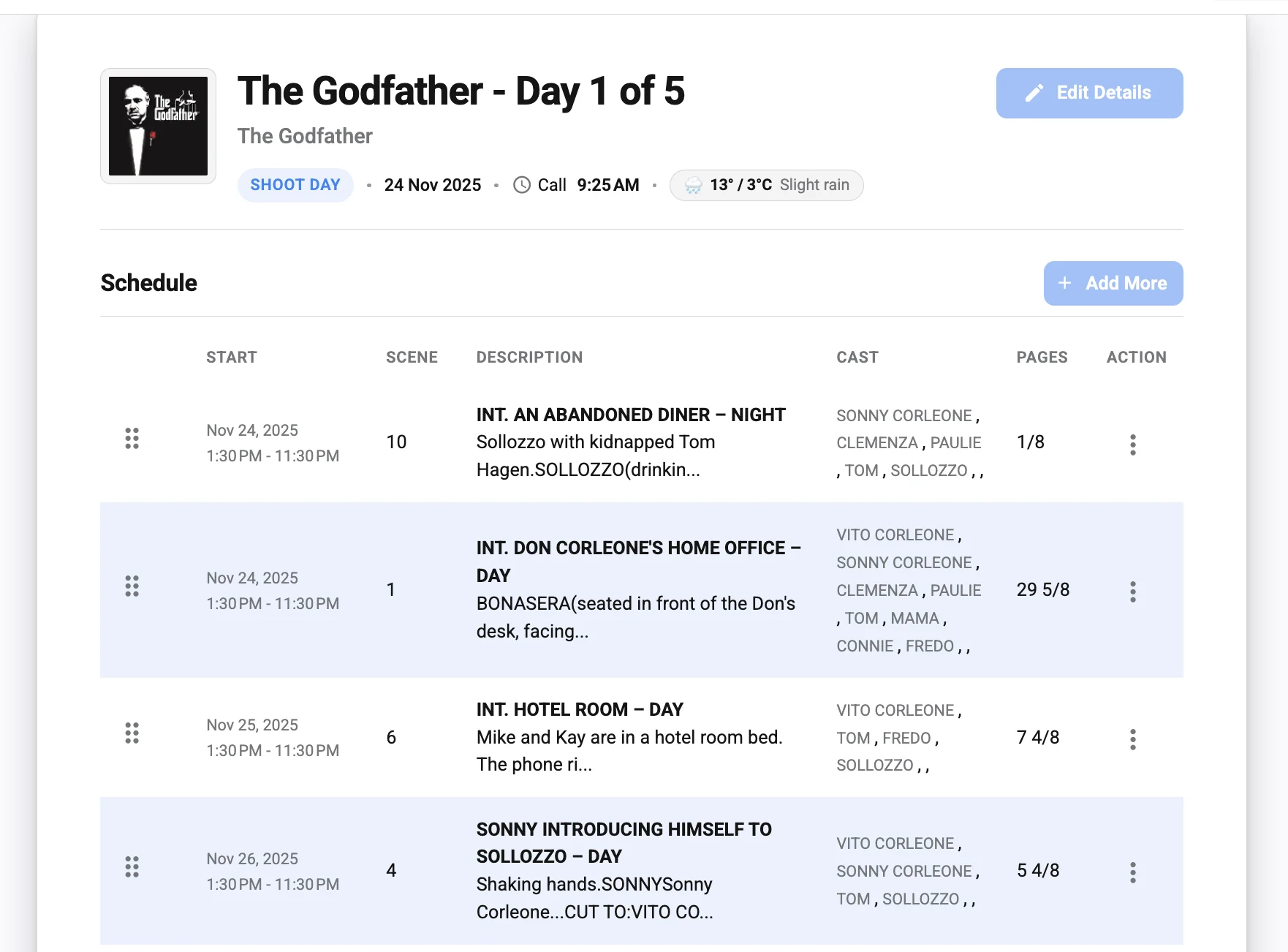
Fast call sheet creation
Production teams rarely have unlimited time at wrap. The assistant director or production coordinator often needs to prepare the next day’s call sheet while confirming notes from multiple departments. Software that speeds up this process can make the end of day less stressful.
Look for a tool that lets you enter production details once and reuse them across shoot days. Cast, crew, contacts, locations, and recurring instructions should not need to be retyped for every call sheet. The fewer repetitive tasks involved, the more attention the team can give to the details that actually changed.
Clear layouts for cast and crew
A call sheet should be easy to scan on a phone, tablet, or printed page. Department heads should be able to find what they need quickly, and cast members should not have to search through dense blocks of text to find their reporting time.
Strong layouts use hierarchy well. Call times, location details, and critical safety information should stand out. Scene information should be organized logically, and notes should be specific enough to guide action without overwhelming the reader.
Collaboration and approval workflows
Call sheets usually pass through several hands before distribution. The assistant director may draft the schedule, the producer may confirm logistics, department heads may submit notes, and the director may review the plan for creative priorities.
A good call sheet app should make collaboration easier, even if the exact workflow varies by team. At minimum, it should help reduce duplicate files, unclear revisions, and last-minute confusion. When everyone knows which version is current, the production runs more smoothly.
Reliable distribution
A call sheet is only useful if the right people receive it on time. Distribution features can help teams send the final version to cast, crew, clients, or department-specific groups.
For many teams, email remains standard. Others may also use messaging apps or production management platforms. Whatever the method, the generator should make it simple to export, share, or distribute a professional call sheet without breaking the layout.
Practical production details
Good call sheet software should support more than names and times. Film and video production depends on practical field information: parking, loading zones, security instructions, nearest hospital, weather concerns, meal breaks, travel notes, and safety reminders.
These details may not look glamorous, but they often prevent problems. A well-built filming call sheet helps people arrive prepared, reduces unnecessary calls to production, and gives the team confidence that the day has been planned thoughtfully.
How should producers choose the best call sheet generator?
Producers should choose the best call sheet generator by matching the tool to the production’s scale, pace, and communication needs. A small documentary crew may need fast, simple call sheet creation, while a larger narrative production may need stronger collaboration, cast breakdowns, multiple locations, and detailed department notes.
Start by looking at the real pain points in your current workflow. Are call sheets taking too long to create? Are people missing updates? Are templates inconsistent from one shoot day to the next? Are department notes scattered across emails, messages, and spreadsheets? The right tool should solve those problems directly rather than adding another layer of administration.
A practical evaluation checklist can help:
- Ease of setup Can the production team create a call sheet quickly without a long learning curve?
- Reusable information Can cast, crew, locations, and contacts be saved and reused across shoot days?
- Readable output Does the final production call sheet look clean on both mobile screens and printed pages?
- Revision control Is it clear which version is current, and can updates be managed without confusion?
- Distribution options Can the team send or export call sheets in the format cast and crew expect?
- Production-specific fields Does the tool support practical needs such as scene details, parking, weather, safety notes, and emergency information?
- Team fit Does it support the way your assistant directors, producers, coordinators, and department heads already work?
This checklist keeps the decision grounded. The best option is not always the most complex platform. It is the one that helps your team communicate clearly and prepare the next shoot day with confidence.
Call sheet app vs. manual template
Both a call sheet app and a manual call sheet template can be useful, but they serve different stages of production maturity. A template is flexible, familiar, and often enough for very small shoots. An app becomes more valuable when the team needs speed, consistency, and better control over repeated production details.
A manual template works well when the project is simple and one person is managing most of the logistics. It gives full control over formatting, and the team can adapt it freely. However, manual systems depend heavily on careful typing, copying, and checking. As the production grows, that manual effort can become a weak point.
A dedicated generator or call sheet software is designed to reduce that friction. It can help standardize the way information appears, make recurring details easier to manage, and support faster creation of each new filming call sheet. For teams producing regular content, commercial shoots, or multi-day projects, those time savings can become meaningful.
Here is a simple comparison:
| Workflow option | Best for | Main advantage | Common limitation |
|---|---|---|---|
| Manual call sheet template | Small or occasional shoots | Flexible and easy to start | More manual editing and version risk |
| Spreadsheet-based call sheet | Budget-conscious teams | Familiar structure and basic organization | Can become cluttered as details grow |
| Call sheet app | Fast-moving productions | Easier updates and cleaner distribution | Requires choosing and learning a tool |
| Full call sheet software | Professional production teams | More consistent workflow and stronger structure | Needs team adoption to get full value |
The decision does not have to be permanent. Many teams start with a template, then move to a generator when their shoot volume, crew size, or scheduling complexity increases.
Details that separate a professional movie call sheet from a basic one
A professional movie call sheet does more than list arrival times. It anticipates the questions cast and crew will ask before they ask them. That level of preparation is what makes the document genuinely useful on set.
Location clarity is one major difference. A basic call sheet may include only an address, while a stronger one explains parking, entrance points, holding areas, loading instructions, and company move timing. This prevents unnecessary delays when crew members arrive at unfamiliar locations.
Department relevance is another important factor. Camera, grip, electric, art, wardrobe, makeup, sound, and production may all need different reminders. A good call sheet does not bury those notes in vague language. It gives each department enough context to prepare properly.
Safety information also matters. Emergency contacts, nearest hospital details, weather concerns, stunt notes, intimacy or special effects considerations, and site-specific hazards should be treated as essential planning information, not afterthoughts.
Finally, the tone of the call sheet should be professional and precise. Clear language builds confidence. If a note can be misunderstood, rewrite it before distribution.
A practical workflow for creating a better production call sheet
A reliable call sheet starts with a reliable process. Even the best call sheet generator cannot fix unclear production information if the team has not confirmed the basics.
Use this workflow before sending the final call sheet:
- Confirm the shooting schedule Verify scene order, page count, location, cast required, and any planned company moves. If the schedule is still shifting, mark unresolved items before drafting.
- Collect department notes Ask department heads for practical instructions early enough to review them. Avoid adding vague last-minute notes that create more questions than answers.
- Check cast and crew call times Make sure individual call times match prep needs. Hair, makeup, wardrobe, rehearsals, travel, and special equipment setup may require different arrival times.
- Verify locations and logistics Confirm address, parking, access, basecamp, holding, restrooms, loading zones, and any restrictions from the location owner or permit.
- Add safety and emergency information Include emergency contacts and relevant safety notes. If there are special risks, make sure the language is clear and visible.
- Review for readability Scan the final call sheet as if you were a crew member receiving it late at night. The essential details should be easy to find immediately.
- Distribute the final version consistently Send the final approved call sheet through the agreed channel. If revisions are needed, label them clearly so no one works from an outdated version.
This process gives assistant directors and producers a repeatable system. Over time, it also helps the production team build trust because call sheets arrive with the information people actually need.
Where Studiovity fits into the call sheet conversation
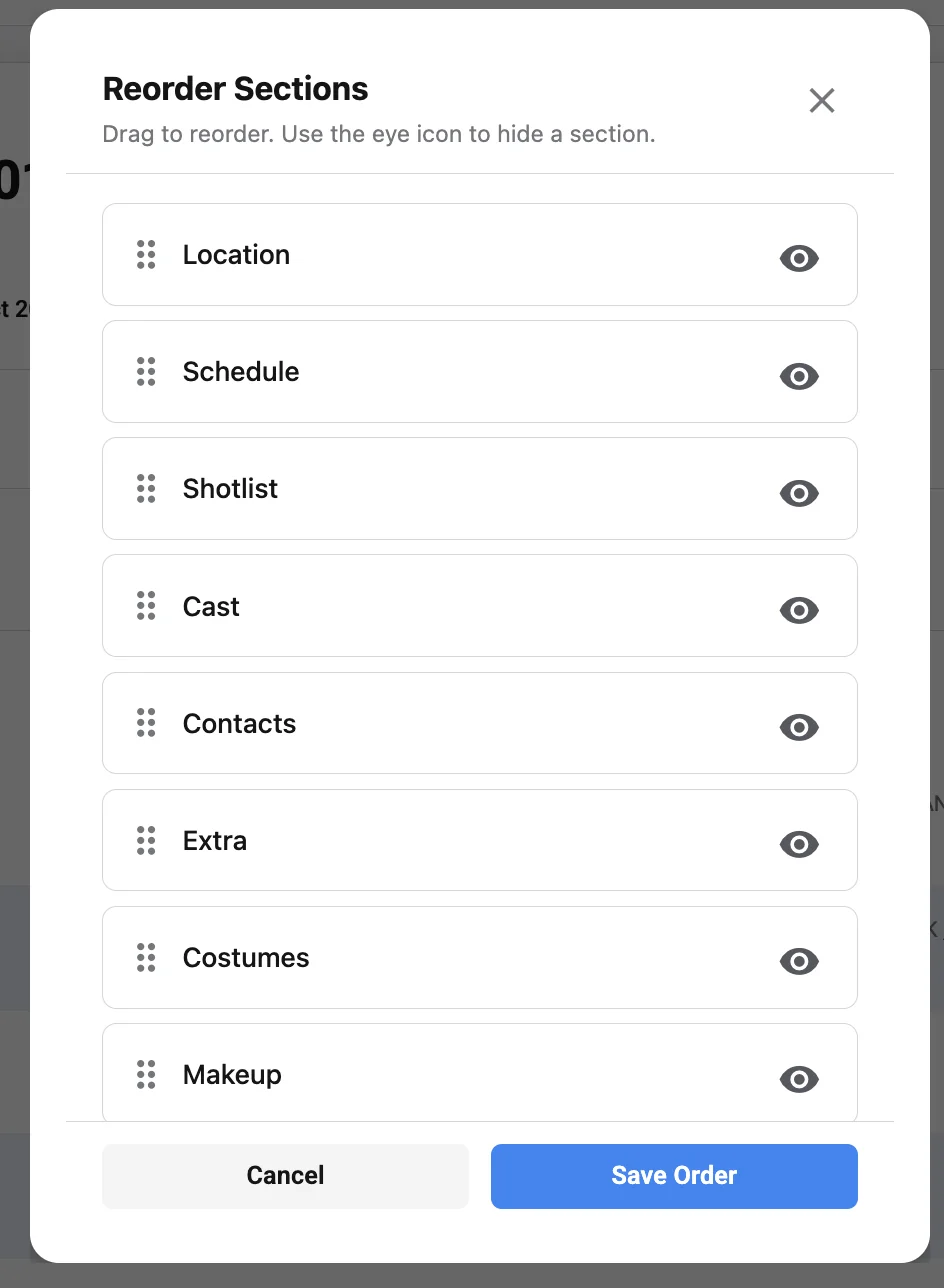
Studiovity call sheet software can be considered by production teams looking for a dedicated digital option rather than relying only on manual documents or spreadsheets. If you are comparing tools, it is reasonable to review Studiovity alongside other call sheet software based on workflow fit, ease of use, collaboration needs, and the type of productions you manage.
For product-specific details, teams can visit Studiovity call sheet software and evaluate whether the platform matches their production process. As with any tool, the best choice depends on how well it supports your actual day-to-day planning, not simply whether it offers a polished interface.
The most useful approach is to test any call sheet generator against a real shoot day. Enter an actual schedule, add cast and crew, include location notes, and see how easy it is to create a final call sheet your team would be comfortable sending.
Common mistakes to avoid when generating call sheets
Even experienced teams can run into call sheet problems when production pressure is high. Most mistakes come from rushing, copying old information, or assuming people will know details that were never clearly written.
Avoid these common issues:
- Sending too many versions without clear labels. Revisions happen, but every update should be obvious.
- Leaving out parking or access notes. An address alone may not be enough for large locations or restricted sites.
- Using unclear department instructions. Notes should be specific, actionable, and assigned to the right group.
- Burying safety information. Emergency and safety details should be easy to locate.
- Forgetting mobile readability. Many people will read the call sheet on a phone, often while traveling.
- Copying yesterday’s call sheet without checking every field. Old weather, scene numbers, contacts, or locations can create serious confusion.
The fix is simple but disciplined: treat the call sheet as a fresh operational document every day. Reusable information is helpful, but every detail still deserves review before distribution.
The best call sheet generator supports the whole production day
The Best Call Sheet Generator for Film and Video Production Teams is the one that helps your team prepare faster, communicate better, and execute the shoot day with fewer avoidable questions. It should support the assistant director’s planning, the producer’s oversight, the director’s priorities, and the crew’s need for clear instructions.
A strong generator does not replace good production management. It strengthens it. When schedules are accurate, logistics are confirmed, and call sheets are easy to read, the entire team benefits.
Whether you begin with a call sheet template, move into a call sheet app, or adopt dedicated call sheet software, the goal stays the same: give every cast and crew member the right information at the right time. That clarity is what keeps a production moving, protects creative energy, and helps each shoot day start with confidence.