Have you ever tried aligning visuals with dialogue in a basic document, only to watch one keystroke destroy your formatting?In practice, relying on standard text editors rather than dedicated AV Script Software creates massive visual-audio alignment headaches.
Today, Studiovity AV Script Software eliminates this struggle with its two-column AV format, an intuitive video production software approach acting as a split-screen for your thoughts.
Mastering the Two-Column Layout: How Studiovity Aligns Your Vision and Sound Automatically
Figuring out how to write a two-column script for commercials in a standard word doc often ends in misaligned text. Manual formatting ruins your creative flow.
A professional audio visual script formatting guide solves this. It acts as a split-screen: what the eye sees goes on the left, and what the ear hears stays on the right.
Studiovity AV Script Software works like a “Smart Assistant” for this layout. As a top dual-column script editor for marketing agencies, it automatically aligns your visuals and dialogue as you type.
With your text perfectly synchronized, your project can easily expand using professional AV Script Software.
Beyond Writing: Streamlining Your Workflow with Integrated Storyboards and Production Management
Writing your script is just the first step. Previously, creators had to print pages and use highlighters to manually find every required prop or location—a process called a script breakdown.
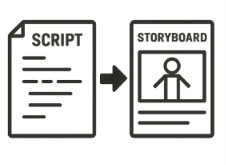
Studiovity AV Script Software fixes this chaos with integrated storyboard and script synchronization. When you upload a reference sketch for a shot, it stays permanently locked to that specific scene’s text.
Rather than juggling extra spreadsheets, the platform acts as your digital assistant to deliver three production benefits:
Running an automatic script breakdown for production scheduling
Storyboarding visual frames directly beside your dialogue
Organizing audio visual assets in scriptwriting, like physical props
Turning ideas into reality is simpler when your document and AV Script Software manage the logistics.
Studiovity vs. The Rest: Why Professional Collaboration Trumps Basic Editors
Working in standard apps often ruins your careful two-column layout the second someone types. When comparing Studiovity vs Celtx for AV scripts, Studiovity AV Script Software excels by protecting your format during real-time editing, standing out among cloud-based screenwriting collaboration tools.
Imagine a digital paper trail where the cameraman and editor never view outdated pages. This version control ensures collaborative scriptwriting for creative teams happens smoothly, entirely eliminating those confusing email attachments named “Final_v3.doc.”
Knowing your entire crew shares one unified document through AV Script Software prevents costly on-set mistakes.
From Concept to Camera: Your 3-Step Action Plan to Professional Scripting
You’ve stopped fighting documents. By streamlining your audio-visual production workflow, your concepts instantly gain a professional appearance for clients. Try dedicated AV Script Softwares for corporate video scriptwriting to:
Import existing scripts
Apply AV formatting
Share with collaborators
Start your next project with the right tools and Audio-Visual Script Software to experience a truly streamlined and efficient workflow.
Why Choose Studiovity AV Script Software?
Studiovity Audio-Visual Script Software helps filmmakers, content creators, and production teams create professional audio-visual scripts with ease. From automatic two-column formatting and integrated storyboards to script breakdowns and real-time collaboration, Studiovity keeps your entire workflow organized in one place. Turn ideas into production-ready plans faster and manage every stage of pre-production with confidence.
Traditional motion capture asks for three things most creators don’t have: a suit covered in reflective markers, a calibrated multi-camera volume, and a technician to